

Why Your Contact and Booking Forms Matter More Than You Think
Your contact and booking forms are some of the most important parts of your WordPress site. They sit between visitors who are ready to talk and the people in your business who need to respond. When they fail, you often do not get an error message. The enquiry just never appears.
What can go wrong: silent failures, spam floods and data leaks
Common problems include:
- Silent failures: messages never reach your inbox because of spam filters, misconfigured email, or a broken plugin update. You only realise when a customer complains that you did not reply.
- Spam floods: bots hammer your forms with junk messages, fake bookings and malware links. Your team wastes time sorting through rubbish, and genuine messages get missed.
- Data leaks: form submissions may be emailed insecurely, logged in plain text, or synced to external tools without proper controls, creating GDPR and reputational risks.
- Performance issues: heavy form plugins or booking tools slow down key pages, so people abandon enquiries and bookings.
None of these problems are obvious from a quick click around your site. You need to think about email deliverability, spam control, data handling and performance together.
Typical UK SME scenarios: contact, enquiries, bookings and simple CRM
Most UK small and medium businesses fit one or more of these patterns:
- Brochure sites with 1–3 contact forms for general enquiries, quotes or call backs.
- Service businesses such as agencies, trades, clinics or consultancies that need enquiry forms plus date and time based bookings.
- WooCommerce shops that need product enquiry forms, “request a quote” forms or post purchase support/contact.
- Simple CRM workflows, where form submissions are tagged, routed to shared inboxes or pushed into tools such as HubSpot, Pipedrive or a basic helpdesk.
Your tools and setup should match your actual workflow. A single lightweight contact form is very different from a clinic handling sensitive booking data or a retailer dealing with high traffic sale periods.
How this guide is structured
This guide walks through:
- The core requirements that any reliable form or booking setup should meet.
- How to choose and combine WordPress plugins and external systems.
- How to make email deliverability solid, with practical configuration steps.
- Spam reduction techniques that still let real customers through.
- Data protection, GDPR and privacy decisions you need to make.
- Performance and reliability, including what your hosting can and cannot solve.
- Concrete examples for common UK SME scenarios.
The focus is on practical, realistic setups that do not require a full time IT department to run.
Key Requirements for a Reliable WordPress Contact or Booking Setup
Deliverability: making sure messages are actually received
For most SMEs, “reliability” starts with a simple question: when someone submits a form, do the right people reliably receive it?
That means:
- Using a proper transactional email method instead of basic PHP mail.
- Sending from a domain and address that you control (for example
website@yourdomain.co.uk). - Configuring SPF, DKIM and DMARC correctly so receiving mail servers trust your messages.
- Having a backup store of submissions in WordPress or another system, in case email fails.
We will cover these in detail in the email deliverability section below.
Spam prevention: blocking bots without blocking real customers
You need to cut down junk without making genuine users jump through hoops. This usually means combining:
- Invisible or low friction checks such as honeypots and basic rate limiting.
- A sensible CAPTCHA configuration where needed, tested on mobile.
- Network level bot filtering, so abusive traffic is filtered before it hits WordPress.
On hosts that provide network level protection, such as the G7 Acceleration Network, abusive and non human traffic is filtered before it reaches PHP or the database, which reduces wasted server load and helps maintain stable response times during spam attacks.
Data protection and GDPR: storing, processing and retaining personal data
Most enquiry and booking forms collect personal data as defined by UK GDPR: names, contact details and sometimes more sensitive details.
Key questions include:
- What data do you collect and is all of it necessary?
- Where is it stored: WordPress database, email systems, booking systems, CRMs, backups?
- What is your lawful basis for processing (for example legitimate interests, contract)?
- How long do you keep enquiry and booking data?
- Can you respond to access and deletion requests in a practical way?
You do not need to be a lawyer, but you do need a clear, documented approach that fits how your business actually operates.
Usability: easy for visitors, manageable for your team
A form that looks clever but confuses people is not helpful. Consider:
- For visitors: clear labels, minimal required fields, sensible error messages, mobile friendly layouts and no aggressive CAPTCHAs.
- For your team: straightforward admin screens, export tools, reliable notifications and clear routing rules to the right inbox or queue.
Booking tools also need to match how your team actually works. If your staff do not live in a specific app all day, sending bookings into a shared email inbox may be more realistic than trying to enforce a complex calendar tool.
Performance and reliability: keeping forms responsive under load
Form and booking pages often have:
- Extra scripts from form plugins, calendar widgets or external services.
- Dynamic checks such as availability lookups or postcode lookups.
- Security checks and spam protections.
This can make them slower than the rest of the site, especially during campaigns or busy periods. Good hosting, lightweight plugins and sensible caching rules help keep these critical paths fast and stable.
Choosing the Right Form and Booking Tools for Your Site
Common WordPress form plugins and when to use them (overview, not endorsements)
The WordPress ecosystem has many form plugins. Without endorsing specific brands, they broadly fall into a few categories:
- Simple contact form plugins: lightweight, often free, good for a small number of basic forms. Best when you only need name, email, message and maybe one or two extra fields.
- Visual form builders: drag and drop, conditional logic, multi step forms, file uploads and integrations with CRMs and payment gateways. Useful for more complex workflows, quotes and multi page enquiries.
- Specialist forms: survey tools, quiz builders and calculators. These add interactivity but can be heavy if overused.
For most SMEs starting from scratch, a solid visual form builder plus careful configuration of email sending is a good balance of flexibility and control. Once you go beyond “contact us”, check that your chosen plugin supports:
- Storing form entries in the database.
- Confirmations and notifications to multiple recipients.
- Exporting data in CSV or similar formats.
- Hooks or integrations for CRMs or helpdesk tools if you need them.
Booking and appointment tools: hosted platforms vs WordPress plugins
You have two main choices for bookings and appointments:
- WordPress booking plugins that live inside your site and use your database.
- Hosted booking platforms (SaaS) that you embed or link to from WordPress.
WordPress booking plugins give you more control over the data and the interface, and they can share styling and user accounts with the rest of your site. They are often a good fit when:
- You need simple appointment slots or room/resource bookings.
- You want bookings to integrate closely with WooCommerce or membership features.
- You are comfortable maintaining plugin updates and performance tuning.
Hosted platforms can be more robust for complex scenarios, such as multi location clinics or teams with many staff calendars. They usually handle:
- Calendar synchronisation (Google, Microsoft 365).
- Reminder emails and SMS.
- Payment collection.
- Availability rules and buffers.
The trade off is more external data processing and integration work, and sometimes higher overall cost. For many busy SMEs, a hosted booking tool embedded into a WordPress page keeps WordPress lighter and shifts complex scheduling logic to a system designed for it.
Questions to ask before installing another plugin
Before you add a form or booking plugin, ask:
- Does it actually solve a problem I have right now, or am I planning for unlikely future features?
- Is it actively maintained and compatible with the current WordPress and PHP versions?
- How heavy is it in terms of scripts, database usage and admin complexity?
- Does it store entries, and if so, how can I export or delete them?
- What data does it send to third parties?
Fewer, well chosen plugins are easier to secure and keep fast than a stack of overlapping tools.
When an external SaaS form/booking system makes more sense
An external SaaS form or booking system can be a better choice when:
- You expect high traffic on forms, for example national campaigns or PR coverage.
- Your forms are tightly connected to operational systems such as case management or support desks.
- You need features beyond most WordPress plugins, such as advanced routing, multi team workflows or strict audit trails.
You can still embed these in WordPress using iframes or JavaScript widgets, while keeping the heavy processing off your main site. For some UK SMEs in regulated sectors, it is also easier to get clear data processing agreements from a specialist SaaS provider than to assemble the same controls with a basic plugin.
Getting Email Deliverability Right for Contact and Booking Forms

Why “wp_mail” and basic PHP mail often fail in real life
How WordPress sends form emails by default
By default, WordPress uses the wp_mail() function, which on many servers simply hands messages to PHP’s mail() function. The server then tries to deliver the email directly to the recipient’s mail server.
Problems with this approach:
- Servers are often not configured as proper mail senders.
- Emails may be sent from generic addresses like
wordpress@server.hostthat do not match your domain. - There is no authentication (SPF/DKIM) by default, so receiving servers distrust the messages.
- There is little visibility into failures; messages can vanish with no obvious error.
Why messages land in spam or disappear completely
Receiving mail systems weigh many signals. Messages sent via basic PHP mail often look suspicious because:
- The sending IP does not match the domain in the From address.
- There is no valid SPF or DKIM record saying “this server is allowed to send for this domain”.
- Your server’s IP may share a reputation with other customers on the same hosting platform.
The result is that some enquiries arrive, some go to spam, and some are rejected quietly. You need a more deliberate setup.
Using a transactional email provider (SMTP/API) with WordPress
Key providers to consider and what features to look for
Instead of relying on wp_mail(), connect WordPress to a transactional email service using SMTP or an API. Common choices include providers such as SendGrid, Postmark, Amazon SES and similar services.
When comparing providers, look for:
- Support for authenticated sending using your own domain.
- Clear documentation for SPF, DKIM and DMARC.
- Email logs that show delivery status and errors.
- Reasonable UK or EU data handling practices.
- Webhook or alert options for bounces and rate limiting.
Most WordPress SMTP plugins let you paste in SMTP credentials or an API key from your provider. Once configured, test with multiple email accounts, including common UK providers such as Microsoft 365 and Gmail, to be sure messages land in inboxes.
Configuring SPF, DKIM and DMARC on your domain in plain English
These DNS records signal that your email is legitimate:
- SPF: lists which servers are allowed to send mail for your domain.
- DKIM: adds a digital signature to outgoing emails that proves they were sent by an authorised server.
- DMARC: tells receiving servers what to do if SPF and DKIM do not match, and where to send reports.
Your transactional email provider will usually give you specific DNS records to add. A typical SPF record might look like:
v=spf1 include:send-provider.example -all
DKIM uses a special CNAME or TXT record, and DMARC might look like:
v=DMARC1; p=quarantine; rua=mailto:dmarc-reports@yourdomain.co.uk
For a step by step walkthrough in the context of WooCommerce (the principles are the same for contact and booking forms), see our guide on WooCommerce email deliverability.
Testing form emails properly before going live
Before you rely on a form, test:
- Submissions to different mailbox providers (Gmail, Microsoft 365, ISP mail).
- CC and BCC routing if multiple people need notifications.
- From and Reply-To addresses (ensure replies go to the right place).
- Error handling if the email provider is temporarily unavailable.
Online tools such as mail testers and inbox placement tests can help check SPF/DKIM/DMARC status and spam scores, but sending real tests to your normal inboxes is the most practical baseline.
Routing and redundancy: copies, logging and fallbacks
Sending to shared mailboxes vs individuals
For business critical enquiries and bookings, direct messages to:
- A shared mailbox such as
enquiries@orbookings@, monitored by several people. - Optionally, a backup address, for example a manager’s inbox.
A shared mailbox reduces the risk of messages being missed when someone is ill or on holiday. If you prefer working in tools like Teams or Slack, consider routing form notifications into a channel via email or webhook as well.
Storing submissions safely in WordPress as a backup
Many form plugins can store entries in the WordPress database. This is useful as a safety net if email fails, but it means you are storing more personal data on your site.
You should:
- Limit dashboard access so only appropriate staff can view entries.
- Configure retention: auto delete old entries after a set period where lawful.
- Secure backups that include these entries.
Under UK GDPR you should retain data only as long as necessary, so align your plugin’s retention settings with your policies.
Using logs and monitoring to spot problems early
Email logs, either from your transactional provider or a logging plugin, help you see:
- Whether notifications are being generated at all.
- Delivery status and any bounce reasons.
For key forms, consider a small monitoring script or external service that submits a test enquiry daily and checks that the email arrives. For a broader view of site health, including form pages, our article on why uptime matters and how to monitor your WordPress site explains simple monitoring options.
Practical Ways to Cut WordPress Form and Booking Spam
Understanding where spam comes from: bots vs humans
Most spam comes from:
- Automated bots that submit generic text, links and malware to any form they find.
- Cheaper human labour paid to submit marketing or phishing content manually.
Technical measures are very effective against bots, less so against determined human spammers. Your goal is to make automated spam expensive and difficult while keeping friction low for genuine users.
Techniques that still work: honeypots, rate limiting and basic challenges
Effective, low friction measures include:
- Honeypot fields: hidden fields that humans do not see, but unsophisticated bots fill in. If the field has content, you silently reject or flag the submission.
- Rate limiting: limit how often a single IP or user can submit a form. A visitor submitting a form 20 times in a minute is unlikely to be legitimate.
- Simple questions: easy challenges such as “What is 2 + 3?” can filter basic bots, but test carefully on mobiles and with accessibility tools.
Combine these with server side validation, not just JavaScript checks, so that disabling scripts does not bypass protections.
Using reCAPTCHA and alternatives without hurting conversion
Invisible vs checkbox vs v3 score based approaches
Google reCAPTCHA is widely used, but can be intrusive if configured badly. The main options are:
- Checkbox (“I’m not a robot”): familiar to users but adds an extra step and can frustrate people when puzzle challenges appear.
- Invisible: triggers only when the system detects suspicious behaviour, otherwise stays hidden.
- v3 score based: gives each visitor a “risk score” which your form or plugin can use to decide whether to accept, reject or challenge.
For most SMEs, invisible or score based CAPTCHAs strike a better balance between protection and user experience than persistent puzzles. Whichever you use, test the form as a first time visitor on mobile devices with and without cookies enabled.
Privacy and data transfer considerations for CAPTCHAs
CAPTCHA services usually involve sending data (such as IP addresses and browser details) to a third party, often outside the UK/EU. This has GDPR implications.
Your privacy notice should:
- Explain that you use CAPTCHA services to protect your forms.
- Identify the provider and describe what data is shared at a high level.
- Reference any relevant data transfer safeguards the provider offers.
Filtering bad bots before they reach WordPress

How network level filtering reduces load and junk
Filtering at the network level means inspecting traffic before it reaches WordPress or PHP. This can block known malicious IPs, obvious automated scanners and abusive request patterns.
The benefits are:
- Lower server CPU and memory usage, because many junk requests are dropped early.
- More consistent performance on form pages during attacks.
- Less noise in your form logs and spam queues.
On platforms that use a protection layer such as the G7 Acceleration Network, bot protection filters abusive and non human traffic before it hits PHP or the database, which helps keep response times stable and reduces avoidable downtime during busy periods.
Where a managed hosting stack can help with bot control
A good managed hosting stack will usually include:
- Web application firewall (WAF) rules that recognise common attack patterns.
- Rate limiting per IP or per country.
- Automatic blocking of known malicious networks.
Using managed WordPress hosting for UK SMEs that takes care of these controls reduces the amount of bot protection you need to build directly into WordPress, while still leaving you free to add form level anti spam tools.
Data Protection, GDPR and UK Privacy Considerations
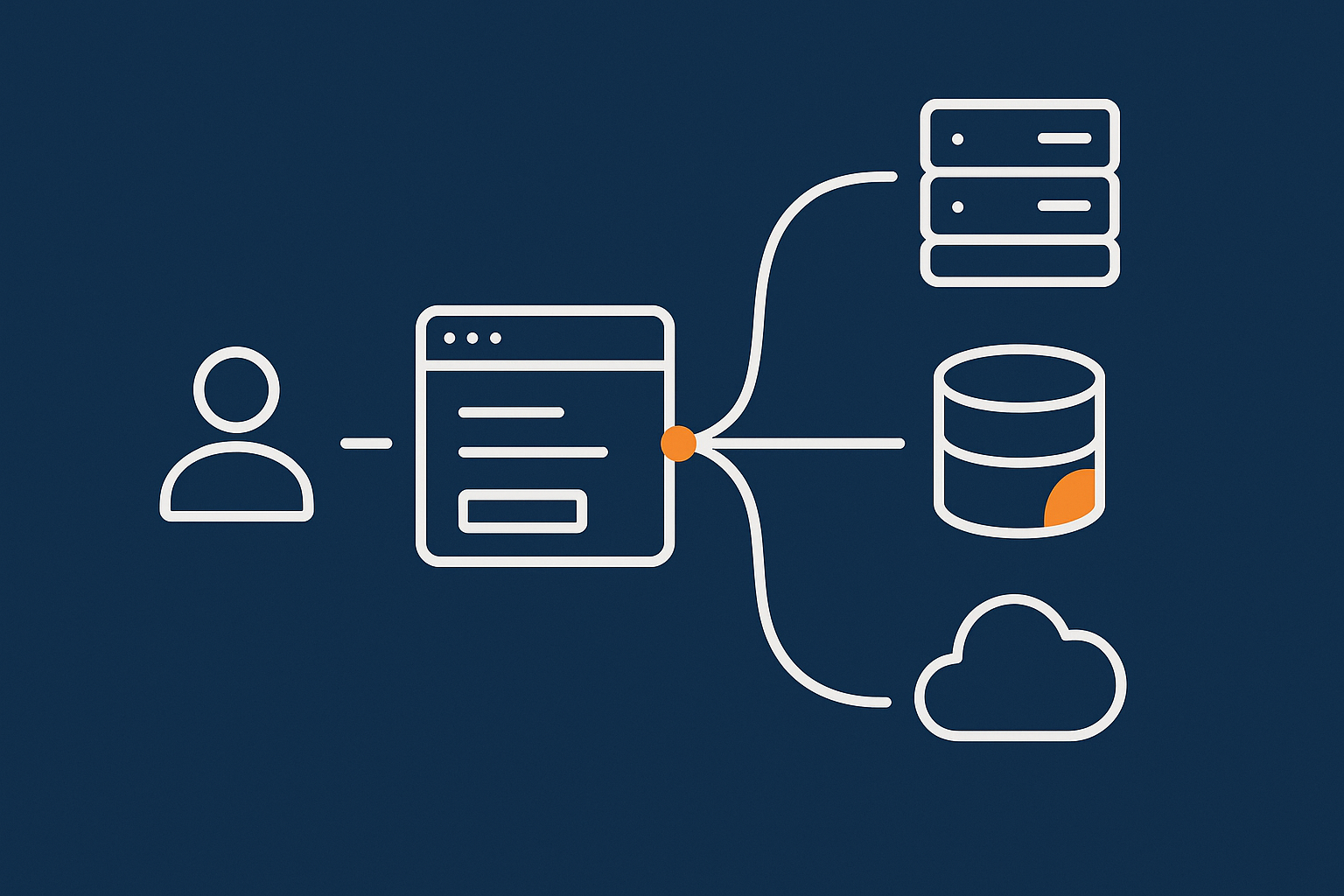
What personal data your forms actually collect
Contact forms, booking forms and special category data
Typical data collected includes:
- Names, email addresses, phone numbers and postal addresses.
- Details about projects, health, finances or other personal circumstances.
- Availability, appointments and preferences.
Some of this may be special category data (for example health data for clinics). That requires extra care, stricter legal bases and stronger security.
Avoid collecting more than you need
Keep fields to the minimum you need to respond and deliver your services. For example:
- Use optional fields for helpful but non essential information.
- Do not ask for date of birth or national insurance numbers unless absolutely necessary.
- Where possible, use free text instead of long lists of sensitive options.
This reduces risk, simplifies compliance and usually improves conversion.
Lawful basis, consent and transparency for enquiries and bookings
Legitimate interest vs explicit consent in practice
For most enquiry and booking forms, the lawful basis is usually:
- Legitimate interests for responding to incoming enquiries.
- Contract (or steps towards a contract) for bookings and service requests.
Consent is generally reserved for things like subscribing to marketing lists. Avoid bundling marketing consent into mandatory enquiry fields. Instead:
- Use a separate, unticked checkbox for marketing consent.
- Explain clearly what people are signing up for and how often you will email.
Clear, plain language around how you use enquiry data
Your form pages and privacy notice should explain, in plain English:
- Why you collect the data (for example to respond to enquiries or manage bookings).
- How long you keep it.
- Whether you share it with third parties such as booking platforms or email providers.
- How people can exercise their rights (access, correction, deletion).
A short sentence near the submit button with a link to your privacy notice is usually enough on the form itself, provided the privacy notice is clear and up to date.
Where data lives: hosting location, backups and third party processors
UK/EU hosting vs sending data overseas
Where your site is hosted affects where form entries are stored and processed. Hosting in the UK or EU simplifies GDPR considerations, especially for more sensitive data.
Backups also matter: if your hosting provider keeps offsite backups outside the UK/EU, that is another data transfer to understand and document.
Using managed WordPress hosting for UK SMEs that offers UK and EU locations makes it easier to keep primary data within those regions, which simplifies compliance for many SMEs.
Booking platforms and email services as data processors
Any external tool that receives or processes form or booking data is a processor under UK GDPR. You should:
- Keep a simple list of processors (for example email provider, booking platform, CRM).
- Review their data processing agreements.
- Confirm where their servers are and how they handle international transfers.
Retention, access and deletion: making your process realistic
How long to keep enquiry and booking data
Decide realistic retention periods, for example:
- Enquiries that do not lead to work: 6–12 months.
- Bookings and service records: aligned with legal and regulatory requirements for your sector.
Configure your form and booking tools to auto delete or anonymise data where possible, and align your backup retention with these policies as far as practical.
Making subject access and deletion requests practical
You should be able to:
- Locate a person’s data across WordPress entries, booking tools and email systems.
- Export it if they ask for access.
- Delete it or anonymise it where there is no legal obligation to keep it.
Using tools with good search and export functions, or centralising more data in one place (for example a CRM), makes these requests much more manageable.
Security basics for form and booking data
HTTPS, strong passwords and user roles
Baseline security includes:
- A valid TLS certificate for your site so forms load over
https://. - Strong, unique passwords for WordPress accounts and email accounts.
- Appropriate user roles: staff who only need to read entries should not be full administrators.
Our guide on hardening WordPress without breaking your site covers many of these points in more detail.
Logs, backups and incident response
Keep:
- Regular, tested backups that include form entries, with sensible retention periods.
- Basic logs of logins and key changes, to help investigate issues.
- A simple plan for what you will do if you suspect a breach involving form data.
Some managed hosting providers include enhanced web hosting security features such as intrusion detection and audit logs, which can support your incident response planning.
Performance and Reliability Considerations for Busy Forms and Booking Systems
Why forms and booking pages often become bottlenecks
Form and booking pages often load:
- Extra JavaScript and CSS from plugins and external widgets.
- Dynamic elements such as calendars, availability lookups and validation.
- Security measures like CAPTCHAs and anti spam scripts.
All of this makes them more fragile under load. If the page is slow or fails under peak traffic, people will not wait to submit their enquiry or booking.
Caching and what you can and cannot cache safely
Static vs dynamic pages in WordPress
Caching speeds up WordPress by serving pre generated versions of pages. This works very well for static content like blog posts and landing pages.
Forms and booking pages are different:
- The page shell (header, footer, basic layout) can often be cached.
- The form itself, including tokens and dynamic availability, often should not be cached per user.
A good caching setup, such as that provided by the G7 Acceleration Network, can cache static assets and page shells at the edge while skipping sensitive dynamic parts. This keeps pages fast without risking stale availability or broken form submissions.
Avoiding cached CSRF tokens and stale availability
Many forms use security tokens (nonces) and session data. If a fully cached copy of the page is served to multiple users, those tokens may no longer be valid, causing mysterious “form expired” or “invalid token” errors.
Booking systems have the added risk of cached availability. If a slot is booked, the availability should update in real time, not at the next cache refresh.
Typical mitigations:
- Exclude key form and booking endpoints from full page caching.
- Use AJAX to load dynamic parts that should never be cached.
- Rely on object caching or database optimisation to keep dynamic queries fast.
If you want more background on how caching layers work, see our explainer on WordPress caching layers.
Handling peaks: campaigns, seasonal surges and PR traffic
Lightweight forms vs heavy all in one builders
During campaigns, sale periods or PR coverage, the performance cost of heavy form builders becomes obvious. Each extra script and database query reduces the number of concurrent users your server can handle comfortably.
Consider:
- Using simpler forms for high traffic campaigns, with fewer conditional fields.
- Offloading complex booking logic to a specialist SaaS platform.
- Reducing third party scripts on critical pages.
Sometimes a minimal “register interest” form that pushes people into a follow up workflow is more robust than a complex, multi step booking flow on the first click.
How bot filtering and edge caching reduce server strain
During busy periods, bot traffic and repeated requests can overload servers. Network level bot protection and edge caching reduce the work your origin server has to do for each request.
For example, the G7 Acceleration Network filters abusive traffic before it hits PHP or MySQL and serves cached assets and page shells from edge locations, which keeps CPU usage lower and makes performance more predictable, even when there is a spike in interest or automated scanning.
Monitoring form health: uptime checks, test submissions and alerts
Consider treating critical forms and booking pages as monitored services:
- Set up uptime checks directly on the form URL.
- Automate periodic test submissions that confirm both the page and email workflows are functioning.
- Use alerts (email, SMS or chat) so the right people know quickly if a check fails.
This is especially important for campaigns where most of your return comes from a specific call to action on a form page.
Practical Setup Examples for Common UK SME Use Cases
Simple brochure site: one contact form with reliable email
Plugin choice, email routing and spam control
For a straightforward brochure site with one main contact form:
- Use a lightweight form plugin that stores entries in the database.
- Configure SMTP or API sending using a transactional email provider.
- Set the From address to something like
website@yourdomain.co.ukwith Reply-To set to the visitor’s email. - Route notifications to a shared mailbox (for example
hello@) and a secondary address for resilience. - Enable honeypot and rate limiting features; add reCAPTCHA only if needed.
Test the form monthly, including over mobile networks, in case ISP or mail provider changes alter deliverability.
Service business: enquiries plus calendar based bookings
Connecting your booking tool to email and your CRM
For service businesses that rely on appointments:
- Use one form plugin for general enquiries and a booking plugin or hosted booking tool for appointments.
- Ensure both tools send notifications via your transactional email setup, not basic PHP mail.
- Connect both to your CRM or shared mailbox consistently, using tags or subject prefixes such as “[Enquiry]” and “[Booking]”.
This makes it easier for your team to triage and report on volume without digging through multiple places.
Keeping availability accurate without slowing the site
If availability is managed inside WordPress:
- Exclude booking pages from aggressive full page caching.
- Use a booking plugin that loads availability dynamically via AJAX.
- Optimise the database and consider object caching if you have many resources and slots.
If you use an external booking SaaS platform, keep the embed code light and ensure that if the external service ever fails to load, the page still shows clear error messaging and a fallback contact method.
Ecommerce store: product enquiries and post purchase support forms
Where forms sit alongside WooCommerce emails
WooCommerce already sends order, shipping and account emails, usually via the same transactional provider you use for forms. For product enquiries and support forms:
- Include order numbers or product IDs as required fields where relevant.
- Use conditional logic to route warranty or returns queries separately from pre sales questions.
- Send support form submissions into a shared mailbox or helpdesk tool so they do not get lost among general enquiries.
Making sure support requests never vanish
Combine:
- Database storage of form entries as a backup.
- Email routing to a shared support inbox with clear SLAs.
- Periodic checks that both the form and WooCommerce transactional emails are being delivered reliably.
High quality managed WordPress hosting for UK SMEs can help keep WooCommerce and custom forms fast and stable, and simplify DNS and email configuration if you prefer not to manage these layers yourself.
How Hosting Choice Affects Form Deliverability, Spam and Data Protection
What your host can realistically handle, and what stays your responsibility
Your hosting provider can help with:
- Server performance, PHP and database tuning.
- Network level security, TLS certificates and basic email infrastructure.
- Backups and uptime monitoring, depending on the plan.
You are still responsible for:
- The form and booking plugins you choose.
- How you configure email routing and DNS records.
- Your privacy policies, retention rules and data processor choices.
If you want a clearer breakdown of where the line sits, our article on hosting responsibility explains what most providers do and do not cover.
Benefits of managed WordPress hosting for form heavy sites
For sites where enquiries and bookings are central to revenue, using managed WordPress hosting for UK SMEs can reduce the operational load on your team.
Benefits typically include:
- Optimised PHP and database settings for WordPress and WooCommerce.
- Built in caching tuned for dynamic sites.
- Automatic updates and hassle free WordPress maintenance, reducing the risk of broken forms after an update.
- Closer support if you need help diagnosing issues with load, bot traffic or email configuration.
Network level bot filtering and security hardening for forms
How a protection layer in front of WordPress reduces abuse
A security layer in front of WordPress can:
- Inspect requests for known attack patterns.
- Block obvious form spam bots before they reach PHP.
- Rate limit aggressive IPs hitting form endpoints.
The G7 Acceleration Network combines these protections with caching and performance features, so abusive traffic is filtered and legitimate visitors see faster page loads, even under load.
Security headers, TLS and keeping sensitive pages fast and safe
Security headers such as Content Security Policy (CSP), X-Frame-Options and X-Content-Type-Options help protect form pages from certain classes of attack. TLS configuration and strong cipher suites protect data in transit.
Some hosting stacks configure these automatically. Where that is handled for you, you can focus on form design, email routing and data handling rather than the low level security of the web server.
A Simple Checklist Before You Go Live with Any Contact or Booking Form
Deliverability checks
- Form notifications use a transactional email service via SMTP or API.
- SPF, DKIM and DMARC are correctly configured for your domain.
- Test submissions arrive in common UK inboxes (Microsoft 365, Gmail, ISP mail) and not in spam.
- Submissions are stored in WordPress or another system as a backup if appropriate.
Spam and abuse checks
- Honeypot and basic rate limiting enabled.
- CAPTCHA configured and tested on mobile, with minimal friction.
- Network level bot filtering is active where available.
Data protection checks
- Form only collects necessary data; sensitive fields reviewed.
- Privacy notice explains how enquiry and booking data is used, stored and retained.
- Data processors (email provider, booking SaaS, CRM) documented.
- Retention rules set in plugins and backup policies reviewed.
Performance and resilience checks
- Form and booking pages load quickly from UK locations, including on mobile.
- Caching is configured so that tokens and availability are not served from stale cache.
- Basic uptime checks or test submissions are set up for critical forms.
- Hosting has capacity for expected peaks, with room for short spikes.
Next Steps and Further Reading
A reliable contact and booking setup is not just about choosing a plugin. It is a combination of email deliverability, spam control, data protection decisions and hosting architecture.
If you want fewer moving parts to manage, exploring managed WordPress hosting for UK SMEs and the G7 Acceleration Network can simplify caching, bot filtering, image optimisation and security headers so you can focus on forms, content and customer service.
For ongoing security and maintenance, our guides on hardening WordPress and monitoring uptime offer practical next steps. With a little planning and testing now, you can avoid missed enquiries, overloaded booking systems and uncomfortable data protection problems later.