

Who This Multi‑Tier Hosting Guide Is For (And What You Will Be Able To Decide)
Typical situations where multi‑tier hosting starts to make sense
Multi tier hosting is less about technology fashion and more about risk, reliability and growth. It usually becomes relevant when:
- Your website or application is now core to revenue, lead generation or operations.
- You are seeing real traffic growth or regular traffic spikes.
- Performance is starting to suffer at busy times.
- Downtime would be more than a minor embarrassment.
- You have to think about compliance, audits or security reviews.
For example:
- A WordPress site that has grown into a key marketing site and lead funnel.
- A WooCommerce shop that now handles meaningful daily order volumes.
- A web application used by customers or staff every working day.
- A platform integrating with payment gateways or third party APIs.
If you are still on a single shared hosting plan or a lone VPS, and uptime or performance are now business concerns, you are the audience for this guide.
Key questions you should be able to answer by the end
By the end, you should be able to answer:
- Is a multi tier setup actually worth it for my business right now?
- Which tier is my current bottleneck: web, application or database?
- Should I scale up the server I have, or split a tier onto its own system?
- What level of redundancy and failover is realistic for my budget and risk profile?
- What can my hosting provider reasonably manage, and what will still be my responsibility?
If you want more background on when to move from single to multiple servers, you may also find Single Server vs Multi Server Architecture: How to Decide When You Are Not on Public Cloud useful.
The Basic Three Tiers in Plain English: Web, Application and Database
What each tier actually does in the real world
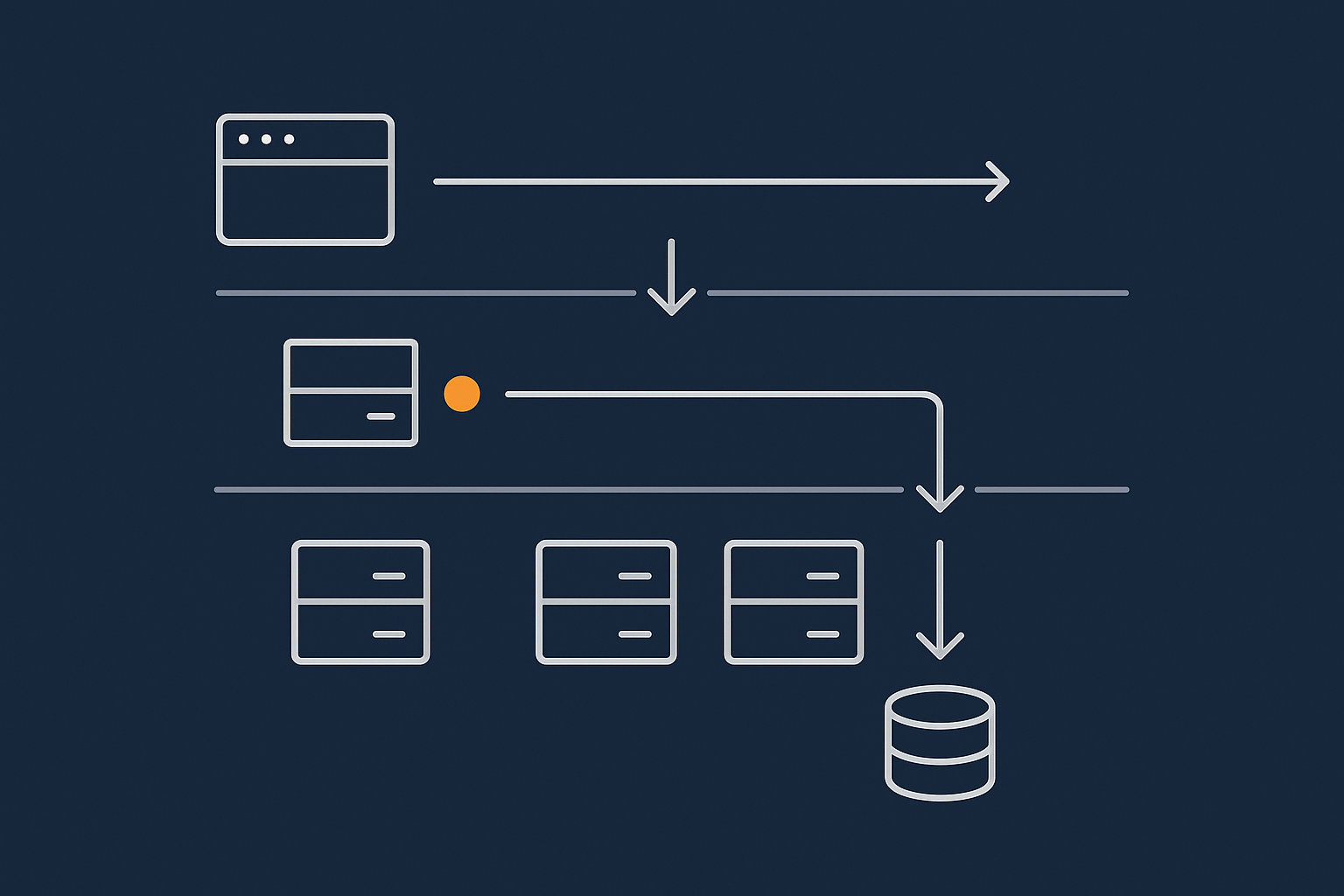
Most modern online systems can be thought of as three logical layers:
- Web tier
The entry point. Handles HTTP and HTTPS, terminates TLS, serves static files like images, CSS and JavaScript, and forwards dynamic requests to the application tier. - Application tier
Where your business logic lives. It processes requests, talks to APIs, applies rules, and decides what should happen. It then reads or writes data via the database tier. - Database tier
Stores and retrieves structured data in a consistent way. It is responsible for durability, locking, transactions and query performance, not for business logic.
In a simple hosting plan, all three layers may run on a single physical or virtual server, but the logical split still exists.
How this maps to WordPress, WooCommerce and similar platforms
For a typical PHP CMS or e‑commerce stack:
- Web tier: Nginx or Apache handling HTTPS and delivering static assets.
- Application tier: PHP, the WordPress or WooCommerce code, plugins and themes.
- Database tier: MySQL or MariaDB storing posts, orders, users and configuration.
In practice, the web and application tiers often share the same servers for smaller sites, while the database is the first piece to move to its own environment as load and risk increase.
Where CDNs, acceleration layers and firewalls fit in
In front of the web tier you can add:
- A content delivery network (CDN) to cache static assets closer to visitors.
- An acceleration layer that optimises images and applies smart caching.
- A web application firewall (WAF) to filter malicious or abusive traffic.
For instance, the G7 Acceleration Network for edge caching and bad bot filtering can cache content, convert images to AVIF and WebP, often cutting image sizes by more than 60 percent, and filter abusive traffic before it ever reaches your web or application tiers.
Start Simple: When a Single Server Is Still the Right Answer
The common all‑in‑one stack: web, app and database on one box
Many businesses begin with a single server that runs:
- Web server (Nginx or Apache).
- Application runtime (PHP, Node.js, etc.).
- Database (MySQL, MariaDB or PostgreSQL).
This is a sensible and cost effective starting point for low to moderate traffic, particularly on a well specified VPS or VDS.
Benefits: simplicity, lower cost, easier troubleshooting
Keeping everything on one machine has clear advantages:
- Simplicity: fewer moving parts, fewer failure modes.
- Lower cost: one server and one management surface.
- Easy troubleshooting: all logs and services in one place.
- Low latency: the application and database talk locally, not over a network.
Limits: performance ceilings, noisy neighbours and single points of failure
The trade offs are equally clear:
- Performance ceilings: CPU, RAM, storage and network are shared by all tiers.
- Noisy neighbours: a heavy database query can slow page delivery and background jobs at the same time.
- Single point of failure: if the server fails, all tiers go offline together.
Vertical scaling can help for a while. Scaling a Website Safely: When Vertical Scaling Stops Working goes into more depth on these limits.
Signs you are outgrowing single‑server hosting
You may be ready for a more tiered architecture when:
- CPU or disk usage spikes to 100 percent during traffic peaks.
- Checkout or login pages slow down under load.
- Backups or reports cause noticeable downtime or lag.
- Developers ask for separate environments for testing and staging.
- You start discussing uptime targets or SLAs internally.
What Multi‑Tier Actually Buys You: Reliability, Performance and Risk Reduction
Separating concerns: why splitting tiers reduces blast radius
Splitting tiers reduces the “blast radius” of any single problem. For example:
- A run of expensive database queries might slow the database server, but your web tier can continue serving cached pages.
- A configuration change in the web tier will not directly affect your data store.
- Security hardening for the database is simpler when it is only reachable from the application tier, not the internet.
Scaling options: adding capacity where it is really needed
With separate tiers you can:
- Scale the web tier horizontally by adding more web nodes behind a load balancer.
- Scale the application tier for CPU intensive workloads.
- Scale the database vertically with more memory and faster storage, or add read replicas where appropriate.
You do not have to pay for more of everything when only one area is struggling.
Security and compliance benefits from isolating databases and app logic
Separation of tiers supports:
- Placing the database on a private network segment with no public access.
- Applying stricter firewall rules, audit logging and access controls to data.
- Locating cardholder or sensitive information in a more controlled environment.
Where card data or similar is involved, platform choices such as PCI conscious hosting for card payment and compliance‑sensitive stacks can simplify some of these obligations, though responsibility remains shared.
What multi‑tier hosting does not magically fix (and what still breaks)
Multi tier hosting is not a silver bullet. It will not:
- Protect you from software bugs in your own code or plugins.
- Fix poorly written database queries.
- Remove the need for backups and restore testing.
- Guarantee uptime across power or connectivity failures without further redundancy.
It gives you tools to isolate and address issues, but the underlying application and operational discipline still matter.
A Sensible First Step Off a Single Server: Dedicated Database or Application Tier
Pattern 1: Move the database onto its own server or VDS
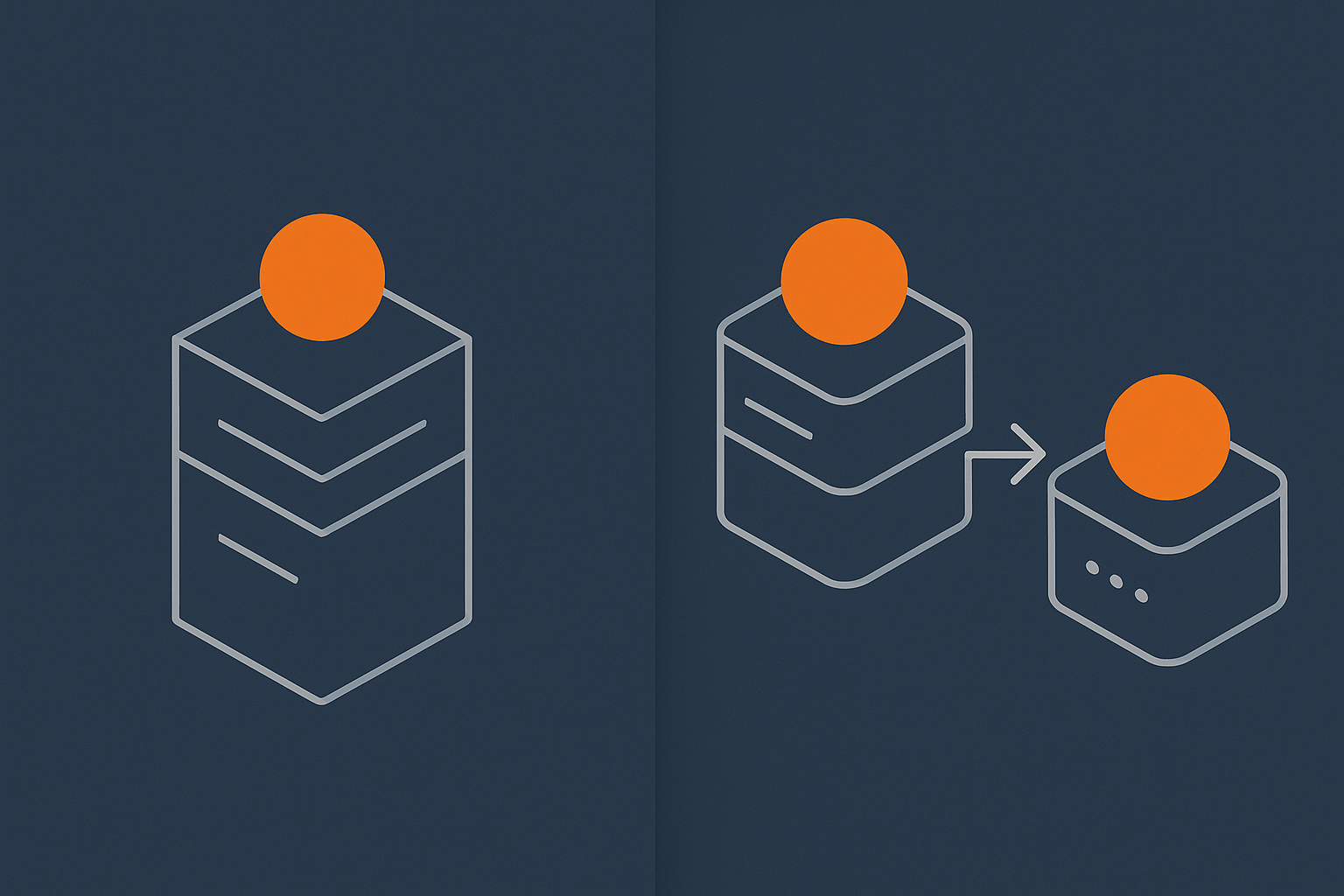
For many sites, particularly WordPress and WooCommerce, the first practical step is:
- Keep web and application layers together.
- Move the database to its own server or virtual dedicated servers for separate web, application and database tiers.
Benefits include:
- Database can be tuned and monitored independently.
- Heavy queries or backups no longer impact web serving as directly.
- Database can sit on faster storage or a more memory rich system.
Pattern 2: Keep database local, add a separate application node
In some stacks, particularly where business logic is heavy but data volume is modest, the first step is:
- Keep the database local to a powerful main server.
- Add extra application nodes that connect back to the same database.
This can be useful where you:
- Run CPU intensive processes or background jobs.
- Need more PHP or application capacity at busy times.
Network, latency and bandwidth considerations between tiers
Once tiers live on different servers, network design becomes important:
- Place servers on the same local network or within the same data centre to keep latency low.
- Use private networking for database traffic for performance and security.
- Monitor bandwidth between tiers to catch growth early.
Latency of a few milliseconds is usually fine. If tiers are in different regions or facilities without care, delays and timeouts can appear very quickly.
How this looks for a busy WordPress or WooCommerce site
A common progression:
- Start with a single reasonably sized server.
- Move the MySQL database onto its own VDS with more RAM and fast storage.
- Keep PHP and Nginx on the original server, now relieved of database load.
- Add caching and an acceleration layer in front to reduce dynamic load further.
This pattern can handle a surprising amount of traffic before further changes are needed.
Designing the Web Tier: Entry Point, Caching and Protection
What lives in the web tier: HTTP, TLS, static assets and edge caching
The web tier is the doorway to your system. It should:
- Terminate HTTPS, including certificate handling and TLS configuration.
- Serve static assets directly, ideally from cache.
- Forward dynamic requests to the application tier intelligently.
- Apply basic rate limiting and access rules.
Here, web hosting performance features that support multi‑tier setups such as HTTP/2 or HTTP/3 support, modern TLS and efficient compression make a material difference to user experience.
Reverse proxies, WAFs and acceleration networks in front of your app
In practice, the front door may be:
- A reverse proxy such as Nginx or HAProxy.
- A WAF applying managed security rules.
- An acceleration network such as the G7 Acceleration Network sitting at the edge.
These components can offload TLS, cache whole pages where appropriate and strip out a significant amount of unwanted traffic before it reaches your application code.
Load balancers vs simple failover: what is realistic for SMEs
Smaller teams often have to choose between:
- Single web node with solid backups and monitoring: simple, cost effective, but still a single point of failure.
- Two web nodes with a load balancer: better resilience and scaling, more complex to manage.
- Primary and standby web nodes with manual or semi automatic failover: middle ground that reduces cost and complexity.
Fully redundant load balanced web tiers are valuable where uptime targets are strict, but they also introduce extra components to monitor and maintain.
Using caching and bot filtering to protect deeper tiers
Good web tier design reduces load on application and database tiers:
- Cache whole pages for anonymous visitors where content is not highly personalised.
- Use edge caching and browser caching directives for static resources.
- Filter abusive or clearly automated traffic at the edge.
The G7 Acceleration Network, for example, can cache static and semi static content and filter abusive bots so your deeper tiers only handle legitimate, necessary work.
Designing the Application Tier: Stateless Where Possible
Why statefulness limits horizontal scaling
Horizontal scaling means adding more application nodes and spreading requests between them. This works best when:
- Any user request can be handled by any node.
- Nodes do not rely on local files or local memory that other nodes cannot see.
If your code stores sessions on local disk, or writes user uploads to only one node, you quickly run into problems such as “it works on one node but not the other”.
Sessions, uploads and background tasks: where they should really live
Key design choices:
- Sessions: store in a shared cache like Redis or in the database, rather than in local files.
- Uploads: store on a shared file system or object storage service accessible from all nodes.
- Background tasks: run via a job queue rather than as ad hoc cron jobs on one specific node.
This lets you add or remove application nodes without breaking user experience.
Object caching and shared caches between app nodes
Object caching keeps computed results in memory so they can be reused quickly. In multi node setups:
- Use a shared cache server (for example Redis or Memcached) rather than per node cache only.
- Cache database query results and expensive computations where possible.
For WordPress and WooCommerce, a well configured object cache can greatly reduce database load and make multi node setups more efficient.
Practical patterns for PHP applications and WordPress‑based stacks
For PHP stacks, a practical multi tier application approach is:
- Front each PHP node with a web server or reverse proxy.
- Store sessions in Redis or the database.
- Use a shared uploads directory or object storage with a plugin handling paths.
- Offload scheduled tasks to a dedicated worker or cron runner.
This keeps each PHP node relatively stateless, which simplifies redundancy and scaling.
Designing the Database Tier: Consistency, Performance and Safety
What the database tier is responsible for (and what it is not)
The database tier should:
- Store data durably with transactional guarantees.
- Provide consistent reads and writes under load.
- Manage concurrency and locking so data does not corrupt.
It is not responsible for business rules. Those belong in the application layer, even if some validation is repeated in the database as a safeguard.
Vertical scaling vs read replicas vs full clustering
Common options:
- Vertical scaling: more CPU, RAM and faster storage for a single primary database. Simple and effective up to a point.
- Read replicas: additional servers that replicate data for read heavy workloads. Useful for reporting, but you must handle replication lag carefully.
- Full clustering: multi primary or distributed clusters. Powerful but significantly more complex to deploy and operate.
For most SMEs, a strong single primary with robust backups and possibly a standby server is more appropriate than a complex cluster.
Backups, redundancy and failover: how they differ for databases
Databases are not like stateless web nodes. For safety you need:
- Regular, tested backups with off server storage.
- Binary logs or similar for point in time recovery where supported.
- A clear failover plan if the primary database server fails.
Redundancy can be:
- Single primary with warm standby and manual failover.
- Managed replication with semi automatic promotion.
If downtime or data loss would be very costly, database operations are often an area where managed services can reduce risk.
Handling reporting, analytics and heavy queries safely
Heavy, ad hoc queries can harm production performance. Safer patterns include:
- Running reports against a replica or periodic snapshot.
- Exporting data into a separate analytics system.
- Scheduling heavier jobs out of peak hours.
Separating operational and analytical workloads is a key reason many teams introduce read replicas as part of a multi tier design.
Hosting Models for Multi‑Tier Architectures: Shared, VPS, VDS and Beyond
Why multi‑tier rarely belongs on basic shared hosting
On basic shared hosting:
- You share CPU, RAM and disk I/O with many other customers.
- You usually cannot run separate database servers you control.
- Network and firewall configuration are largely outside your control.
Simple multi site setups are fine here. Once you begin separating tiers and tuning components, a VPS or VDS is typically more suitable. For a deeper overview of hosting models, see Shared Hosting, VPS, VDS and Dedicated: How to Choose the Right Hosting Model for a Growing Business.
When to use virtual dedicated servers for each tier
A natural middle ground between shared hosting and dedicated hardware is to run:
- Web and application tiers on one or more VDS instances.
- Database on a separate VDS tuned for storage and memory.
This gives you dedicated resources and isolation for each tier without the capital and operational overhead of full physical servers.
Managed vs unmanaged multi‑tier setups: who runs what
Key considerations:
- Unmanaged: you or your team configure operating systems, patches, database tuning, backups and monitoring. More control, more responsibility.
- Managed: the provider takes on part of that operational work, often including security patching, backups and uptime monitoring.
As the number of servers and tiers grows, operational effort increases. When mistakes could cause serious downtime or data loss, managed hosting, managed VDS or enterprise services can reduce both risk and day to day overhead.
Designing for Reliability: Redundancy, Failover and Graceful Degradation
Single data centre vs multi‑site: what changes in a tiered setup
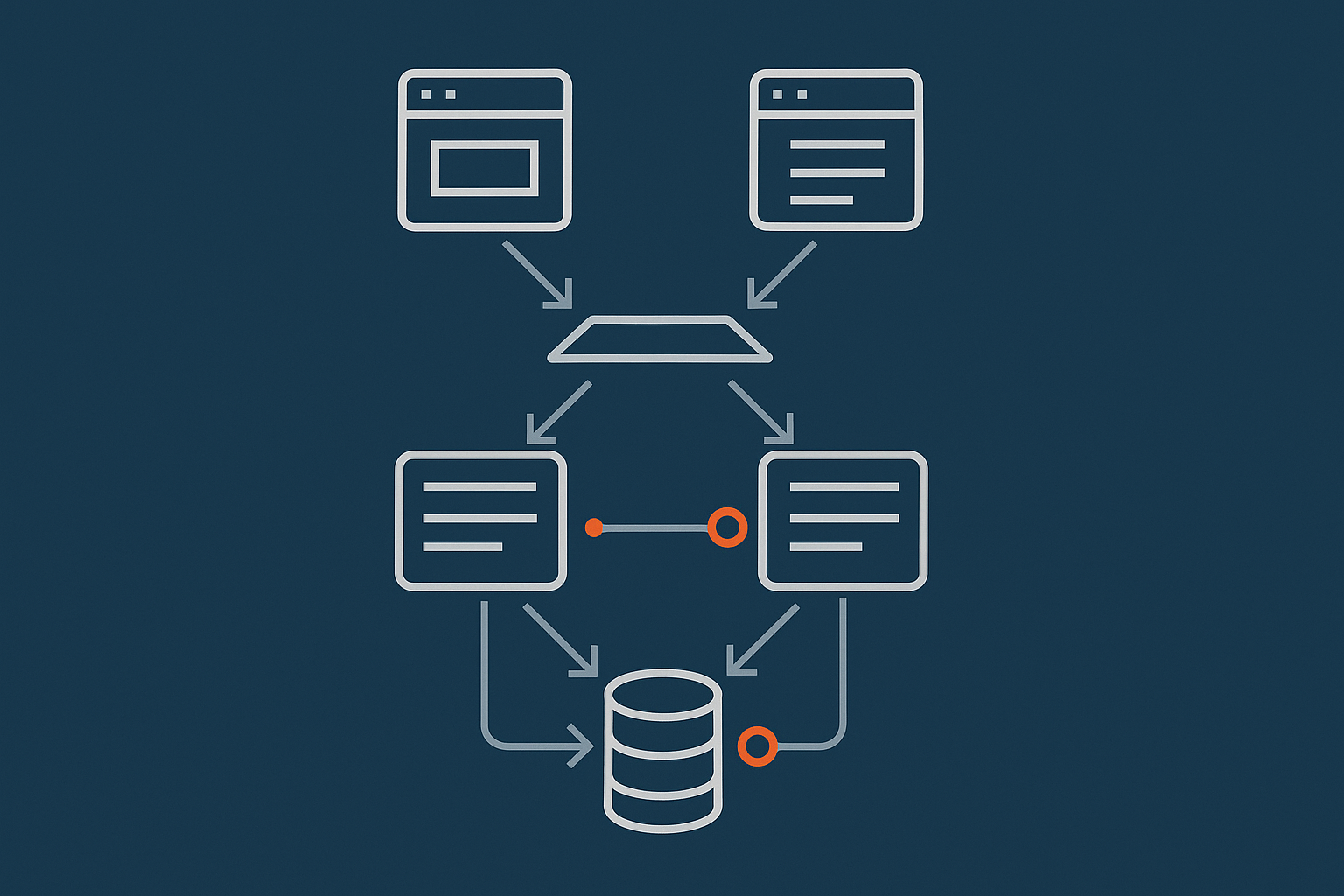
You can design for resilience at several levels:
- Within a single data centre: redundant power, networking, storage and servers.
- Across data centres or regions: replication, DNS failover and more complex data strategies.
Most SMEs start by building solid redundancy within one facility. Multi site architectures add complexity and cost and are typically justified only by strong uptime or disaster recovery requirements. For more depth, see High Availability Explained for Small and Mid Sized Businesses.
Redundancy inside each tier: from RAID to active‑active nodes
Within each tier:
- Web tier: multiple web nodes behind a load balancer, or primary plus standby.
- Application tier: several stateless app nodes able to handle any request.
- Database tier: RAID for storage, redundant power, standby or replica database.
The decision is not “do we want redundancy” but “how much redundancy justifies its cost and complexity for this tier”.
Graceful degradation: which features can fail without taking the site down
Graceful degradation is designing so that non critical components can fail without bringing the whole system down. Examples:
- If the recommendation engine fails, the checkout still works.
- If real time analytics are offline, the site content still loads.
- If email sending is delayed, users can still sign up and log in.
This is often an application design question rather than purely a hosting one, but infrastructure needs to make it possible.
Monitoring and alerting that sees across all tiers
Multi tier hosting without good visibility is guesswork. You will want:
- System metrics for each server (CPU, RAM, disk, network).
- Application metrics (request rates, errors, response times).
- Database metrics (slow queries, locks, replication status).
- Synthetic monitoring for end user journeys.
Effective alerting should highlight developing issues before they turn into outages, and make it clear which tier is responsible.
Cost and Complexity: How To Avoid Over‑Engineering Your Stack
The real operational cost of every new tier and component
Every new server, tier or component carries:
- Configuration and deployment work.
- Monitoring and alerting setup.
- Patching and security management.
- Documentation and runbook maintenance.
The hardware or VDS cost is often the smaller part. Operational overhead is what stretches teams.
Common mistakes: copying hyperscaler patterns on SME budgets
It is easy to copy reference architectures from large cloud providers and end up with:
- Too many small services and databases to manage.
- Complex clustering and failover mechanisms that few people on the team fully understand.
- High monthly costs with no clear business justification.
Staying off public cloud does not automatically prevent over complexity. It simply gives you more freedom to choose simpler patterns that fit your situation.
A simple decision path: when to add a tier vs scale up what you have
A pragmatic approach:
- Measure where the bottleneck actually is.
- Attempt vertical scaling of your existing server within reasonable budget.
- If constraints remain, identify the specific tier under stress.
- Split that tier onto its own server or service.
- Add redundancy selectively where downtime would be hardest to tolerate.
The article Designing a Hosting Architecture Roadmap: How to Plan the Next 3 Years Without Constant Rebuilds provides a structured way to plan this evolution.
A 3‑Year Roadmap: Evolving from Single Server to Multi‑Tier Without Constant Rebuilds
Stage 1: Solid, well‑tuned single server with clear limits
Start by:
- Choosing a server with room to grow (adequate CPU, RAM and fast storage).
- Implementing good backups and monitoring from day one.
- Documenting performance baselines and acceptable limits.
This gives you time to learn how your workload behaves without unnecessary complexity.
Stage 2: Split out database or application tier based on bottlenecks
When you approach those limits:
- Move the database to its own server if queries or storage are the issue.
- Add additional application nodes if CPU and dynamic processing are the problem.
Design the split so you can keep using existing deployment tools and processes with minimal changes.
Stage 3: Add redundancy and targeted high availability where it matters most
Once the basic multi tier design is stable:
- Add a standby or replica database if downtime would be costly.
- Introduce a second web or application node where you have single points of failure.
- Consider redundant networking and storage where justified.
You do not need “five nines” availability everywhere. Focus redundancy on the parts that genuinely need it.
How to work with your hosting provider on the roadmap
A hosting provider cannot know your business priorities, but they can:
- Explain what is realistic in different budget ranges.
- Highlight common failure modes they see in similar setups.
- Offer managed options where operations would be heavy for a small team.
Your role is to bring clear information about growth expectations, acceptable downtime and internal capabilities. Joint planning is usually more effective than trying to design everything alone then asking someone to “host it”.
Bringing It Together: A Checklist for Designing Your Multi‑Tier Hosting Setup
Key decisions to document for each tier
For web, application and database tiers, document:
- Role and responsibilities of the tier.
- Hosting model (VPS, VDS, dedicated, managed service).
- Scaling strategy (vertical, horizontal, or both).
- Redundancy and failover design.
- Security and access controls.
- Monitoring, backups and recovery procedures.
What to ask a hosting provider before committing
Useful questions include:
- Which parts of this setup will you operate, and which are my responsibility?
- How do you handle backups, restore testing and data retention?
- What are your options if I need more resources or redundancy in future?
- How is network connectivity between my tiers managed and monitored?
- What support exists for staging, testing and upgrades?
Clear answers here can prevent confusion later when something fails or needs to change.
When to consider managed WordPress, WooCommerce or PCI‑conscious options
Managed platforms are worth considering when:
- Your team does not have time or expertise to run databases and application stacks safely.
- Uptime and data integrity are critical to revenue or reputation.
- You are handling payments or personal data and need help with the operational side of compliance.
In those cases, managed WordPress or WooCommerce hosting, or PCI conscious hosting, can reduce the day to day operational load. You still own your application and data, but you hand off much of the underlying infrastructure care.
If you would like to explore what a practical multi tier setup might look like for your site, or whether managed hosting or virtual dedicated servers are appropriate, it is often helpful to talk it through. G7Cloud can work with you to map your business priorities to a hosting architecture that balances reliability, cost and complexity over the next few years.