

Who this guide is for (and why the building matters now)
This guide is for UK organisations that already rely on digital services and are now being asked a simple sounding but awkward question:
“Where do our servers actually live, and is that still the right place?”
You might be:
- A professional services firm running several internal line of business apps and an intranet.
- A retailer with a busy WooCommerce or other ecommerce site that drives a large share of revenue.
- A software or data company that has grown beyond a single rack in the office.
- A charity or public sector body under pressure to improve resilience and demonstrate good governance.
In each case, you probably already use things labelled “cloud” and “hosting”. Yet the physical building and kit your services run in still matters for risk, cost and compliance.
Typical UK business scenarios
Some common starting points:
- The cupboard server. A single “do everything” server in a comms cupboard that handles file shares, a small database and maybe a legacy application. Nobody wants to touch it, yet everyone relies on it.
- The small office rack. A 12U or 24U rack with a couple of hosts, a SAN and some network switching. It seemed sensible when the company was 20 staff. At 120 staff, it looks fragile.
- First move to colocation. A rack in a regional data centre, bought when the office move made on‑prem awkward. Hardware still owned and managed by your team.
- Mixture of managed hosting and in‑house kit. For example, a managed WordPress or Enterprise WordPress hosting platform for your public site alongside your own servers for internal apps.
In each of these, choosing between on‑premise, colocation or provider‑owned infrastructure is less about technology fashion and more about how much risk and operational load your organisation can sensibly carry.
Why “where the servers live” has become a board‑level question
Physical location has moved up the agenda for several reasons:
- Resilience expectations. Customers, staff and partners now assume key systems are available almost all the time. A power cut in your office is no longer seen as an acceptable reason for downtime.
- Regulation and contracts. GDPR, cyber insurance, tenders and audits increasingly ask where data is stored, who has access and how resilience is managed.
- Security and ransomware. Boards understand that losing core systems for days is a serious incident. They want to know if the building and its protections are fit for purpose.
- Costs and staffing. Skilled infrastructure staff are expensive. The question “should we really be running our own mini data centre?” is now common in finance and HR discussions.
The rest of this guide focuses on these business questions, then connects them to the practical realities of on‑prem, colocation and provider‑owned data centres.
Plain English definitions: on‑prem, colocation and provider‑owned data centres
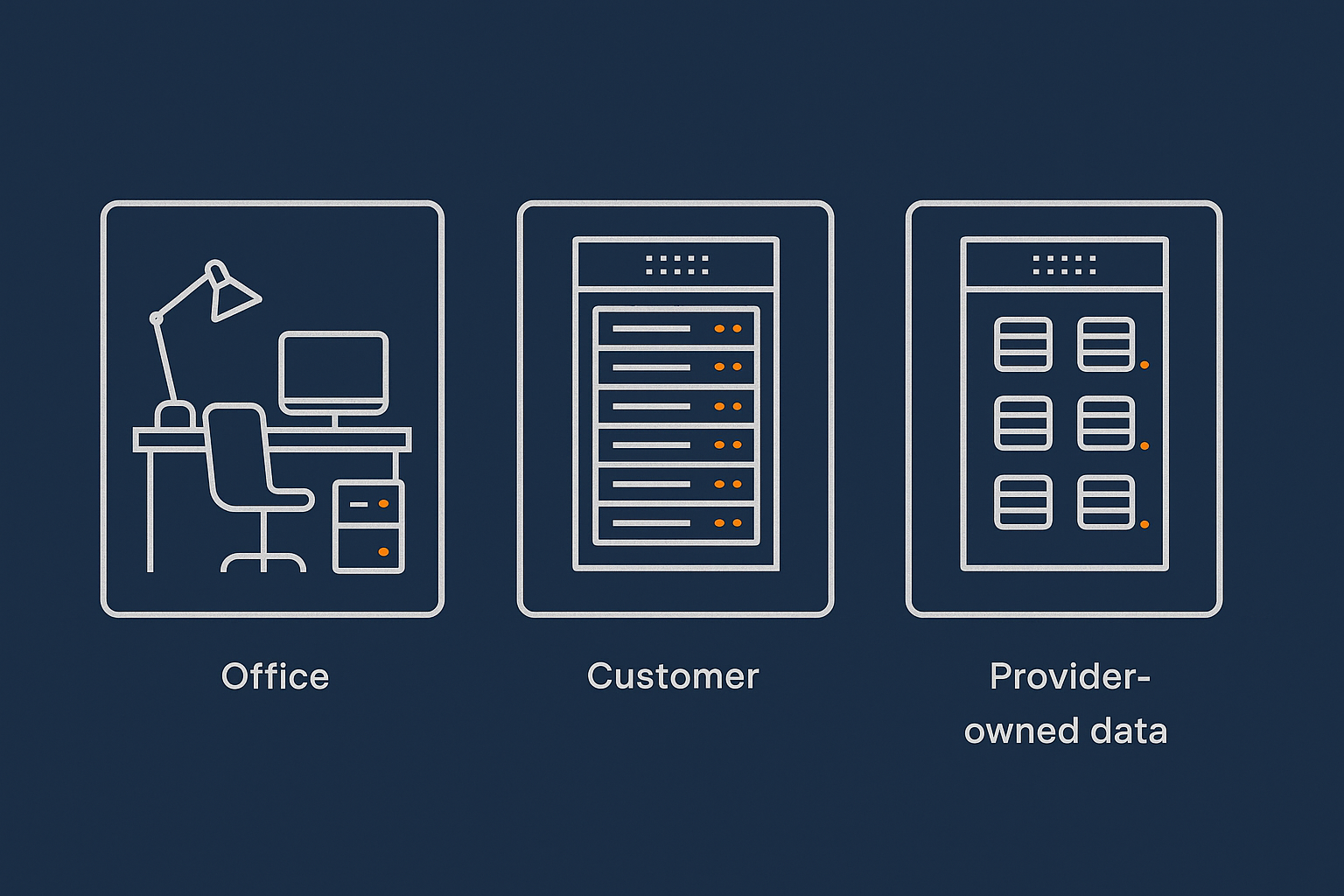
What on‑premise hosting really means in 2025
On‑premise (on‑prem) means the physical servers and storage that run your workloads are in a building you control. Typically this is your office, a local data room or a plant room in your own facility.
In 2025, on‑prem usually looks like:
- One or more racks with servers, network switches and perhaps a storage array.
- Basic cooling, such as room air‑conditioning, and power from the building supply.
- Internet connectivity via one or more business broadband, leased line or MPLS connections.
Sometimes there is a small UPS and a generator, but far more often there is not. Even where there is, it rarely matches what a purpose built data centre provides.
The important point is responsibility. With on‑prem, your organisation is responsible for both:
- The IT stack, such as operating systems and applications.
- The local “data centre” conditions, including power, cooling and physical security.
What colocation is (and how it differs from leasing servers)
Colocation means you rent space, power, network access and environmental protections in a professional data centre, but you still own and manage the physical servers and storage.
With colocation, you typically pay for:
- Some amount of rack space, such as a quarter rack, half rack or full rack.
- A power allocation, such as 2 kW or 5 kW.
- Network connectivity, such as cross connects or blended internet bandwidth.
You bring your own hardware into that facility. Your team installs it and remains responsible for:
- Server and storage specification and purchase.
- Operating system and virtualisation platform.
- Monitoring, replacement parts and upgrades.
This is different from “leasing servers” or traditional dedicated hosting. In a lease or provider‑owned model, the provider owns and maintains the hardware for you. In colocation, you are simply renting the professionally managed environment for your own kit.
What a provider‑owned data centre is (and how it differs from public cloud)
A provider‑owned data centre, in this context, is a facility where:
- The hosting provider owns or leases the building space and core infrastructure.
- The provider owns and operates the server hardware.
- You rent virtual servers, managed platforms or dedicated hosts on top of that hardware.
For example, you might run workloads on virtual dedicated servers in a provider’s own racks, or use their managed WordPress platform. You get access to virtual resources and managed services, not bare metal you own.
This differs from public cloud in a few ways:
- Scale and focus. Public cloud (such as AWS, Azure, GCP) aims for huge global scale and self service. A provider‑owned data centre like G7Cloud’s is typically national or regional, with more opinionated, managed offerings.
- Transparency and support. You are closer to the team that designs and runs the physical platform. It is usually easier to discuss architecture, SLAs and incident handling in practical terms.
- Predictability. Pricing and performance are often simpler and more predictable, which can suit stable, business critical workloads.
Technically, both public cloud and provider‑owned platforms are “someone else’s data centre”. The key distinction is in scope, control options and the level of management provided.
Key decision factors: what actually changes when you move the servers

Control, responsibility and who gets the 3 am call
A useful way to compare models is to ask: when something breaks, whose phone rings?
- On‑prem. Almost everything is your responsibility. Power fails, air‑conditioning leaks, switch dies, RAID controller fails: your team is on the hook. You can control each component, but you must also operate it.
- Colocation. The data centre handles the building, power, cooling and perimeter security. Your team still owns the servers, storage and most of the network stack. If a power feed fails, the data centre team responds. If a server will not boot, your team or your remote hands contractor will be called.
- Provider‑owned data centre. The provider takes responsibility for the building and the hardware platform. Depending on whether you choose unmanaged, managed or fully managed services, they may also handle system administration and 24/7 response for you.
This is where managed services are most helpful. For complex, high value workloads, handing operational responsibility to a specialist team can reduce both stress and risk. It does not remove your need for internal ownership of the system, but it does change who is doing the night shifts and low level troubleshooting.
Cost structure: CAPEX vs OPEX and the “hidden staff cost”
On‑prem and colocation usually involve more capital expenditure (CAPEX). You buy the servers and amortise them over three to five years. Provider‑owned and cloud models are mostly operating expenditure (OPEX) with monthly service fees.
However, the more important difference is people cost. A rough guide:
- On‑prem. You need in‑house skills for hardware, networking, virtualisation and backups. Even if that is “part of somebody’s job”, their time has a real cost.
- Colocation. You still need infrastructure skills, but fewer hours are spent on basic facilities issues. You may also need budget for “remote hands” work when engineers cannot attend site quickly.
- Provider‑owned. You tend to spend more per month on services, but far less on dedicated infrastructure staff time. Internal staff focus moves towards application ownership, vendor management and architecture rather than swapping disks.
When comparing models, include:
- Hardware and refresh cycles.
- Licensing (virtualisation, backup, monitoring).
- Staff time for operations, out of hours work and training.
- Support costs and service credits.
A modest increase in monthly hosting cost can be justified if it removes regular night work or reduces the risk of long outages caused by inexperience.
Uptime, redundancy and physical risk
Uptime is influenced heavily by the quality of the physical environment. In on‑prem setups, common risks are:
- Single power feed, without redundant UPS or generator capacity.
- Shared air‑conditioning that is not designed for server heat loads.
- Limited physical access controls and logging.
Colocation and provider‑owned data centres are built to higher standards, often with multiple power feeds, battery and generator backup, diverse network paths and formal access controls. Our article Inside a Data Centre: What Really Matters for Power, Cooling and Network Redundancy explores this in more depth.
Moving from on‑prem to colocation or provider‑owned hosting usually improves physical resilience. That said, a single facility is still a single point of failure for major incidents. Multi‑site designs, which we will cover later, are the next step up.
Performance, latency and where your users are
Performance is affected by both server capacity and network latency. For many UK businesses, the main questions are:
- Are my users mostly in the same office or region, or spread across the UK and beyond?
- Is the workload interactive (like an internal line of business app) or mainly content delivery (like a brochure site)?
If most users are in a single office and the servers are also in that building, on‑prem can deliver excellent performance on the local network. For public web traffic, however, a professionally peered data centre will typically deliver better and more consistent latency across the UK and globally.
Content delivery networks and caching platforms such as the G7 Acceleration Network help here. By caching static content close to users, optimising images to AVIF and WebP on the fly (often reducing image sizes by more than 60 percent) and filtering abusive traffic before it hits your application servers, they reduce the performance penalty of having your origin servers in a specific region.
Compliance, data residency and audit requirements in the UK
For many UK organisations, especially those handling personal data or payments, auditors and regulators will ask where data resides, who can access it and how it is protected.
The building choice affects:
- Data residency. Can you guarantee that data is stored and processed in the UK, or within agreed jurisdictions?
- Physical access. Who can physically walk up to the servers, and how is that controlled and logged?
- Evidence. Can you provide documentation about power redundancy, fire protection and security controls?
A good colocation or provider‑owned facility will supply formal documentation and support audits. For on‑prem environments, you will usually need to create and maintain this evidence yourself, often in partnership with your facilities team.
The Information Commissioner’s Office (ICO) provides approachable guidance on data protection expectations in the UK at ico.org.uk.
On‑premise hosting: when it makes sense and what usually goes wrong
The honest advantages of on‑prem
On‑prem is not automatically a bad idea. It can be a sensible choice where:
- You have strong in‑house infrastructure skills and a genuine server room or small data centre environment.
- Key systems serve mostly on‑site staff, with limited external access.
- There are regulatory or practical reasons to keep processing physically on site, such as integration with factory equipment.
- You need very low latency to specialised hardware that is difficult to move, such as lab equipment or manufacturing lines.
Advantages include:
- Local control. You can physically inspect and modify almost everything without involving a third party.
- Potential cost efficiency. For stable workloads and a capable team, buying hardware outright can be cost effective over several years.
- Integrated networking. Local traffic between users and servers can stay on your LAN, which usually gives excellent performance.
Common weak points: power, cooling, physical security and staff cover
Where on‑prem often struggles is in matching the resilience of a real data centre. Typical issues include:
- Power. Single utility feed, limited or no UPS runtime, no generator or shared building generator with unclear testing and maintenance regimes.
- Cooling. Comfort cooling rather than dedicated CRAC units, poor air flow and limited monitoring. Heat problems often appear during UK heatwaves or when new hardware is added.
- Physical security. Shared access to server rooms, no access logging, less robust fire detection and suppression compared to a data centre.
- Staffing. Infrastructure knowledge concentrated in one or two people. Holiday cover and sickness can become real operational risks.
Individual organisations do mitigate these. Some have excellent on‑site facilities. The question is whether you want to be in the business of running a small data centre, or whether your focus is better placed elsewhere.
Realistic on‑prem examples: small office rack vs proper server room
It can help to distinguish two very different on‑prem realities:
- Small office rack. A single rack in a shared comms room, one UPS, building air‑conditioning and no generator. Good enough for lab or test workloads, but fragile for critical production workloads.
- Proper server room. Dedicated space with controlled access, dual power feeds, UPS and generator, redundant cooling and structured cabling. More like a mini data centre, but still within your building.
If you are in the first category and running business critical services such as ecommerce, finance or customer portals, it is worth challenging whether that environment is appropriate. If you are in the second, you might compare the total cost and risk to colocation or provider‑owned hosting.
Questions to ask yourself before buying more on‑prem hardware
Before you order another server or storage array for the office, ask:
- How long can we tolerate those systems being offline due to power, cooling or building issues?
- Who is genuinely responsible for power, cooling and physical security, and what is their plan for failures?
- Do we have at least two people who can troubleshoot hardware, virtualisation and storage issues out of hours?
- What will we do if the building is inaccessible for days, for example due to safety concerns or major repairs?
If the honest answers are uncomfortable, it may be time to consider moving those workloads either to colocation or to a provider‑owned and possibly managed platform.
Colocation: renting space and power while keeping hardware control
What you get from a colocation facility that you rarely get on‑prem
Colocation is often the first step up from on‑prem for businesses that want better resilience but are not ready to give up hardware ownership.
Typical benefits include:
- Power resilience. Multiple power feeds, UPS systems and generators designed to withstand extended outages.
- Environmental controls. Dedicated cooling, fire detection and suppression, and better monitoring.
- Physical security. Access controls, CCTV, visitor logging and strict entry procedures.
- Network options. Access to multiple carriers, internet exchanges and higher bandwidth at lower latency than many office connections.
Moving your rack to colocation can remove many of the “building risks” while leaving your server stack largely intact.
What still stays on your plate: hardware lifecycle, spares and hands‑on work
Colocation is not a managed service. You remain responsible for:
- Hardware choosing, purchasing and refreshing.
- Keeping enough spares or arranging rapid replacement options.
- Operating systems, hypervisors, backups and monitoring.
- Attending the site or using remote hands services for physical work.
If your team is small or already stretched, the ongoing effort of running your own fleet in a colo can be significant. This is often the point where businesses begin considering managed colocation or moving to provider‑owned platforms for at least some workloads.
Where colocation fits: medium‑term plans and predictable workloads
Colocation tends to suit organisations that:
- Have stable or predictably growing workloads.
- Already own suitable hardware or are comfortable planning three to five year refresh cycles.
- Need direct control over hardware, for example for licensing or compliance reasons.
- Have an infrastructure team that is sized and skilled for ongoing management.
It is less ideal for very spiky workloads, experimental projects or organisations without enough infrastructure capacity. In those cases, using provider‑owned or managed services can be more pragmatic.
Typical mistakes with colocation contracts and connectivity
Common pitfalls include:
- Underestimating power. Buying hardware that draws more power than your contracted allocation, leading to unexpected charges or limits.
- Single carrier connectivity. Relying on a single ISP or link into the data centre, which can undermine the resilience you gained by moving there.
- Access assumptions. Assuming you can turn up at any time and work all day. Some facilities require booking, escorts or charge for extended visits.
- Not planning for growth. Filling a quarter rack quickly and then finding that additional space is not available in the same room or facility.
It is worth having someone with data centre experience review contracts, power assumptions and network design, even if only as a short consultancy engagement.
Provider‑owned data centres: letting a specialist run the building and the metal
How provider‑owned data centres differ from public cloud and basic resellers
In a provider‑owned model, you are buying services from the team that actually operates the data centre hardware and core platforms, rather than from an intermediary.
Key differences versus public cloud:
- More opinionated stack. Instead of hundreds of services, you typically get a smaller number of well designed options such as virtual machines, Virtual dedicated servers, managed databases and managed WordPress.
- Closer relationship. You can talk to architects and operations staff who understand both the physical and logical layers.
- Simpler pricing. Fewer per‑request or per‑API charges, which can simplify budgeting for steady workloads.
Compared with basic resellers or white‑label hosts who simply rent space on someone else’s platform, a provider‑owned facility gives you more direct control and transparency over how the environment is built and operated.
What you gain: mature power, cooling, network and hardware operations
Using a provider‑owned platform means delegating three major operational layers:
- Data centre facilities. Power, cooling, fire protection, access controls and physical resilience are handled by specialists.
- Hardware lifecycle. Servers, storage and network hardware are designed as a platform, with standardised builds, spares on site and proactive refresh schedules.
- Core platform operations. Hypervisors, storage clusters, internal networking, monitoring and incident response are run 24/7 by the provider.
Your team can then focus on:
- Application architecture and deployment.
- Security configuration, such as patching and hardening, usually with support from provider web hosting security features.
- Business continuity planning and testing.
For critical workloads, layering managed services on top can offload day to day system administration as well. For example, letting a provider manage a high availability database cluster for a busy WooCommerce store.
Risk trade offs: vendor concentration, access and transparency
Moving to a provider‑owned platform changes your risk profile:
- Vendor concentration. You become more dependent on one provider. You can mitigate this by ensuring you retain copies of data and configurations, and by choosing standard platforms that are portable.
- Physical access. You give up direct physical access to hardware. For most workloads this is acceptable, but it is worth confirming what access, logs and evidence you can obtain when needed.
- Operational transparency. You rely on the provider’s documentation, SLAs and incident communication. Ask for clear descriptions of how they handle power events, hardware failure and security incidents.
This is a prime area where reading incident reports, asking scenario questions and understanding responsibilities in writing pays off.
Examples: from managed WordPress to virtual dedicated servers on provider hardware
To make this more concrete, consider three practical uses of a provider‑owned data centre:
- Managed WordPress hosting. The provider runs the servers, the WordPress stack, backups and updates. You focus on content and site features. This suits marketing sites, blogs and many brochure‑style websites.
- Virtual dedicated servers for applications. You rent a pool of guaranteed resources on shared hardware and run multiple workloads, such as internal line of business apps, APIs and batch jobs. The provider handles hardware and hypervisor operations, you manage the guest systems and applications.
- Specialised platforms. For example, PCI conscious hosting for payment related workloads, where the provider builds in network segmentation and additional controls to support your PCI obligations.
In each case, your choice between unmanaged, managed and fully managed determines how much day to day operational responsibility you keep versus hand over.
How physical location ties into uptime, redundancy and failover
Single building vs multi‑site: what really changes for resilience
Whether you are on‑prem, in colocation or on a provider‑owned platform, running everything in one physical building leaves you exposed to any event that affects that building.
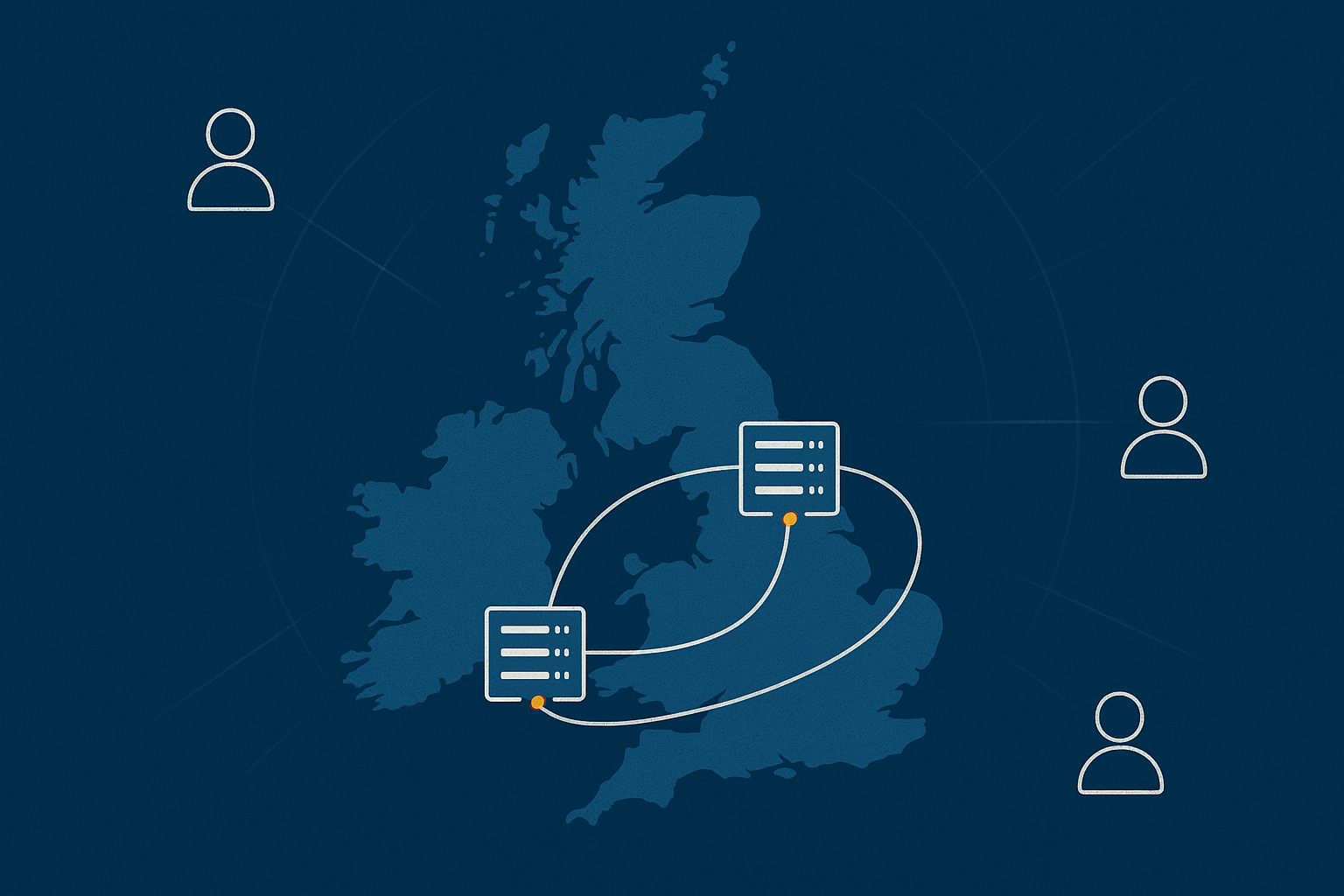
Multi‑site designs spread risk across two or more locations. Practical options include:
- Active / passive. One primary site, with a warm or cold secondary site that can be brought online when needed, usually combined with robust backups and replication.
- Active / active. Two live sites share load and can take over for each other automatically. This is more complex to design and operate but can deliver very high availability.
Our article Designing for Resilience: Practical Redundancy and Failover When You Are Not on Public Cloud explores these models in more detail.
Backups vs redundancy: what each protects you from at the site level
Backups and redundancy are often confused, but they solve different problems:
- Backups protect your data against corruption, accidental deletion, ransomware and “we made a mistake” events. They are usually point in time copies stored separately from production systems.
- Redundancy keeps services running when something fails. This might be redundant power supplies, multiple servers in a cluster or a second data centre.
Physical location matters because:
- Backups should be stored in a different part of the building at minimum, and ideally off site or in a different facility.
- Redundant systems in the same rack or room still share the same building risk.
When considering on‑prem vs colocation vs provider‑owned, ask where your backup copies will live and how easy it is to restore them if a building is unavailable.
Network paths, latency and the reality of “local” traffic within the UK
Within the UK, network latency between major cities is often measured in milliseconds. For most web applications, a user in Manchester accessing a service in London will not notice the difference compared with London‑to‑London traffic.
Exceptions include:
- Real time trading or analytics systems sensitive to every millisecond.
- Voice and video systems without proper design.
- Applications tightly coupled to on‑site equipment.
For intranet and line of business apps, the main concern is usually the reliability and capacity of the link from your office or site to the data centre. With appropriate connectivity, hosting those apps in a resilient facility can actually improve overall availability compared with local servers that go offline when the office power or network fails.
Compliance and governance: when location, access and audit trails matter
GDPR, UK data residency and what auditors tend to ask
Under UK GDPR, you are responsible for ensuring personal data is processed securely and in line with legal requirements. Physical hosting choices feed into that, but do not replace broader governance.
Auditors and clients may ask:
- Which country or region is data stored in?
- Who has physical and logical access to the systems?
- What controls are in place for power, environmental risk and disaster recovery?
- How often are backups taken, where are they stored and how often are restores tested?
Provider‑owned and colocation environments can usually provide ready‑made documentation on these topics. On‑prem setups can also be compliant, but you will need to generate and maintain the evidence yourself.
PCI‑related hosting: physical controls, segmentation and provider evidence
If you handle card payments, the PCI DSS standard introduces additional requirements around:
- Physical security of systems in scope.
- Network segmentation between cardholder data environments and other networks.
- Logging, monitoring and vulnerability management.
Using a PCI conscious hosting platform can reduce the effort needed to meet these, because the provider has already implemented many controls at the data centre, network and platform layers. You still retain responsibilities for your applications and processes, as discussed in Hosting for Card Payments: What ‘PCI Conscious’ Really Means and How Responsibilities Are Shared.
Who should hold which responsibilities in each model
A helpful way to think about responsibilities is:
- On‑prem. You own almost everything: facility, hardware, platform, applications and policies.
- Colocation. The data centre owns the building and power. You own hardware, platform and most security design.
- Provider‑owned. The provider owns building, power, hardware and often the core platform. You own applications, data protection policies and how systems are used in the business.
Managed services shift some operational tasks to the provider, but regulators will generally still view your organisation as the controller of the data. Clear contracts and shared responsibility models are essential in all cases.
Comparing on‑prem, colocation and provider‑owned data centres side by side
Simple decision table: who it suits, pros, cons and “red flags”
The following is a simplified comparison.
On‑prem
- Suits: Organisations with strong in‑house infrastructure skills and a proper server room, or where systems must be physically on site.
- Pros: Maximum control, tight integration with local networks and equipment, potentially low long‑term CAPEX cost.
- Cons: You run your own mini data centre, with responsibility for power, cooling, security and hardware.
- Red flags: Single server cupboard, one infrastructure person, no generator, limited monitoring.
Colocation
- Suits: Organisations that want better physical resilience but retain hardware control, with predictable workloads and an infrastructure team.
- Pros: Professional facilities, power and cooling, better connectivity options, you keep hardware control.
- Cons: You still manage hardware lifecycle, spares and most operations. Travel or remote hands needed for physical work.
- Red flags: No clear growth plan, power assumptions not checked, single uplink into the facility.
Provider‑owned data centre
- Suits: Organisations that prefer to focus on applications and data, not hardware, and want managed or semi‑managed services.
- Pros: Provider runs building and hardware, high resilience options, managed services available, predictable monthly costs.
- Cons: Less direct hardware control, more vendor dependence, per‑month costs higher than pure colocation in some cases.
- Red flags: Opaque SLAs, unclear incident processes, difficulty obtaining compliance documentation.
Three worked examples: brochure site, busy WooCommerce store, internal line‑of‑business app
1. Brochure site for a professional services firm
- Business priority: Reputation, SEO, lead generation. Downtime is inconvenient but rarely emergencies.
- Practical choice: Managed WordPress or similar on a provider‑owned platform. On‑prem offers little advantage and more work.
- Why: You avoid running web servers yourself, benefit from platform hardening and can add global acceleration via services such as the G7 Acceleration Network.
2. Busy WooCommerce store with UK and EU customers
- Business priority: Revenue protection, performance and security, including handling of payment data via PCI‑aware providers.
- Practical choice: Provider‑owned infrastructure with high availability options, such as virtual dedicated servers, possibly coupled with a PCI conscious platform for card handling components.
- Why: The cost of downtime or security incidents justifies managed or semi‑managed services and a resilient data centre footprint. On‑prem or basic colocation can work but usually requires more in‑house expertise.
3. Internal line‑of‑business app used by 50 staff in one office
- Business priority: Staff productivity. Downtime is disruptive but may be tolerated for limited periods if communication is clear.
- Practical choice: Depends on your wider estate. If you already have on‑prem and strong facilities, local hosting may be fine. If the office power and network are less reliable, hosting in a nearby provider‑owned data centre accessed via VPN or private link can improve reliability.
- Why: Latency within the UK is usually acceptable. Offloading facilities risk often improves overall uptime even though traffic now leaves the building.
Practical next steps: how to review your current setup and plan a move
Audit checklist: questions to put to your own team and any potential provider
To understand your current position and options, ask internally:
- Where are our critical systems physically located today? List buildings and rooms.
- What happens if each location loses power or network for four hours? For 24 hours?
- Where are our backups stored and how often are restores tested?
- Who is on call for infrastructure issues and how often are they called?
- What skills would we need if we had to rebuild our environment from scratch?
When speaking to providers (for colocation or provider‑owned services), ask:
- Which data centres will we be using? What resilience features do they have?
- How do you handle hardware failure, including replacement times and escalation?
- What are your SLAs for power, network and platform availability?
- What evidence can you provide for security, compliance and operational processes?
- How do you support testing of failover and disaster recovery for customers?
Where managed hosting, VDS and PCI‑conscious platforms can remove risk without losing control
Managed hosting and platforms such as Virtual dedicated servers or PCI conscious solutions sit between “do everything ourselves” and “hand over all control”. They can be useful when:
- Your in‑house team is small and focused on applications.
- The operational burden of high availability would otherwise fall on one or two key people.
- Reputational or financial impact of outages is significant.
- Audits and compliance requirements demand formal processes and documentation.
You still choose architectures, approve changes and maintain ownership of your data. The provider takes on the day to day running of the platform and the 3 am hardware incidents.
Further reading on resilience, uptime and choosing the right hosting model
If you would like to explore related topics in more depth, the following G7Cloud Knowledge Base articles may help:
- High Availability Explained for Small and Mid Sized Businesses
- What ‘Redundancy’ Really Means in Hosting: From RAID to Dual Data Centres in Plain English
- Shared Hosting, VPS, VDS and Dedicated: How to Choose the Right Hosting Model for a Growing Business
If you are reviewing your current hosting or preparing for a move, a short conversation with a provider can also clarify options that are not obvious on price lists. G7Cloud can help you compare on‑prem, colocation and provider‑owned architectures, and explore where managed hosting or virtual dedicated servers might reduce operational risk without taking away your control.