

Who this guide is for (and what you will be able to do after reading)
This guide is for people who are responsible for a website or online service, but who are not full time infrastructure engineers.
That might include:
- Marketing and e‑commerce managers planning campaigns and seasonal sales
- Digital agencies looking after client sites
- Founders and product owners running membership sites, SaaS or apps
- In house developers who have “inherited” hosting responsibility
We will focus on practical decisions rather than low level technical tuning. You do not need to know how to configure a web server to benefit from this, but you should have a basic understanding of your own business and how your website supports it.
Typical situations: from quiet months to sudden chaos
Capacity planning usually becomes a concern in a few familiar situations:
- Your WooCommerce store is fine in February but struggles around Black Friday or pay day.
- Your content site is quiet most of the year, then a TV mention or social post suddenly sends thousands of visitors at once.
- You have a big product launch planned, but you are not sure if your hosting can cope with the campaign traffic.
- You are moving from shared hosting to something larger and do not want to “guess” the size.
In all of these cases, the problem is similar: matching your hosting capacity to real world traffic patterns without spending far more than you need to.
The outcomes you are aiming for
By the end of this guide, you should be able to:
- Describe in plain terms how your traffic behaves across normal, busy and critical days.
- Explain the basic limits of your current hosting plan and where it will start to struggle.
- Turn analytics data into a rough capacity target that is good enough for planning.
- Decide when you can rely on caching and optimisation, and when you actually need more hardware.
- Plan for campaigns and seasonal peaks without permanent overkill on hosting costs.
- Know when it is sensible to involve a managed hosting provider to reduce operational risk.
The goal is not perfection. It is about making calmer, more informed decisions and avoiding obvious capacity mistakes.
Plain English: what “capacity” actually means for your hosting
People often talk about hosting capacity as if it is one thing, like “can handle 100,000 visitors per month”. In reality, capacity is a combination of several limits that all interact.
Capacity vs performance vs uptime
It helps to separate three ideas:
- Capacity is how much work your hosting can do at once. For a website, that usually means how many requests or logged in users it can handle before it slows down or breaks.
- Performance is how fast your site feels under normal conditions. A fast site with poor capacity will still fall over if enough people hit it at once.
- Uptime is how often your site is actually available at all. Uptime guarantees on their own do not say anything about how your site behaves under heavy load.
A helpful analogy is a restaurant:
- Capacity is how many tables, staff and kitchen equipment you have.
- Performance is how quickly each order is cooked and served.
- Uptime is whether the doors are open.
You can have a fast kitchen that still cannot cope with 200 customers arriving at once, and you can have a big restaurant that is regularly closed due to staff problems. Hosting is similar.
The main limits you will hit: CPU, RAM, disk, database and external services
Most hosting plans, from shared accounts to Virtual dedicated servers for predictable capacity and isolation, are constrained by the same core resources:
- CPU: how many computations can be done at once. For PHP applications like WordPress, CPU is often the first limit during spikes.
- RAM: short term working memory. If you run out of RAM, the server starts swapping to disk which slows everything down sharply.
- Disk and storage speed: how quickly data can be read and written. Slow storage or very busy disks cause delays in database queries and file access.
- Database capacity: the number of queries per second your database can handle while staying responsive.
- External services: payment gateways, third party APIs, email services and search providers. If any of these slow down or rate limit you, they become a bottleneck.
Your practical capacity is usually set by whichever of these hits the wall first.
Why most sites fail under load long before they hit a bandwidth limit
Bandwidth is the data transfer allowed by your hosting provider. It is listed on almost every plan, so it is natural to focus on it.
However, most modern sites fail under load because:
- CPU runs hot handling complex dynamic pages.
- The database queue backs up and every page needs fresh queries.
- RAM is exhausted by too many PHP workers or large queries.
In other words, the brakes come from how many dynamic requests you can serve per second, not from how many gigabytes of data you can push over the network. This is why caching and efficient database use are so powerful for increasing usable capacity.
Step 1: Map your real world traffic patterns and risk points
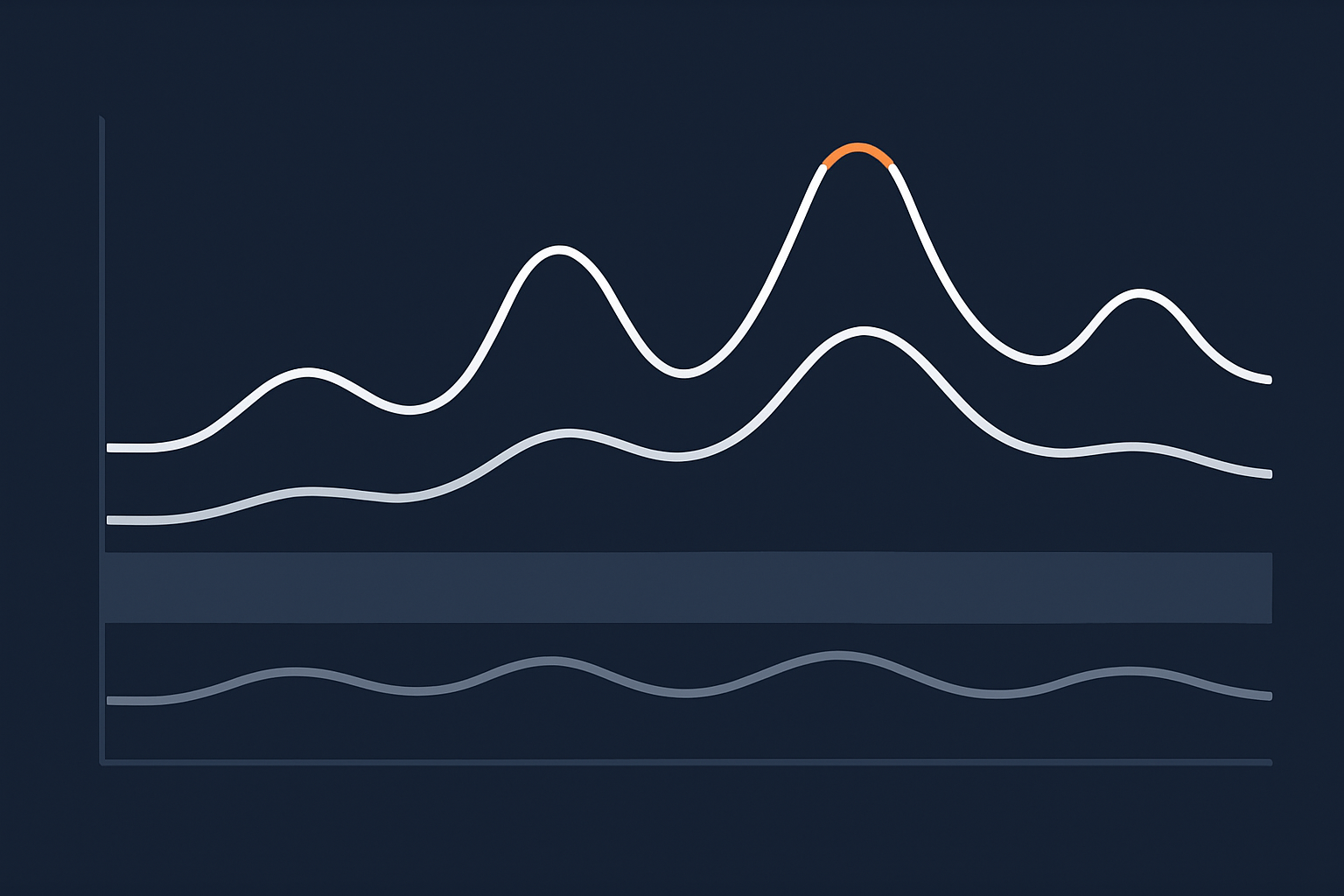
Before you change any hosting, you need a simple picture of how your traffic behaves in the real world. You do not need perfect data, just enough to distinguish between normal, busy and critical days.
Identify “normal days”, “busy days” and “critical days”
Look at the last 6 to 12 months and mark three levels:
- Normal days: your typical midweek or off season traffic.
- Busy days: campaign launches, newsletter sends, regular end of month spikes, or pay day for e‑commerce.
- Critical days: rare events where failure would be particularly damaging, such as Black Friday, a televised appearance, funding announcement or a major product launch.
For each category, try to note:
- How many users or sessions per day.
- Any obvious time of day when things spike.
- Whether users tend to browse quietly or perform heavy actions (checkout, search, uploads).
This does not have to be exact. Even a rough split helps you avoid optimising for the wrong type of day.
Common patterns for content sites, lead generation and WooCommerce
Different site types create different stress on hosting:
- Content / publishing sites often have:
- Large peaks for specific articles when they are shared or picked up by media.
- Heavy anonymous traffic that can usually be cached efficiently.
- Lead generation and brochure sites typically see:
- Spikes around paid campaigns, webinars or offline events.
- Relatively light per user load, but conversion forms that must remain responsive.
- WooCommerce and other e‑commerce sites usually have:
- Predictable peaks around sales, pay days and holidays.
- Higher per user cost during checkout, account pages and search.
- More logged in users which reduce cache effectiveness.
Recognising which pattern fits you best helps you choose where to invest effort: caching, database tuning or checkout optimisation.
How to get basic numbers from analytics and hosting stats without being a data expert
You can usually get enough data from:
- Analytics (Google Analytics, Matomo, etc.) for:
- Sessions per day on normal, busy and critical days.
- Peak hourly sessions, typically when campaigns land.
- Hosting control panel or monitoring for:
- Average and peak CPU usage.
- RAM usage and swap usage.
- Any existing 5xx errors or timeouts during peaks.
Even a single “worst day in the last year” exported from analytics is useful, especially if you can line it up with hosting resource graphs for that same day.
Decide what failure actually means for you (lost orders, leads, reputation)
Not all traffic is equal. A content site that serves ads has different stakes to a payments portal.
Ask yourself:
- If we had 30 minutes of serious slowdown during a peak, what would realistically happen?
- What if we were down for 2 hours?
- Would people simply return later, or would we lose them for good?
- Is anyone’s payment, data or compliance requirement at risk?
Write down a short statement such as:
“On Black Friday, if checkout is broken for 1 hour, we could lose roughly £X in orders and damage trust with repeat customers.”
This helps justify any extra spend on capacity and makes discussions with stakeholders more concrete.
Step 2: Understand your current hosting model and its scaling limits
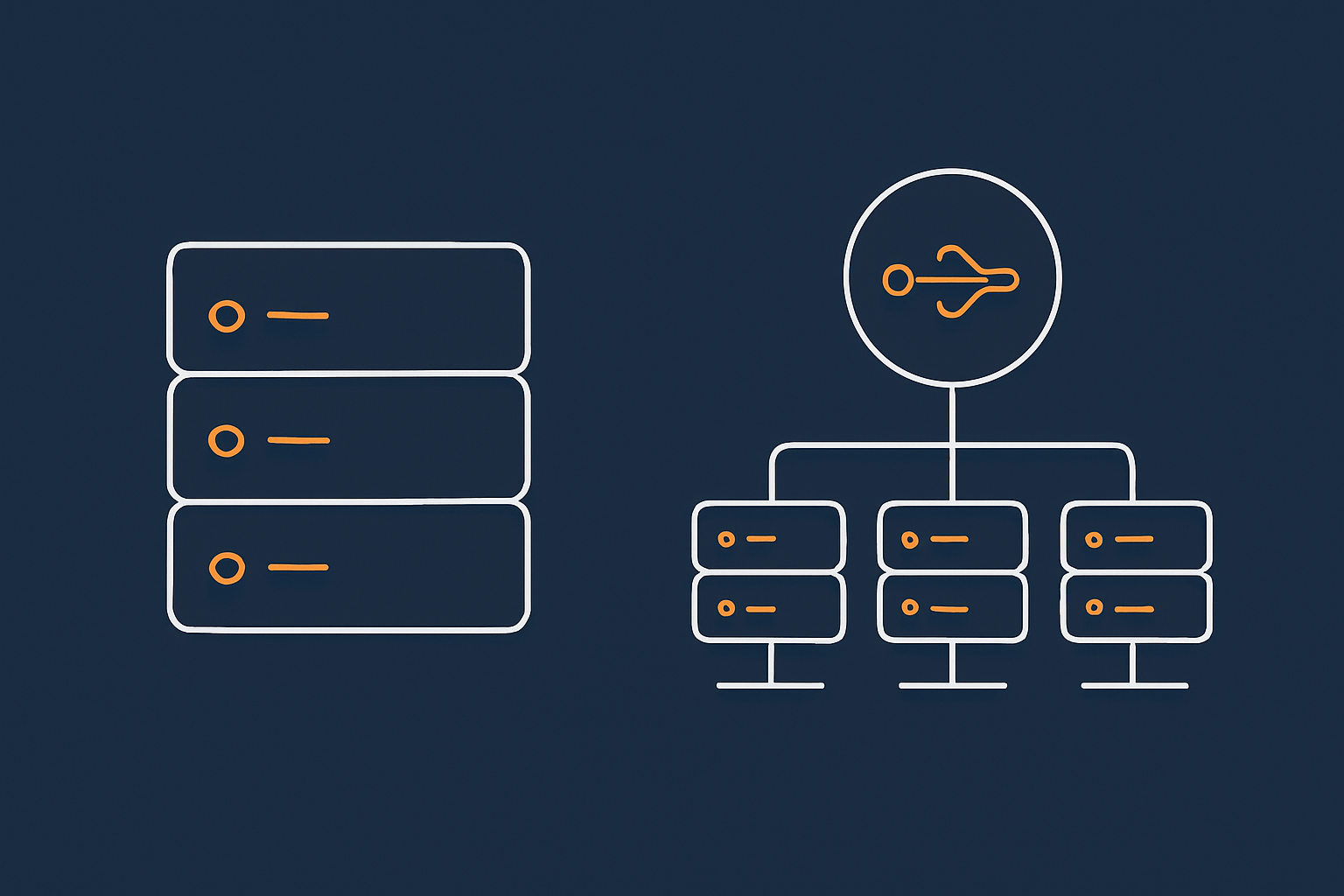
Capacity planning is always constrained by how your hosting is structured today. The same traffic will behave very differently on cheap shared hosting compared with an isolated virtual server.
Shared hosting and cPanel plans: what you can reasonably expect
Shared hosting pools many customers on the same physical server. It is cost effective and fine for smaller, low intensity sites.
In a shared environment you should expect:
- Limited and sometimes bursty CPU and RAM, as resources are shared.
- Reasonable performance for cached, low complexity pages.
- Less predictability during global busy times when all customers are active.
Shared hosting can usually survive short traffic bursts if caching is strong, but it is not ideal for large, planned campaigns or busy WooCommerce stores. You also have less control over detailed tuning that could improve capacity.
Virtual dedicated servers and VPS: more predictable capacity, more responsibility
Moving to a virtual dedicated server (VDS) or VPS gives you your own slice of CPU, RAM and storage that is not directly shared with others. Capacity is more predictable, and you can often scale vertically to larger plans.
You gain:
- Dedicated resources that you can size to your needs.
- Control over web server, PHP and database configuration.
- More consistent behaviour during other customers’ busy periods.
You also take on:
- Responsibility for configuration, updates and optimisation.
- The need to monitor and manage your own resource usage.
For teams without in house sysadmin skills, a managed VDS can reduce that burden. Providers like G7Cloud can take on day to day operations, security patching and capacity tuning, while you focus on the application.
Specialist WordPress and WooCommerce hosting: where the optimisation really sits
Managed WordPress hosting for growing UK business sites and Specialist WooCommerce hosting for peak trading days build extra optimisation and tooling around the core hosting.
In these environments, capacity is influenced by:
- Pre configured caching layers tuned for WordPress behaviour.
- Object caching and database optimisation targeted at common plugins.
- Support teams who understand typical failure modes during promotions or sales.
The main trade off is flexibility. You may have less low level control over the stack, but you gain a lot of practical capacity from a platform that is tuned for the way WordPress and WooCommerce behave in the wild.
Single server vs multi server architecture: how far can you go before you need to split roles
On a single server, your web, PHP, database and sometimes email all share the same resources. This is simpler to manage and is often the right starting point.
As you grow, the main question is when to separate roles into multiple servers. For example:
- Web and PHP on one server.
- Database on its own, with more RAM and storage IO.
- Optional extra web nodes behind a load balancer for high concurrency.
Moving to multi server architecture brings better capacity and resilience, but also increases cost and operational complexity. For a deeper comparison, see Single Server vs Multi Server Architecture: How to Decide When You Are Not on Public Cloud.
Step 3: Turn traffic and behaviour into a rough capacity target
Once you understand your traffic patterns and hosting model, you can translate those into a rough capacity goal. It will not be perfect, but it will be much better than guessing based on “visits per month”.
Why “concurrent users” matters more than “visits per month”
Hosting does not really care how many people visit over 30 days. It cares how many people are active at the same time, and how heavy their requests are.
For example:
- 100,000 visits spread evenly across a month might only mean a handful of active users at once.
- 10,000 visits in 15 minutes after a TV mention can overload even a generous server.
Try to estimate:
- Peak sessions per minute during your busiest periods.
- The fraction of those sessions that involve heavy actions, such as checkout or search.
Even rough figures help you understand whether you are dealing with dozens, hundreds or thousands of concurrent users at peak.
Simple rules of thumb: low, medium and high intensity sites
Two sites with the same number of concurrent users can put very different loads on hosting. A rough classification:
- Low intensity:
- Mainly static or cached pages.
- Few logged in users, minimal search or filtering.
- Examples: brochure sites, blogs with good caching.
- Medium intensity:
- Mix of cached content and logged in features.
- Regular form submissions, moderate search use.
- Examples: membership sites, lead gen with content gating.
- High intensity:
- Many logged in users or personalised content.
- Complex WooCommerce checkout flows, heavy search or filtering.
- Integrations with external services during transactions.
Low intensity sites can often serve hundreds of concurrent users from modest hardware with good caching. High intensity sites might need similar resources for a much smaller number of concurrent users.
How caching and CDNs change the numbers
Caching and content delivery networks can dramatically increase effective capacity by serving many requests without touching PHP or the database.
For example, the G7 Acceleration Network performance and protection layer can:
- Cache static and dynamic content at edge locations closer to users.
- Optimise images to AVIF and WebP on the fly, often reducing image sizes by more than 60 percent.
- Filter abusive traffic and obvious bots before they hit your application servers.
The result is that your origin server sees fewer, lighter requests, which raises the number of concurrent visitors it can handle.
When you need proper load testing instead of guesses
Rules of thumb are useful, but there are times when you should invest in proper load testing:
- Major launches or campaigns with high financial or reputational stakes.
- Complex WooCommerce or subscription flows where multiple systems interact.
- Sites with heavy custom code or unusual plugins where behaviour under load is uncertain.
Load testing tools artificially generate traffic to your site and measure how performance changes as concurrency increases. This can be run by your own technical team or by a managed hosting partner who understands the stack.
When done well, a single load test can give you practical capacity thresholds such as “checkout starts to slow noticeably above 80 concurrent sessions”.
Designing for spikes, seasons and launches without massive overkill
Most businesses do not need peak capacity every day of the year. The key is to design for flexibility, so you have enough headroom during spikes without overspending the rest of the time.
Planned campaigns and launches: build a short term capacity envelope
For planned events, build a temporary “capacity envelope” around your expected peak:
- Estimate concurrent traffic during the event based on previous campaigns or media reach.
- Apply a safety margin, for example 2x your expected peak.
- Decide how long you need to sustain this, for example 2 hours or a full day.
Then discuss with your provider whether to:
- Temporarily scale up your server resources.
- Add or tune caching and CDN rules for the campaign pages.
- Schedule performance checks and monitoring during the event.
A managed provider can often help shape this envelope so you are not guessing alone.
Seasonal peaks for WooCommerce and retail: Black Friday, pay day and TV mentions
Retail peaks are usually a mix of predictable and unpredictable elements:
- Predictable: Black Friday, Christmas, pay day patterns, regular promotions.
- Less predictable: influencer coverage, press mentions, unexpected demand swings.
For WooCommerce in particular, consider:
- How many concurrent checkouts you realistically expect at peak.
- Whether discount logic, stock checks and shipping calculations are efficient.
- How much of the browsing traffic can be served from cache.
Our article How to Prepare a WooCommerce Site for Seasonal Traffic Spikes Without Oversized Hosting offers a practical checklist that complements this guide.
Unpredictable spikes: PR hits, social media virality, bot surges
Not every spike can be planned. You may be mentioned by a large news outlet or go viral on social media. Or you may experience sudden load from aggressive bots or scrapers.
To cope with this calmly:
- Ensure you have decent caching and traffic filtering in place ahead of time.
- Set sensible rate limits and bot protections at the edge where possible.
- Have a basic runbook such as “what we will do if we see CPU pinned at 100 percent for 10 minutes”.
Traffic filtering and caching layers can often absorb unexpected surges far better than the origin server alone, especially when combined with a network like the G7 Acceleration Network.
Vertical scaling vs horizontal scaling in plain English
Scaling comes in two broad flavours:
- Vertical scaling is “buy a bigger server”:
- More CPU cores, more RAM, faster storage.
- Simple to manage, fewer moving parts.
- Eventually hits physical or cost limits.
- Horizontal scaling is “add more servers”:
- Multiple web servers behind a load balancer.
- Database separated, possibly with replicas.
- More complex and usually needs specialist operational support.
Early on, vertical scaling is straightforward and usually the right approach. As you approach the practical limits of a single server, it becomes safer to design a multi server architecture instead of endlessly buying bigger machines. For more detail, see Scaling a Website Safely: When Vertical Scaling Stops Working.
Using performance layers to squeeze more capacity from the same hardware
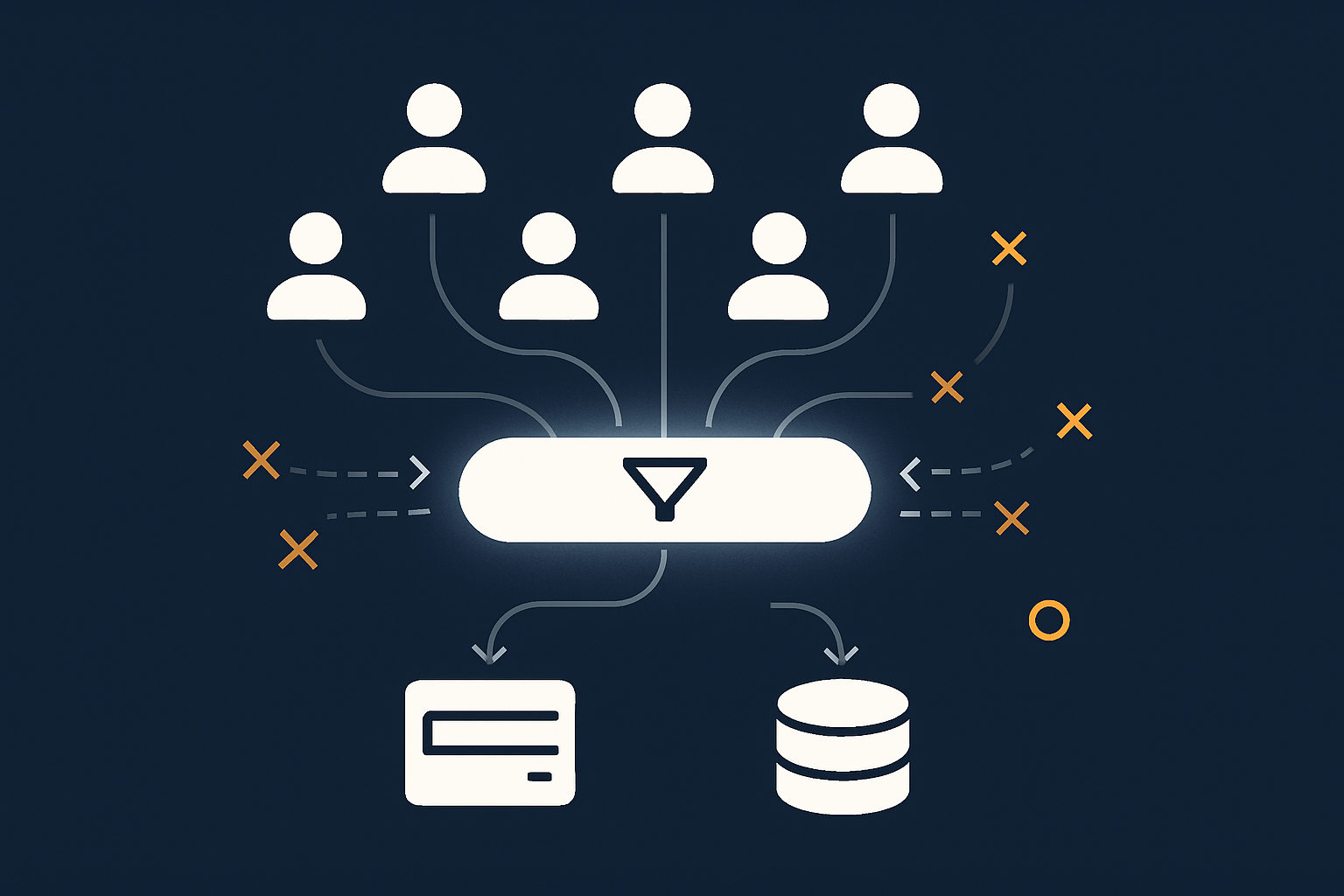
Before you invest in much larger servers, it is worth making sure you are getting full value from the resources you already have. Performance layers can multiply your effective capacity without changing your base hosting.
HTTP and full page caching: serving many more visitors from memory or edge nodes
Full page caching stores the final HTML of your pages so they can be served instantly to the next visitor without running PHP or querying the database.
Advantages include:
- Very low CPU usage for cached requests.
- Ability to handle large spikes of anonymous traffic.
- Better utilisation of modest hardware.
Combined with a CDN or an edge network, many visitors never reach your origin server at all. This can change a server that struggled at 50 concurrent users into one that comfortably handles several hundred for largely static content.
Object caching and database efficiency for WordPress and WooCommerce
For logged in users and dynamic operations, object caching and database tuning become more important.
Key ideas include:
- Object caching stores the results of expensive operations in memory.
- Indexing and query optimisation reduce the cost of common database operations.
- Cleaning up unused plugins and data lowers the background load.
Well tuned object caching can significantly reduce database work, especially on WooCommerce sites where product, cart and order data is frequently accessed.
Filtering bad bots and abusive traffic before it reaches PHP or the database
Not all traffic is desirable. Some is automated scraping, vulnerability scanning or brute force login attempts. These requests consume capacity without adding any value to your business.
Placing a filtering layer in front of your application can:
- Block known bad bots and obvious abuse.
- Rate limit certain paths such as login or search.
- Hide your origin server details and reduce direct attacks.
The G7 Acceleration Network, for example, can filter abusive traffic before it ever touches PHP or your database, preserving capacity for genuine visitors.
Front end optimisation: why images and scripts matter for capacity as well as speed
Front end optimisation is usually discussed as a speed issue, but it also affects capacity.
Large images, uncompressed scripts and heavy CSS mean:
- More data to transfer per request.
- Longer connections between user and server, which tie up resources.
By reducing image weight and optimising assets, you:
- Shorten each request.
- Free up server capacity to handle more concurrent visitors.
Networks like the G7 Acceleration Network can convert images to modern formats such as AVIF and WebP on the fly, often cutting image sizes by more than 60 percent. This improves both individual page speed and overall concurrency.
Monitoring and early warning: spotting capacity problems before a big day
Good capacity planning is not a one off project. You also need basic monitoring and early warning so you can adjust before an important event.
The minimum metrics to watch: CPU, RAM, disk, database load and queue backlogs
At a minimum, you should have visibility on:
- CPU usage: average and peaks during normal and busy days.
- RAM usage: especially whether you are using swap space.
- Disk IO: sustained high IO can indicate database or logging issues.
- Database load: slow queries and connection counts.
- Queue backlogs: background jobs or message queues piling up.
You do not need to stare at dashboards all day, but you should be able to check these metrics when planning a campaign or diagnosing past slowdowns.
Understanding common failure symptoms under load (502/504, timeouts, slow TTFB)
Common signs that capacity is being stretched include:
- 502 / 504 errors: often indicate upstream timeouts or overloaded PHP workers.
- Very slow Time To First Byte (TTFB): the server is slow to start responding, usually due to CPU or database contention.
- Pages timing out completely: requests taking longer than your configured limits.
Recognising these symptoms early lets you throttle campaigns, adjust caching or temporarily scale resources while you investigate root causes.
Simple alerting and pre‑event checks before campaigns or sales
Before major events, it is worth running a basic pre flight check:
- Check resource usage on a recent busy day for any signs of stress.
- Ensure monitoring and uptime checks are active and pointing at key user journeys.
- Confirm your caching and CDN rules for campaign landing pages are working as expected.
Set simple alerts such as “CPU sustained above 85 percent for 10 minutes” or “error rate above 2 percent” so you have early warning during the event itself. For more detailed guidance on monitoring, see Why Uptime Matters and How to Monitor Your WordPress Site Properly.
Building a practical capacity plan for the next 12–24 months
With the basics in place, you can sketch a pragmatic capacity plan that matches your business growth and risk appetite.
Decide your acceptable risk level and recovery options
First, be honest about risk tolerance:
- Are you comfortable with occasional slowdowns during unexpected spikes?
- Do you require near perfect availability during certain events?
- How quickly do you need to recover if something does go wrong?
Write down your position, for example:
“We are comfortable with brief slowdowns on unexpected viral days, but we want robust capacity for our two annual product launches.”
This shapes whether you focus on always on capacity, or on the ability to scale and optimise around a few key dates.
How to choose between staying on shared hosting, moving to VDS, or going multi server
As a rough guide:
- Stay on shared hosting if:
- Your site is low to medium intensity.
- Traffic is modest and spikes are rare and short.
- You have strong caching in place and no serious performance issues on busy days.
- Move to a VDS if:
- You are regularly hitting shared hosting limits.
- You need predictable capacity and configuration flexibility.
- You are running revenue generating sites where performance matters.
- Consider multi server if:
- Your single server is near its comfortable vertical scaling limits.
- You expect sustained high concurrency or need higher resilience.
- You have, or can access, the expertise to manage a more complex stack.
You do not need to jump straight from entry level shared hosting to a complex multi server cluster. An intermediate step such as a managed VDS can often provide ample capacity with moderate complexity.
When managed hosting or enterprise WordPress makes sense for capacity and growth
Managed hosting and enterprise WordPress or WooCommerce platforms make particular sense when:
- Your internal team is small and already stretched.
- Traffic levels or campaign plans mean that outages would be costly.
- You are moving towards multi server or heavily optimised architectures.
In these situations, a managed provider can shoulder much of the operational risk: monitoring, tuning, updates, scaling decisions and incident response. You still own the application and business logic, but you are not alone in maintaining the underlying hosting.
Cost planning: base capacity vs temporary headroom vs optimisation work
A simple way to structure cost discussions is to separate:
- Base capacity: the everyday hosting resources you pay for year round.
- Temporary headroom: short term scaling for known peaks or launches.
- Optimisation work: one off or periodic work to improve caching, database efficiency and front end weight.
In many cases, money spent on optimisation yields savings on both base capacity and temporary headroom. For example, a day spent tightening caching and trimming heavy plugins can sometimes avoid the need for a permanent jump to a much larger server.
Common mistakes and misconceptions in hosting capacity planning
Capacity planning tends to fail in the same few ways. Being aware of these helps you avoid them.
Relying on uptime guarantees instead of real capacity and resilience
Uptime guarantees such as “99.9%” describe the hosting provider’s availability targets, not how your specific application behaves under load.
A server can technically be “up” while your site is responding in 30 seconds or throwing 504 errors under heavy traffic. Use uptime guarantees as one factor, but look beyond them to real world performance and capacity.
Confusing backups, redundancy and scalability
Backups, redundancy and scalability are related but different concepts:
- Backups let you restore data after a loss or corruption.
- Redundancy provides alternative components if one fails.
- Scalability is the ability to handle more load.
It is common to assume that a backup system helps with capacity, or that a clustered setup covers backups automatically. In practice, you need to think about each independently. For a deeper explanation, see Backups vs Redundancy: What Actually Protects Your Website.
Buying a much bigger server instead of fixing obvious bottlenecks
When a site slows down under load, the instinct is often to jump to a far larger server.
Sometimes this is necessary, but often the real issues are:
- No or poor caching on anonymous pages.
- Inefficient database queries or unindexed tables.
- Heavy plugins that run expensive tasks on every request.
- Unoptimised images and assets.
Addressing these bottlenecks first usually gives better long term value. It also means that any future hardware upgrades are working with a more efficient application.
Ignoring compliance and payment traffic when planning peak days
If you handle payments or regulated data, peak days are about more than just capacity. You may need to consider:
- PCI considerations for card data environments.
- Logging and audit requirements that increase storage and IO.
- Security monitoring that needs to keep pace with higher traffic.
These factors can slightly increase resource consumption and may limit where certain components can run. It is worth including them in your capacity planning conversations, especially for checkout intensive peaks.
Next steps: how to review your current setup and plan your next upgrade safely
Capacity planning is not about predicting the future perfectly. It is about making your next step safer and more deliberate.
Questions to ask your current or future hosting provider
When talking to a provider such as G7Cloud, useful questions include:
- What kind of traffic profile is my current plan designed for?
- What are the main capacity limits for this setup?
- How do you support short term scaling around key events?
- What monitoring and alerting options are available to me?
- Which parts do you manage, and which remain my responsibility?
Clear answers will help you judge whether a shared plan, virtual dedicated server or managed multi server architecture is most appropriate for your growth path.
How existing tools and features can increase your usable capacity
Before committing to a larger plan, review which features you already have available:
- Caching layers you may not be fully using.
- CDN or edge acceleration options.
- Database and object caching support.
- Traffic filtering and security tools.
On WordPress, you can combine this with application level improvements. Our article Handling Traffic Spikes on WordPress Without Breaking the Bank explores these tactics in more depth.
When to schedule a deeper architecture review
Consider a more formal architecture review when:
- You are planning a substantial marketing push or expansion into new regions.
- Your current server is regularly near its resource limits despite reasonable optimisation.
- You are considering a shift to multi server or more advanced configurations.
This is often where managed hosting or enterprise services bring value, as you can work with people who do this kind of capacity and resilience planning every day.
If you would like a structured conversation about your current setup and growth plans, you can talk to G7Cloud about choosing the right hosting architecture, or explore managed hosting and virtual dedicated servers to reduce operational risk while you scale.