

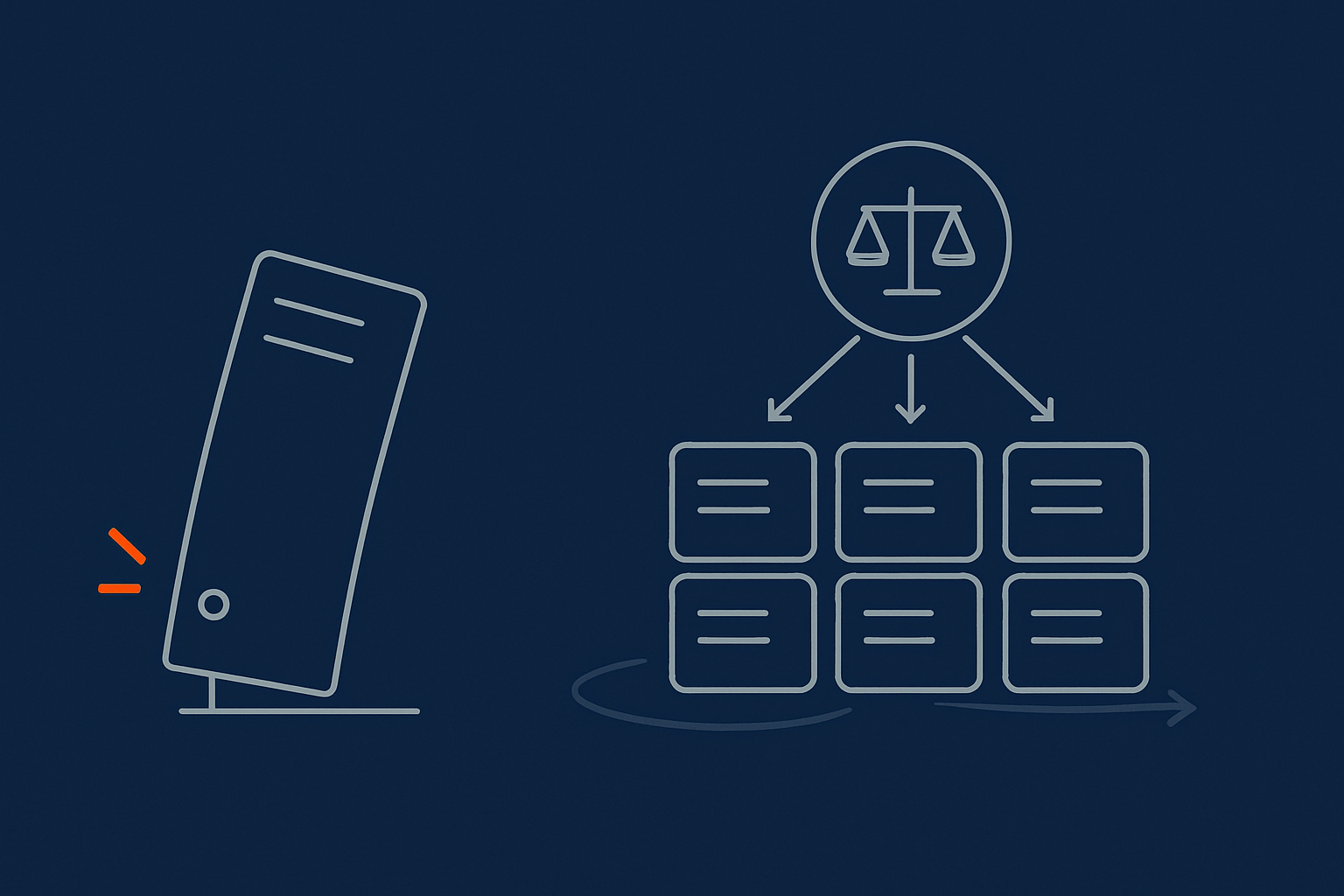
Introduction: Why “Just Add More CPU” Eventually Fails
Many successful websites follow a familiar story.
You start on an affordable hosting plan. Traffic grows, the site slows, so you move to a bigger plan with more CPU and RAM. Performance improves and everyone relaxes. Then growth continues, campaigns get bolder, and one day the site slows down again. You upgrade to an even larger server, yet problems keep coming back.
At some point, “just buy a bigger box” stops being a reliable fix. The reasons are as much about risk and operations as raw performance.
The typical growth path for a successful website
For many businesses, the path looks like this:
- Launch on shared hosting or a small VPS
- Upgrade to a larger VPS or cloud instance when traffic increases
- Move to a powerful virtual dedicated server when the site becomes critical to revenue
- Eventually discover that the “one bigger server” model is fragile and hard to change
WordPress blogs, WooCommerce shops and lead generation sites all follow this pattern. It can work well for years, until growth exposes its limits.
What this article will help you decide
This article is about recognising when vertical scaling has reached its useful limits and understanding what comes next.
We will look at:
- The difference between vertical and horizontal scaling in plain language
- When a single server is still the best option
- Warning signs that “one massive server” is becoming a risk
- Practical steps to move towards more resilient, horizontally scalable designs
The aim is not to push you into complex “cloud native” setups, but to help you choose a sensible, low risk path that matches your stage of growth.
If you want a broader primer on hosting building blocks first, you may find our guide on shared, VPS or dedicated hosting helpful.
Vertical vs Horizontal Scaling in Plain English
What vertical scaling actually is
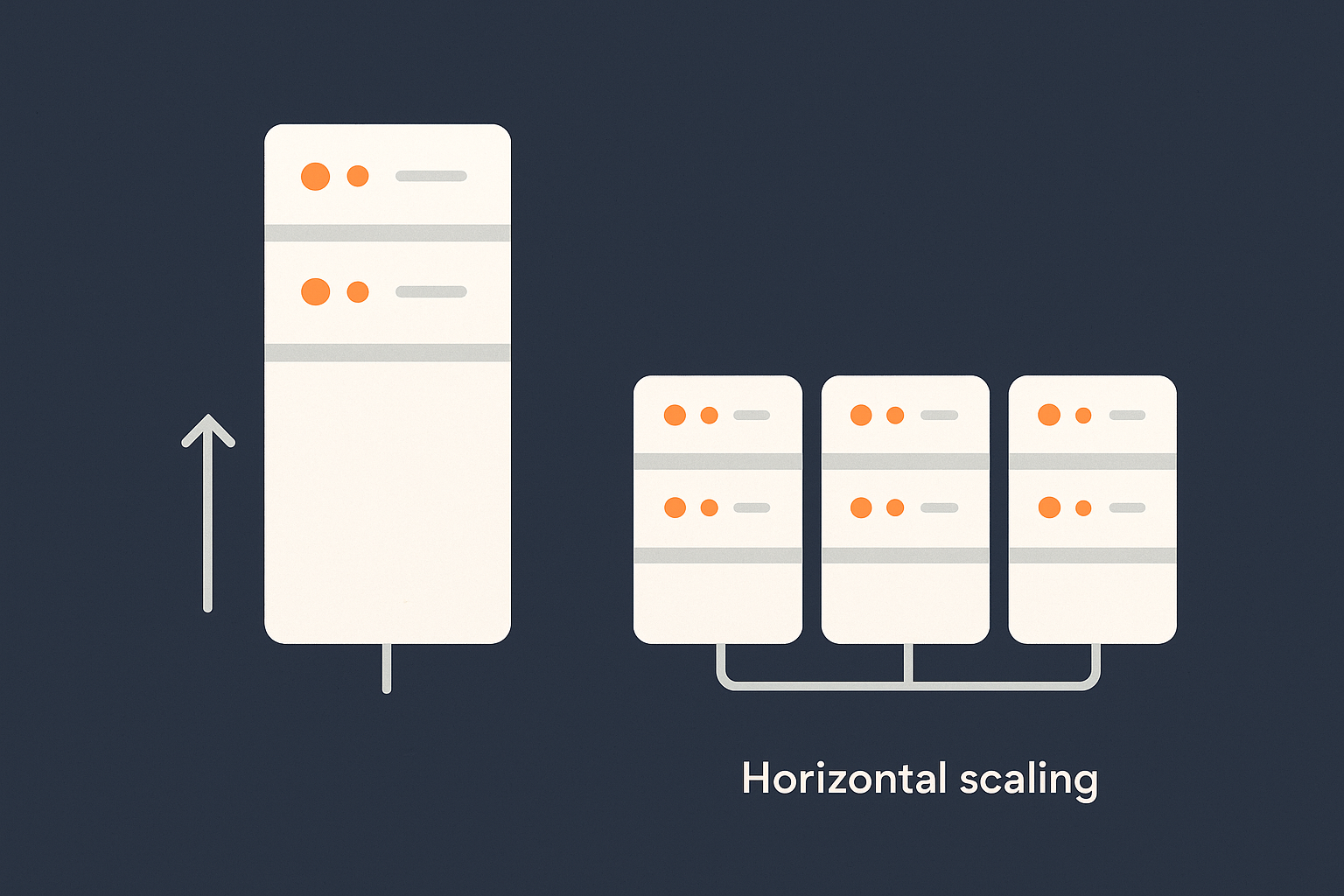
Vertical scaling means making a single server more powerful:
- More CPU cores
- More RAM
- Faster or larger disks
If your website runs on “Server A”, vertical scaling is simply replacing Server A with a stronger version of Server A.
From shared hosting to bigger VPS to large virtual dedicated server
In practice, vertical scaling looks like:
- Starting on shared hosting where many customers share one physical machine
- Upgrading to a small VPS with fixed slices of CPU and RAM
- Moving to a larger VPS plan as traffic grows
- Eventually stepping up to a large virtual dedicated server where the underlying hardware is reserved for you
At each step, your website is still essentially a single machine from an architectural point of view. The benefit is simplicity. There is only one place to look when you deploy code, check logs or tune configuration.
Real world examples: busy blog, WooCommerce shop, lead generation site
Three common cases where vertical scaling feels natural:
- Busy blog or content site using WordPress, mostly anonymous readers, lots of content but not much logged in activity. A bigger server means pages generate faster and caching is more effective.
- Growing WooCommerce shop where you move from entry level hosting to a larger plan as orders increase. Each upgrade buys headroom for more concurrent shoppers and checkout traffic.
- Lead generation or B2B site that becomes central to your sales pipeline. You upgrade to ensure forms stay responsive and pages load quickly for prospects and sales teams.
Vertical scaling is often the right first reaction when these sites become slow. The trap is assuming it will work forever.
What horizontal scaling actually is
Horizontal scaling means adding more servers instead of only making one server larger. You spread work across several machines and design the system so that additional servers can be added when needed.
Adding more servers instead of making one server huge
The mental model is simple:
- Vertical: one delivery driver, bigger and stronger each year
- Horizontal: a fleet of drivers, each carrying a smaller share of the work
At low volume, one very capable person is simpler. At high volume, a single superstar creates a bottleneck and a single point of failure.
Load balancers, multiple web nodes and separated databases in simple terms
A basic horizontally scalable web architecture usually has:
- A load balancer that receives incoming requests and distributes them across several web servers
- Multiple web nodes that run your application code, for example WordPress with PHP and Nginx
- A separate database server that stores data for the whole cluster
From the user’s point of view, your website still has a single address. Behind the scenes, their requests might go to any of several machines.
This allows you to:
- Add capacity by adding another web node
- Take a node out of service for maintenance while others keep running
- Isolate database performance and scale it on its own path
Where both approaches fit into a sensible growth plan
Vertical and horizontal scaling are tools, not opposing camps. A sensible journey often looks like:
- Start small and simple on one server
- Vertical scaling and tuning as you grow
- Move to a strong, well tuned virtual dedicated server as a stable foundation
- Introduce horizontal elements step by step when vertical gains flatten out
The rest of this article focuses on the handover point between steps 2 and 4. That is where many businesses feel pressure, and where choosing the right timing matters.
The Comfort Zone: When Vertical Scaling Works Well
Traffic and workload levels where a single server is ideal
Small to medium WordPress and WooCommerce sites
For many small to medium WordPress and WooCommerce sites, a properly specified and tuned single server is ideal. It gives you:
- Low operational complexity
- Straightforward deployments and debugging
- Predictable costs
A typical example:
- WordPress marketing site with a few thousand visitors per day
- WooCommerce shop with dozens of concurrent users at peaks, not hundreds
- Business blog that is important but not carrying TV-level traffic
With sensible caching, image optimisation and a decent specification, these workloads can run happily on one well managed box.
Seasonal spikes vs constant high load
Vertical scaling also suits businesses where traffic is mostly steady, with a few predictable spikes:
- Modest seasonal sales
- Occasional email campaigns
- Periodic content promotions
In these cases, you can:
- Size the server for normal operation plus a safety margin
- Use caching and a content delivery network to smooth peaks
- Plan maintenance around quieter periods
If you are frequently near 100 percent of your server’s limits, or if spikes are both high and frequent, a single machine starts to look fragile.
Technical limits of vertical scaling on real hardware
Physical CPU sockets, RAM limits and storage throughput
Vertical scaling has hard technical limits. A physical server can only hold so many CPU sockets, so much RAM and a certain number of disks or NVMe devices. Even before those absolute limits, you encounter diminishing returns.
Common constraints include:
- CPU saturation where adding more cores does not help because the application is limited by locks or serial operations
- RAM ceilings where more memory provides little benefit once your working set is cached
- Storage throughput where disks or storage networks cannot feed data to the CPU any faster
In other words, the server can be larger on paper than your application can realistically use.
Virtualisation overhead and noisy neighbours on cheaper VPS
On lower cost VPS plans, you also share physical resources with other customers.
This introduces two further limits:
- Virtualisation overhead where some CPU and I/O capacity is used by the hypervisor itself
- Noisy neighbours where another customer’s workload affects performance, especially storage I/O
A well run platform will control these effects, but they are never fully zero. Moving to a high quality virtual dedicated server is often an effective way to remove uncertainty about neighbours and reclaim consistent performance without changing your application architecture yet.
Signs you still have vertical headroom before changing architecture
Before / after tuning PHP, database and caching
Redesigning your hosting is a big step. Before you do that, it is worth checking whether tuning and optimisation can restore enough headroom.
Useful questions:
- Has PHP been configured sensibly for your workload, or is it still on defaults?
- Is the database using appropriate indexes and query caches where applicable?
- Are there obvious “heavy” plugins or custom code paths that could be improved?
Our guide to diagnosing slow WordPress performance with metrics covers how to gather real data on these points.
Using performance features and smart caching to delay complexity
Many sites can stay comfortably on a single server for longer by using:
- Full page caching for anonymous users
- Object caching for database-heavy applications
- Optimised image delivery and compression
- Static asset offloading to a content delivery network
The G7 Acceleration Network helps here by caching content close to users, converting images to AVIF and WebP formats on the fly and significantly reducing bandwidth between the edge and your application server. It can also filter abusive and automated traffic before it reaches your origin, which keeps precious CPU cycles for real users.
Used well, these techniques can postpone the need for more complex architectures and reduce risk when you eventually take that step.
Warning Signs: How to Tell When Vertical Scaling Is No Longer Enough
Business symptoms you will notice first
Checkout stalls, login lag and admin slowdowns during campaigns
Most teams notice the business symptoms before the technical ones:
- Checkout pages hang or time out during promotions
- Login and account pages feel sluggish when many users are active
- WordPress admin becomes slow for editors while campaigns are live
If these problems recur even after upgrading hardware, topology rather than raw capacity may be the constraint. For example, all logins might be pushing heavy writes into a single database that cannot keep up, regardless of CPU size.
Support complaints increase even though specs went up
Another sign is a growing volume of support tickets like:
- “The site was down again at lunchtime”
- “Pages are slow whenever we send email campaigns”
- “We upgraded yet it still feels worse during busy times”
When each vertical upgrade buys less improvement than the one before, you are likely approaching the practical limits of the single server model.
Technical indicators that the single-server model is strained
High CPU and RAM despite generous resources
From a technical view, warning signs include:
- CPU utilisation sitting near 80–100 percent at peak for extended periods
- RAM constantly close to full, with swapping or out of memory events
- Load averages much higher than your number of CPU cores
If those numbers persist after normal tuning, more vertical capacity may only defer problems a little.
Disk and database bottlenecks, slow queries and lock contention
Database and storage often become bottlenecks before pure CPU:
- Slow queries reported by MySQL or MariaDB
- Lock contention where multiple operations wait on each other
- Disk queues backing up during backups or imports
These are indicators that:
- Read and write patterns are not balanced for a single machine
- The database might need its own dedicated resources
- Horizontal approaches such as read replicas or sharding could eventually be required
Network and I/O limits, not just pure compute
Even if CPU and RAM look comfortable, you might hit:
- Network throughput limits {for example capped at a certain Gbit/s}
- Storage IOPS ceilings imposed by the underlying platform
- Contention between application I/O and backup I/O on the same disks
These are difficult to fix by adding more CPU or memory. They are structural limitations of running everything on one box.
Risk indicators: when uptime and revenue are tied to a single box
Maintenance windows that always feel dangerous
If routine activities such as OS updates, PHP upgrades or database maintenance feel stressful, that is a risk indicator. Clues include:
- Updates are frequently postponed because downtime is too risky
- Teams prefer to “live with” known issues rather than patch during business hours
- Rollbacks are hard because there is only one live environment
This is usually a sign that the business value of the site has outgrown the “one server” comfort zone.
Backups vs redundancy: why more backups do not prevent downtime
Backups are essential, but they are not the same as redundancy.
- Backups allow you to recover data after loss or corruption
- Redundancy allows your service to continue running if a component fails
If your entire site lives on one physical or virtual server, then:
- A hardware issue or hypervisor failure will take you offline, even if backups are perfect
- Restoring from backups still means a period of downtime
When every minute of outage translates directly to lost revenue or reputation damage, this single point of failure becomes increasingly uncomfortable.
The Real Risks of “One Massive Server”
Single points of failure explained for non‑engineers
What happens when your only server fails or needs urgent work
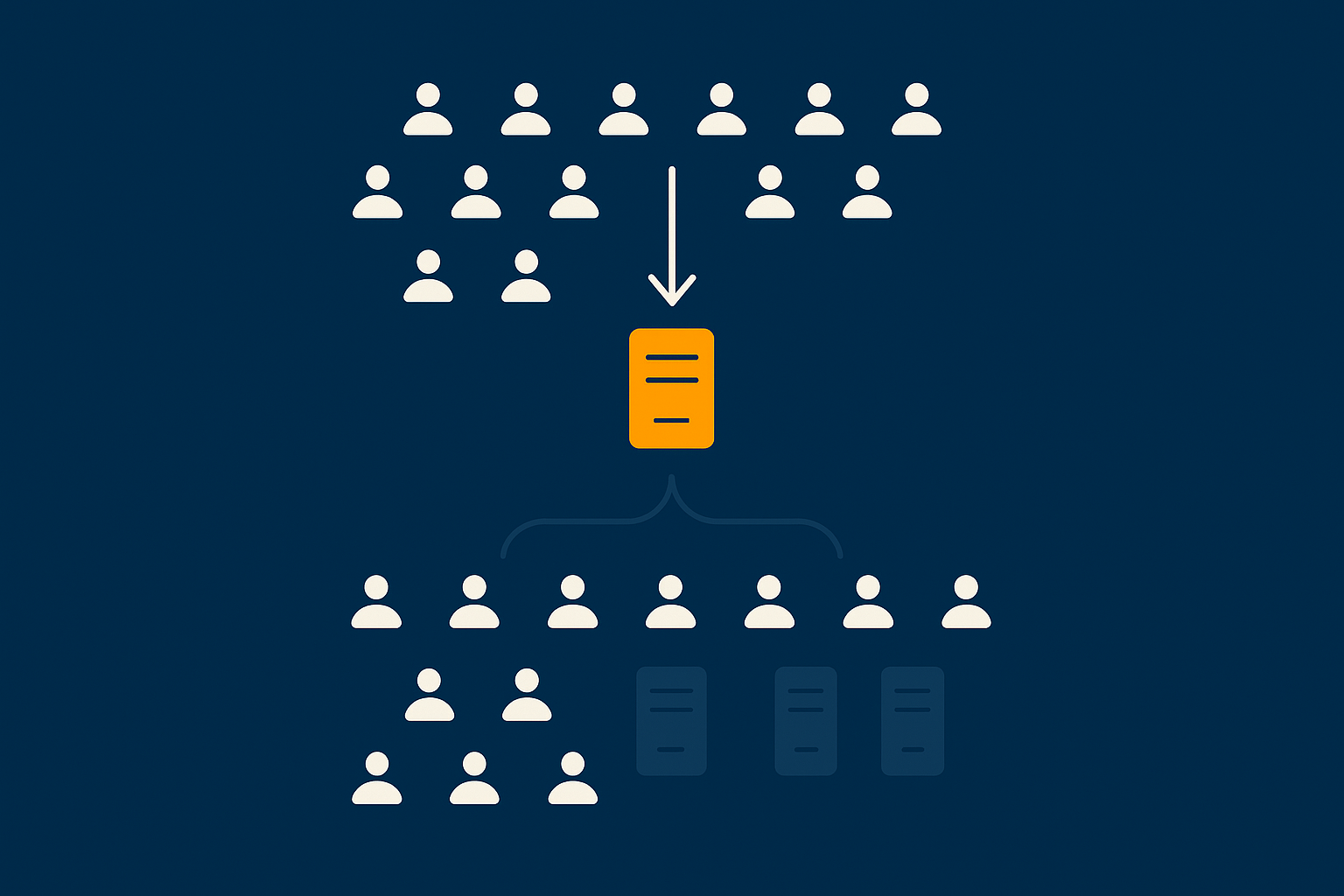
Imagine your site relies on one very powerful machine. Now consider what happens if:
- The hypervisor hosting it has a fault
- A kernel or disk issue causes a crash
- An urgent security patch requires an immediate reboot
In each case, everything stops during the incident. There is no second server to take over. Recovery times depend on how quickly engineers can intervene and whether the issue is simple or complex.
From a business point of view, you are tying uptime, orders and lead generation to a single box, regardless of its size.
How this interacts with uptime guarantees and SLAs
Hosting providers usually offer uptime targets and service level agreements. It is important to understand what these do and do not mean.
In general:
- SLAs define response times and credits if service is unavailable beyond certain thresholds
- They do not change the fact that a single server architecture has one point of failure
A provider can meet their SLA yet you still experience an outage that is painful for your business. Designing out single points of failure is your best defence against this scenario.
Our article on common hosting failure points gives deeper background on where things typically break.
Operational risks: deploys, upgrades and noisy neighbours
Why code changes feel riskier as traffic grows
The more important your site becomes, the more nervous everyone feels about deployments.
On a single server:
- All changes apply directly to production
- If a new release has a performance issue, there is nowhere to divert traffic
- Rollback can mean manual file restores and database changes in a hurry
As traffic grows, small issues that were once tolerable can now affect hundreds or thousands of concurrent users. This pressure often leads teams to delay necessary updates, which is a risk in itself.
How sharing storage or hypervisors can still hurt a large VM
Even a large virtual machine can be affected by underlying platform behaviour. Examples include:
- Storage arrays shared with other customers becoming saturated
- Network congestion on oversubscribed links
- Hypervisor level maintenance causing noisy pauses
Moving to dedicated or near dedicated infrastructure reduces these risks, but does not remove the architectural single point of failure. That still needs horizontal thinking.
Cost and diminishing returns from ever larger instances
Paying a premium for resources you cannot fully utilise
Very large instances carry premium pricing. At some size, you may find that:
- CPU sits idle most of the time because you are bound by I/O
- RAM is underused because application caching is saturated
- Only a few busy hours each day truly need the extra capacity
In effect, you are paying for an expensive insurance policy without addressing the real risk, which is your lack of redundancy.
When budget is better spent on architecture not raw size
At a certain scale, the money for one even larger instance might be better directed towards:
- A pair of moderately sized web servers behind a load balancer
- A separate, tuned database host
- Monitoring, staging environments and rehearsed failover plans
This is usually the point where it makes sense to discuss architecture with your provider rather than simply asking for a bigger box.
Planning the Move: From Vertical to Horizontal Scaling
Clarify what you actually need to scale
Read vs write traffic, logged‑in vs anonymous users
Before changing your architecture, clarify what is really driving load:
- Is it mostly people reading pages, or writing data such as orders and form submissions?
- How many users are logged in at once compared to anonymous visitors?
- Which actions feel slow during peak periods?
Read heavy workloads are usually easier to scale than write heavy ones, because reads can be cached or distributed more readily.
Static assets, dynamic PHP and database workload
Next, separate the pieces of your stack:
- Static assets such as images, CSS and JavaScript files
- Dynamic PHP that generates personalised content
- Database workload handling queries and writes
Each of these can be scaled and optimised in different ways. For example, offloading static assets to a network such as the G7 Acceleration Network reduces both bandwidth and processing on your origin server, while database optimisation targets a separate bottleneck.
A common next step: bigger, well tuned virtual dedicated server
Why a VDS is often the right bridge before complex clustering
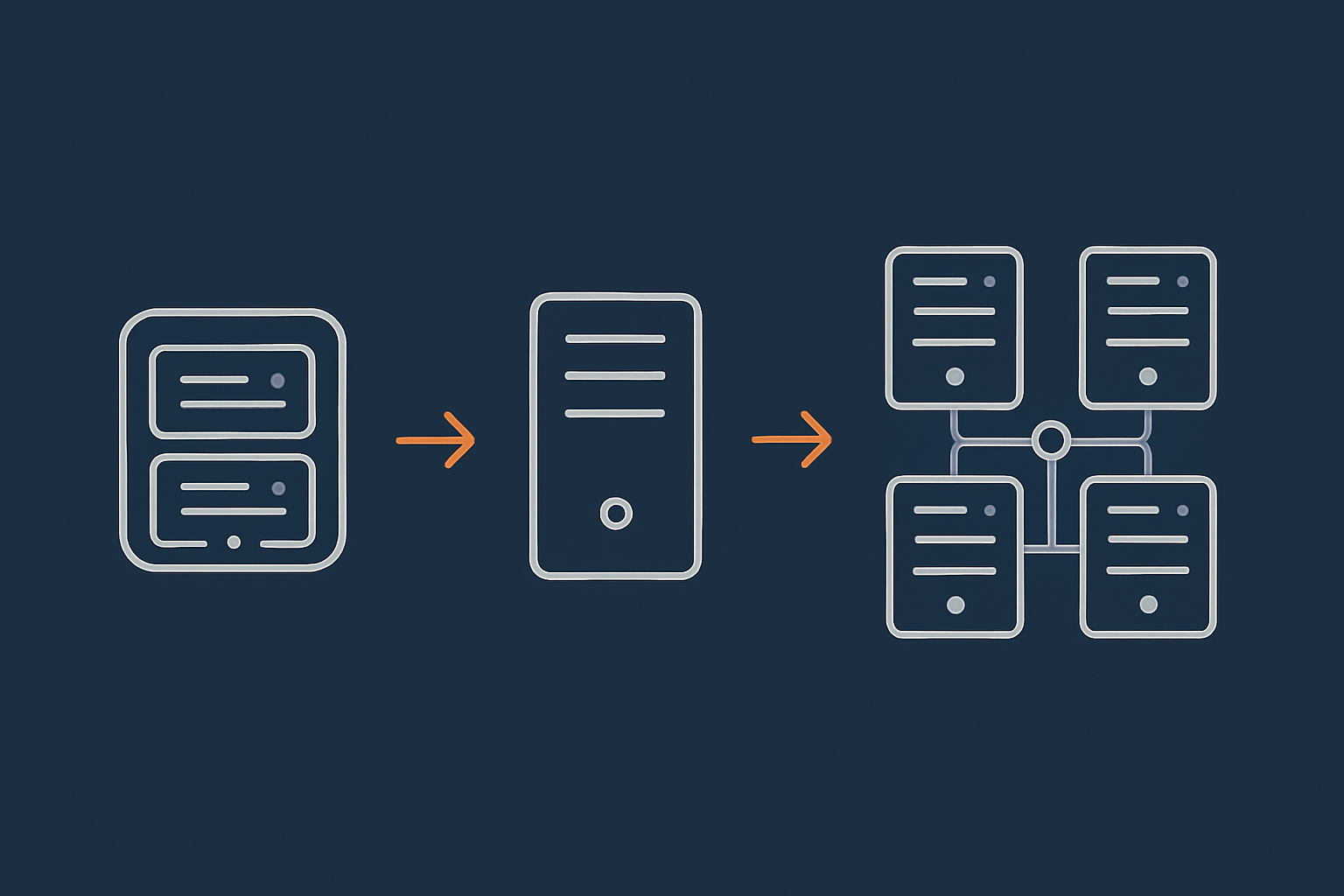
For many businesses, the sensible next step is to move onto a higher quality virtual dedicated server, then introduce horizontal elements later.
This delivers:
- Isolation from noisy neighbours
- Consistent CPU and storage performance
- Room to tune the OS and software stack to your workload
It acts as a stable platform where you can:
- Optimise application performance with predictable resources
- Introduce a separate database role or caching layer
- Prepare for a multi server design without replatforming everything at once
Practical benefits: isolation, predictable performance, root access
A well specified VDS usually includes:
- Dedicated CPU cores and RAM allocations
- High performance storage tuned for server workloads
- Root or administrative access so advanced tuning is possible
This lets you eliminate several variables from the performance equation and focus on your application and data access patterns.
Introducing horizontal concepts safely
Offloading: caching layer, acceleration network, image optimisation
Early horizontal steps that carry relatively low risk include:
- Using a reverse proxy cache in front of your application
- Enabling a network such as the G7 Acceleration Network to cache pages, optimise images and filter bad traffic
- Moving non critical static assets off the main server
These changes can deliver significant performance gains without changing your database or application layout.
Separating database and web tier
The next common step is to run your database on a dedicated server or managed database service. This allows you to:
- Scale CPU and storage for the database separately
- Apply database maintenance without touching web servers
- Prepare for later options such as read replicas
From a risk perspective, separating tiers also reduces the chance that a spike in web activity starves the database of resources, or vice versa.
Adding a second web node behind a load balancer
Once your application and database can cope with it, adding a second web node is the first major horizontal milestone.
A simple configuration:
- A load balancer with health checks
- Two web servers with identical code and configuration
- Shared or synchronised uploads storage where needed
This immediately provides:
- Redundancy if one web node fails
- Capacity to spread traffic across both nodes
- A place to test changes on one node before rolling them to all
How to phase changes to avoid “big bang” cutovers
Staged migrations, blue/green approaches in simple language
There is rarely a need for a single, dramatic cutover. Instead, you can:
- Build the new environment in parallel
- Synchronise data and content while keeping the old system live
- Shift a small portion of traffic to the new system, then gradually increase it
This is often called a blue/green or canary approach. The idea is to limit the blast radius of mistakes and give yourself a clear path to roll back.
Testing peak scenarios before your next big campaign
Whenever possible, test before reality tests you. Options include:
- Load testing with synthetic traffic that simulates peak campaigns
- Failover drills where you deliberately take one node offline
- Monitoring dashboards that show how CPU, RAM, database and cache behave under load
If you know a large campaign is coming, starting this work several months in advance is far less stressful than trying to change architecture after an incident.
Examples: When Different Sites Hit the Vertical Scaling Wall
Growing WooCommerce shop with spiky campaign traffic
Problem: checkout slowdowns even after moving to bigger plans
Consider a WooCommerce shop running regular email and social campaigns. As the list grows, every promotion sends thousands of visitors to the site within minutes.
Symptoms:
- Product pages load acceptably, but checkout becomes very slow
- Stock updates collide as many orders hit at once
- Upgrading to a bigger server helps for a while, then congestion returns
In this case, the bottleneck is often the database and session handling during checkout, not generic page load. A single server, however powerful, struggles with the very concentrated load during campaigns.
Safe path: tuned VDS, strong caching, then split web and database
A safer journey might be:
- Move to high quality virtual dedicated servers or WooCommerce hosting for growing shops that includes strong caching and performance tuning
- Optimise WooCommerce specific queries and use object caching
- Offload images and static content to an acceleration network
- Split database onto its own host so checkout writes have dedicated resources
- Add a second web node when checkout concurrency and campaign traffic demand it
Our guide to optimising WooCommerce performance covers the application side of this story in more detail.
Content‑heavy WordPress site with lots of logged‑in users
Problem: expensive personalised pages that cannot be fully cached
Now take a WordPress membership site or online learning platform with many logged in members.
Challenges include:
- Personalised dashboards and lessons that cannot be fully cached at the edge
- Heavy database queries for each user’s content and progress
- Session handling for hundreds or thousands of concurrent users
Here, vertical scaling helps for a while, but it does not remove the underlying need to serve many dynamic, user specific pages at once.
Safe path: PHP tuning, horizontal web scaling and careful session handling
A sensible path might include:
- Optimising PHP workers, memory limits and opcode caching
- Using object caches to avoid repeated heavy queries
- Ensuring sessions and authentication can work across multiple web nodes
- Adding more web servers behind a load balancer as concurrency grows
- Scaling the database separately, for example with read replicas if appropriate
This is a good scenario for managed WordPress hosting, where platform level expertise can handle the complexities of caching, PHP tuning and horizontal growth while you focus on your membership product.
Lead generation and B2B sites under strict uptime expectations
Problem: maintenance windows and single server outages too risky
Some organisations rely on their website as a 24/7 sales channel or support portal, especially in B2B or regulated sectors.
In these cases:
- Planned maintenance windows are difficult to schedule
- Unplanned outages or errors directly affect contracts and SLAs
- Compliance or governance teams expect documented resilience
Here, the issue is less about raw traffic and more about the cost of downtime.
Safe path: redundancy, failover and SLA‑driven design
For these sites, the path often includes:
- At least two web nodes behind a load balancer in different fault domains
- Database high availability and tested failover procedures
- Monitoring and alerting aligned with business SLAs
- Documented deployment and rollback processes
Where uptime expectations and contractual obligations are strict, services such as enterprise WordPress hosting with higher SLAs provide a framework for designing and operating such architectures.
Common Mistakes When Outgrowing Vertical Scaling
Waiting until a crisis to redesign hosting
Black Friday, TV appearances and unexpected PR spikes
One of the most common mistakes is postponing architectural changes until a crisis.
Examples:
- Discovering performance limits during a Black Friday campaign
- Being surprised by the traffic impact of national media coverage
- Seeing infrastructure fail under a sudden viral spike
Redesigning while stakeholders are frustrated and revenue is at risk is never comfortable. It is far better to start discussions when you still have headroom.
Overcomplicating too early with “cloud native” buzzwords
Kubernetes and microservices vs realistic needs of SMBs
The opposite mistake is jumping too far, too fast. Technologies such as Kubernetes and microservices can be very powerful, but they introduce operational complexity that many small to medium teams do not need.
Potential downsides:
- Increased operational burden on a small team
- A steep learning curve with new failure modes
- Sunk time and money migrating when simpler options would have sufficed
For most SMBs, a well managed set of servers with clear responsibilities is more than enough to achieve high availability and performance.
Assuming CDN or caching alone is a silver bullet
What CDNs are very good at and what they cannot fix
Content delivery networks and caching are extremely valuable tools, but they are not magic.
They are very good at:
- Serving static assets such as images and scripts
- Caching full pages for anonymous users
- Reducing latency for global audiences
They cannot fully fix:
- Heavy dynamic workloads like checkouts and dashboards
- Database write bottlenecks
- Poorly optimised application code
Used correctly, networks like the G7 Acceleration Network can dramatically reduce load on your origin and handle abusive traffic. They are best seen as part of a broader architecture, not a substitute for it. Our guide to CDNs and image optimisation for WordPress covers this in more detail.
Ignoring security, PCI and governance as you scale
Why compliance conversations usually start late and hurt more
As architectures become more complex, security and compliance obligations often increase. Common pitfalls include:
- Storing or processing payment data without appropriate controls
- Neglecting audit trails and access management
- Underestimating requirements from partners or regulators
It is usually cheaper and less disruptive to factor these considerations in while designing your next stage, rather than retrofitting them after the fact.
Where payment data or strict standards such as PCI DSS are in scope, specialist PCI conscious hosting for payment‑sensitive workloads can provide patterns and controls that align with those obligations.
How Managed Hosting and VDS Can Reduce Scaling Risk
Where managed WordPress and WooCommerce hosting fits
Offloading day‑to‑day performance tuning and security
Managing performance, updates, security and backups for a growing WordPress or WooCommerce site is time consuming. It also requires skills that many marketing or content teams do not have in house.
Managed WordPress hosting and WooCommerce hosting for growing shops can help by:
- Handling OS, PHP and database updates
- Tuning caching and server configuration for common patterns
- Providing guidance when you approach scaling limits
This does not remove all responsibility from you, but it shifts much of the operational burden to a team that works with these problems every day.
Built‑in caching, WAF and bad bot filtering to protect your core resources
Many managed platforms include:
- Integrated caching layers tailored to WordPress and WooCommerce
- Web application firewalls to protect against common attacks
- Bad bot filtering so automated traffic does not waste your CPU
These measures improve both performance and resilience, particularly during campaigns and large traffic events.
Using virtual dedicated servers as a stable scaling foundation
From single VDS to multi‑server layouts without replatforming
For teams that need more control than shared platforms offer, virtual dedicated servers provide a strong foundation.
Key advantage:
- You can begin on a single VDS
- Later add more VDS instances for separate roles such as database or additional web nodes
- Keep the same basic tooling and environment while scaling out
This reduces the risk of “throwing everything away” when you move from vertical to horizontal scaling.
How owning the hardware and network helps under load
With VDS and dedicated style setups, providers like G7Cloud can:
- Control hardware specifications and storage architecture
- Engineer the network path from edge to server for predictable performance
- Monitor resource usage and advise on when to scale vertically or horizontally
This is a shared responsibility model. The provider handles the infrastructure and much of the operational overhead. You remain responsible for your application code, data design and business logic.
When to consider enterprise or PCI conscious architectures
Payment data, strict SLAs and multi‑layer redundancy
Some workloads justify more advanced architectures from the outset, for example:
- Sites that touch or process cardholder data
- Platforms with strict contractual SLAs and regulatory oversight
- Public sector or healthcare applications with governance requirements
Here you may need:
- Multi region or multi site redundancy
- Dedicated security controls and network segmentation
- Formal change management and audit trails
Service tiers such as enterprise WordPress hosting with higher SLAs and PCI conscious hosting for payment‑sensitive workloads exist to address these needs with an appropriate level of design and operational support.
Practical Next Steps: Assessing If You Are Hitting the Vertical Wall
Questions to ask your team or provider
Usage patterns, failure history and future campaigns
To understand whether you are approaching the limits of vertical scaling, start by asking:
- When do we see the worst performance problems? (time of day, type of event)
- What incidents or outages have we had in the last 12–24 months?
- What campaigns, launches or growth initiatives are planned for the next year?
- How comfortable are we with current maintenance windows and change processes?
These conversations will reveal whether your main issues stem from capacity, architecture, or operational practices.
Metrics and checks that reveal if it is time to change architecture
CPU, RAM, disk I/O, database performance and cache hit rates
Next, gather some hard data:
- CPU and RAM utilisation at peak times
- Disk I/O and queue depths
- Database query times and lock statistics
- Cache hit rates for page, object and opcode caches
Our article on why uptime matters and how to monitor your WordPress site covers practical tools for capturing this information.
If you repeatedly see resources saturated under predictable workloads, and you have already done reasonable tuning, it is a strong sign that architecture, not instance size, is the next lever to pull.
When to start a structured scaling discussion
Lead times, budgeting and involving the right people early
Shifting from “one big server” to a more resilient layout involves:
- Technical design
- Cost forecasting
- Deployment planning and testing
It is worth starting that discussion when you still have several months of headroom. This gives time to:
- Agree on budget and priorities
- Schedule work outside peak business periods
- Test and refine the new setup before critical events
Involving stakeholders from development, operations, security and the business early reduces surprises later on.
Summary: using vertical scaling as a tool, not a trap
Vertical scaling is a valuable and often underused tool. Used thoughtfully, it can keep your architecture simple for as long as that simplicity serves you.
The key is to:
- Recognise its technical and risk limits
- Watch for early warning signs in both business outcomes and metrics
- Plan your journey towards horizontal and redundant designs before a crisis forces your hand
A good hosting provider will help you balance cost, complexity and resilience, and will be clear about which responsibilities sit with them and which sit with you.
If you are unsure whether you are nearing the vertical scaling wall, a calm next step is to talk to G7Cloud about your current setup, traffic patterns and future plans. Together we can map out whether tuning, a stronger virtual dedicated server, or a phased move towards a multi server architecture is the safest route for your business.