

Why PCI Matters for WooCommerce Stores in the UK
What PCI DSS Actually Is (in plain English)
PCI DSS is a security standard for handling payment card data. It is set by the major card brands (Visa, Mastercard, Amex and others) to reduce card fraud. It is not a law in itself, but your acquiring bank and payment providers bake it into their contracts, so in practice it is mandatory if you take card payments.
The standard covers how you:
- Store, process and transmit cardholder data
- Secure your systems and networks
- Control staff access to data
- Monitor for suspicious activity and respond to incidents
For a typical WooCommerce store, PCI DSS influences choices like which payment methods you use, how your checkout is built, what your hosting platform looks like and how you manage updates and security internally.
Who PCI applies to and why WooCommerce shops are included
PCI DSS applies to any business that accepts payment cards, regardless of size or turnover. That includes:
- Small WooCommerce shops taking a handful of orders per week
- Growing D2C brands processing thousands of transactions per day
- Hybrid models where some sales are in person and others online
If you process card payments through your WooCommerce checkout, you are in the PCI ecosystem. Even if you never directly see or store card numbers, you still have obligations, although the scope can be kept relatively small with the right setup.
UK merchants often assume that PCI “belongs” to the payment gateway or to the hosting provider. Both do have responsibilities, but you, as the merchant, are the one who signs the contract with the acquirer or payment service provider and completes the PCI self‑assessment questionnaire (SAQ).
Consequences of getting PCI wrong: fines, chargebacks and lost trust
If PCI is neglected and you suffer a card data breach or serious incident, the impacts can be significant:
- Fines and assessments: Card brands may levy fines on your acquirer, which can then be passed on to you.
- Increased transaction fees: Merchants with poor PCI posture can be moved to higher risk pricing.
- Chargebacks and disputes: Fraudulent transactions can increase chargebacks and strain cash flow.
- Forensic investigations: You may need to pay for a forensic review of your systems.
- Reputational damage: Loss of customer trust can be more damaging than any single fine.
Handled properly, PCI DSS becomes a structured way to reduce the likelihood and impact of security incidents. It is not a guarantee you will never have problems, but it nudges you towards sensible practices that are good for your customers and for your business.
How Payments Flow on a WooCommerce Site
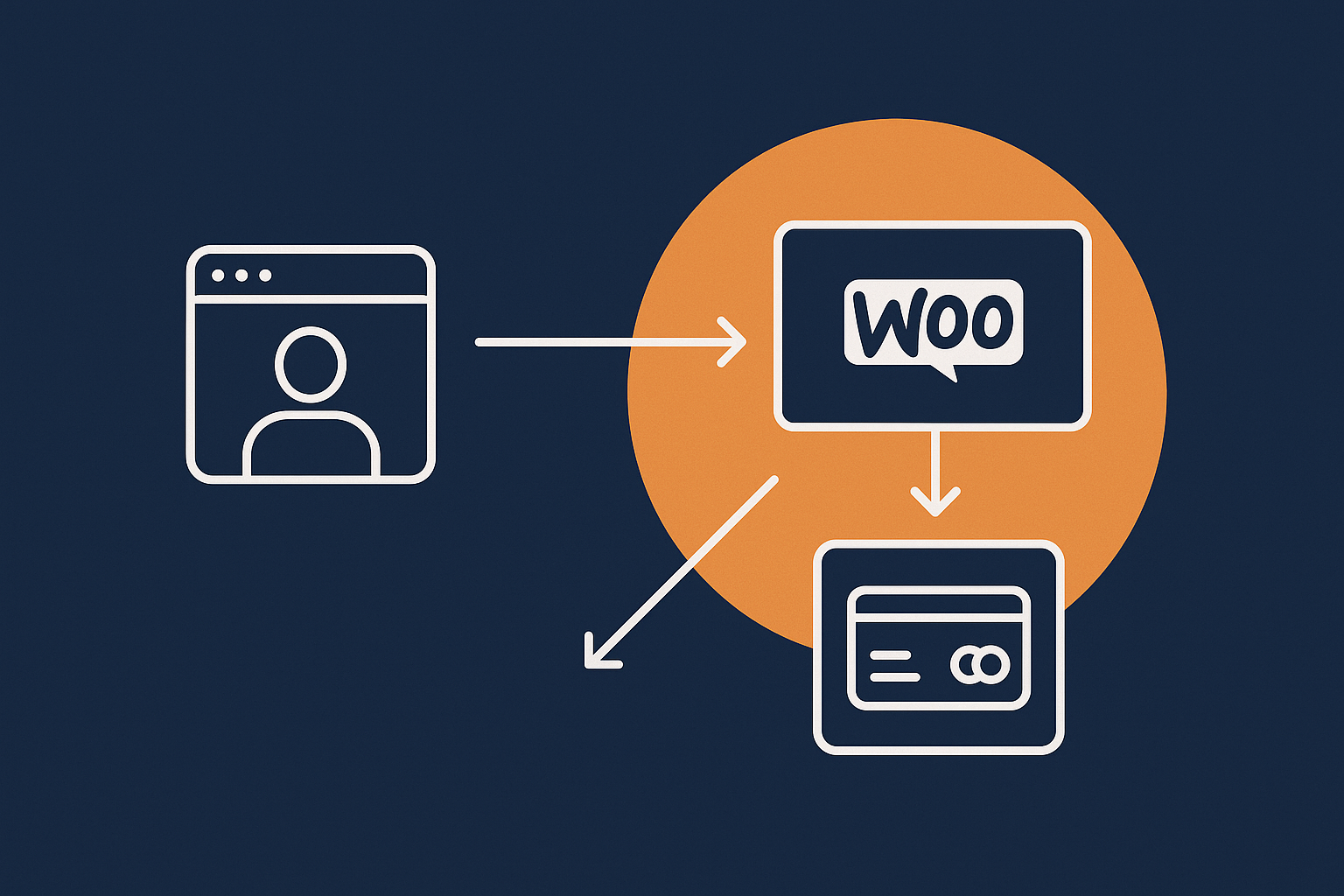
Common WooCommerce payment setups: redirect, onsite forms and tokenisation
The way payments move through your WooCommerce site has a big impact on your PCI responsibilities. In practice most UK stores use one of these patterns:
- Redirect / hosted payment page: The customer clicks “Place order” and is sent to a secure page hosted by your payment provider (for example, Stripe Checkout or a PSP‑hosted page). Card details are entered on that page, not on your site.
- Onsite embedded form (iFrame or JavaScript): The checkout page appears to be part of your site, but card fields are actually loaded from and submitted directly to the gateway using an iFrame or secure JavaScript SDK.
- Full onsite capture: The card form is posted to your own server, and your application passes card data through to the gateway. This is high‑scope and rarely appropriate for SMEs.
Most modern WooCommerce gateways favour redirect or embedded patterns with tokenisation, where only a token (a reference) is stored on your site rather than card numbers. This is ideal for PCI reduction.
Why your payment flow changes your PCI scope
PCI DSS talks about your cardholder data environment (CDE), which is any system that stores, processes or transmits cardholder data, or is connected to systems that do.
Your checkout pattern changes the size of that environment:
- Redirect / hosted page: Your website never touches card data. Your PCI scope is much lower. You typically complete a shorter SAQ (often SAQ A).
- Embedded iFrame / JavaScript: Card data is entered in elements controlled by the gateway and sent directly to them. Your site still needs to be secured, but the CDE remains mostly within the gateway’s infrastructure. Scope is still relatively low (often SAQ A‑EP or SAQ A depending on assessment).
- Full onsite capture: Card data flows through your web server, PHP, database and potentially logs and backups. Your entire application and hosting stack becomes PCI in‑scope. This is generally SAQ D, the most demanding set of requirements.
In short, the closer card data gets to your WooCommerce server, the larger your PCI obligations become.
Hosted payment page vs embedded (onsite) payments
Both hosted pages and securely embedded forms can be PCI‑sensible options, but there are trade offs:
- Hosted payment page
- Lowest technical PCI scope on your side.
- Simpler SAQ and fewer security controls to evidence.
- Less control over the exact look and feel of the payment step.
- Embedded (onsite) payments
- Better control over UX and branding.
- Slightly higher PCI expectations around your website security, content integrity and JavaScript.
- You must be careful with other scripts, plugins and third‑party services loaded on the checkout.
For most UK WooCommerce merchants, either a redirect or properly implemented embedded gateway, combined with PCI conscious hosting options, strikes a reasonable balance between compliance and conversion.
PCI‑Conscious vs Fully PCI‑Compliant Hosting: What Is the Difference?
What hosting providers can and cannot certify for you
One of the most common misunderstandings is the expectation that a host can “make you PCI compliant”. Hosts can support PCI, but they cannot sign your SAQ or guarantee that your business processes meet the standard.
Realistically, a hosting provider can:
- Operate infrastructure in a way that is aligned with PCI requirements (segmented networks, hardened systems, monitoring, secure backups and so on).
- Provide documentation about their controls and responsibilities.
- Offer features such as web application firewalls, intrusion detection and regular patching.
They cannot:
- Control your choice of plugins or your configuration inside WordPress.
- Manage your staff access, passwords or internal policies.
- Complete the PCI self‑assessment or attest to your overall compliance.
If you want a deeper understanding of this shared model, the guide on what your hosting provider does and does not cover is worth reading alongside this article.
Why “PCI ready” or “PCI conscious” hosting is usually enough for SMEs
Terms like “PCI conscious”, “PCI aware” or “PCI ready” usually mean that the platform is built with PCI controls in mind, but the provider is realistic about the shared nature of compliance.
For most SMEs using low‑scope payment methods (redirect or embedded) and standard SAQs, this is entirely sufficient. The host focuses on secure infrastructure and good web hosting security features, while you focus on your website content, access control and business processes.
Full PCI certified infrastructure, where the data centre and hosting stack have passed a formal PCI audit, becomes more relevant when your systems directly process or store card data, or when your bank explicitly demands it. Many WooCommerce shops never need to go that far if they design their checkout sensibly.
Typical PCI responsibilities that always stay with the merchant
Regardless of how “PCI friendly” your hosting is, several responsibilities remain firmly with you:
- Completing the appropriate SAQ and attestation each year.
- Choosing PCI‑appropriate payment gateways and methods.
- Controlling admin accounts and enforcing strong authentication.
- Training staff on phishing, passwords and handling customer data.
- Maintaining security policies and incident response procedures.
- Ensuring that your chosen plugins and themes are kept secure and up to date.
A good managed provider can guide you and provide evidence for their part, but they cannot answer questions about your internal processes.
What UK WooCommerce Merchants Are Responsible For
Choosing low‑scope payment methods and gateways
Using redirect or iFrame style checkouts to reduce scope
For most UK WooCommerce stores, the easiest PCI win is to avoid bringing card data onto your server at all. When evaluating gateways, ask:
- Can customers be redirected to a hosted payment page?
- If I use onsite payments, are card fields provided by a secure iFrame or JS library managed by the gateway?
- Does the gateway provide guidance on which PCI SAQ is applicable for each integration type?
Well supported WooCommerce gateways typically have official plugins that follow best practice here. Use those rather than bespoke or outdated integrations wherever possible.
Avoiding storing card data in WordPress or WooCommerce
PCI DSS is strict about storage of card numbers, expiry dates and CVV. In general, your WooCommerce database should never contain raw card data. Instead you should rely on:
- Tokens: The gateway stores card data and returns a token that your site can use for repeat billing or subscriptions.
- Customer vaults at the gateway: Saved cards live entirely at the payment provider, which is built to handle PCI burdens.
If you are ever offered a plugin or custom solution that writes card numbers to your database, logs or emails, refuse it. It will move you into the highest PCI scope and is almost never necessary.
Keeping WordPress, WooCommerce and plugins secure
Updates, plugin hygiene and user access control
PCI DSS expects that systems are patched, unnecessary software is removed and user access is controlled. For WooCommerce, this translates to:
- Keeping WordPress core, WooCommerce and plugins updated regularly.
- Removing inactive plugins and themes, not just deactivating them.
- Using reputable plugins that are maintained and widely used.
- Restricting admin and “shop manager” roles to people who genuinely need them.
- Enforcing strong passwords and, ideally, two‑factor authentication on admin accounts.
If you want a practical, low‑drama approach, the guide on keeping WordPress secure without constant firefighting aligns well with many PCI expectations around patching and configuration.
Documented processes and basic security policy
Even small merchants are expected to have some written processes. These need not be formal manuals, but you should at least document:
- Who is allowed access to WordPress admin and how that access is granted and removed.
- How updates are applied and tested.
- How you handle suspected security incidents, including who to contact at your host and payment gateway.
- How you respond to customer reports of fraud or suspicious activity.
Writing this down once and reviewing it annually is usually sufficient for small shops and will make your SAQ much easier to complete honestly.
Business‑side PCI tasks: SAQs, policies and staff training
Beyond the technical side, you are also responsible for:
- Identifying which SAQ type applies to you based on your payment integrations.
- Completing that SAQ annually and storing it alongside any scan reports.
- Ensuring staff understand how to handle cardholder data (in practice, mostly not handling it at all) and how to spot phishing or social engineering attempts.
- Maintaining simple policies covering acceptable use, passwords and incident reporting.
The goal is not to create bureaucracy, but to show that security is considered part of how you run the business, not an ad‑hoc afterthought.
What Your WooCommerce Host Should Handle in a PCI‑Conscious Setup
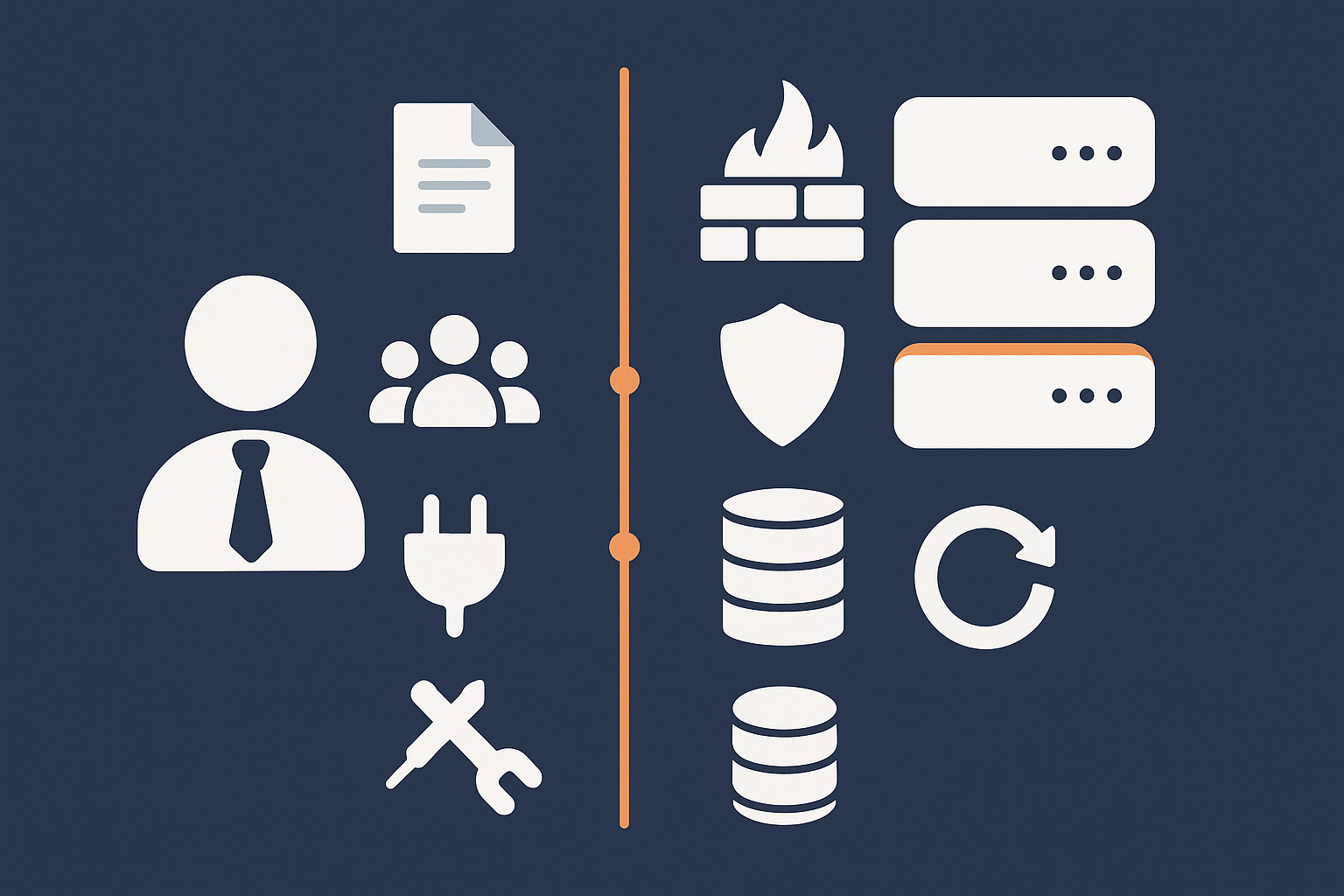
Secure infrastructure, firewalls and network segmentation
Your hosting provider should supply an infrastructure that can support PCI objectives, even if card data never actually lands on it. In a PCI‑conscious setup, expect:
- Network firewalls restricting which ports and services are exposed to the internet.
- Segmentation between public web servers, databases and management interfaces.
- Hardened SSH or control panel access for administration.
Managed WordPress hosting with WooCommerce hosting plans designed for UK retailers will usually take these aspects off your plate, so you do not need to build and maintain them yourself.
System patching, hardened configurations and secure defaults
Operating systems and server software need regular security updates. On a PCI‑aligned platform your host should:
- Apply security patches to the OS, web server, database and PHP in a timely manner.
- Use secure baseline configurations for services such as SSH, MySQL and Nginx/Apache.
- Disable legacy protocols and weak ciphers where feasible.
- Provide sensible PHP defaults that reduce risk (limited dangerous functions, reasonable resource limits, separated user accounts).
You should not be required to manually harden the underlying server yourself on a managed platform.
Logging, monitoring, intrusion detection and malware scanning
PCI DSS places emphasis on logging and monitoring of security‑relevant events. In a hosting context, that usually means:
- Access logs for web and SSH / SFTP.
- System logs that can help reconstruct what happened during an incident.
- Network‑level monitoring for suspicious patterns.
- Host‑level malware scanning and intrusion detection tools.
Your host should at least provide core logging and retain it for a reasonable period. On more advanced platforms this is combined with automated alerts and web application firewalls.
Backups, disaster recovery and incident response support
PCI DSS also cares about availability and recoverability. You should expect your provider to offer:
- Regular, automated backups of files and databases.
- Tested restore processes that can be invoked quickly if needed.
- Geographically separate backup storage or replication.
- Clear contacts and procedures for reporting security incidents.
For a deeper look at how backups differ from redundancy, and what actually protects your site, the article on backups vs redundancy contextualises this in plain language.
Reducing PCI Scope with Smart Architecture
Designing your checkout to minimise the cardholder data environment
Examples of lower‑scope WooCommerce checkout patterns
By thinking about architecture early, you can reduce PCI scope without sacrificing user experience. Some practical patterns:
- Redirect for high‑risk transactions: Use a hosted payment page for initial purchases and allow token‑based stored cards for repeat orders.
- Embedded gateway JS with strict script control: Use an official WooCommerce plugin for gateways that provide JS‑based checkouts, and avoid loading unnecessary third‑party scripts on the checkout page.
- Separate marketing and transactional domains: Host your blog or content on a separate subdomain or platform so that experimental scripts never touch the checkout.
The principle is to keep the environment where card details might appear as clean, simple and well controlled as possible.
Where scripts, iframes and third‑party assets can trip you up
Even if card details never hit your server, your checkout page can still fall under PCI scrutiny when it loads external code. Risks include:
- Analytics tags and marketing pixels injected without review.
- Chat widgets or A/B testing tools with broad permissions.
- Third‑party scripts served over HTTP or from poorly secured origins.
PCI assessors increasingly pay attention to the integrity of checkout page content. Keeping your checkout lean, and restricting which external libraries run there, is a simple way to avoid problems.
Using web application firewalls and bot filtering to reduce risk
A web application firewall (WAF) helps block common attacks such as SQL injection, cross‑site scripting and brute‑force login attempts before they reach WordPress. Combined with rate limiting and bot filtering, it can significantly reduce noisy traffic and lower your exposure window to new vulnerabilities.
G7Cloud’s bot protection within the G7 Acceleration Network filters abusive and non human traffic before it hits PHP or the database, which reduces wasted server load, stabilises response times and helps avoid preventable downtime when your store is busy.
Why performance and stability matter to PCI assessors too
PCI is often viewed purely as security, but availability and capacity are part of it. If your store cannot handle peak load, customers may be pushed into insecure workarounds or abandoned carts.
From a PCI viewpoint, a well performing WooCommerce stack means:
- Servers are not permanently running at high utilisation.
- Maintenance windows and changes are managed, not chaotic firefighting.
- Monitoring can detect and alert on unusual load patterns that might indicate attacks.
If you are planning major campaigns or seasonal peaks, combining robust infrastructure with capacity planning is both a security and a commercial necessity.
How the G7 Acceleration Network Helps with PCI‑Conscious WooCommerce Hosting
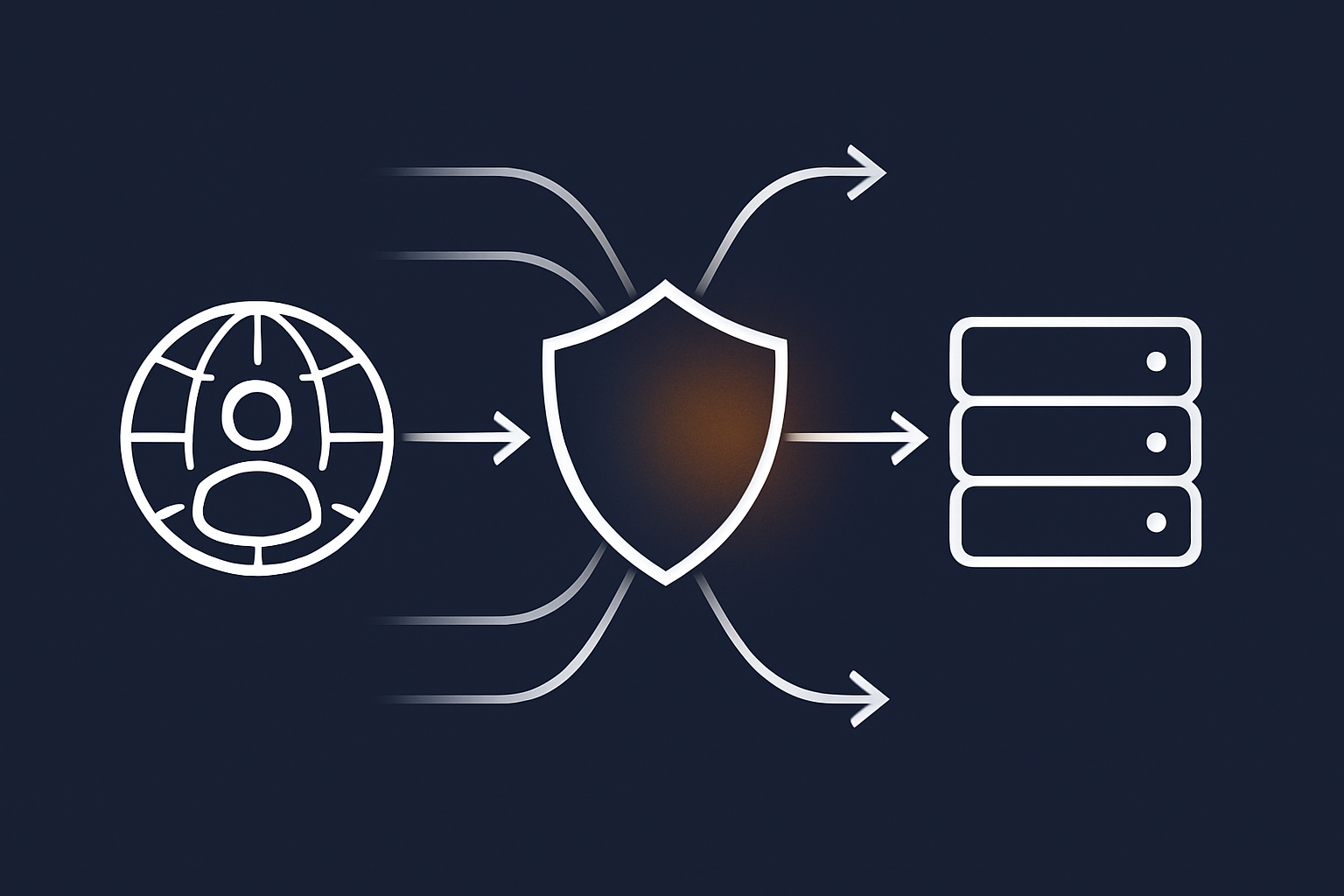
Filtering abusive bots before they reach PHP to stabilise your store
Many WooCommerce sites suffer from aggressive crawlers, price scrapers and automated login attempts that chew through CPU and database resources. This can make checkout performance inconsistent and mask real attacks in the noise.
The G7 Acceleration Network includes bot protection that filters abusive and non human traffic before it reaches PHP or your database. For UK merchants this keeps response times more predictable, reduces unnecessary load on the cardholder‑adjacent environment and supports both PCI aims and customer experience.
Security headers and sane defaults that support PCI DSS controls
Certain PCI requirements touch on browser‑side protections such as secure cookies, encryption and guarding against code injection. Many of these are reinforced by HTTP security headers and strict TLS configuration.
On platforms that integrate the G7 Acceleration Network, common security headers and strong TLS versions are applied as sensible defaults. This helps align your WooCommerce site with good practices around encryption, content integrity and session security without needing deep server expertise.
Caching and image optimisation that speed up secure checkouts
While PCI is about security, slow pages on product lists and carts indirectly hurt your risk posture by increasing pressure to “tune” servers in unsafe ways or disable protections. Edge caching and efficient asset delivery improve performance across the journey so you can keep security features switched on.
The G7 Acceleration Network automatically converts your images to modern AVIF and WebP formats on the fly, typically reducing file sizes by more than 60 percent while keeping real‑world quality, and it is included for every site hosted with G7Cloud without extra plugins or WordPress changes needed.
Choosing the Right Hosting Model for PCI‑Aware WooCommerce
Shared, virtual dedicated and enterprise setups: what changes for PCI
Different hosting models offer varying levels of control and isolation:
- Shared hosting: Many sites on the same server. Limited control, noisy neighbours and less transparency about segmentation. For serious WooCommerce and PCI awareness, it is often not ideal.
- Virtual dedicated / managed VPS: Your own virtual environment with resources reserved for your store. Better isolation and more predictable performance, compatible with PCI‑conscious designs.
- Dedicated or clustered enterprise setups: Physical separation, advanced segmentation and highly customised controls. Typically used only when processing card data directly or at higher transaction volumes.
For most growing UK WooCommerce merchants, a well managed virtual dedicated environment with PCI‑aligned practices offers a sensible balance of cost, control and assurance.
When you might genuinely need formal PCI‑validated infrastructure
There are situations where your acquiring bank or a QSA (Qualified Security Assessor) may require that your hosting provider’s environment is itself PCI validated. Common triggers include:
- Direct processing or storage of cardholder data within your own applications.
- Very high volumes of transactions or classification as a Level 1 merchant.
- Industry or contractual obligations that mandate end‑to‑end PCI validation.
If you are using standard WooCommerce with redirect or embedded gateways and no card storage on your servers, you are unlikely to fall into this category. If in doubt, discuss your payment architecture with your gateway and acquiring bank.
Questions to ask a potential host about PCI responsibilities
When shortlisting hosting providers, useful questions include:
- How is your network segmented, and how are web, database and management systems separated?
- What security controls are included by default (firewalls, WAF, bot filtering, intrusion detection)?
- Who is responsible for OS and PHP patching, and how quickly are security updates applied?
- What logging and monitoring is in place, and how long are logs retained?
- How are backups handled and tested?
- Do you have experience supporting customers through PCI SAQs and audits?
Look for clear, practical answers rather than generic reassurance.
A Practical PCI Checklist for UK WooCommerce Merchants
Quick self‑assessment: where you are today
Use this as a simple starting point:
- Which payment methods do you use, and do any send card details through your server?
- Is WordPress, WooCommerce and all plugins up to date?
- How many people have admin access, and do they all need it?
- Do you have working daily backups, and have you tested a restore?
- Is your checkout page cluttered with unnecessary third‑party scripts?
- Have you completed a PCI SAQ in the last 12 months?
Even a rough, honest answer will highlight the main areas to focus on over the next quarter.
What to handle in‑house vs what to hand to your host
Simple RACI style responsibility split
A basic RACI‑style split for a PCI‑conscious WooCommerce setup might look like:
- Payment architecture
- Responsible: Merchant (choosing gateways and integration types)
- Consulted: Host (advice on technical implications)
- Server security, patching and network controls
- Responsible: Host
- Accountable: Host
- Informed: Merchant (via status pages / documentation)
- WordPress configuration, plugins and admin users
- Responsible: Merchant or developer
- Consulted: Host for best‑practice guidelines
- Backups and disaster recovery
- Responsible: Host for platform‑level backups
- Responsible: Merchant for any extra application‑level backups or exports
- Policies, SAQs and staff training
- Responsible: Merchant
- Consulted: Host and payment provider for evidence of their controls
Clarifying this early avoids gaps where each party assumes the other is taking care of something.
When to get outside help and how to avoid overcomplicating things
External help can be worth the cost when:
- You are unsure which SAQ type applies to your WooCommerce setup.
- You are planning architectural changes that might bring card data closer to your servers.
- You have experienced a security incident and need structured remediation.
However, many smaller merchants overcomplicate PCI by aiming for enterprise‑style documentation and tooling they do not need. Focus on:
- Getting your payment flows into a clearly low‑scope pattern.
- Keeping your site and hosting environment sensibly hardened.
- Having a short, realistic set of internal procedures that you actually follow.
Next Steps: Aligning Your WooCommerce Hosting with PCI Without Losing Focus on Growth
Balancing compliance, risk and commercial reality
For UK WooCommerce merchants, PCI DSS should not be a blocker to growth. Using low‑scope payment methods, PCI‑conscious hosting and straightforward internal processes, most of the heavy lifting can be baked into how you run your store rather than added on top.
Your aim is not to tick every box in the most complex way possible, but to be able to explain, in clear terms, how card data flows, how your infrastructure is secured and how you respond if something goes wrong.
How to migrate to a PCI‑conscious WooCommerce host with minimal disruption
If your current platform cannot support the level of control or stability you need, a move to PCI‑aware hosting can usually be handled in a few controlled steps:
- Map your current payment flows and confirm the PCI SAQ you are aiming for after migration.
- Choose a provider that offers managed WordPress hosting with strong security features, such as WAF, bot filtering and robust backups.
- Plan a test migration to a staging environment, including payment gateway configuration.
- Run through your checkout, refund and admin workflows in staging to confirm everything behaves as expected.
- Schedule a low‑traffic cutover window, switch DNS and monitor logs, performance and error rates closely for the first 24–48 hours.
If you would like to reduce operational hassle while staying aligned with PCI expectations, it is worth exploring managed WordPress hosting with G7Cloud and the G7 Acceleration Network as a way to combine secure infrastructure, performance optimisation and sensible defaults that support your compliance efforts without taking focus away from trading and growth.