Designing Hosting for Graceful Degradation of Third‑Party Dependencies: Payments, CDNs and Analytics
Who This Guide Is For (And What You Are Trying To Avoid)
This guide is for teams running revenue‑bearing or reputation‑sensitive sites, such as ecommerce, membership platforms or lead‑generation sites, that rely on a growing list of external services.
Your core hosting might be healthy. The server is up, CPU is fine, database is ticking along. Yet customers are still hitting problems because something you depend on outside your hosting environment is misbehaving.
Real world failures: when your site is “up” but customers still cannot buy
Some examples you may recognise:
- Your WooCommerce store is reachable but the payment provider is down. Customers fill baskets and complete their details, only to see an error at the final step.
- Your CDN has a regional issue. Assets like CSS and JavaScript are not loading for some visitors, so pages appear broken even though your origin server is fine.
- Your analytics or tag manager script is slow. It blocks page rendering so, in practice, users see a blank or half‑rendered page.
- A chat widget or A/B testing script is erroring on every page, creating JavaScript errors that break other functionality.
From a hosting perspective, uptime looks good. From a business perspective, it is an outage. The aim of this guide is to help you design for those moments so that:
- Core journeys such as “browse products” and “complete checkout” keep working where possible.
- Optional extras such as chat, heatmaps or some analytics can fail without taking the site down.
- Your team knows what to do when a third‑party service has problems.
What graceful degradation actually means for third‑party services
Graceful degradation means your system continues to work acceptably when parts of it fail or slow down. In the context of third‑party services, that usually involves:
- Identifying what is truly critical versus what is “nice to have”.
- Designing your pages and backend so critical journeys do not hard‑depend on optional third parties.
- Setting sensible timeouts and fallbacks when you call external APIs.
- Preparing user experience flows so that if a payment gateway or verification service fails, customers have clear alternatives instead of hard errors.
This guide builds on the more general concepts in Designing for Graceful Degradation: Keeping Core Services Running When Parts of Your Stack Fail and focuses specifically on payments, CDNs and analytics.
Understanding Third‑Party Dependencies in Your Stack
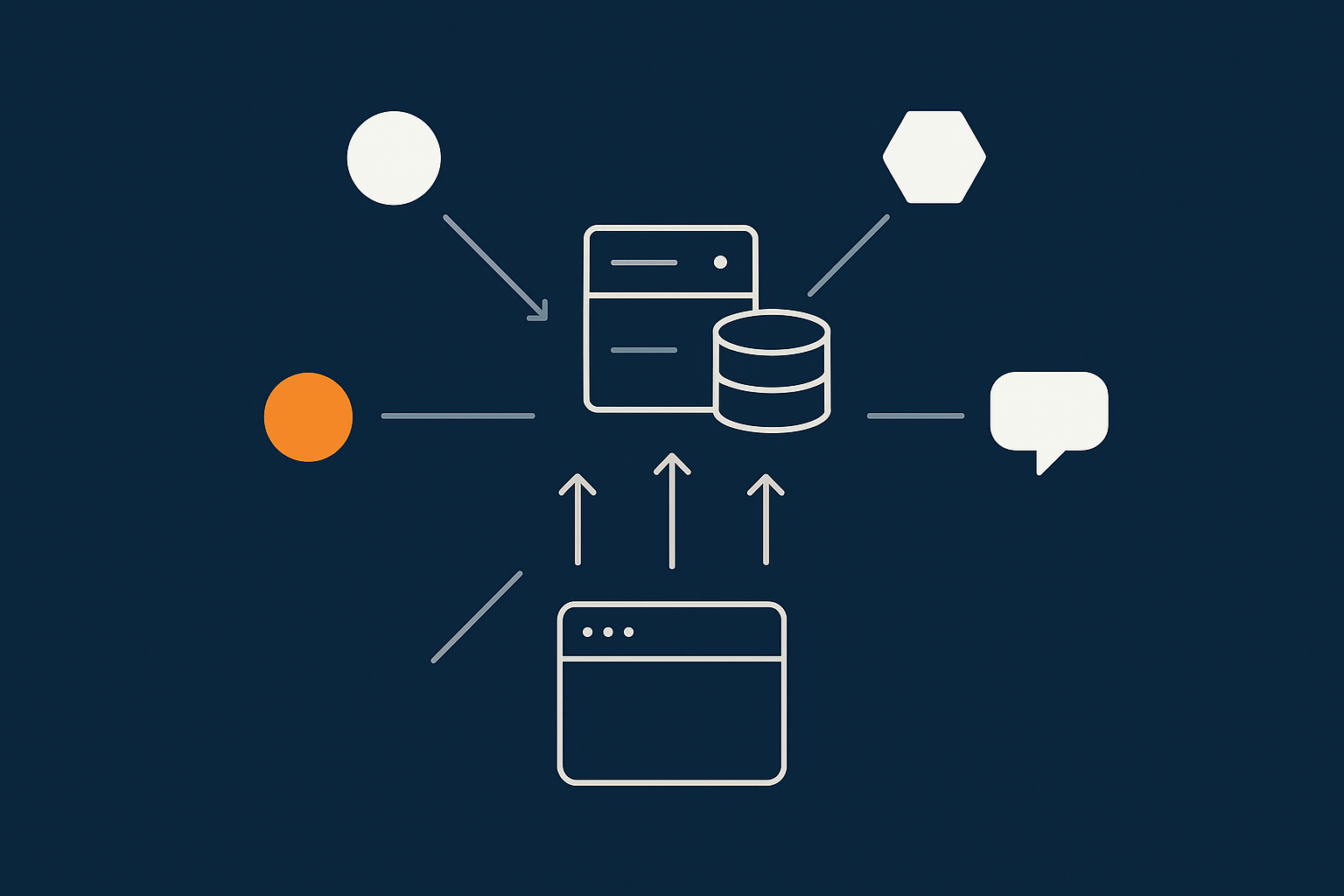
Common external services: payments, CDNs, analytics, tag managers, fraud tools, chat widgets
Most modern sites depend on a range of external services, including:
- Payment gateways and fraud tools
- CDNs and image optimisation services
- Analytics platforms such as Google Analytics and marketing pixels
- Tag managers that inject many other scripts
- Customer support tools such as chat widgets
- Personalisation or A/B testing tools
- Third‑party scripts bundled with plugins or themes
Each one brings business value but also adds a point of dependency. When you add them, you are not just adding features. You are adding ways for your customer journey to fail, usually outside your hosting provider’s direct control.
Synchronous vs asynchronous dependencies: what blocks the page and what does not
How and where you load a dependency affects how dangerous its failure is.
- Synchronous dependencies run as part of the page load or request. If they hang, your user waits. Examples:
- Server‑side API calls to a payment gateway or fraud service inside your checkout process.
- Inline JavaScript that must load before the page finishes rendering.
- Asynchronous dependencies load in the background. If they hang or fail, the page can still be usable. Examples:
- Analytics scripts loaded with
asyncordefer. - Lazy‑loaded chat widgets.
- Analytics scripts loaded with
In practice it is not all or nothing. A dependency might be asynchronous but still able to cause problems if it throws JavaScript errors or overloads the browser. The important point is to be deliberate about which dependencies can block key customer journeys.
How external services fail in practice: timeouts, DNS issues, rate limits and partial outages
Third‑party services rarely just “go off”. More often, you see:
- Slow responses or timeouts.
- DNS problems so the browser or server cannot even look up the service’s IP.
- Rate limits when you send more requests than allowed.
- Partial outages affecting some regions or features.
- Content changes such as a tag that suddenly injects extra scripts into your pages.
Graceful degradation is about designing for these messy real‑world failures, not just complete downtime.
Principles of Graceful Degradation for External Services
Prioritising core journeys over extras: what must work, what can be delayed, what can be dropped
A useful starting exercise is to list the main user journeys on your site and ask, for each third‑party integration:
- Does this integration need to be available for the journey to succeed?
- Can it be delayed or loaded after the main content?
- Could it be temporarily disabled on busy days or during incidents?
For an ecommerce site, “browse products” and “complete checkout” are usually non‑negotiable. Live chat, heatmaps, some A/B tests and secondary analytics can often be paused with limited business impact.
Once you know this, you can design your hosting and application so that optional services are more isolated and easier to turn off.
Fail fast, not forever: sensible timeouts and retries
One of the most common problems with third‑party APIs is that they hang for too long. A well‑designed integration should:
- Use timeouts appropriate to the action. For example, you might wait less time for a fraud score during checkout than for a background reconciliation task.
- Fail quickly and give the user a clear recovery path instead of spinning indefinitely.
- Retry cautiously for background tasks but not aggressively for user‑facing actions where repeated charges or duplicate orders are a risk.
A simple rule of thumb: do not let an external call block a user’s request longer than you would accept for the whole page to load.
Client side vs server side dependency handling
Some integrations can be implemented either in the browser or on the server. For example:
- Analytics can be loaded as a JavaScript tag in the browser, or proxied through your server.
- Fraud checks can run synchronously during checkout, or asynchronously after order creation.
Client‑side integrations are often simpler to add, which is why they dominate. However, server‑side handling gives you:
- More precise control over timeouts and retries.
- Better centralised logging.
- The option to cache responses or queue work if the third party is slow.
The trade off is extra engineering effort and, sometimes, more compliance considerations if you proxy sensitive data through your own infrastructure.
How hosting architecture interacts with these decisions
Your hosting architecture does not remove third‑party risk but it shapes how well you can manage it. For example:
- A single server with all logic in one application is simple but gives you fewer options to isolate problem areas.
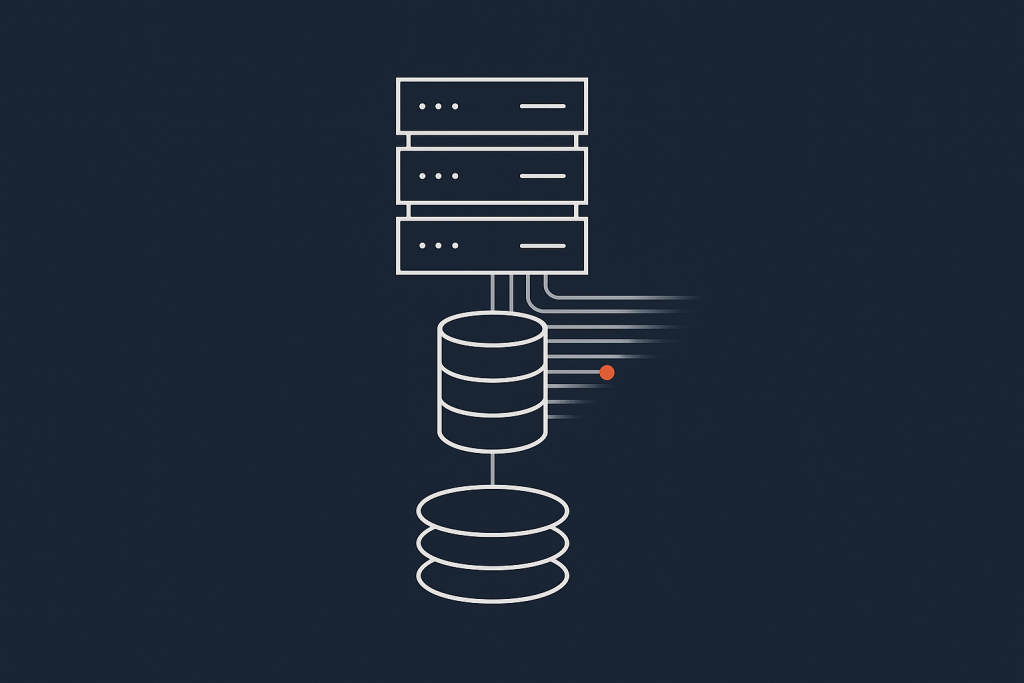
- A multi‑tier setup with separate web, API and worker layers lets you move some third‑party calls into background jobs and protect interactive pages.
- Edge caching and logic can keep pages fast and hide slow external scripts, up to a point.
- Rate limiting and firewall controls at the host can shield your origin from abusive traffic that might be triggered by faulty marketing tags.
A provider that understands these patterns can help you place components sensibly on your infrastructure, but decisions about which services to use and how to integrate them remain with your development and product teams.
Designing for Payment Gateway Problems Without Losing the Sale

Typical payment failure modes: gateway API down, 3‑D Secure issues, webhooks not firing
Payment flows have some common points of failure:
- Gateway API issues where authorisation or capture calls are slow or unavailable.
- 3‑D Secure or Strong Customer Authentication problems where the customer is redirected to a bank page that errors or never returns.
- Webhook failures, where the gateway cannot notify your site that a payment has been confirmed, leaving orders “stuck”.
- Network and DNS issues between your servers and the gateway.
Most of these are outside your hosting provider’s direct control, but you can design your application and hosting environment to reduce the impact.
Checkout UX design: clear fallbacks and recovery paths for customers
Checkout design can make the difference between a temporary payment issue and a lost customer. Some practical patterns:
- Multiple payment methods where users can switch easily if one provider fails.
- Clear messaging when a payment fails, explaining whether they should try again, use a different method or wait for confirmation.
- Order‑then‑pay flows where you create an order record before or in parallel with payment, so you can communicate with the customer if something is unclear.
- Recovery links in emails that allow customers to complete payment later if the gateway or 3‑D Secure flow failed initially.
These are primarily application and UX decisions, but they work best when your hosting is resilient enough to cope with retries and background processes without choking under load.
Technical approaches: multiple gateways, decoupled payment steps, queuing and idempotency
On the technical side, typical resilience patterns include:
- Multiple gateways or processors, so you can fail over if one has a serious incident. This can be as simple as a backup card processor or as involved as routing based on region or card type.
- Decoupling order creation and payment, so you can safely retry payments and reconcile later without corrupting order data.
- Idempotent operations, where repeating the same payment or webhook call does not create duplicate orders or multiple charges.
- Queues and background workers for non‑interactive work such as invoice generation or email confirmation, instead of doing everything synchronously in the checkout request.
These approaches are easier to run on hosting that supports worker processes, queues and separate application roles. A single shared hosting account can be made to work, but it leaves less room for robust patterns.
Hosting and compliance angle: where PCI‑conscious hosting helps and what still sits with you
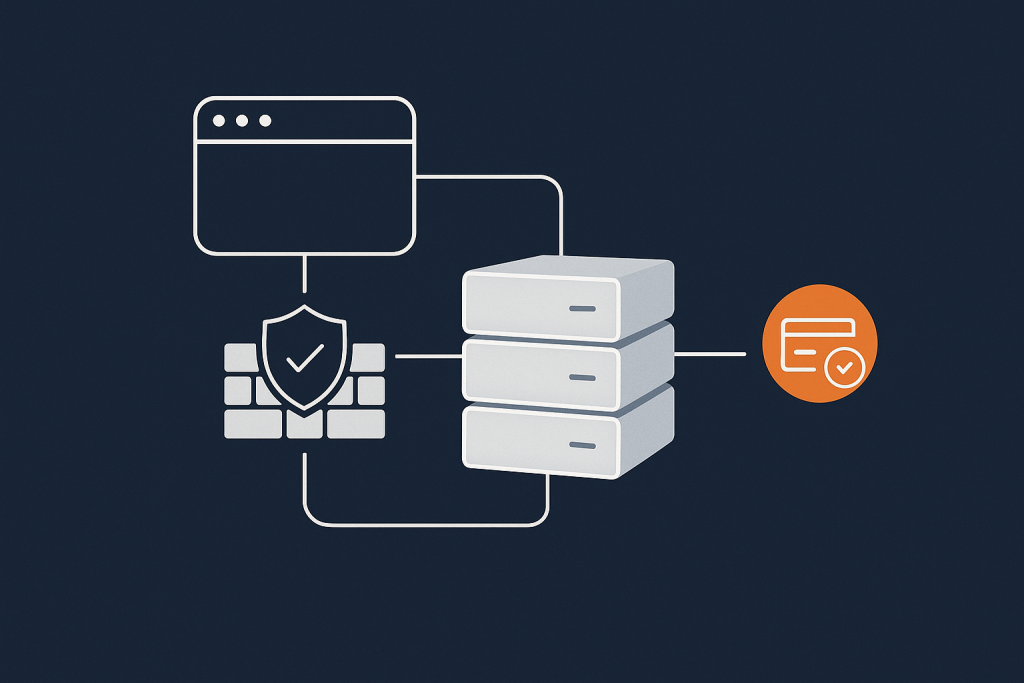
If you process card payments, there is a compliance angle as well as a reliability one. A provider offering PCI conscious hosting can help by:
- Placing your infrastructure on hardened networks.
- Providing segmentation to separate card data environments from less sensitive systems.
- Supporting logging and monitoring requirements.
However, PCI DSS and similar standards are clear that many responsibilities stay with you. For example:
- How your application handles card data and tokens.
- Which payment methods you offer and how they are integrated.
- What your checkout flow does when gateways or 3‑D Secure flows fail.
The Hosting for Card Payments: What “PCI Conscious” Really Means article goes into this in more detail.
Coping With CDN and Asset Delivery Issues
What happens when your CDN is slow or unreachable
CDNs are extremely reliable at a global scale, but issues do occur. Typical symptoms include:
- Pages loading without styles because CSS cannot be fetched.
- Blank or broken pages if key JavaScript bundles are unavailable.
- Missing images or slow loading hero sections.
If most of your static assets are served only from a third‑party CDN, problems in that provider can be as damaging as your main hosting being offline.
Designing for local fallbacks: origin hosting, cache layers and sensible TTLs
A few architectural choices can reduce this risk:
- Keep an origin copy of your critical assets on your main hosting, and configure the CDN as an accelerator rather than the sole source of truth.
- Use sensible cache lifetimes (TTLs) so that browsers and any edge caches hold on to assets long enough to ride out short CDN issues, without making deployments painful.
- Publish critical CSS inline or from your origin so that the first render does not depend on external CDNs.
For WordPress and WooCommerce, this often means using your host as the primary media store, with a CDN in front. Detailed configuration is covered in How to Choose and Configure a CDN for WordPress and WooCommerce on UK Hosting.
Critical vs non‑critical assets: fonts, hero images, scripts and CSS
Not all assets are equal. It helps to separate:
- Critical assets such as base CSS, key JavaScript used for navigation and forms, and essential logos or icons.
- Important but non‑critical assets such as hero images, secondary fonts or some interactive widgets.
Critical assets should have fallbacks on your origin or be delivered directly from your hosting platform. Non‑critical assets can be more aggressively cached or loaded from secondary domains, as long as their failure does not break the page.
How an acceleration layer at the host can reduce risk compared to a pure third‑party CDN
Some hosting providers offer their own integrated acceleration layers. For example, the G7 Acceleration Network sits in front of your sites to:
- Cache content close to users.
- Optimise images to AVIF and WebP on the fly, often reducing image sizes by more than 60 percent.
- Filter abusive traffic before it hits your application servers.
Because this acceleration layer is part of the hosting platform, you typically have a clearer support path than with a completely separate CDN vendor. You still benefit from edge performance, but with tighter integration into your origin hosting and monitoring.
Managing Analytics, Tag Managers and Marketing Scripts So They Do Not Break the Site
Why analytics and tag managers often cause more real downtime than servers
For many sites, marketing scripts cause more user‑visible issues than the core application. Common scenarios include:
- Tag managers injecting large numbers of third‑party tags that slow pages dramatically.
- Misconfigured tags causing JavaScript errors that stop other scripts running.
- Analytics or advertising pixels timing out and blocking page rendering.
These rarely register as “downtime” in hosting dashboards, yet the effect on customers can be similar. Treating marketing scripts as part of your production stack, with some controls, is important.
Asynchronous loading, priorities and script isolation
Most analytics and tags should be:
- Loaded asynchronously with
asyncordefer, so they do not block initial page rendering. - Loaded after core content and essential interaction scripts.
- Isolated where practical, using techniques such as iframes or namespacing to reduce the risk of collisions.
This often requires coordination between developers and marketing teams. It can help to explicitly agree which tags are allowed on key pages such as checkout, and to test changes on staging before deploying.
Hosting‑side protections: response time limits, blocking abusive tags, serving from first‑party domains
While your host cannot control remote scripts you decide to load, some protections are possible:
- Response time and size limits at the edge, so obviously abusive or malformed content is filtered out earlier.
- Rate limiting and WAF rules to protect your servers if tags cause unusual traffic patterns.
- First‑party script hosting, where your main analytics library or tag manager loader is served from your own domain and cached at the edge, even if it then communicates with third parties.
Some teams also choose to move to server‑side tagging, which can improve control and performance but increases complexity and shifts more responsibility to your infrastructure. The MDN performance documentation provides useful background on how browser loading behaviour affects these decisions.
Agreeing non‑functional requirements with marketing: data vs page speed vs resilience
There are trade offs between:
- The level of data and tracking detail marketing wants.
- Page speed and user experience.
- Resilience when third‑party services misbehave.
It is worth agreeing in advance, for example:
- Which pages are “protected” from heavy tagging, such as checkouts or key conversion forms.
- How you will roll back or disable tags quickly if they cause performance issues.
- What monitoring thresholds will trigger action, such as a sudden increase in JavaScript errors.
Writing these into your incident playbooks (see below) reduces friction during a live problem.
Architectural Patterns That Support Graceful Degradation

Separating critical paths from optional features in your application design
At an architectural level, aim to keep the “happy path” through your site as free as possible from optional dependencies. Techniques include:
- Splitting your JavaScript bundles so core functionality loads independently of optional widgets.
- Separating order creation from auxiliary actions such as email marketing integration.
- Using feature flags to allow quick disabling of non‑critical components.
This reduces the chance that a problem in a secondary feature breaks the primary journey.
Using caching, edge logic and feature flags to turn off problem areas quickly
When something external goes wrong, you want ways to respond without redeploying the whole site. Helpful tools include:
- Edge logic to rewrite or block requests for known‑problematic scripts temporarily.
- Caching to serve previously generated content even if a backend dependency is slow.
- Feature flags controlled from a configuration store or environment variable, so you can turn off heavy features without code changes.
With a suitable hosting platform, some of this logic can live in a central place that covers multiple sites or environments.
Single server vs multi‑tier and multi‑site setups for external dependency resilience
A single server or simple VPS can provide a resilient base if it is well maintained, but you will reach points where multi‑tier setups help:
- Application + database separation allows you to scale web capacity during incidents, even if background workers are busy handling retries.
- Separate worker nodes let you move fragile or heavy third‑party integrations out of request‑time handling.
- Multi‑site or regional setups can reduce the impact of region‑specific outages in CDNs or payment providers.
These come with extra cost and operational complexity, so they tend to make sense as your transaction volume or dependency list grows.
Where virtual dedicated servers and managed platforms make this easier to operate
Running these patterns on your own is possible, but can become demanding for small teams. A managed platform or virtual dedicated servers can help by:
- Providing a clear separation between web, database and worker roles.
- Handling operating system updates, backups and base security.
- Offering integrated edge caching and WAF controls.
You still need to design your application logic and decide which third‑party services to depend on, but the underlying infrastructure becomes less of a distraction.
Operational Practices: Monitoring, Playbooks and Shared Responsibility
Monitoring for third‑party failures: what to measure beyond “is the site up”
Traditional uptime checks often miss third‑party issues. Consider tracking:
- Transaction success rates and abandonment at each checkout step.
- Average and percentile response times for key external APIs.
- JavaScript error rates and slow script reports from the browser.
- Asset load failures and content security policy (CSP) violations.
These can be implemented using a mix of APM tools, synthetic testing and browser‑side monitoring. Your hosting provider can usually help with backend metrics; browser‑side tagging remains your responsibility.
Runbooks and playbooks: who does what when payments, CDN or analytics fail
When something breaks, clarity about roles matters. A practical approach is to create short runbooks for scenarios such as:
- Payment gateway errors.
- CDN or asset issues.
- Analytics or tag manager causing performance problems.
Each runbook should state:
- How to detect the issue (metrics, logs, user reports).
- Immediate mitigation steps (for example, disable a tag, switch payment methods, bypass a CDN route).
- Who contacts which third‑party provider and what to tell customers.
The article Who Owns the Outage? is helpful for clarifying these lines between your host, your platform vendors and third‑party services.
Working with your hosting provider: what they can see and control, and what they cannot
Your hosting provider can typically:
- Monitor server‑side performance and errors.
- Adjust caching, WAF rules and rate limits.
- Help you inspect logs for patterns in failing requests.
They usually cannot:
- Fix or access your third‑party accounts, such as payment gateways or analytics tools.
- Change your application code or plugin configurations, unless you are on a managed service with that scope agreed.
- Control networking or DNS beyond their own infrastructure.
Being explicit about this shared responsibility model reduces confusion during incidents and helps you design realistic playbooks.
Testing graceful degradation before a real incident
As with backups, you only really trust graceful degradation once it has been tested. Simple tests include:
- Blocking or slowing a third‑party domain in a staging environment and observing what happens.
- Simulating payment gateway failures and verifying that orders and customer messaging behave as expected.
- Temporarily disabling analytics or chat scripts to confirm the site remains functional.
This kind of testing is a good candidate for a joint exercise between your development team, hosting provider and any agencies you work with.
Practical Examples for WordPress and WooCommerce
Designing a WooCommerce checkout that survives a payment gateway or script outage
On WooCommerce, practical steps include:
- Offering at least two independent payment methods, ideally from different providers.
- Using plugins that separate order creation from payment capture, so you can reconcile later.
- Keeping analytics and most marketing scripts off the checkout page, or loading them asynchronously only after the main content has rendered.
- Configuring logging so that payment errors are recorded without revealing card data.
Running this on a stable hosting base with proper PHP worker management and background processing support helps avoid resource contention when gateways misbehave.
Safer use of CDNs and media offload for UK‑centric sites
For sites mainly serving UK audiences, you often do not need a complex global CDN setup. A common pattern is:
- Use your UK hosting as the canonical origin for all media.
- Put an edge layer like the G7 Acceleration Network in front to provide caching and image optimisation.
- Keep DNS simple, with clear fallbacks to your origin if something goes wrong in the edge layer.
This gives you many of the performance benefits of a CDN while keeping support paths and risk under control.
Reducing front‑end dependency bloat on managed WordPress hosting
On managed WordPress hosting or specialised Enterprise WordPress hosting, you can usually:
- Audit installed plugins and themes to identify unnecessary third‑party scripts.
- Use performance plugins or custom mu‑plugins to control where scripts are loaded.
- Leverage server‑side caching and edge optimisation for core pages, while keeping third‑party scripts as light and isolated as possible.
This reduces both performance and reliability risks from the front‑end dependency “creep” that often happens over time.
Deciding How Far To Go: Cost, Complexity and Risk Trade‑offs
Mapping dependency risk into your hosting roadmap and risk register
It helps to treat third‑party dependencies as explicit risks, not just technical details. You can:
- List each external service and the journeys it affects.
- Estimate the business impact if it fails during a busy period.
- Decide whether to accept the risk, mitigate with design changes, or change provider.
The guide Designing a Hosting Risk Register gives a useful structure for this exercise.
When simple mitigations on a single VDS are enough
If you run a small to medium site with moderate transaction volume, you may decide that:
- A well configured single virtual dedicated server with backups, monitoring and basic edge caching is sufficient.
- Mitigations such as asynchronous script loading, multiple payment methods and clear UX fallbacks give enough resilience.
- More complex multi‑tier setups would add cost and operational effort without proportionate benefit.
This is a reasonable position, as long as you have tested your graceful degradation paths and written simple playbooks for likely issues.
When you should consider enterprise‑style architecture or PCI‑conscious setups
You may want to consider more advanced architectures when:
- Payment volume is high and card revenue is a major share of your business.
- You have strict regulatory or contractual requirements around uptime and data handling.
- Downtime, even due to a third‑party provider, would have significant reputational impact.
In these cases, multi‑tier hosting, regional redundancy, dedicated worker pools and PCI‑conscious environments can all form part of your plan. These patterns typically benefit from managed services, simply because the operational load of running them in‑house becomes material.
Next Steps: Turning These Ideas Into Concrete Changes
Short checklist you can use with your host and developers
You can use this checklist as a conversation starter with your hosting provider and development team:
- List all third‑party services, note which user journeys they affect and classify them as critical, important or optional.
- Review payment flows for clear user messaging, safe retries and order‑then‑pay patterns.
- Check that analytics, tag managers and marketing scripts load asynchronously and are minimised on key conversion pages.
- Confirm that critical assets have safe fallbacks on your origin, and that CDN settings have sensible TTLs.
- Establish monitoring for transaction success rates, external API latencies and JavaScript error rates.
- Write brief playbooks for payment, CDN and analytics incidents, including who contacts which provider.
- Schedule simple failure simulations in a staging environment to verify graceful degradation.
Where to dig deeper in related guides
If you would like to explore related topics, these guides can help:
- Designing Hosting for Peak Events for handling traffic spikes when third‑party reliability matters most.
- Designing for Graceful Degradation for broader concepts across your whole stack.
If you would like a sounding board for your own setup, it can be useful to talk through options with your hosting provider. G7Cloud can help you review your current architecture, identify third‑party risks and consider whether managed hosting or virtual dedicated servers could reduce operational burden for your team.