

Introduction: Downtime is a Symptom, Not the Root Problem
When someone says “the website is down”, what they usually mean is “customers cannot do what they need to do”. That might be buying something, logging in, filling out a form or just reading information.
From a business perspective, downtime is about lost sales, missed leads and reputational damage. From a technical perspective, it is a signal that something in the chain from the user’s browser to your application has failed or is overloaded.
What “the site is down” usually means in real life
In practice, “down” can look like several different problems.
- The browser shows “This site cannot be reached” or a DNS error.
- The page loads a hosting error page or a “500 internal server error”.
- The home page works, but checkout or login does not.
- The site is technically up but so slow that users give up.
To your users, all of these feel like downtime. Internally, it matters whether this is a domain error, a server crash, an application bug or a performance bottleneck, because the fix and the prevention plan are very different.
Front end vs hosting vs domain: three moving parts
It helps to separate three broad areas:
- Front end
Your actual site code and content. For example, a WordPress or WooCommerce theme, JavaScript, images and CSS. - Hosting
The infrastructure that runs your site. This includes the server, operating system, database, control panel and web server. - Domain and DNS
Your domain name and the DNS records that tell browsers where to find your hosting.
You can have a perfect hosting setup and application, but if your domain expires or DNS is misconfigured, the site is still “down” from a user’s point of view.
A quick mental model for thinking about failures
A simple way to think about it is as a chain of five links:
- User’s browser and device
- Domains and DNS
- Network and data centre
- Server and operating system
- Application and database
If any one of these breaks, users experience downtime.
This article looks at the most common failure points in that chain, how different hosting models change your risk exposure, and how to choose improvements that give the best reliability gain for the effort and cost.
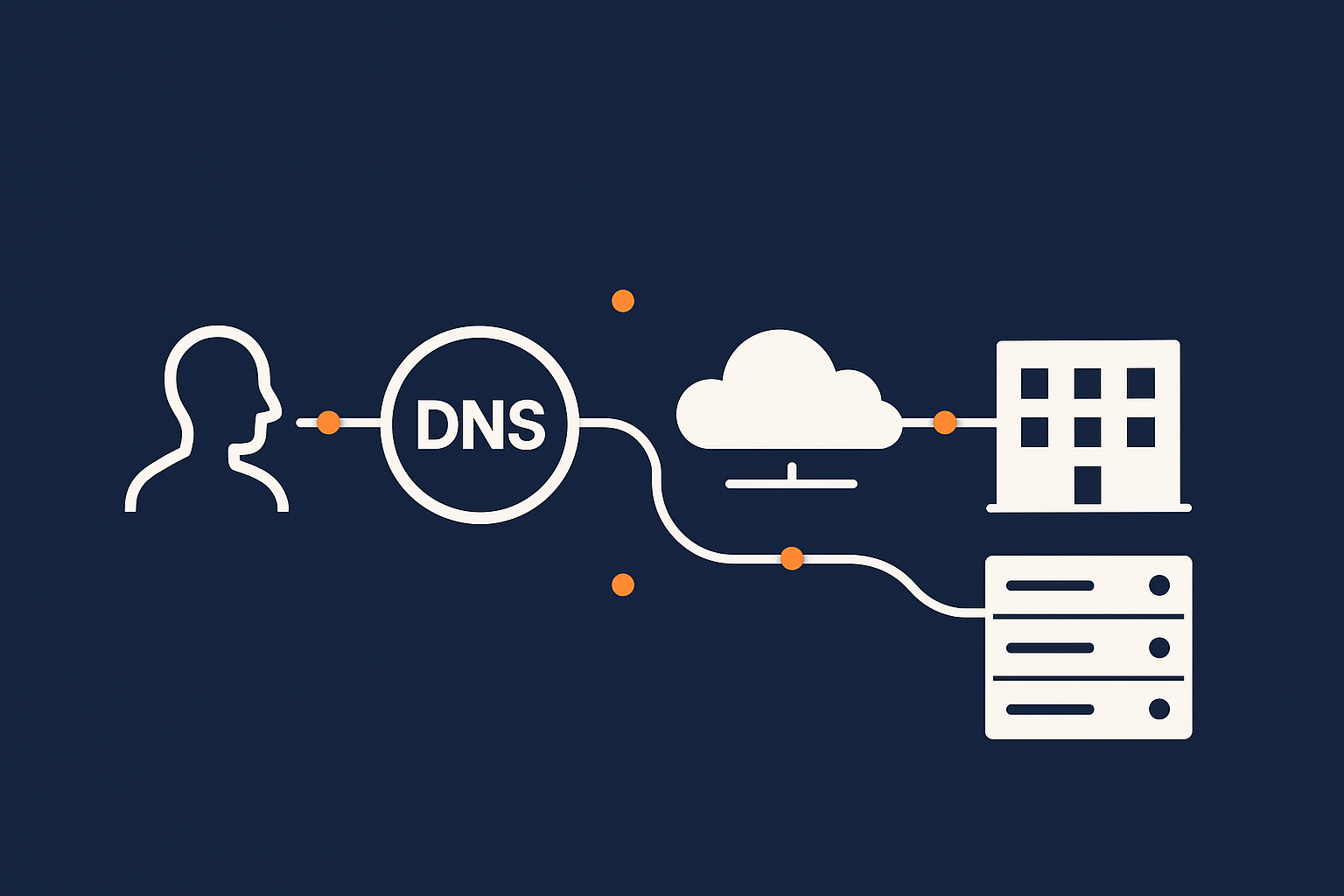
Failure Point 1: Domains and DNS
How DNS actually affects whether your site loads
DNS is often described as the internet’s phone book. When someone types example.com into their browser, DNS looks up which IP address to connect to.
If DNS cannot answer, or answers with the wrong information, your browser never reaches your hosting. The server might be perfectly healthy, but to users the site has vanished.
Domain and DNS problems are especially frustrating because they often appear suddenly. Everything works until, at some point, it does not, and the cause might sit outside your normal hosting control panel.
Common DNS‑related causes of downtime
Typical DNS and domain issues include:
- Domain expiry
The registration lapses, and the registry stops resolving the domain. Renewal reminders may have gone to an old email address. - Nameserver changes
Moving a domain or switching DNS providers without correctly copying records. For a period, some users hit the old settings and some the new. - Incorrect DNS records
A typo in an IP address, or removing an “A” or “CNAME” record that a subdomain relies on. - Slow or unreliable DNS hosting
If your DNS provider has issues, lookups can fail or time out, especially under high traffic.
These issues are common when multiple suppliers are involved: one for domain registration, another for DNS hosting, and another for web hosting.
How to reduce DNS risk without overcomplicating things
Some practical steps:
- Keep domain and DNS under clear ownership
Make sure someone senior in the organisation knows where domains are registered and has access. Consolidating domain registration and DNS management can reduce finger pointing between providers. - Enable auto‑renew with up to date contact details
This avoids accidental expiry. - Use a reputable DNS platform
Many good hosts and registrars provide robust DNS. For critical sites, managed DNS with anycast routing can add resilience. - Document records before making changes
Export or screenshot DNS records before edits so you can quickly roll back if something goes wrong.
For most small to medium sites, sensible consolidation and a bit of discipline around changes remove most DNS‑related downtime risk without needing complex multi‑provider setups.
Failure Point 2: The Network and Data Centre
From the internet to your server: what has to work
Once DNS has told the browser where to go, the request travels across the internet to your hosting provider’s data centre. There it goes through:
- Routers and switches.
- Firewalls and load balancers.
- Top of rack switches and cabling to your server.
- Power distribution units and backup power systems.
Every one of these components is designed to be very reliable. Nonetheless, physical reality still applies: hardware can fail, fibre can be cut during roadworks, power feeds can drop.
Typical network and facility failures that take sites down
Common issues include:
- Upstream network outages
A problem at a carrier or a major peering point that affects connectivity to the data centre. - Single‑homed connectivity
A provider that relies on a single upstream network, creating a potential single point of failure. - Power incidents
Loss of a utility feed, generator failure or UPS faults. Well run facilities are designed to avoid these affecting servers, but it can still happen. - Local hardware failure
A switch or router fails and takes out a rack or a portion of the network.
Modern data centres mitigate most of these risks with redundancy, but not all providers invest equally or design their networks to the same standard.
What to look for in a provider’s data centre and network design
When assessing a host, some useful questions are:
- Is the data centre certified or independently audited?
For example, Tier classifications from the Uptime Institute give a general sense of redundancy level. - How many upstream network providers are there?
Multi‑homed connectivity reduces the chance of a single carrier issue taking you offline. - Is there redundant power and cooling?
Dual power feeds, backup generators and N+1 or better cooling are basic expectations for business hosting. - How do they handle DDoS and abusive traffic?
Network‑level filtering can prevent malicious traffic from overwhelming your servers.
For many businesses, using a host that already operates a resilient network and facility is more practical than trying to assemble redundancy across multiple basic providers.
Failure Point 3: The Server Itself
Shared hosting, VPS and virtual dedicated servers: different risk profiles
At the server layer, your main choice is how much isolation and control you want versus how much you want the provider to manage.
- Shared hosting
Many sites share one server and operating system. This keeps cost low, but resource spikes or problems from one customer can sometimes affect others. - VPS (Virtual Private Server)
You have your own virtual machine with dedicated resources, but it still shares underlying hardware with others. - Virtual dedicated servers
A VPS‑style environment with more guaranteed resources and isolation, closer in behaviour to a physical dedicated server.
As you move from shared hosting to VPS and virtual dedicated servers, you gain more control and isolation. At the same time, you often take on more responsibility for managing the operating system, security and capacity planning unless you choose a managed service.
Hardware and virtualisation failures
Underneath shared hosting and VPS platforms sit physical servers and storage systems. Issues here can include:
- Disk or storage failures, even with RAID.
- Host server crashes that take multiple VPSs offline.
- Hypervisor bugs in the virtualisation software.
Good providers reduce impact by:
- Using enterprise‑grade hardware.
- Designing for redundancy, so if a physical host fails, virtual servers restart elsewhere.
- Proactively monitoring for failing components.
From your perspective, the main decision is whether to trust a host’s shared platform, or to use a more isolated environment such as a virtual dedicated server when downtime would be especially costly.
Operating system and panel issues: cPanel, Plesk and more
Above the hardware sits the operating system and often a control panel such as cPanel or Plesk. Problems here can cause outages even when the hardware is fine.
- Misconfigured services such as web or database servers not starting after an update.
- Resource exhaustion due to runaway processes or memory leaks.
- Panel bugs or failed upgrades that make it difficult to manage sites or start services.
On shared hosting and unmanaged VPS platforms, these are often your responsibility to diagnose and fix. On a managed server or managed platform, the hosting provider monitors and handles most operating system and control panel issues, which may be valuable if you do not have a dedicated infrastructure team.
How to match server architecture to business risk
A practical approach is to work backwards from impact:
- If a few hours’ downtime would be inconvenient but not serious, a well run shared platform can be enough.
- If you rely on online revenue (for example a busy WooCommerce store), a VPS or virtual dedicated server gives useful isolation and capacity control.
- If the site is business‑critical, a managed virtual dedicated server or cluster reduces the risk of configuration errors and capacity misjudgements causing outages.
Managed services are not mandatory, but they shift a significant part of the operational burden away from your team. That can be helpful when uptime matters but you do not have people dedicated to server administration.
Failure Point 4: Application and Database Bottlenecks
When the site is “up” but painfully slow or timing out
A server can be technically online and still deliver a poor user experience. From the browser’s point of view, a page that takes 20 seconds to load or times out might as well be down.
Common signs of application bottlenecks include:
- Pages that sometimes load instantly and sometimes crawl.
- Intermittent “500” or “504 gateway timeout” errors under load.
- The home page working while search, product listings or checkout hang.
This usually points to the application or database being under strain rather than a pure hosting outage.
The most common issues with WordPress, WooCommerce and PHP apps
For WordPress, WooCommerce and similar PHP applications, recurring patterns cause performance‑related downtime:
- Heavy or poorly coded plugins that run expensive database queries on every page.
- Uncached dynamic pages, especially product archives and search results on busy WooCommerce sites.
- Outdated PHP versions that are slower and may hit limits earlier. For more depth, see Understanding PHP Versions and Why They Matter for WordPress.
- Database growth without optimisation, such as large postmeta tables or logs never being cleaned up.
These are mostly application design and maintenance problems. Your hosting platform sets the ceiling, but the way the site is built and configured determines how close you get to that ceiling.
Caching, offloading and smart traffic filtering
To keep application bottlenecks from turning into downtime, three strategies help:
- Caching
Storing pre‑rendered versions of pages so that the server does not have to run heavy code on every request. This can be at the application level, at the server level or via a content delivery network (CDN). - Offloading heavy content
Serving large assets such as images and video through a CDN removes work from the origin server and reduces bandwidth strain. The G7 Acceleration Network is an example: it caches content, converts images to AVIF and WebP on the fly, and often cuts image weight by more than 60 percent. - Filtering abusive or non‑human traffic
Bots, scrapers and simple attacks can consume a lot of resources. A good CDN or edge network can block or throttle this before it reaches your application.
If you run WordPress or WooCommerce, you may find our guide A No Nonsense Guide to Choosing a CDN and Image Optimisation for WordPress helpful for planning this layer.
Designing for load: from small spikes to big campaigns
Traffic is rarely flat. Spikes come from marketing campaigns, seasonal peaks, media coverage or even bots discovering your site.
For small to medium sites, a simple checklist is often enough:
- Ensure caching is correctly configured and tested.
- Use a CDN or acceleration layer for static assets and images.
- Monitor resource usage so you can upgrade server capacity before a planned campaign.
For larger or mission‑critical sites, you might look at:
- Horizontal scaling such as multiple application servers behind a load balancer.
- Separate database servers or managed database services.
- Managed WordPress or WooCommerce hosting platforms that specialise in handling spikes.
These designs add complexity but can significantly reduce the risk of performance‑related downtime during important events.
Failure Point 5: Security Incidents and Abuse
How attacks actually cause downtime, not just data loss
Security incidents are often discussed in terms of data breaches, but many attacks primarily affect availability.
- A compromised site sending spam can be suspended by the host or have its IP blacklisted.
- Malware can redirect users away or break functionality.
- Ransomware or destructive attacks can corrupt data and make the site unusable.
Even when data is recoverable, the recovery process itself creates downtime.
Brute force, bad bots and DDoS as reliability problems
Some common “background noise” on the internet also affects uptime:
- Brute force login attempts against WordPress admin or other control panels that consume CPU and database resources.
- Bad bots and scrapers hammering search pages or API endpoints.
- DDoS (Distributed Denial of Service) attacks that deliberately flood your site with traffic.
From a hosting perspective, these are resource and availability problems as well as security issues. Filtering them early in the request path is one of the most effective ways to protect uptime.
Security hardening that also improves uptime
Some measures improve both security and reliability:
- Web application firewalls (WAFs) to filter malicious requests.
- Rate limiting and IP reputation filtering to slow or block abusive bots.
- Regular updates and vulnerability patching to close known holes in WordPress, plugins and themes.
- Isolated hosting environments so that one compromised site has less impact on others.
Hosts can provide platform‑level protections such as network filtering and web hosting security features, but application‑level hygiene remains a shared responsibility. If you run WordPress, you may find How to Keep WordPress Secure Without Constant Firefighting a useful companion.
Failure Point 6: Human Error and Change Management
The quiet truth: people break more sites than hardware does
Hardware failures make headlines, but everyday changes are far more common causes of downtime. Someone edits DNS records, applies an update, changes a firewall rule or modifies server settings, and something unintended happens.
This is not about blaming individuals. It is about recognising that change is inherently risky and designing simple ways to reduce that risk.
Updates, plugin changes and misconfiguration
Typical change‑related incidents include:
- Installing a new WordPress plugin that conflicts with existing ones.
- Updating PHP or a control panel without checking application compatibility.
- Editing .htaccess or Nginx configuration and introducing a syntax error.
- Changing DNS or mail records late on a Friday, then discovering issues when key staff are unavailable.
Often the fix is straightforward once identified, but diagnosis takes time and can be stressful during an outage.
Simple processes that massively cut avoidable downtime
You do not need an enterprise‑grade ITIL system to reduce human‑error downtime. A few habits go a long way:
- Staging environments
Test changes on a non‑production copy of the site before going live, especially for new plugins, major theme updates or core application upgrades. - Scheduled maintenance windows
Make significant changes during predictable windows when someone technical is available to roll back if needed. - Backups before changes
Take and verify a backup before major updates so you can quickly restore if something breaks. - Basic change logging
Keep a simple record of what was changed and when. When something goes wrong, this dramatically speeds up troubleshooting.
A managed hosting or managed Managed WordPress hosting service can handle many of these processes for you, including staging, safe updates and rapid rollback, which may be attractive if your team is small.
Failure Point 7: Misunderstanding Uptime, SLAs and Backups
What uptime guarantees really promise (and what they do not)
Many hosting providers advertise “99.9 percent uptime” or similar. It is important to understand what this usually means.
- It is typically measured at the network or power level, not “my application is healthy”.
- Scheduled maintenance may be excluded from the figures.
- Compensation is often limited to service credits, not covering wider business impact.
In other words, an SLA is a contract about infrastructure availability, not a guarantee that your specific site will never experience downtime.
Backups vs redundancy vs failover
These three terms often get mixed together, but they serve different purposes:
- Backups
Copies of data taken at intervals and stored separately. They are for recovery after something has gone wrong, such as data corruption or deletion. - Redundancy
Having spare capacity or duplicate components, such as RAID disks, dual power feeds or multiple servers. - Failover
Automated switching to a standby system if the primary fails, ideally with minimal downtime.
Backups are essential for every site. Redundancy and failover are extra layers you add as the cost of downtime rises.
How to read between the lines of a hosting SLA
When reviewing an SLA, look for:
- Scope
Does the uptime percentage apply to network, power, the virtual server, or the entire managed stack? - Exclusions
What is excluded, such as DDoS attacks, customer‑initiated changes or application bugs? - Response and resolution targets
How quickly does the provider commit to start investigating and to resolve issues under their control? - Backup and restore commitments
How often are backups taken, how long are they retained, and what is the typical restore time?
This helps you understand what the provider can reasonably take on, and where you still need your own processes, especially around application changes and security.
How Different Hosting Models Change Your Risk Profile
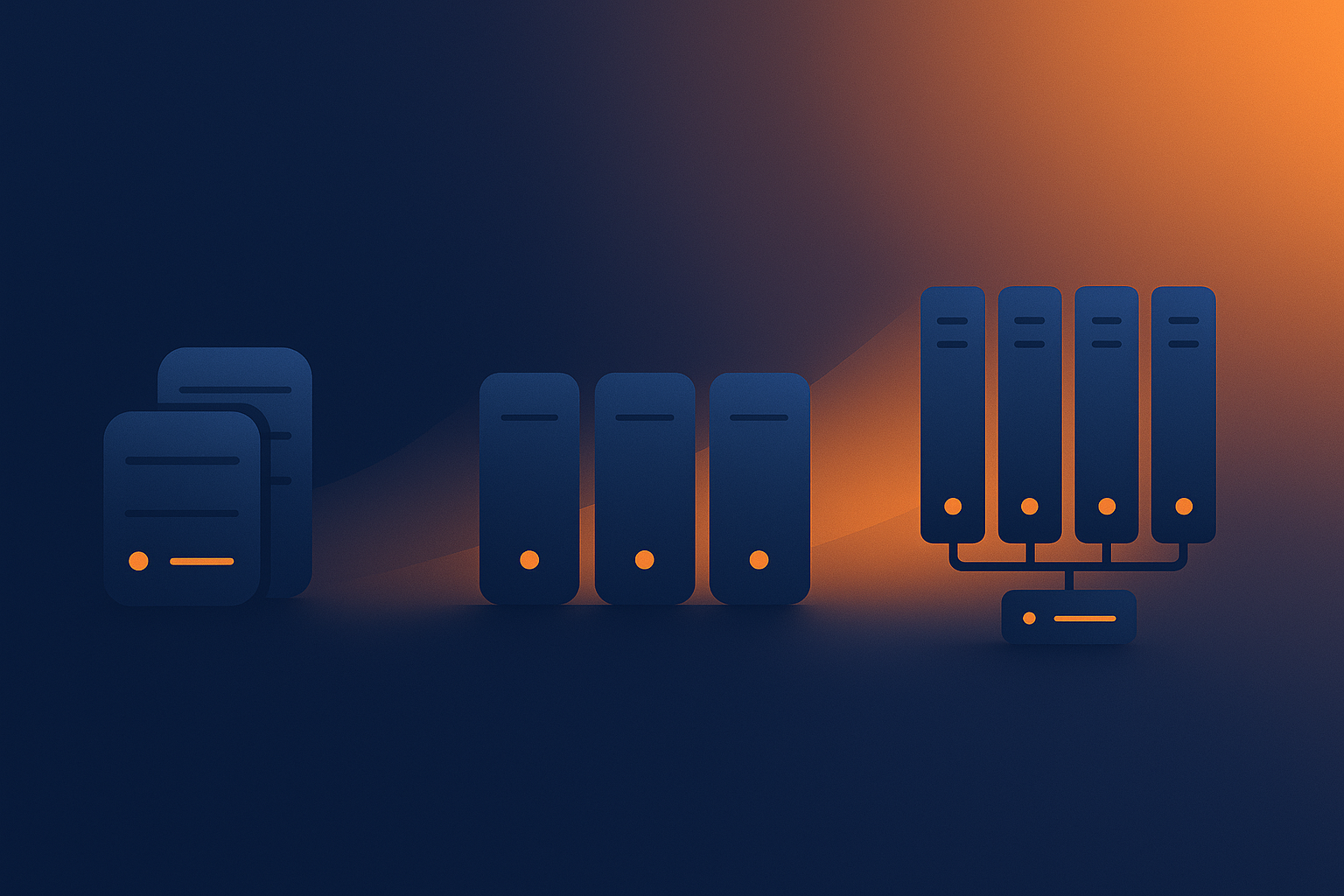
Shared hosting: where the main failure points tend to be
Shared hosting places many sites on the same server environment. Its strengths are simplicity and low cost. Its main risk factors are:
- Resource contention
One busy or misbehaving site can affect performance for others, although decent platforms limit this. - Less customisation
You cannot always install specialised software or tune settings for your specific application. - Broader impact of platform issues
A problem with the underlying server or panel affects all hosted sites.
For small marketing sites, brochures and early‑stage projects, these trade offs are often acceptable. For revenue‑critical sites, you may want more isolation and control.
VPS and virtual dedicated servers: more control, more responsibility
A VPS or virtual dedicated server gives you your own environment with dedicated resources. This typically improves reliability by:
- Isolating you from other customers’ spikes.
- Allowing more tailored configuration for your application.
- Making scaling decisions more predictable.
The trade off is that you are now responsible for more layers of the stack: operating system updates, security hardening, monitoring and troubleshooting. Managed VDS services exist precisely to reduce this operational burden for teams that do not want to run their own infrastructure.
Specialised managed platforms for WordPress and WooCommerce
Managed WordPress or WooCommerce platforms sit somewhere between general hosting and fully custom infrastructure. They typically handle:
- Updates to the underlying platform.
- Caching and performance tuning tailored to WordPress.
- Security rules tuned to common WordPress attack patterns.
- Staging and safe update workflows.
This reduces the risk of downtime from misconfiguration, untested updates and poor performance tuning. It does mean you accept some platform constraints, for example, which plugins are supported or how custom the environment can be.
When you should consider enterprise or PCI conscious architecture
For organisations handling sensitive data or large transaction volumes, such as subscription platforms or high‑turnover ecommerce, basic hosting is only one part of the picture.
In these cases you may need:
- Separate front end, application and database tiers.
- Web application firewalls and intrusion detection systems.
- Segregated environments for compliance, for example PCI conscious hosting patterns when processing payments.
- Formal change control, monitoring and incident response processes.
Here managed enterprise services are often worth considering, not because other options are flimsy, but because coordinating all these pieces in‑house is a significant ongoing commitment.
Creating a Simple Resilience Plan for Your Site
Map your current single points of failure
Before making changes, it helps to see where your current risks lie. A simple exercise:
- List each layer: domain, DNS, network, server, application, database.
- For each, note who supplies it and who can change it.
- Identify where a single failure would fully stop users from completing key tasks.
Examples of typical single points of failure include a single shared server, a single unmanaged DNS zone, or one person holding all the access credentials.
Prioritise the fixes that give the biggest reliability gain
Not every risk needs an elaborate solution. Focus first on improvements that give a lot of protection for relatively little effort or cost, such as:
- Sorting out DNS and domain access, with auto‑renew enabled.
- Implementing reliable, tested backups.
- Putting a CDN or acceleration layer in front of a busy site.
- Setting up staging for application updates.
- Moving a revenue‑critical site from crowded shared hosting to an appropriately sized VPS or virtual dedicated server.
More advanced steps, such as multi‑region failover, are usually only necessary when downtime costs are high enough to justify the added complexity and spend.
Questions to ask your existing or future host
To understand how a provider fits into your resilience plan, you might ask:
- Which parts of the stack do you manage, and which are my responsibility?
- How is your network and power infrastructure designed for redundancy?
- What happens if the physical server hosting my VPS fails?
- How often are backups taken, where are they stored, and how quickly can you restore?
- What help can you provide with performance issues, attacks and application errors?
- What managed services do you offer if we want to reduce our operational burden?
The answers help you decide whether your current setup matches the business importance of your site, and where a managed solution might reduce risk and complexity.
Conclusion: Treat Hosting as Business Infrastructure, Not a Line Item
Downtime is usually a visible symptom of deeper issues: brittle DNS, under‑provisioned servers, untested application changes, weak security or unclear responsibility for key parts of the stack.
The goal is not to eliminate every possible failure. That is unrealistic. Instead, it is to understand where your real business risks lie, choose a hosting model that fits, and add simple processes that prevent the most common avoidable incidents.
Shared hosting, VPS, virtual dedicated servers, managed WordPress platforms and enterprise architectures all have a role. The right choice depends on how painful downtime would be, how complex your application is, and how much operational work your team can realistically absorb.
If you would like to explore what this means for your own site, you are welcome to talk to G7Cloud about architectures and managed options that match your risk level without unnecessary complexity.