

Why Fraud and Abuse Look Different on WooCommerce Than in Security Blogs
Most security advice focuses on dramatic incidents like full account takeovers, major data breaches or zero‑day exploits. For a typical WooCommerce shop in the UK, abuse usually looks much more mundane but still costly.
Typical symptoms in real shops: fake signups, test cards and cart abuse
Common signs include:
- Waves of new “customers” with nonsense names and email addresses.
- Newsletter forms filled with spam links or throwaway email addresses.
- Checkouts with dozens or hundreds of failed card attempts in a short period.
- Carts repeatedly created and abandoned from the same IPs or countries you do not serve.
- Orders using free shipping in odd ways, such as large numbers of tiny orders to the same address.
- Login pages hammered by bots trying leaked passwords from other sites.
None of these on their own look like a “hack”, but together they waste time, increase payment processing risk, skew your analytics and can slow down your shop for real customers.
Risk vs friction: stopping abuse without killing conversions
The biggest trade off is between tighter controls and keeping checkout smooth. If you add heavy CAPTCHAs, overly strict fraud rules or multiple extra steps, you can reduce abuse but lose legitimate orders.
A practical approach:
- Apply your strictest controls to high risk areas like admin login, XML‑RPC, API endpoints and checkout.
- Use lighter, mostly invisible measures for genuine customers, such as device fingerprinting and rate limits at server level.
- Let your payment gateway handle the more intrusive checks such as 3‑D Secure, rather than bolting them onto WooCommerce yourself.
Managed platforms such as managed WooCommerce hosting with a focus on secure carts and checkouts are designed to keep that balance, handling a lot of the noisy abuse without forcing you to break your customer journey.
Understanding the Main Abuse Patterns on WooCommerce
Bad bots: scraping, credential stuffing and card testing
Bad bots are usually responsible for the heaviest abuse:
- Scraping: copying product catalogues, pricing or stock levels, often at high speed.
- Credential stuffing: using leaked email and password pairs to try logging into customer or admin accounts.
- Card testing: running lists of stolen cards through your checkout to see which are still valid.
These are rarely “one hit” events. They tend to come in bursts, often from data centres or compromised machines, and they can quietly knock over your performance or payment reputation.
Using something like the G7 Acceleration Network’s bot protection and security features to filter abusive and non human traffic before it reaches PHP or the database can make a big difference, as it cuts this noise off at the edge instead of leaving WooCommerce to handle it.
Fake accounts, fake registrations and newsletter spam
Attackers and spammers use WooCommerce registration and contact forms for:
- Creating disposable customer accounts to test cards, vouchers or referral schemes.
- Trying to discover whether email addresses are valid.
- Injecting links into any “public” fields that might appear in order notes, support systems or CRMs.
Patterns to watch:
- Sudden spikes in registrations with the same domain or similar usernames.
- Repeated orders or signups from the same IP region that you do not normally serve.
- Newsletter opt‑ins with obviously generated names, repeated over short periods.
Checkout exploits: card testing, free‑order tricks and shipping abuse
Beyond straightforward card testing, abusers look for business logic weaknesses:
- Misconfigured coupons that stack together to create free orders.
- Shipping zones that accidentally grant free shipping to entire countries.
- Low minimum order values combined with very generous free shipping thresholds.
- Manual payment methods (bank transfer, cheque, “pay later”) used for fake orders.
These are not technical exploits in the classic sense. They are gaps in rules and configuration that bots and opportunists can exploit at scale.
First Line of Defence: Reduce What Ever Reaches WordPress
Use a server‑level firewall and WAF instead of five security plugins
Running multiple heavy security plugins inside WordPress is a common reaction to abuse, but it often increases CPU load and complexity without stopping traffic early enough.
A better pattern is:
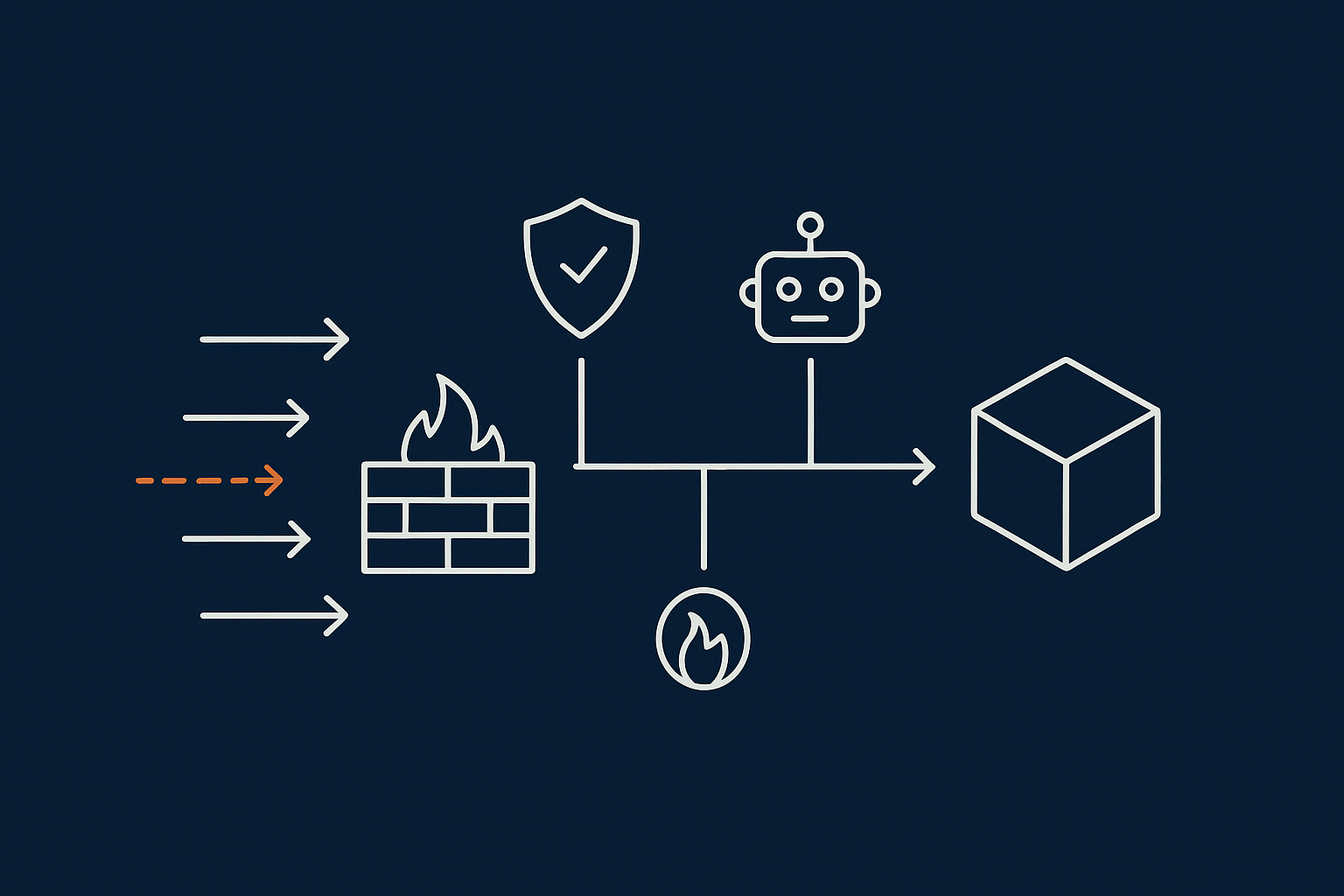
- Network‑level protection with a Web Application Firewall (WAF) and bot filtering.
- Minimal, well chosen hardening plugins inside WordPress for specific tasks.
- Security rules and rate limiting at the web server level.
If you are unsure how far you can rely on your host’s protection, the guide on WordPress security plugins vs server‑level protection walks through what should be handled outside WooCommerce. Many of the server‑level web hosting security features provided by modern platforms remove the need for overlapping plugins.
Filtering abusive bots before PHP to protect performance
The most effective way to keep performance stable is to ensure that high volume, obviously automated traffic never reaches WooCommerce at all. Matching on user agents, request patterns and behaviour at edge level avoids invoking PHP or MySQL for junk traffic.
On infrastructure that uses the G7 Acceleration Network, abusive bots and headless scanners are filtered at the edge, which reduces wasted server load, keeps response times more consistent and helps prevent avoidable downtime during busy periods or sales.
Geoblocking and rate limiting for login, checkout and API endpoints
For many UK shops there are regions you simply never sell to. In those cases:
- Apply geoblocking or “challenge” rules to high risk paths such as
/wp-login.php,/wp-admin/,/my-account/,/checkout/and API endpoints. - Use rate limits for:
- Login attempts per IP and per username.
- Checkout attempts per IP within a time window.
- Requests to
wc-ajax=checkoutand similar WooCommerce endpoints.
Plain rules such as “no more than 10 login attempts per 5 minutes per IP” and “no more than 5 failed payment attempts per 10 minutes” block most abuse without affecting standard shopping behaviour.
How the G7 Acceleration Network’s bot protection helps here
The G7 Acceleration Network’s bot protection and security features sit in front of WooCommerce, using dynamic rules to filter non human and abusive traffic patterns automatically. This means that credential stuffing, scraping and card testing bots are often stopped before they trigger WordPress or your payment gateway, which directly reduces chargeback risk and keeps your store responsive.
Hardening Logins and Accounts Without Annoying Real Customers
Lock down wp‑admin and XML‑RPC
Admin and XML‑RPC are common attack targets. Some low friction steps:
- Restrict
/wp-admin/and/wp-login.phpby IP where possible, especially for smaller teams. - Require VPN or SSH tunnelling for admin if you have an internal network.
- Disable XML‑RPC if you do not use it, or restrict it to specific trusted IPs or applications.
- Rename the default login URL using a lightweight tool if IP controls are not practical.
For a deeper overview of safe admin hardening, the article on how to harden WordPress without breaking your site is a useful reference.
Stronger authentication for admins and shop managers
Admin and “shop manager” accounts are high value. Good practice includes:
- Enforcing strong passwords through your security plugin or SSO provider.
- Enabling two factor authentication (2FA) for all privileged accounts.
- Using role‑based access so that staff only have the permissions they actually need.
- Regularly reviewing user lists for old staff accounts that should be removed.
Practical controls for customer logins and registrations
Email verification and limiting high‑risk actions
Customer friction should be minimal, but there are a few safe measures:
- Require email verification before granting access to high risk actions such as changing email address, requesting refunds or viewing order history.
- Consider blocking checkout for unverified accounts in high risk categories such as digital goods or gift cards.
- Limit password reset attempts per IP and per email address, ideally with server‑side rate limits.
CAPTCHAs and when to avoid them
CAPTCHAs can reduce automated signups, but they also introduce friction and accessibility issues. If you use them:
- Prefer invisible or low interaction options and only on forms that are under active attack.
- Avoid adding CAPTCHAs to the payment step unless absolutely necessary.
- Pair them with server level bot filtering rather than relying on them as your main defence.
In many cases, a combination of basic form validation, IP reputation checks and edge‑level bot filtering is enough without a visible CAPTCHA at all.
Making Checkout Safer: Card Testing, Free Orders and Vouchers
What card testing looks like in WooCommerce in real life
Card testing on WooCommerce usually shows up as:
- Large bursts of payment attempts, often with small, round order totals such as £1.00 or £2.00.
- Billing addresses that do not match the customer’s IP location.
- High decline rates in your payment gateway dashboard, sometimes within minutes.
These attacks can be financially expensive if your gateway charges per attempt, and they can damage your risk profile with card schemes.
Let your payment gateway do the heavy lifting (3‑D Secure, AVS, limits)
Most fraud control should live in your payment gateway rather than in WooCommerce code. Practical steps:
- Ensure 3‑D Secure (Strong Customer Authentication) is enabled and required where appropriate.
- Turn on Address Verification Service (AVS) checks where the gateway supports it.
- Configure per card and per IP velocity limits at the gateway level if available.
- Enable risk scoring or rules engines your provider offers for high risk products or countries.
Good managed WooCommerce hosts understand these controls and can help you distinguish between hosting issues and gateway side protections when diagnosing payment problems.
Practical WooCommerce rules: order limits, coupon controls and minimum values
Within WooCommerce itself you can close off common loopholes:
- Set a sensible minimum order value, especially if you offer free shipping.
- Use plugins or built in settings to:
- Limit coupon usage per user and per order.
- Restrict stacking of certain coupon types.
- Limit free products or samples per customer.
- Disable “cash on delivery” or manual payment options for risky regions or product categories.
- Review shipping zones to ensure free or flat‑rate options are aligned with your actual service areas.
PCI‑conscious hosting and why it matters if something goes wrong
Even if you never store card numbers directly, you still have responsibilities under PCI DSS. If your site is used for card testing or is compromised, how your hosting environment is segmented and logged becomes important.
Using PCI conscious hosting options for WooCommerce payments means the underlying platform is designed to separate card flows, keep appropriate logs and support incident investigation if required. For a deeper breakdown of shared responsibilities, see the guide on PCI‑conscious WooCommerce hosting for UK merchants.
Detecting Problems Early: Logs, Alerts and Simple Monitoring
Which logs to check for fraud and abuse signals
Prevention is ideal, but detection matters just as much. Useful logs include:
- Web server access logs for spikes on
/wp-login.php,/xmlrpc.php,/checkout/and API endpoints. - WooCommerce order logs for repeated attempts from the same IPs or emails.
- Payment gateway logs for patterns in declined transactions.
- Security plugin or WAF logs for blocked attacks or rate limit hits.
The guide on logging and error monitoring for WordPress and WooCommerce gives concrete examples of how to pull these signals together in a manageable way.
Useful metrics: failed logins, declined payments, signups per hour
Track a small set of metrics over time:
- Failed login attempts per hour, broken down by endpoint.
- Ratio of failed to successful logins.
- Declined payments per hour or per day.
- New account registrations and newsletter signups per hour.
Simple thresholds such as “alert if declined payments per hour double the weekly average” can catch card testing early without constant manual checking.
When to involve your host vs your payment provider
As a rough rule:
- If the problem is primarily traffic volume or site slowdowns, involve your host. They can add or adjust WAF rules, rate limits and caching.
- If the issue is card declines, chargebacks or AVS/3‑D Secure rules, involve your payment provider first.
- If it involves suspected data exposure, contact both immediately so logging, investigation and notifications follow a clear process.
Hosts that provide server‑level web hosting security features are usually better placed to help interpret edge logs and correlate them with WooCommerce behaviour.
Keeping Your Hardening Changes Safe Over Time
Test new security measures on staging before rolling out
Security changes can have side effects. Always:
- Use a staging copy of your site for testing new rules, plugins or WAF policies.
- Run through full journeys: new account registration, login, guest checkout, logged‑in checkout, coupon use and order emails.
- Test from different IPs and devices if you are using geoblocking or 2FA.
Review rules after peaks and campaigns, not just after incidents
High traffic periods such as sales or campaigns reveal both abuse patterns and legitimate edge cases. After each peak:
- Review WAF and rate‑limit logs for new patterns that slipped through.
- Check for customer complaints about blocked logins or failed checkouts.
- Adjust thresholds to match your new “normal” traffic levels.
When it is time to move to managed or higher tier WooCommerce hosting
If you are regularly firefighting slow checkouts, brute force attempts and card testing, it may be simpler to let your platform take more of the strain. Moving to managed WooCommerce hosting with a focus on secure carts and checkouts gives you a stronger base: server level security, tuned PHP and database settings, and edge protection such as the G7 Acceleration Network to smooth out abusive traffic.
A Simple, Layered Checklist You Can Apply This Month
Quick wins you can do in an afternoon
- Ensure 3‑D Secure and AVS are enabled on your main payment gateway.
- Set or review your minimum order value and free shipping thresholds.
- Disable unused payment methods that are easy to abuse, such as cheque or bank transfer for new customers.
- Limit coupon stacking and set sensible per user usage limits.
- Restrict
/wp-admin/and/xmlrpc.phpwhere possible, and enable 2FA for admin accounts. - Turn on basic rate limiting for login and checkout endpoints at server or WAF level.
Medium‑term improvements with your host and payment provider
- Work with your host to enable or refine WAF rules, bot filtering and geo rules on key endpoints.
- Implement structured logging and simple alerting for failed logins, declines and signups.
- Review your PCI position with your provider and consider moving to PCI conscious hosting options for WooCommerce payments.
- Create a short internal playbook for how to respond to suspected card testing or scraping incidents.
If you would rather not stitch these layers together yourself, exploring managed WooCommerce hosting with a focus on secure carts and checkouts and the G7 Acceleration Network can be a practical next step. That way, routine defences against bots, checkout abuse and performance issues are baked into the platform, and you can concentrate on products and customers instead of constant security tuning.