

Who This Guide Is For (And What You Will Be Able To Decide)
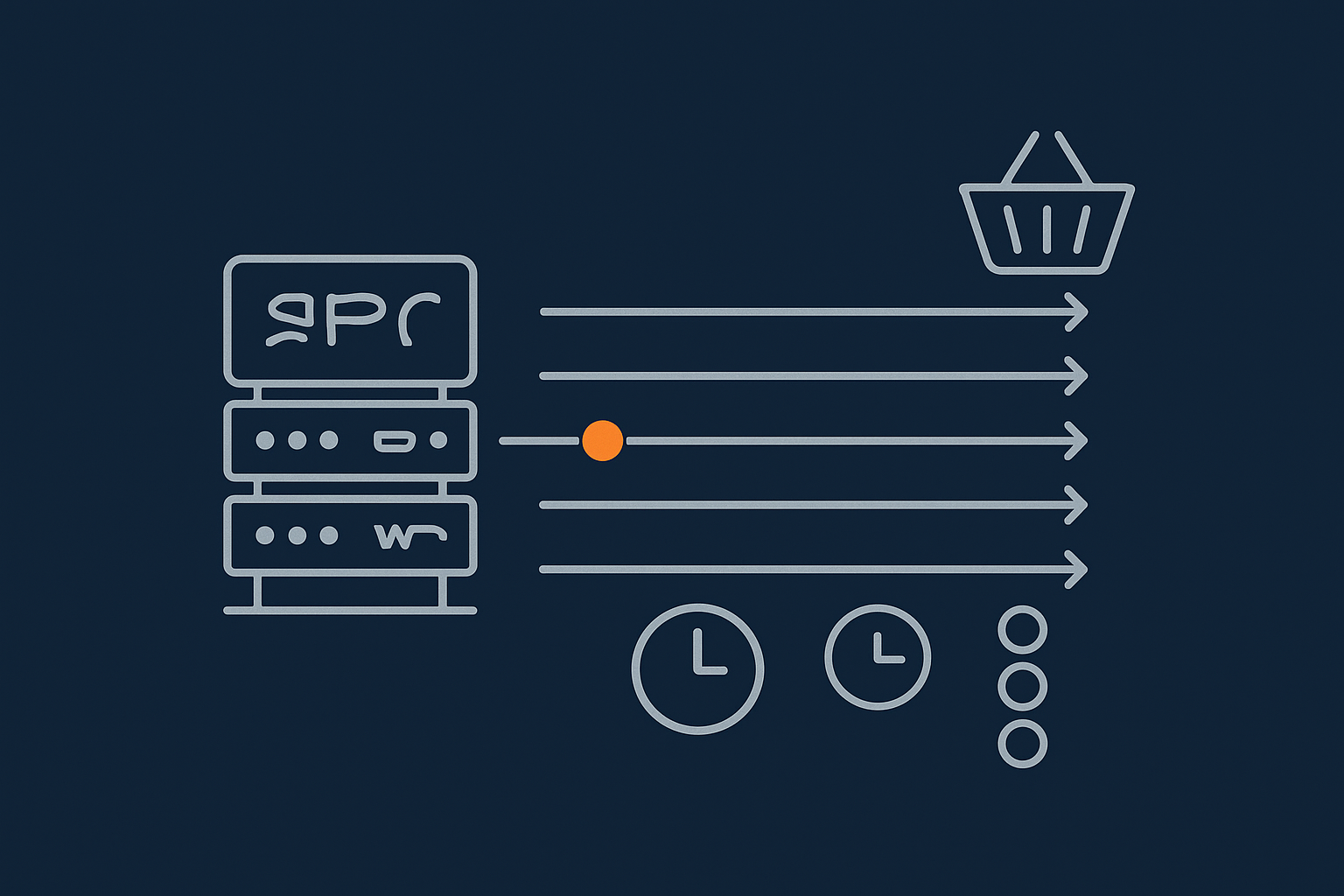
This guide is for UK businesses running WooCommerce that are unsure how many PHP workers they actually need, or are being told to “upgrade for more workers” without a clear explanation.
Typical situations include:
- Cart and checkout slowing down during busy periods while product pages feel fine.
- 502 / 504 errors at peak times, especially during sales or email campaigns.
- Support telling you that you have “hit your PHP worker limit” or need a bigger plan.
- Confusion over why the site is slow when overall daily traffic does not seem huge.
Typical WooCommerce scenarios where PHP workers come up
You are likely to hear about PHP workers when:
- You run a promotion and orders spike for an hour or two.
- Your catalogue grows and search / filters feel heavier.
- Bots or aggressive crawlers hammer product and search URLs.
- You move from cheap shared hosting to managed WooCommerce hosting options and start talking about concurrency instead of “visits”.
What you will be able to estimate by the end
By the end of this article you should be able to:
- Explain in plain English what a PHP worker is and what it does.
- Roughly estimate how many workers your WooCommerce shop needs for normal and peak periods.
- Recognise from graphs and symptoms when workers are the real bottleneck.
- Reduce PHP load through caching, bot filtering and code changes before paying for more hosting.
- Ask better questions when comparing UK hosts and plans, including virtual dedicated servers with dedicated resources.
What PHP Workers Actually Are in Plain English
From visitor click to PHP worker: a quick request journey
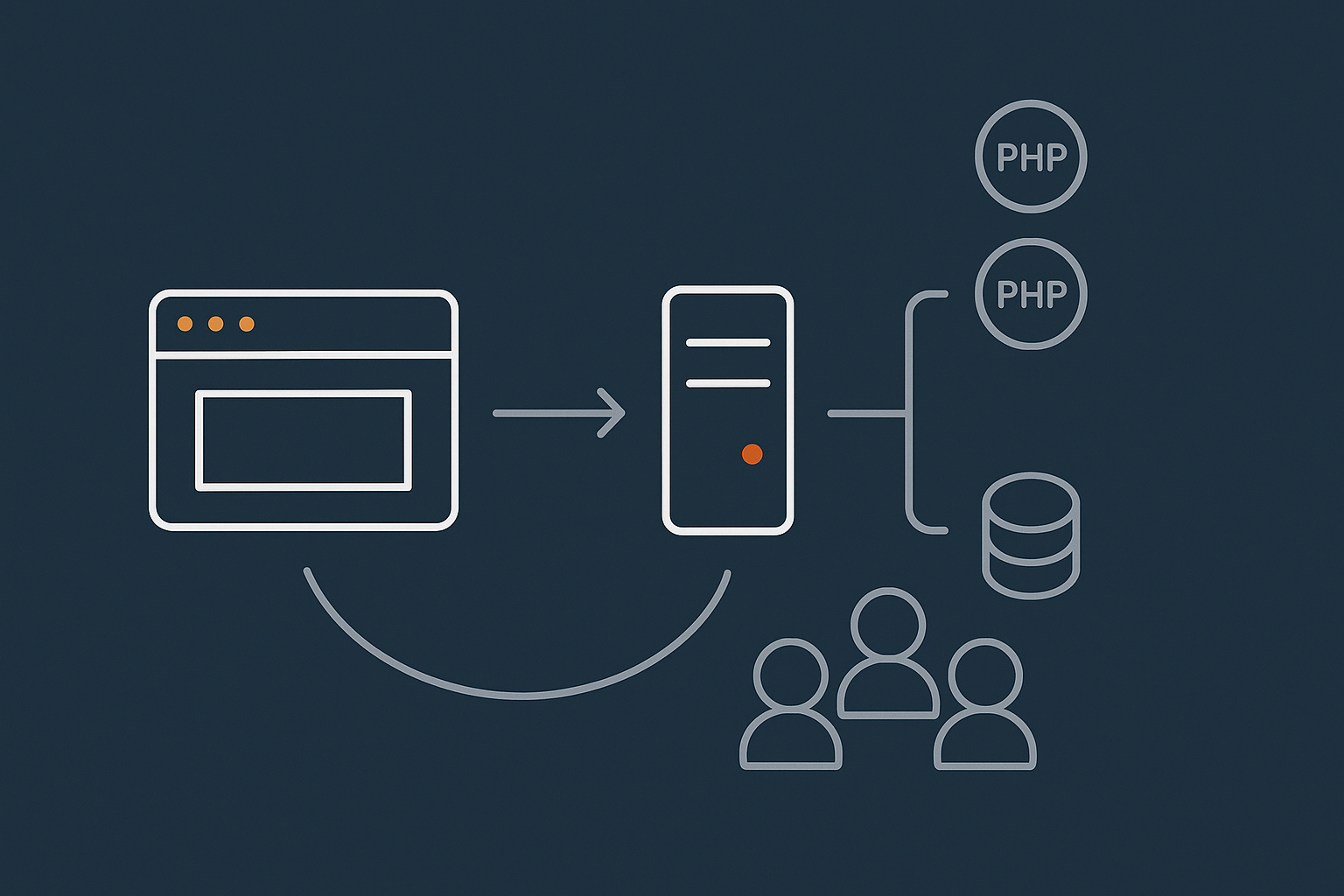
When someone clicks “Add to basket” or “Place order”, your server does not magically respond. A PHP worker is the process that picks up that request, runs WordPress and WooCommerce code, talks to the database, and builds the HTML sent back to the browser.
Simplified journey:
- Browser sends a request for
/checkout/. - Web server (Nginx/Apache) receives it and checks cache.
- If uncached, it hands the request to a free PHP worker.
- The PHP worker runs WordPress + WooCommerce + plugins, queries MySQL, builds the page.
- Result is returned to the web server, then back to the visitor.
If no PHP worker is free, the request has to wait in a queue. Too many queued requests lead to timeouts and gateway errors.
How PHP workers relate to CPU, RAM and your hosting plan
A PHP worker is not the same as a CPU core or a thread, but it uses CPU and RAM while it runs. Hosts usually limit:
- The maximum number of PHP workers per site or container.
- The total CPU and RAM shared by all those workers.
If you have 4 PHP workers and 2 CPU cores, up to 4 requests can run at once, but only 2 can execute CPU-heavy code at full speed. The rest will share what is available. If you push worker counts too high on low CPU, each request gets slower and everything feels “sticky”.
Concurrency vs traffic: why sessions, not pageviews, matter
Daily visits do not tell you how many PHP workers you need. The key question is how many people are doing dynamic actions at the same time.
Examples:
- 5,000 visits spread evenly across 12 hours is gentle.
- 500 very engaged users in 10 minutes following an email campaign can be painful.
What drives worker needs is peak concurrent activity on cart, checkout, My Account, AJAX filters and search. Two stores with the same monthly traffic can need very different PHP capacity if one has sharp, concentrated peaks.
Why PHP Workers Matter So Much for WooCommerce
Dynamic pages that always need PHP: cart, checkout, My Account, search
For a blog, most pages can be cached as static HTML. WooCommerce is different. Certain pages are almost always uncached and must hit PHP:
- Cart and mini-cart fragments.
- Checkout and payment processing.
- My Account area, orders and subscriptions.
- Search, filters and personalised recommendations.
Product and category pages can often be cached for anonymous visitors, but once someone adds items to their basket or logs in, far more requests go through PHP workers.
What happens when you do not have enough workers: queues, timeouts and 502/504s
When all PHP workers are busy, new requests queue. Typical symptoms:
- Pages hang on “loading” then eventually show a 502 or 504 error.
- Checkout takes 20–40 seconds, then fails under load.
- Admin area feels sluggish whenever the shop is busy.
If you are seeing gateway errors on a busy WooCommerce site, it is worth a deeper look at worker saturation, not just blaming generic “slow hosting”. A separate G7Cloud article covers this in detail: diagnosing and fixing WordPress 502/504 errors on busy sites.
How caching and CDNs change the number of workers you really need
Good caching can mean you need far fewer PHP workers than raw traffic would suggest. If your product and landing pages are served from a cache or CDN, only cart, checkout and other dynamic endpoints need workers.
A network-level acceleration layer such as the G7 Acceleration Network can cache full pages, handle static assets and apply smart rules for WooCommerce so the cart and checkout are always dynamic but most catalogue browsing comes from cache. That keeps PHP free to handle the actions that really must be live.
How Many PHP Workers Do Typical UK WooCommerce Sites Need?
Key inputs: peak concurrent users, request complexity, and cache hit rate
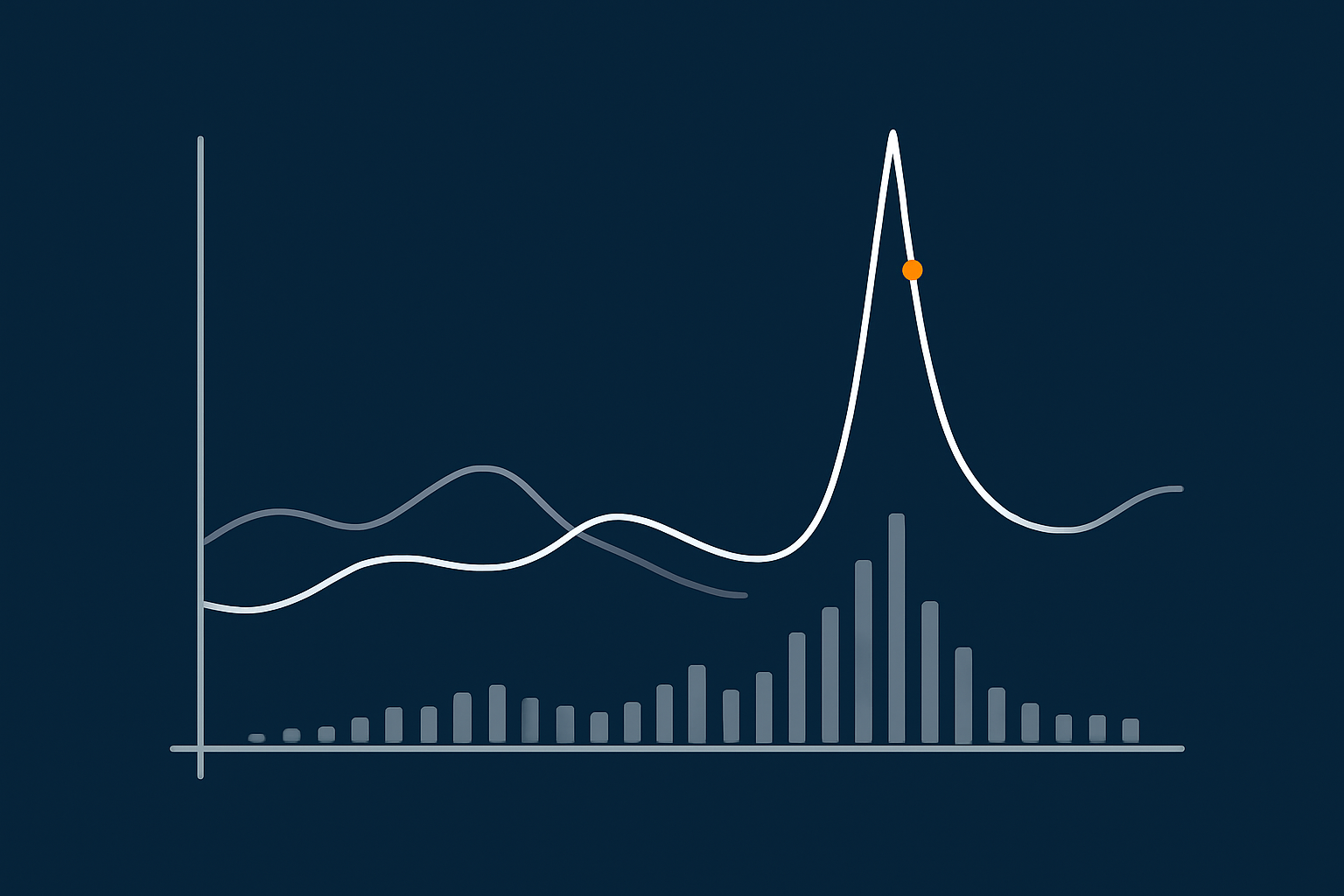
You do not need a perfect formula, but three inputs matter:
- Peak concurrent users: how many people are actively browsing or checking out in a short window (for example 5–10 minutes).
- Request complexity: are you running heavy filters, upsell logic, subscription renewals or third-party integrations per request.
- Cache hit rate: what proportion of page views come from cache instead of PHP.
As a rough rule, 1 PHP worker can handle somewhere between 5 and 20 concurrent users, depending on how heavy your plugins and theme are and how much is cached. Heavier builds with many plugins sit at the lower end of that range.
Rule-of-thumb ranges for small, growing and busy shops
Small shops and local retailers
Typical profile:
- Under 20 orders per day.
- Peaks of 5–15 visitors at once.
- Relatively simple theme, a handful of plugins.
With good caching of product pages, 2–3 PHP workers is usually enough, provided CPU and RAM are sensible. More matters if you have a very “plugin-heavy” build or many logged in users (wholesale, trade accounts etc.).
Growing regional / national stores
Typical profile:
- 50–300 orders per day.
- Promotions driving short peaks of 30–100 active users.
- Richer functionality: advanced filters, bundles, subscriptions, CRM or ERP integrations.
Here 4–8 PHP workers is a common range, alongside enough CPU (often 4+ cores) and a robust caching setup. Beyond that, you will usually get more benefit from optimising queries and removing heavy plugins than simply adding more workers.
High-traffic or promotion-heavy WooCommerce sites
Typical profile:
- Hundreds of orders per day or major launch campaigns.
- Short bursts of hundreds of concurrent sessions from email, social or TV/radio ads.
- Complex logic, many integrations, maybe multilingual or multi-currency.
These stores usually sit on higher-end managed hosting or VDS setups, with 8–16 PHP workers and 6–12 CPU cores as a baseline, tuned for their specific stack. The focus shifts from “how many workers” to “how do we keep each request cheap” through caching layers, object cache and code-level profiling.
PHP workers vs cores: why “more workers than CPU” can hurt
It is tempting to keep adding PHP workers, but if you significantly exceed the number of CPU cores, each request can get slower. For example:
- 2 cores with 10 workers: many requests run at once, but they constantly fight for CPU and memory.
- 4 cores with 6 workers: fewer requests in parallel, but each completes faster and frees resources.
A sensible starting point is usually between 1x and 2x workers per CPU core, then adjust based on real monitoring. Good UK providers will tune this with you rather than simply selling more workers.
Reading Resource Graphs To See If PHP Workers Are Your Real Bottleneck
Symptoms that point to worker exhaustion, not just “slow hosting”
Signs that PHP workers are saturating:
- Site feels fine off-peak, but specific times of day are consistently bad.
- Cart/checkout slow while static pages and images stay snappy.
- Slowdown coincides with marketing sends or social posts.
If graphs and logs are available in your control panel, they can confirm whether the issue is workers, CPU, database or something else. For a deeper primer on reading CPU, RAM and I/O charts, see how to read a WordPress hosting resource graph.
Using CPU, RAM and process graphs to spot saturation
Short spikes vs sustained flat-lines
Look for:
- Short spikes in CPU or worker usage during imports, cron jobs or backups. These are often harmless.
- Sustained flat-lines at or near 100 percent CPU or “max workers” during busy periods. That is a red flag.
If you see long periods where worker count is pegged at the limit, while request times climb, you are likely queuing requests behind busy workers.
PHP process limits vs application slowness
Sometimes the server has free CPU, but PHP workers are all busy because code is slow or blocked on the database. In that case, adding more workers may just increase pressure on MySQL and make things worse.
This is where slow query logs, application profiling and trimming heavy plugins have more impact than simply changing your plan. G7Cloud’s article on WooCommerce hosting bottlenecks you can fix without changing provider walks through several of these fixes.
How to test under load safely before a campaign or sale
Relying solely on past traffic is risky if you are planning a big promo. Options include:
- Ask your host if they can help with a controlled load test on a staging clone.
- Use a load testing service to simulate checkout flows at gradually increasing concurrency.
- Monitor response times, error rates and worker counts during the test.
The goal is to find the point at which response times start to degrade and worker queues form, then either optimise or adjust resources before you hit that limit in production.
Reducing PHP Worker Pressure Before You Buy More Hosting
Smart caching for WooCommerce without breaking carts
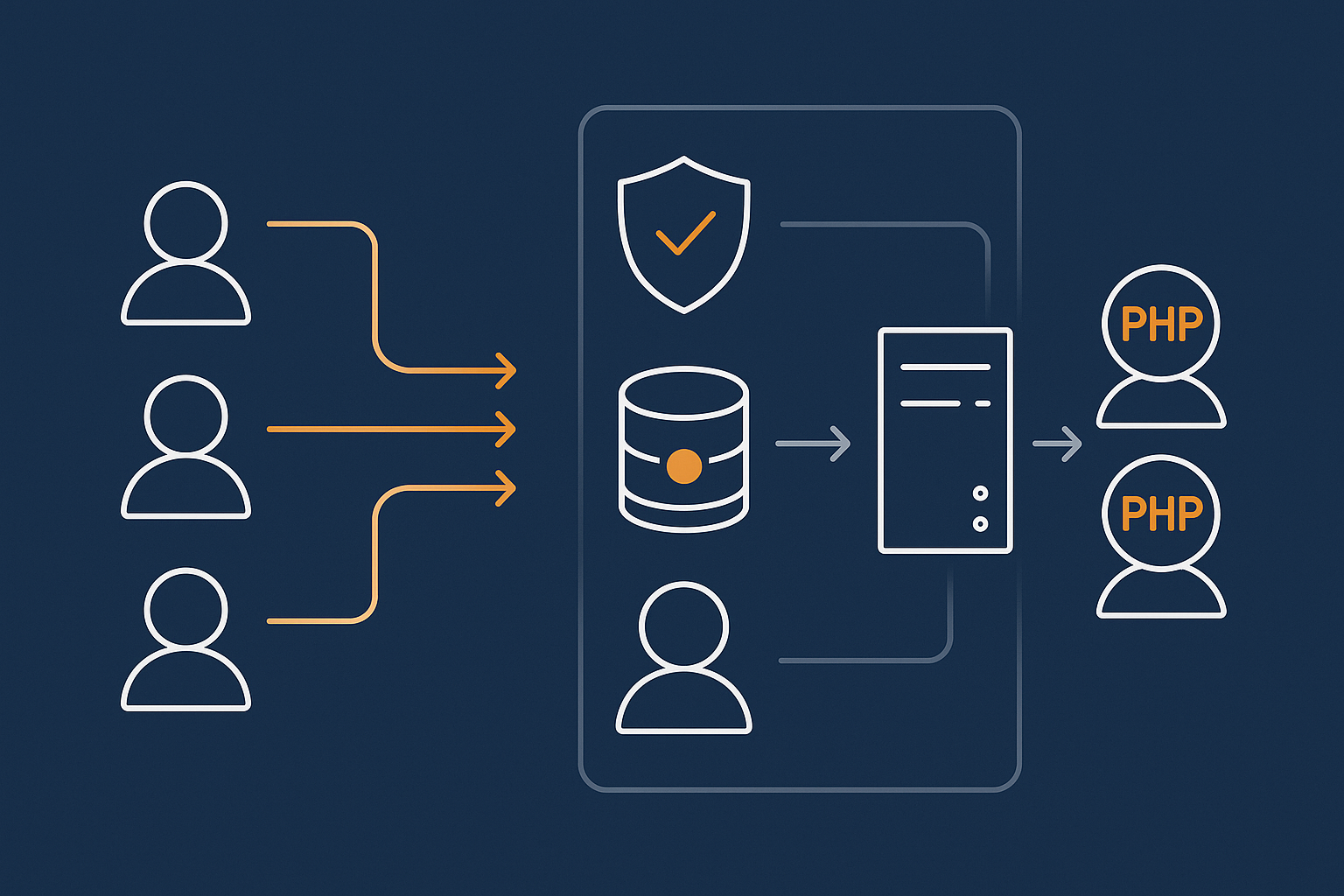
Good caching design can easily halve or better your PHP load. Principles:
- Cache catalogue and content pages aggressively for anonymous users.
- Bypass cache for cart, checkout, account pages and key AJAX fragments.
- Use separate cookie rules so logged-out and logged-in traffic are handled appropriately.
A multi-layer cache such as the G7 Acceleration Network helps by serving static assets and cached HTML at the edge, while respecting WooCommerce-specific rules so you do not break carts or personalised content.
Blocking bad bots and abusive crawlers that waste workers
Many WooCommerce shops waste significant PHP time on:
- Scraper bots repeatedly crawling search and filter URLs.
- Login brute-force attempts and XML-RPC abuse.
- Cheap SEO tools hammering every parameter combination.
All of these consume PHP workers that could be serving real customers. G7Cloud’s bot protection within the G7 Acceleration Network filters abusive and non-human traffic before it hits PHP or MySQL, which helps keep response times consistent and reduces the chance of downtime during busy periods.
Database, search and code-level optimisations that free up PHP
Heavy plugins, slow queries and background tasks
If each request is slow inside PHP, more workers only go so far. Look for:
- Plugins that run complex queries on every page load (advanced filters, statistics, tracking).
- Unoptimised search across large catalogues.
- Cron jobs or background tasks that run at busy times, such as bulk email or sync jobs.
Simple wins include disabling unneeded plugins, scheduling heavy tasks for off-peak hours and adding database indexes where queries are consistently slow.
Using object caching to cut repeated work
Object caching (for example Redis or Memcached) stores the results of expensive database queries and calculations in memory. This reduces how much work each PHP request has to do and directly lowers the number of workers required for the same traffic level.
If you are new to this, G7Cloud’s guide on how to use object caching to speed up WordPress explains when it helps and how to configure it safely.
How the G7 Acceleration Network helps: caching, bot filtering and consistent response times
For busy WooCommerce sites, a front layer such as the G7 Acceleration Network can make each PHP worker go much further. It combines full-page caching for suitable pages, edge delivery of static assets, bot filtering and sensible security rules. That means more of your capacity is reserved for real customers doing dynamic actions, without extra plugins or manual rule-writing.
Planning PHP Workers for Peaks: Seasonal Traffic and Flash Sales
Estimating peak concurrent checkouts from marketing numbers
To plan for a sale, work backwards:
- Estimate how many visitors a campaign may send in a short window (for example the first 15–30 minutes).
- Apply a realistic conversion rate for that traffic.
- Factor in dwell time: people take minutes to browse and complete checkout.
Example: 1,000 visitors in 20 minutes, 4 percent conversion, average 5 minutes on site. That is roughly 200 concurrent visitors, with 40 of them in checkout at any moment. If each checkout flow hits PHP multiple times, and you want good margins, you will likely need 8+ well-optimised PHP workers and healthy CPU backing them.
Vertical scaling (bigger box) vs smarter use of each worker
Solutions fall into two camps:
- Vertical scaling: bigger plan, more CPU, more RAM, more workers.
- Smarter usage: better caching, object cache, code tuning, bot filtering.
Most stores benefit from a mix. Jumping straight to a large plan can leave you paying for capacity that is burned by poor code or unfiltered bots.
When you are hitting PHP limits and should consider VDS or enterprise setups
It is time to discuss virtual dedicated servers with dedicated resources or more custom setups when:
- You regularly hit worker or CPU limits even after serious optimisation.
- You have high-value campaigns where downtime would be very expensive.
- You need custom tuning at PHP-FPM, database and caching layers.
Managed VDS or enterprise arrangements also give you more predictable performance isolation; noisy neighbours are far less of a problem than on low-cost shared plans.
Questions To Ask a UK Hosting Provider About PHP Workers
How they size workers per site on shared, managed and VDS plans
Useful questions:
- How many PHP workers are allocated to my site on this plan?
- Are worker counts hard limits, or can they burst briefly?
- How many CPU cores back those workers, and are they dedicated or shared?
You want a clear explanation of how concurrency is managed, not just a marketing label.
What is included: caching layer, bot filtering, object cache and performance support
Ask what they handle for you versus what needs plugins:
- Is there a built-in full-page cache tuned for WooCommerce?
- Is there a network layer such as the G7 Acceleration Network handling caching, SSL, HTTP/2/3 and bot filtering?
- Is Redis or another object cache available and supported?
- Will they help interpret graphs and advise when workers, code or database are the bottleneck?
Clear signals that you have outgrown basic shared hosting
Shared hosting is fine for very small shops, but you may have outgrown it if:
- Your store slows down whenever other sites on the server are busy.
- Support repeatedly suggests “moving to a higher plan” without investigation.
- You are limited on worker counts or processes in ways that block sensible growth.
That is usually the point to look at specialised managed WooCommerce hosting options or an entry-level VDS rather than continuing to stack more on top of a basic shared environment.
Practical Next Steps: Right-Sizing PHP Workers for Your WooCommerce Store
A quick checklist to review your current setup
To get a clear picture:
- Note your current PHP worker count, CPU cores and RAM.
- Check when slowdowns occur and what users are doing at the time.
- Review caching: which URLs are cached, and which always hit PHP?
- Audit plugins for anything obviously heavy or unnecessary.
- Ask your host for graphs covering CPU, RAM, PHP processes and errors.
When to tweak, when to optimise, and when to upgrade hosting
- Tweak configuration when you have spare CPU but worker limits are low, or caching rules are clearly underused.
- Optimise code, queries and plugins when individual requests are slow even without much traffic.
- Upgrade hosting when metrics show sustained saturation during normal business, even after caching and clean-up.
Combining modest hosting upgrades with solid optimisation usually yields better, more predictable gains than chasing ever larger plans alone.
Where G7Cloud fits for UK WooCommerce sites that need predictable concurrency
If you want to offload much of this complexity, managed WordPress hosting with web hosting performance features such as a tuned PHP stack, Redis, and the G7 Acceleration Network can be a pragmatic middle ground between cheap shared hosting and full enterprise builds. It gives you opinionated defaults, network-level caching and bot filtering, plus room to scale workers and CPU as your store grows.
If you are planning a promotion, hitting resource ceilings or simply unsure whether PHP workers are your real bottleneck, exploring specialised managed WooCommerce hosting options with G7Cloud is a straightforward next step. A short conversation and some basic metrics are often enough to map out a clear, cost-effective plan for the level of concurrency you actually need.