

Why Peak Days Break WooCommerce Stores
Real UK scenarios: Black Friday, pay day and flash sales
For many UK retailers, WooCommerce behaves perfectly for 28 days of the month, then falls apart on the other two.
Typical patterns include:
- Black Friday / Cyber Monday promotions with email blasts and paid ads landing in a narrow time window.
- Pay day spikes at month end, especially for fashion, beauty and subscription boxes.
- Flash sales pushed heavily on Instagram or TikTok for a few hours.
- Seasonal events such as Boxing Day, January sales or product drops.
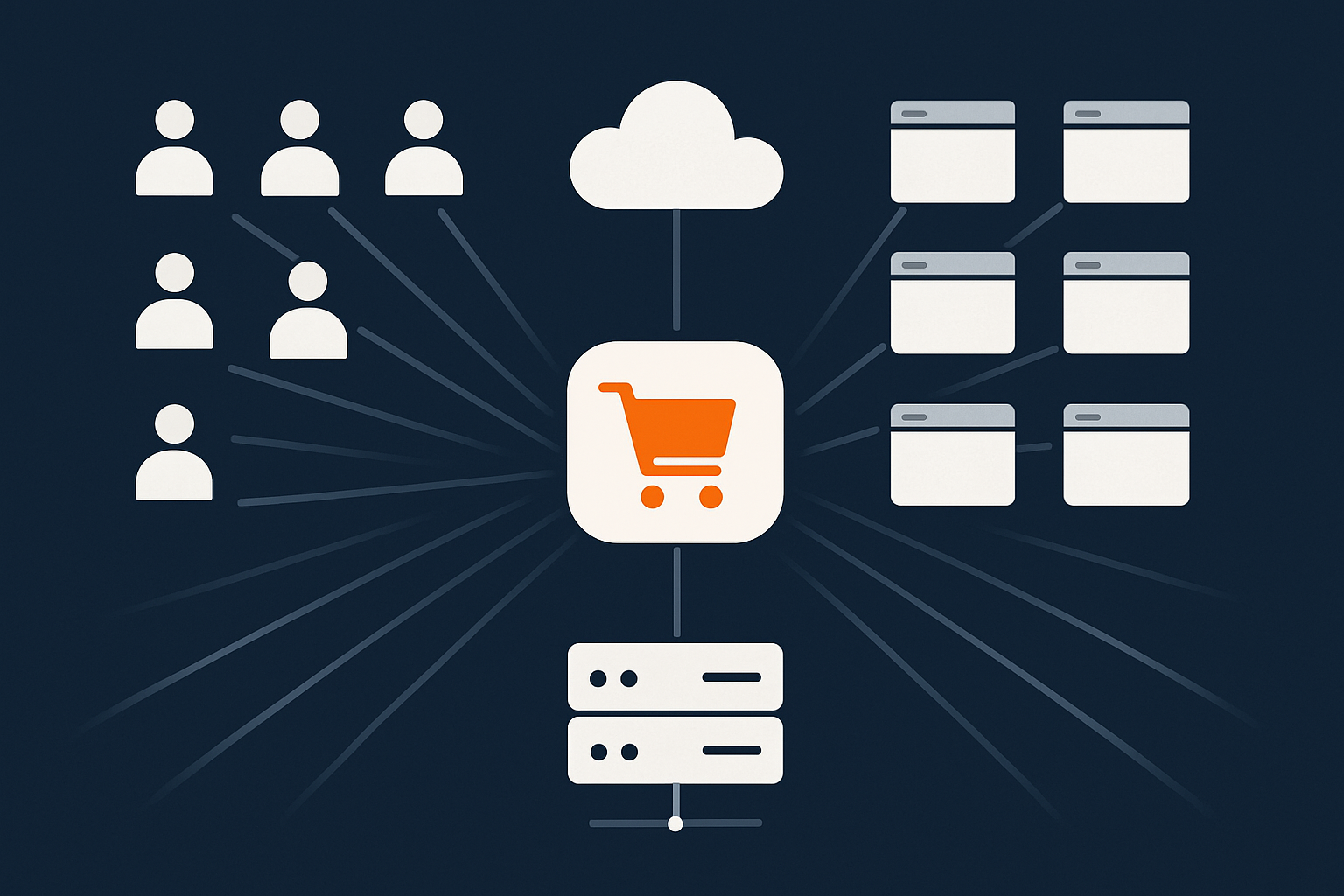
The problem is usually not “more traffic overall this year than last”. It is that the same traffic arrives in a much shorter window. A site that is comfortable with 80 visitors at once can fail badly if 500 arrive in a 5 minute period after a successful campaign.
What “falling over” actually looks like for WooCommerce
When infrastructure cannot cope with a peak, it rarely looks like a dramatic server explosion. It is a set of small failures that quietly destroy conversion:
- Slow cart and checkout: pages that normally load in under 2 seconds stretch to 8, 12 or more. Customers abandon or refresh, which adds even more load.
- 500 errors and timeouts: the web server or PHP cannot respond in time, so customers see “Error establishing a database connection”, generic 500 errors or Cloudflare-style timeout pages.
- Payment failures: order submission hangs, then customers see messages like “Could not process your payment, please try again”, often after their bank has already authorised the transaction.
- Overselling stock: stock checks and reservations lag. 50 units available become 80 orders taken, leading to refunds, angry support tickets and bad reviews.
- Admin back end collapsing: staff cannot update products, process manual orders or issue refunds because wp-admin becomes painfully slow or completely inaccessible.
Every one of these symptoms maps directly back to how your WooCommerce hosting handles load. The rest of this guide is about understanding those limits and choosing infrastructure that stays stable when you are busiest.
Traffic spikes vs steady load: why peaks are harder than growth
Imagine two stores:
- Store A has 1,000 visitors per day, spread evenly. Roughly 40 people browsing at any time.
- Store B also has 1,000 visitors per day, but 700 arrive in a two hour sale window. Over 200 people may be browsing at once.
Both have the same daily traffic, but Store B needs significantly more capacity. Hosting plans sold as “good for up to 50k visits per month” rarely mention that visit timing matters as much as total numbers.
Spikes are harder because:
- More concurrent visitors generate more simultaneous PHP requests, so your pool of PHP workers fills up.
- Database queries that are fine for a few users suddenly pile up, causing queueing and lock contention.
- External services such as payment gateways and stock sync APIs respond more slowly under load, holding PHP processes open.
- Background tasks (emails, webhooks, syncs) fight with real customers for CPU and database time.
Good WooCommerce hosting is not only about average speed. It is about predictable performance and resilience during the worst 10 minutes of your year.
The Basics: How WooCommerce Uses Your Hosting

What actually happens on the server when a customer checks out
Understanding the checkout path in plain English helps you see where bottlenecks can appear.
- Customer requests a page
Their browser requests/checkout/. That request reaches your hosting provider, possibly passing through a caching or acceleration layer such as the G7 Acceleration Network features. - Web server handles the request
Software like Nginx or Apache receives the request. Static files (images, CSS, JS) can be served directly, but dynamic pages like the cart and checkout are passed to PHP. - PHP runs WordPress and WooCommerce
A PHP worker loads WordPress, your theme and all plugins. WooCommerce code runs, validates the cart, applies coupons and calculates totals. Each of these steps may involve several database queries. - Database queries
The MySQL or MariaDB database is asked for product data, stock levels, user details, shipping zones and more. On busy sites, poorly optimised queries here are a common bottleneck. - External APIs
At payment time, WooCommerce connects to services like Stripe, PayPal, Klarna or your bank’s gateway. Each call holds the PHP worker open until the remote service responds. - Order creation and stock updates
Once payment is successful, WooCommerce writes the order and order meta data to the database, reduces stock, and may trigger accounting or warehouse integrations. - Emails and webhooks
Confirmation emails are sent, and webhooks or background tasks may fire to update CRMs, ESPs or fulfilment systems. If these are handled synchronously, they add time to the checkout.
On a quiet Tuesday, your server glides through this sequence. On Black Friday with hundreds of overlapping checkouts, each step competes for the same finite pool of CPU, RAM, disk I/O and network capacity.
Why WooCommerce is heavier than a normal brochure site
A basic WordPress site can cache most pages aggressively and treat visitors as anonymous. WooCommerce cannot.
Factors that make WooCommerce heavier include:
- Logged-in users and sessions
Customers often log in, store addresses, and view personalised information. That means more database lookups and less ‘one size fits all’ caching. - Cart sessions
Each visitor has a unique cart, usually stored in PHP sessions, cookies and the database. Every cart update involves reads and writes that cannot be shared between visitors. - Stock checks and reservations
Particularly for limited inventory or high demand product drops, accurate stock management leads to frequent and sometimes complex queries. - Payment gateways
The integration with gateways and 3D Secure checks involves multiple round trips to third party APIs during a checkout, which hold PHP workers open. - Order creation and workflows
Each order writes multiple rows across several tables, then may trigger tax calculations, shipping label creation, subscription renewals and other logic.
The result is that a WooCommerce store needs more predictable performance per visitor than a brochure site with the same traffic.
Key performance concepts for retailers (without deep tech jargon)
You do not need to become a sysadmin, but a few concepts help when comparing hosting:
- CPU (processor)
Think of this as how many “brains” your server has and how fast they think. More CPU cores and higher per-core speed mean more PHP requests and database work can be processed at once. - RAM (memory)
RAM holds active data for PHP, the database and caching. Too little RAM means constant swapping to disk, which slows everything and makes outages more likely at peak. - Disk speed
SSD or NVMe disks are many times faster than old spinning disks. Database and file operations are significantly quicker, especially under concurrent load. - Database I/O
This is how quickly the database can read and write data. It is shaped by hardware, configuration and query efficiency. Slow I/O causes queues, which customers notice as slow pages. - Network latency
Latency is the time taken for one request to travel between your customer and your server. For UK shoppers, hosting in the UK generally gives snappier responses than hosting in distant regions.
If you would like a deeper but still accessible primer on the performance side of WooCommerce itself, this guide on optimising WooCommerce performance pairs well with the infrastructure focus in this article.
Shared Hosting vs VPS vs Managed WooCommerce Hosting
Where cheap shared hosting starts to hurt ecommerce
Shared hosting places many unrelated sites on the same server. It is cheap because everyone shares CPU, RAM and disk.
This is acceptable for small blogs or brochure sites. For WooCommerce, especially at peak, typical issues include:
- Noisy neighbours: another site’s traffic spike or hacked installation can consume shared resources, slowing your store with no warning.
- Hard resource limits: low caps on PHP workers, memory and I/O throughput mean your site simply cannot serve more than a small number of concurrent users.
- Generic configuration: servers are tuned for the lowest common denominator, not for WooCommerce’s database and PHP profile.
- Limited control: you usually cannot adjust databases, install dedicated caching services such as Redis, or fine tune PHP workers.
Shared hosting can work for very small UK retailers testing the waters. Once you have regular orders and plan any meaningful promotions, it becomes a risk to peak-day revenue.
When a virtual dedicated server or VPS makes sense
A VPS or virtual dedicated server gives your store isolated resources on a physical host. CPU, RAM and disk are reserved for you, not shared arbitrarily.
Benefits include:
- Performance less affected by neighbours.
- Ability to choose faster storage, more CPU or RAM as needed.
- Control over web server, PHP and database settings.
The trade off is responsibility. Security patching, backups, performance tuning and monitoring are often your job or your developer’s.
For technical teams, or agencies running WooCommerce for retailers, a well specified VPS can be a solid foundation. Providers such as G7Cloud offer virtual dedicated server plans that give this isolation while still including managed support if you want it.
What “managed WooCommerce hosting” should include for UK retailers
Managed hosting aims to give you the performance of a tuned VPS without having to manage it yourself. For WooCommerce, useful characteristics include:
- WooCommerce aware performance tuning: PHP workers, database configuration, object caching and HTTP/2 or HTTP/3 support set up with ecommerce in mind.
- Proactive monitoring: alerts when load, response times or error rates spike, ideally with staff who can intervene.
- Caching tuned for WooCommerce: full page caching for catalogue and content pages, but careful rules to avoid caching carts and checkouts.
- Security and updates: OS patching, PHP upgrades and often help with WordPress and plugin updates.
- Knowledgeable support: people who understand what “checkout is stuck on processing order” means in practical terms.
For many UK retailers who want to focus on merchandising and marketing, managed WooCommerce hosting options remove a large amount of operational risk compared to self-managed VPS setups.
Decision guide: matching hosting types to revenue and traffic levels
These are rough guidelines, not rules, but can help structure your thinking:
- Side project / under ~£5k per month
Light WooCommerce store, small catalogue, no heavy marketing. A good quality shared plan or small managed VPS can suffice, provided you are realistic about peak day limits. - Growing retailer / £5k to £50k per month
Regular campaigns, email lists, some paid ads, multiple staff in the admin area. A managed WooCommerce platform or mid-size VPS with expert management becomes sensible. - Established brand / £50k+ per month
Serious paid traffic, PR, influencer activity and meaningful peak days. You will likely need properly tuned managed hosting with clear scaling paths, or enterprise-grade WordPress hosting for high traffic sites with redundancy and stronger SLAs.
If you are unsure where you sit, looking at your busiest hour in the last year (visitors and orders) is often more useful than monthly totals.
Scalability 101: Handling Spikes Without Just “Buying a Bigger Box”
Vertical scaling vs horizontal scaling in plain English
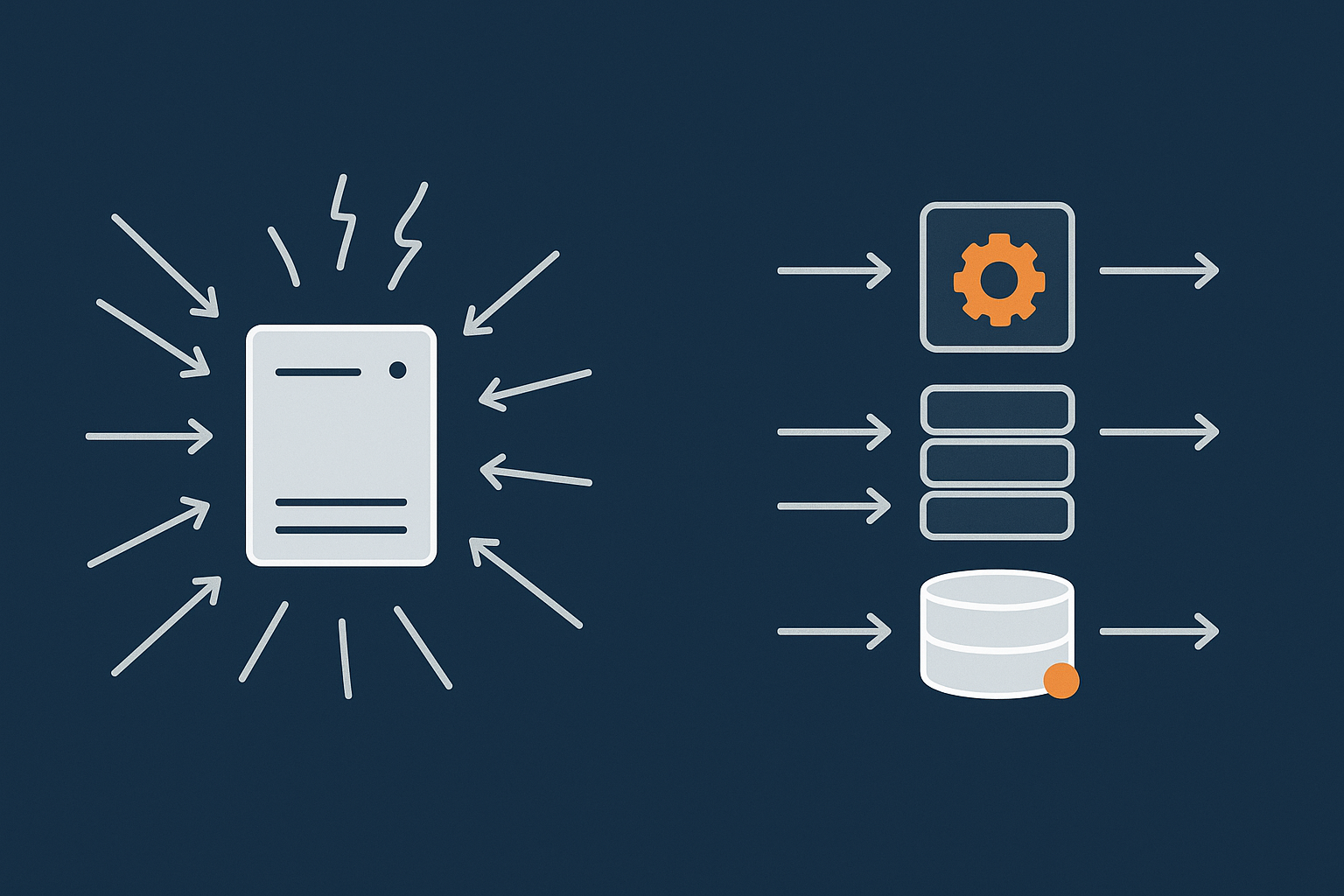
Vertical scaling means getting a bigger server: more CPU, more RAM, faster disks. It is like upgrading from a hatchback to a van.
Horizontal scaling means adding layers or replicas: separate cache servers, multiple web servers behind a load balancer, database replicas for read-heavy workloads. It is like running a fleet of vans instead of a single lorry.
Vertical scaling is simple but has limits. Horizontal scaling takes more planning but copes better with sudden peaks and hardware problems.
The article Scaling a website safely explores these trade offs in more depth if you would like the architectural background.
Why just adding more CPU eventually stops working
On a single server, several ceilings are difficult to break by CPU alone:
- Database lock contention
Many checkouts and stock updates hitting the same tables can create locks. Extra CPU does not help if queries are queued waiting for locks to clear. - Disk I/O limits
Even fast disks have finite throughput. If your database is writing large orders and logs while also running reports, the bottleneck becomes the disk rather than the CPU. - Single point of failure
A powerful single server is still one box. If it fails, you are offline regardless of how many cores it had.
Vertical scaling is useful, particularly to a point, but peak-day reliability usually comes from combining sensible server sizing with caching, query optimisation and appropriate separation of roles (for example, moving search or reporting off the main database).
Caching layers that reduce load before it hits WooCommerce
Caching is your first line of defence during spikes. Useful layers include:
- Page caching / reverse proxy caching
Cache full HTML output for catalogue pages, product listings and content. Subsequent visitors are served from cache, bypassing PHP and much of the database. - Static asset caching
Browser and CDN caching for images, CSS and JS files, reducing repeated downloads and server bandwidth usage. - Object caching (Redis / Memcached)
Stores the results of expensive database queries in memory so they can be reused across requests. This is particularly beneficial for heavy WooCommerce queries on busy stores.
The practical aim is that most of your traffic is served by cache, so that the uncached cart and checkout activity has plenty of breathing room. The G7 Acceleration Network includes full page caching and object caching support so many catalogue page hits never reach PHP or MySQL at all.
How the G7 Acceleration Network helps handle peaks
A well configured edge and caching layer can make a modest origin server handle surprising peaks. With the G7 Acceleration Network, for example:
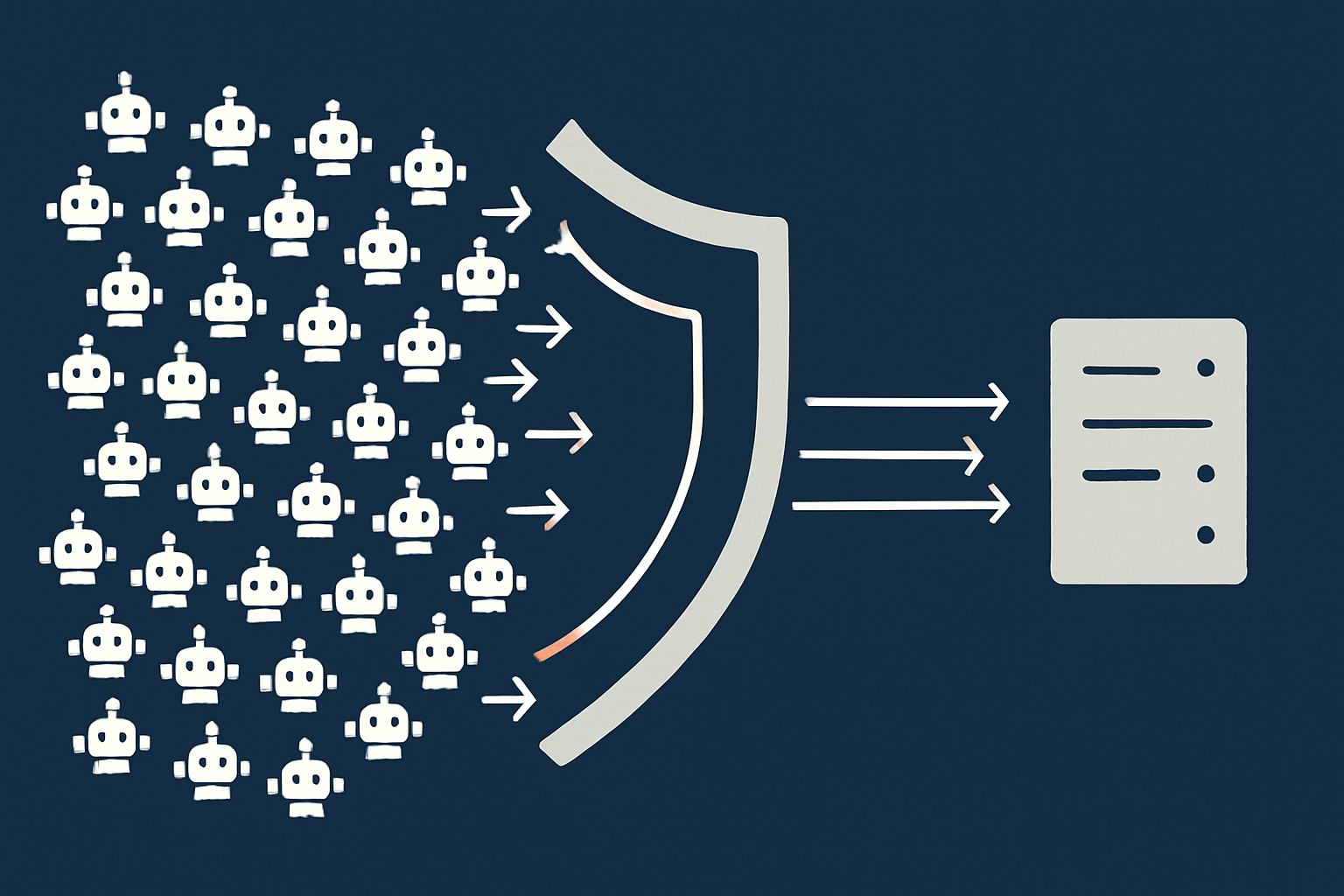
- Bad bots are filtered at the edge, so abusive and non human traffic is blocked before it can consume PHP workers or database connections. This reduces wasted server load and helps keep response times consistent when your marketing brings real customers in.
- Full-page caching covers catalogue, product lists and static content, so the origin server spends most of its effort only on carts, checkouts and account pages.
- Automatic image optimisation converts images to modern AVIF and WebP formats on the fly, typically cutting file sizes by over 60 per cent while keeping quality acceptable for real shops. This is included free for sites hosted with G7Cloud and does not need any extra plugins or WordPress changes.
The outcome is that you can often survive peak days without simply throwing more CPU at the problem.
Caching for WooCommerce Without Breaking Cart and Checkout
What you can safely cache in WooCommerce
For most stores, the following can be heavily cached without issue:
- Category and archive pages: product listings, brand categories, blog archives.
- Product pages: particularly when not showing personalised pricing or complex dynamic content.
- Content pages: About, FAQ, shipping info, returns policy, blog posts.
- Assets: images, fonts, CSS and JavaScript files.
Good WooCommerce-aware page caching will also exclude fragments that must stay dynamic, such as mini carts and personalised messages, while still caching the bulk of the page.
What must stay dynamic: cart, checkout, account and pricing logic
Never cache:
- Cart pages (including mini-cart fragments)
- Checkout and any related payment steps
- My account, orders and account details
- Pricing where it depends on user roles, login state or geolocation
These should bypass page caches entirely. That does not mean they cannot benefit from lower level caching, like object caching, which speeds up their database queries.
Using object caching for database heavy WooCommerce queries
Object caching stores frequently used query results in RAM. When WooCommerce or plugins request the same data again, it is retrieved from memory instead of hitting the database.
On busy stores this helps with:
- Product and variation lookups.
- Complex filters and layered navigation.
- Frequently used site options and transients.
Services like G7 Acceleration Network features include Redis or similar backends so object caching can be enabled without extra infrastructure work. For a deeper technical walk through of how to use it, this guide on WordPress object caching is a useful next read.
CDN and edge caching for UK and nearby customers
CDNs keep cached copies of your static assets and sometimes entire HTML pages at locations closer to your visitors.
For a primarily UK audience:
- Having edge locations in London and nearby European hubs reduces latency and improves perceived speed.
- A CDN is most beneficial if you serve large images or video, or have significant traffic from Ireland and mainland Europe as well as the UK.
- If almost all visitors are UK based and your origin is already in a UK data centre, focus on origin performance and caching first, then layer in CDN where it simplifies asset delivery and protection.
The G7 Acceleration Network includes edge caching so static assets and eligible pages are served from locations close to your customers, with image optimisation to reduce bandwidth and speed up first paint.
Database, PHP and Application Tuning That Matter on Peak Days
Why the database is often the first thing to struggle
Most WooCommerce bottlenecks trace back to the database. During peaks it is handling:
- Product and price lookups for many concurrent visitors.
- Stock checks and adjustments during rapid order placement.
- Order inserts and order meta writes.
- Search queries and layered navigation filters.
- Background tasks: reporting, analytics, sync jobs.
To keep it healthy:
- Ensure sufficient RAM and fast SSD or NVMe storage.
- Use proper indexing and avoid heavy unindexed queries from themes or plugins.
- Move heavy reporting jobs off peak periods where possible.
- Enable and tune query caching via object cache rather than relying solely on the database engine.
PHP workers and concurrency: how many checkouts you can really handle
PHP workers are like checkout staff at tills. Each active web request occupies one worker until it completes. If all workers are busy, further visitors wait in a queue or see errors.
Consider:
- If you have 20 PHP workers and each checkout request ties up a worker for 5 seconds, your maximum sustainable rate is roughly 4 checkouts per second, and that is before carts, product views and search are considered.
- Long running operations, such as slow payment gateways or large third party API calls, drastically reduce effective capacity.
Tuning involves:
- Setting a realistic number of workers for your CPU and RAM.
- Keeping slow tasks out of the request lifecycle where possible.
- Using caching so most requests are short lived, leaving workers free for the dynamic pages.
Choosing the right PHP version and extensions for WooCommerce
Running a modern PHP version gives a free speed and security boost. As of late 2024, PHP 8.1 or 8.2 is typically a good baseline for WooCommerce, subject to theme and plugin compatibility.
Key points:
- Newer PHP versions can be 10–20 per cent faster than older ones on the same hardware.
- Old, unsupported versions miss security fixes and are sometimes penalised by hosts with stricter resource limits.
- Ensure required extensions (cURL, mbstring, JSON, OpenSSL, and commonly intl, GD or Imagick) are installed and kept updated.
A decent managed WordPress host will guide version selection, test compatibility and schedule upgrades out of hours where possible.
Background tasks: emails, webhooks and stock syncs on busy days
WooCommerce and its plugins often schedule tasks for:
- Order emails and marketing emails.
- Stock synchronisation with warehouses or marketplaces.
- Subscription renewals and membership access changes.
- CRM and ERP integrations.
On peak days, these can add heavy background load.
Practical strategies:
- Use a proper transactional email provider so email sending does not block PHP processes.
- Move non critical syncs and reports out of peak windows, or lower their frequency temporarily.
- Use real cron (server level) instead of WP Cron triggered by visitors, so you can control timing and load.
- On very busy days, consider pausing certain non essential tasks if they compete with live orders.
Bot Traffic, Crawlers and Abusive Requests: The Hidden Peak Day Risk
Why bad bots matter more when you are already busy
Even on quiet days, a fair chunk of your traffic is bots: search crawlers, price scrapers, vulnerability scanners and outright malicious actors.
On peak days this becomes more serious:
- Every unnecessary request wastes CPU, RAM and database capacity that could serve a paying customer.
- Scrapers and scanners may hammer search endpoints, XML feeds or random URLs, generating expensive queries.
- Attackers sometimes deliberately target checkout and login pages, the very paths you most need to stay responsive.
Without effective filtering, you can lose a sizeable portion of your peak-day capacity to non human traffic.
Typical WooCommerce specific abuse patterns
Common patterns on WooCommerce stores include:
- Search spam: automated bots performing repeated search queries to scrape pricing, which are often relatively expensive on the database.
- Cart add floods: adding items to cart repeatedly across many SKUs, sometimes trying to discover voucher exploits or simply to stress the system.
- Brute force logins: repeated login attempts to
/wp-login.phpand/my-account/, which can be surprisingly costly at scale. - XML-RPC and REST API abuse: automated calls to legacy or API endpoints that were never intended for public scraping.
Network level bot protection vs WordPress level security plugins
Many retailers rely solely on security plugins inside WordPress. These help, but have a structural weakness: every request already hit PHP and often the database before they can block it.
Network level protection places a shield in front of WordPress, inspecting and filtering traffic before it hits your origin server. Benefits include:
- Abusive bots never touch PHP or MySQL, leaving more resources for real users.
- Rate limiting and IP blocking happen at the edge, not on your limited origin CPU.
- Rules can be updated centrally as new threats appear.
How G7Cloud’s bot filtering helps protect peak day capacity
Within the G7 Acceleration Network features, G7Cloud includes bot protection that inspects and filters malicious or clearly non human traffic at the edge. This means abusive crawlers, brute force attacks and obvious scrapers are often blocked before they ever hit PHP or the database, reducing wasted server load and helping to keep response times predictable when your sale goes live.
UK Specific Considerations: Latency, Payments and Compliance
Why hosting location and latency matter for a UK focused store
For UK shoppers, hosting your WooCommerce store in UK data centres typically gives:
- Lower time to first byte (TTFB), making pages feel snappier.
- Faster and more reliable checkout flows, particularly where there are multiple redirects for 3D Secure and payment confirmations.
- Improved performance for UK based staff using wp-admin and order management tools.
If you have a mix of UK and EU customers, a UK origin with a good edge network that has strong European presence is usually a good balance.
Payment gateways, 3D Secure and PCI considerations
Most WooCommerce sites use hosted or redirect style payment integrations (for example Stripe Elements, PayPal, Klarna), which keep card data handling mainly with the payment provider.
Important points:
- Your site still needs to be secure, patched and monitored, as compromise could affect payment flows or lead to data leakage.
- Even with off site processing, there is still some PCI compliance scope, typically SAQ A or A-EP, depending on integration.
- A PCI aware host should be able to explain where their responsibilities end, and what you must handle in terms of application security.
Providers that offer PCI conscious hosting for payment handling will be familiar with these boundaries and can help you keep auditors comfortable.
Vendor SLAs, uptime guarantees and real world resilience
Uptime claims like “99.99%” are common, but you should understand:
- What is measured? Entire stack or just network availability.
- What is excluded? Scheduled maintenance, DDoS events, upstream provider failures.
- What do you receive if they miss targets? Typically service credits, not compensation for lost sales.
You may also want to know:
- How they handle hardware failures and data centre incidents.
- Whether your site can be failed over to another server or region.
- How quickly support responds to critical incidents.
If uptime is business critical for you, this article on why websites go down gives a clear overview of common hosting failure points worth challenging vendors about.
Planning for Black Friday and Peak Events: A Practical Checklist
Capacity planning: know your numbers before you run a sale
Before a big event, gather some concrete data:
- Peak concurrent users: from analytics, note the maximum number of active users in your busiest hour last season.
- Conversion rate and orders per minute: understand how many checkouts you expect in your peak 10 minutes.
- Current resource use: ask your host for typical CPU, RAM, database and PHP worker usage at busy times.
- Headroom: aim for at least 50 per cent spare capacity at expected peak, more if you are planning aggressive marketing.
Share this with your hosting provider so they can advise whether your current plan and configuration are realistic.
Pre peak load testing and synthetic traffic
Load testing lets you simulate traffic before the real campaign:
- Start with moderate levels that reflect your current busy times and gradually ramp up.
- Test realistic scenarios: browse categories, view products, add to cart, move to checkout, complete orders.
- Monitor response times, error rates, CPU, RAM, database load and queue lengths during tests.
- Repeat after key optimisations, such as enabling object cache or adjusting PHP workers.
Many managed hosts can help you interpret results and decide what to change before you promote the sale.
Monitoring, alerts and rollback plans when things get busy
On the day itself:
- Have external uptime and performance monitoring watching key pages and checkout.
- Set alerts for CPU saturation, high 5xx error rates and elevated response times.
- Know who has authority to pause or reduce ad spend if infrastructure is strained.
- Prepare a simple rollback plan for any recent plugin, theme or configuration changes that might be contributing to issues.
- Plan temporary steps to shed non essential load, for example turning off heavy real time reports or certain widgets.
This monitoring and alerting mindset is covered in more detail in Why uptime matters and how to monitor your WordPress site properly.
Questions to ask any WooCommerce host before you commit
When evaluating providers, ask directly:
- How many concurrent users and orders per minute can my plan realistically support?
- How do you handle traffic spikes triggered by campaigns?
- What caching and acceleration are included, and how are WooCommerce carts and checkouts handled?
- Do you provide network level bot protection as well as WordPress level tools?
- What is your process for upgrading resources quickly if a sale goes better than expected?
- How are backups handled, and what is the recovery time if there is a problem?
Clear, specific answers are more important than glossy marketing pages.
When to Move Host and How to Do It Safely
Warning signs your current WooCommerce hosting will not cope at peak
You may not need to wait for a disaster to see that change is required. Warning signs include:
- Frequent slowdowns at relatively modest traffic levels.
- Support blaming every issue on “too many plugins” without offering concrete fixes.
- Lack of proactive advice on scaling, caching or bot protection.
- No clarity on how to temporarily boost capacity for campaigns.
- Regular 500 errors or brief outages even outside of promotions.
Zero downtime migration considerations for live stores
Moving hosts with an active WooCommerce store needs care:
- Staging copy: take a full copy of the site to the new host, and test core flows: browsing, cart, checkout, account, key integrations.
- DNS planning: lower DNS TTLs a couple of days before migration so the final switch is quick.
- Database freeze window: plan a short window (often in a quiet period) where you pause new orders, take a final DB copy, switch DNS, then reenable ordering on the new host.
- Order sync: for higher volume stores, incremental sync approaches can avoid lost orders, but are more complex and worth doing with specialist help.
- Validation: after the move, run test orders with all payment methods and check that emails, webhooks and stock updates behave as expected.
How a managed migration helps reduce risk for retailers
If you do not have in house technical staff, using a provider that offers a managed migration can significantly lower risk. G7Cloud’s free WooCommerce migration service is an example of this: specialists handle the copy, DNS adjustments, database synchronisation and testing, while you focus on checking that business processes still make sense.
Summary: Build on Infrastructure That Matches Your Ambition
Quick recap of the key decisions that protect peak day revenue
To keep your WooCommerce store standing on Black Friday, pay day and every flash sale:
- Recognise that peak concurrency, not just monthly visits, shapes your hosting needs.
- Understand the basic stack so you can see where problems come from: web server, PHP, database, external APIs and background tasks.
- Move beyond basic shared hosting once you care meaningfully about uptime and conversion.
- Use caching at multiple layers, without breaking carts and checkouts.
- Tune your database and PHP worker settings with live peak scenarios in mind.
- Filter bad bots at the network edge so real customers get priority during busy periods.
- Pay attention to UK specific factors like latency, payment flows and compliance.
- Test and monitor before, during and after major campaigns.
Next steps for UK retailers reviewing WooCommerce hosting
If your revenue depends on WooCommerce, treating hosting as a strategic decision rather than a commodity line item is usually worthwhile.
For some stores, that means stepping up from cheap shared hosting to a well specified VPS. For others, particularly those who would rather not manage servers at all, exploring managed WooCommerce hosting options with solid performance, the G7 Acceleration Network for caching, image optimisation and bot filtering, and a clear migration path can remove a lot of day to day friction.
Whichever route you choose, the goal is simple: infrastructure that quietly supports your marketing and merchandising, instead of becoming the thing everyone scrambles to fix the moment your sale actually works.