

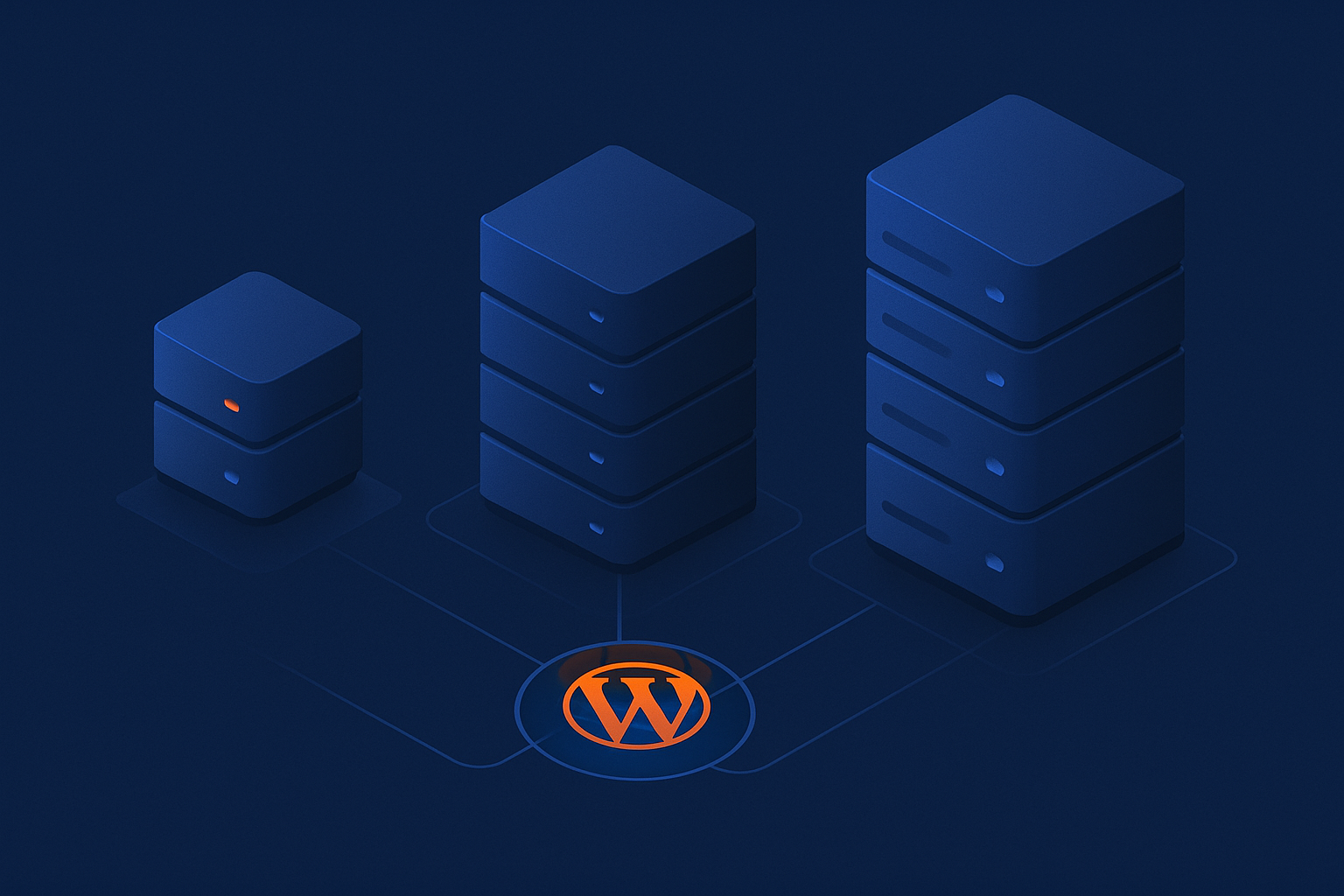
Who this guide is for and what you will learn
Typical situations: from first site to growing store
This guide is written for UK businesses running or planning to run WordPress or WooCommerce. Typical readers include:
- A local business launching its first brochure site and trying to keep costs down.
- An agency, consultant or freelancer managing several client sites on one shared plan.
- A growing blog or content site that is starting to feel slow or unreliable.
- A WooCommerce shop or booking site that cannot afford downtime or checkout failures.
- A busy membership, e‑learning or subscription platform that needs predictable performance and better isolation.
By the end, you should be able to:
- Understand the practical differences between shared hosting, VPS and virtual dedicated servers.
- Match your current and future needs to the right type of hosting.
- Spot the warning signs that you have outgrown your current plan.
- Plan a low‑risk move if you decide to upgrade.
If you are still very new to WordPress itself, you may also find it useful to read What is WordPress? for a quick overview of how it works before diving deeper into hosting options.
What this article will and will not cover
This article focuses on:
- How shared hosting, VPS and virtual dedicated servers differ at a practical level.
- What those differences mean for speed, uptime, security and maintenance.
- Concrete scenarios for typical WordPress and WooCommerce use cases.
- Realistic costs, including the value of your own time.
This article will not:
- Cover every low‑level server configuration in depth.
- Compare every hosting brand, or promote one as “the best”.
- Explain WordPress development or theme building.
It is written to help you decide which type of infrastructure makes sense. Once you know that, you can look at specific plans, whether through G7Cloud or another provider.
Key hosting concepts in plain English
What actually happens when someone visits your WordPress site
When someone visits your WordPress site, roughly this happens:
- Their browser looks up your domain’s DNS records and finds your server’s IP address.
- It connects to your web server (for example Nginx or Apache).
- The web server passes the request to PHP, which runs your WordPress code.
- WordPress queries your database (usually MySQL or MariaDB) for posts, products, users and settings.
- WordPress builds a HTML page, which the web server sends back to the visitor’s browser.
All of this uses CPU, RAM, disk and bandwidth on your hosting server. Multiple visitors doing this at once can queue up and slow the site if resources are limited.
Resources that matter: CPU, RAM, disk, bandwidth and I/O
The main hosting resources you will see on plans are:
- CPU (processor) – Handles requests and runs PHP. More CPU or more efficient CPU means more simultaneous visitors and faster processing.
- RAM (memory) – Needed for PHP, database queries and caching. Too little RAM and processes are killed or swapped to disk, causing big slow‑downs.
- Disk space – Stores your WordPress files, images, backups and logs. SSD or NVMe is much faster than old spinning disks.
- Disk I/O – How quickly the server can read and write data. Important for database‑heavy sites like WooCommerce.
- Bandwidth – The amount of data transferred between your server and visitors. High‑traffic or image‑heavy sites need more.
With shared hosting, many customers share these resources and you get soft limits. With a VPS or virtual dedicated server, you typically get a guaranteed slice.
Why isolation and noisy neighbours affect performance
“Noisy neighbours” are other sites on the same server that use excessive resources. On traditional shared hosting you cannot control this. If a neighbour runs a heavy script or is hit by a traffic spike, your site may slow or even go offline, even if your own traffic is modest.
Isolation is about limiting how much one customer can affect another. VPS and virtual dedicated servers use virtualisation to carve a physical machine into isolated environments. Each “slice” has its own CPU, RAM and process limits, so one customer’s activities are less likely to hurt others.
This isolation is also important for security and compliance, which we will revisit later.
What is shared hosting for WordPress?
How shared hosting works (many sites on one server)
Shared hosting puts hundreds, sometimes thousands, of websites on a single physical server. Resources like CPU, RAM and disk I/O are pooled. The hosting company uses software limits to try to keep usage fair.
You usually get a control panel such as cPanel or Plesk, where you can manage domains, email, databases and files. Many providers, including G7Cloud’s cPanel shared hosting options, also provide automated WordPress installers and basic backups.
Benefits: low cost, simple control panel, fine for small sites
Shared hosting exists because it is cheap and convenient:
-
- Low monthly cost – Ideal if cash flow is tight, you are testing an idea or running a simple brochure site.
- Simple to manage – cPanel and similar tools hide most server complexity. You rarely need command line access.
<liEnough for small or low‑traffic sites – A basic local business site with a handful of pages and modest traffic can run perfectly well.
- Maintenance handled for you – The provider patches the underlying server OS, web server and PHP.
For many small businesses, this is a very reasonable starting point.
Limitations: resource sharing, spikes, security and support boundaries
The trade offs become clear as you grow:
- Shared resources – You often get CPU and I/O “fair use” rather than a hard allocation. Bursts are allowed, but long‑running spikes can trigger throttling.
- Noisy neighbours – Another account on the server can cause slowdowns, high load or even blacklisting if it sends spam.
- Security boundaries – Account isolation is much better than it used to be, but a compromised neighbour can still increase risk. For sites handling payments or sensitive data, this is a concern.
- Limited customisation – You are tied to the provider’s versions of PHP, database and modules. Advanced tuning is usually not possible.
- Support scope – Support typically covers the hosting platform, not your individual WordPress site. Many common WordPress issues remain your responsibility. The article Top 10 Most Common WordPress Issues and How to Resolve Them illustrates how hosting and application problems often overlap.
When shared hosting is a good fit for WordPress
Shared hosting works well when:
- Your site is a simple brochure, portfolio or local business site.
- Traffic is low to moderate (for example, a few hundred visitors per day).
- You do not run heavy plugins such as page builders with many add ons, complex membership systems or large catalogues.
- You are comfortable with some variability in speed, as long as the site works.
- Your budget is tight, especially in the first year.
For a typical small accountancy practice, local restaurant or tradesperson, good quality shared hosting is often sufficient.
When shared hosting becomes a problem for WooCommerce
WooCommerce is more demanding than a static site because:
- It must check stock, prices, coupons and user accounts for every cart and checkout.
- Certain pages (cart, checkout, “my account”) cannot be fully cached.
- Extra plugins for shipping, subscriptions or payments add more load.
Shared hosting often becomes a bottleneck when:
- You have more than a few dozen concurrent visitors at peak times.
- There are noticeable delays on add‑to‑basket or at checkout.
- Database queries time out during promotions or seasonal peaks.
- You regularly see “resource limit reached” messages in your hosting control panel.
For a very small shop with a handful of daily orders, shared hosting can work. Once orders and concurrent users grow, you will likely need a VPS or virtual dedicated server for stability.
What is a VPS for WordPress?
How a VPS differs from basic shared hosting
A Virtual Private Server (VPS) is a virtual machine that runs its own operating system on a larger physical server. Several VPSs share the same hardware, but each is isolated and has:
- Allocated CPU cores (or shares) and RAM.
- Dedicated storage space.
- Root or administrator access.
To WordPress and to you, a VPS looks like your own server. You can install and configure the software stack as you like, within the provider’s guidelines.
Managed vs unmanaged VPS: who handles what
VPS plans usually come in two flavours:
- Unmanaged VPS
You get a clean operating system and perhaps basic firewalling. You are responsible for:- Installing and configuring the web server, PHP and database.
- Setting up mail, DNS and SSL (if required).
- Updates, security patches and performance tuning.
- Backups and monitoring.
This suits technical users or teams with sysadmin experience.
- Managed VPS
The provider handles most of the above. You typically get:- A control panel similar to shared hosting.
- Server OS and stack updates.
- Basic security hardening and monitoring.
- Support for common WordPress issues, depending on the provider.
This is better if you want the benefits of a VPS without running a server yourself.
Advantages: dedicated slice of resources and more control
Compared to shared hosting, a VPS offers:
- More predictable performance – You get a defined amount of CPU and RAM, so others cannot borrow it in the same way as shared hosting.
- Better isolation – Process and file‑system separation improves security and reduces noisy neighbour problems.
- Flexibility – You can choose PHP versions, web servers (Apache, Nginx, LiteSpeed), databases and tuning options.
- Scalability – It is usually easier to upgrade a VPS to more resources than to move from one shared server to another.
This is often the logical next step when a business outgrows shared hosting.
Drawbacks: management overhead, tuning and responsibility
The downsides are mostly about responsibility:
- More to manage – Even on a managed VPS, you may need to think about caching, PHP settings and database tuning. On an unmanaged VPS, everything is on you.
- Higher cost – Monthly fees are higher than shared hosting, especially for managed services and control panels.
- Risk of misconfiguration – Poorly tuned PHP‑FPM, Nginx or MySQL settings can make a VPS slower than good shared hosting.
If you plan to tune things yourself, guides like How to Tune PHP-FPM for Performance and The Ultimate Guide to Setting Up Nginx Reverse Proxy Cache can be helpful starting points.
When a VPS is the right move from shared hosting
A VPS is often the right step when:
- Your WordPress site is regularly hitting resource limits on shared hosting.
- Page load times spike during marketing campaigns or busy periods.
- You run multiple important sites and want separation between them.
- You need specific software versions or modules not available on shared hosting.
- You want to start implementing more advanced caching or security rules.
For many small and medium WooCommerce stores, a well specified, well managed VPS gives an excellent balance of cost and control.
What is a virtual dedicated server (VDS) and how is it different from a VPS?
Clarifying the terminology: VPS vs VDS vs dedicated server
Hosting terminology is not always consistent between providers, but typically:
- VPS – Virtual Private Server, sharing CPU cores and resources with other VPSs, but with fair allocation and isolation.
- VDS – Virtual Dedicated Server, providing a larger, more isolated slice with fewer neighbours and often dedicated CPU cores.
- Dedicated server – A whole physical machine reserved only for you.
Virtual dedicated servers sit between a standard VPS and a full dedicated server. They aim to give you dedicated‑like performance without the higher hardware cost.
How a VDS is provisioned and isolated
With a VDS, the provider will usually:
- Assign dedicated CPU cores rather than shared CPU time.
- Reserve a fixed block of RAM that other customers cannot use.
- Allocate dedicated storage, often on fast SSD or NVMe.
- Limit the number of VDS instances per physical machine so contention is low.
Products marketed as virtual dedicated servers typically emphasise this stronger isolation and more predictable performance compared with standard VPS offerings.
Performance, predictability and security benefits
The main benefits compared with a regular VPS are:
- Predictable performance – Because CPU cores and RAM are more tightly reserved, you are less affected by others’ usage patterns.
- Stronger isolation – Fewer tenants on each physical node improves security and reduces the risk of performance degradation.
- Better for compliance – If you work with payment processors or handle sensitive data, a VDS can be easier to justify in security questionnaires than low‑cost shared hosting.
When a virtual dedicated server makes sense for WordPress and WooCommerce
A VDS is worth considering when:
- Your WooCommerce store or membership site has consistent, high traffic.
- Checkout performance is business critical and you need steady response times.
- You are running multiple busy sites and want to host them all on one powerful, isolated machine.
- You need more resources than a typical VPS plan but do not yet need a full dedicated server.
Examples include:
- An established e‑commerce retailer with regular advertising campaigns.
- A training company with a busy e‑learning platform and many concurrent learners.
- A subscription or membership site with thousands of logged‑in users.
Comparing shared, VPS and virtual dedicated hosting for WordPress
Side by side comparison table
| Feature | Shared Hosting | VPS | Virtual Dedicated Server |
|---|---|---|---|
| Resource allocation | Shared, “fair use” limits | Allocated slice of CPU/RAM | Dedicated cores and RAM reservation |
| Isolation | Basic account isolation | Good isolation via virtualisation | Strong isolation, fewer neighbours |
| Typical management | Fully managed platform | Managed or unmanaged | Usually managed, may offer more custom options |
| Performance for WooCommerce | Limited, fine for very small shops | Good for small to medium shops | Excellent for busy stores |
| Customisation | Low | Medium to high | High |
| Security posture | Good baseline, shared environment | Better isolation, depends on configuration | Strong isolation, more consistent environment |
| Approximate cost | Lowest | Moderate | Higher, but less than full dedicated |
Performance and speed: where each option typically lands
In practice:
- Shared hosting often performs well under light load but can slow noticeably during peaks or if other accounts are busy.
- VPS offers more stable speeds, particularly if you allocate enough RAM and tune caching properly.
- Virtual dedicated servers tend to offer the most consistent performance, especially for logged‑in users and checkout flows.
Remember that hardware is only part of the picture. A well tuned VPS can outperform an untuned VDS, especially for WordPress.
Security and compliance: isolation, PCI and sensitive data
Security is a mix of software updates, configuration and underlying architecture:
- Shared hosting is usually hardened at the platform level, but you remain on a multi‑tenant system. For brochure sites, this is often acceptable. For sites processing card data or sensitive information, you may face stricter questionnaires from partners.
- VPS improves isolation significantly. You control firewall rules and software, which is powerful but also means you must keep things patched.
- Virtual dedicated servers are often preferred where internal policies demand stronger isolation, or where PCI DSS and similar standards are in play. You still use a shared physical host, but with dedicated resources and fewer neighbours.
Regardless of hosting type, you should follow good WordPress security practices. The guide How to Keep WordPress Secure Without Constant Firefighting covers practical steps that apply across all environments.
Scalability and future growth
Scalability matters if your traffic or catalogue is likely to grow.
- Shared hosting often scales poorly beyond a certain point. You may be moved to higher shared tiers, but architecture limits remain.
- VPS typically allows you to add CPU, RAM or storage with minimal downtime. You may also scale horizontally by adding more servers for different roles (web, database, cache).
- Virtual dedicated servers scale well vertically and are often used as the base for more complex setups, including clusters and separate database nodes.
Realistic monthly costs, including management time
It helps to think in terms of money and time:
- Shared hosting
Cash cost: Low.
Time cost: Low to moderate. You manage WordPress, updates and plugins, but not the server.
Good when your time is limited and the site is small. - VPS
Cash cost: Moderate (higher if managed, lower if unmanaged).
Time cost: Moderate to high if unmanaged, moderate if managed.
Works if you have some technical capability or a partner to manage it. - Virtual dedicated server
Cash cost: Higher, but still usually less than a full dedicated server.
Time cost: Similar to a VPS, depending on whether it is managed.
Makes sense when revenue or risk justifies better performance and isolation.
For many businesses, managed WordPress hosting on top of a VPS or VDS offers a good balance. Services like G7Cloud’s managed WordPress hosting are designed to absorb much of the management overhead while still giving you the benefits of stronger hosting resources.
How to match your WordPress site to the right hosting type
Key questions to ask about your site and business
Before choosing, ask yourself:
- How critical is this site to revenue? What happens if it is down for an hour in business hours?
- How much traffic do you have now, and how might that change over the next 12 to 24 months?
- Do you handle payments, personal data or logins, or is this mainly informational?
- How many plugins and how complex is your theme? Do you use heavy page builders or membership tools?
- Do you have in‑house technical skills, or will you rely on external help?
- What is your realistic budget per month, including someone’s time to manage hosting?
Scenarios and recommendations
Simple brochure site or local business site
Typical profile: A 5 to 20 page site, contact form, perhaps a blog. Traffic in the low hundreds per day.
Recommendation:
- Good quality shared hosting is usually enough.
- If you want less hassle and more resilience, a small managed VPS or managed WordPress plan is a step up, but not essential at first.
Active blog or content site with growing traffic
Typical profile: Hundreds of posts, frequent updates, social media promotion. Traffic climbing into the thousands per day.
Recommendation:
- Start with high‑quality shared hosting if traffic is still moderate, but ensure you have robust caching in place.
- Move to a VPS when you see slowdowns during peak times, especially if you publish content that suddenly gets bursts of traffic.
- Consider a managed WordPress hosting layer to handle caching, PHP tuning and updates as the site becomes more important.
Small WooCommerce shop or booking site
Typical profile: Dozens to a few hundred products or services, low to moderate order volume. Some peak times around promotions or seasonal events.
Recommendation:
- High‑quality shared hosting may be OK for very low order volumes, but monitor performance closely.
- A managed VPS is often a safer baseline for any shop where downtime or slow checkout costs real money.
- Ensure caching is configured carefully so that static pages are fast but dynamic cart and checkout remain accurate.
High traffic store, membership or learning platform
Typical profile: Hundreds or thousands of concurrent users at peak times, many logged‑in sessions, complex queries and integrations.
Recommendation:
- Shared hosting is not suitable at this level.
- A well specified VPS may be sufficient if tuned properly and combined with a strong caching and acceleration layer.
- A virtual dedicated server is often a better long‑term choice, especially if revenue is high and performance is critical.
- Consider managed WordPress hosting to offload server management and focus on the application and business logic.
When to upgrade and warning signs you have outgrown your plan
You may have outgrown your current hosting if:
- Page loads are consistently slow, even off‑peak, and basic optimisation has not helped.
- You regularly see 500 errors, timeouts or “resource limit reached” messages.
- Your host has contacted you about excessive CPU, RAM or disk usage.
- Backups and routine tasks take very long or fail.
- Support suggests “upgrading your plan” more than once, and you have already optimised your site.
Moving early, while things are still functioning, is usually less stressful than rushing during a crisis.
Performance tuning, caching and the role of the network
Why hardware alone is not enough for WordPress speed
Throwing more CPU and RAM at a poorly tuned WordPress site often gives disappointing results. Slow queries, bloated plugins, unoptimised images and missing caching can all undo the benefits of better hardware.
Before or alongside upgrading hosting, it is worth:
- Reviewing plugins and removing those you do not truly need.
- Ensuring your theme is lean and up to date.
- Optimising images and media.
- Implementing appropriate caching.
Page caching, object caching and PHP tuning in brief
For WordPress, three areas matter in particular:
- Page caching – Stores pre‑generated HTML for non‑logged‑in users so that WordPress and PHP do not have to run on every request.
- Object caching – Keeps database query results and other data in memory (for example via Redis or Memcached) to speed up dynamic pages.
- PHP tuning – Configuring PHP‑FPM workers, memory limits and timeouts so the server can handle concurrency efficiently. The PHP-FPM tuning guide mentioned earlier goes into more detail if you manage a VPS or VDS.
On managed WordPress hosting platforms, much of this is configured for you. On unmanaged VPS or VDS environments, you or your technical partner need to handle it.
How an acceleration layer helps (bad bots, caching, images, security headers)
An acceleration layer sits in front of your origin server. It can provide:
- Edge caching for static content and sometimes full pages.
- Image optimisation (including AVIF and WebP) and resizing.
- Filtering of bad bots and abusive traffic.
- Automatic security headers and TLS optimisation.
For example, the G7 Acceleration Network is designed to sit in front of shared, VPS or virtual dedicated hosting. It helps reduce load on the origin server, mitigates resource‑wasting bots, speeds up global delivery and sets sensible security headers. This can often delay the need to move to a larger server and provides a cushion during high‑traffic events.
Security, maintenance and the hidden costs of DIY hosting
Who patches the server, PHP and database?
Keeping servers patched is non‑negotiable. Outdated PHP versions, unpatched web servers or neglected databases are common entry points for attacks.
- Shared hosting – The provider handles server, PHP and database patching. You handle WordPress core, plugins and themes.
- Managed VPS / VDS – The provider generally handles OS and stack patches; you handle the application layer, though some providers help with key WordPress issues.
- Unmanaged VPS / VDS – You are responsible for everything.
If you do not have someone accountable for updates, unmanaged environments can become risky and expensive in the event of a breach.
Backups, monitoring and incident response
Whatever hosting you choose, you need:
- Regular backups – Ideally stored off‑server and tested. The guide How to Back Up Your WordPress Site covers practical methods.
- Monitoring – Uptime monitoring at a minimum, plus resource monitoring for VPS and VDS setups.
- A plan for incidents – Who investigates if the site is down or compromised? How quickly can you restore from backup?
Self‑managed VPS or VDS setups require you to put these pieces together. Managed WordPress hosting plans often include at least some of this by default.
When managed WordPress hosting saves time and money
Managed WordPress hosting typically layers:
- A tuned hosting environment (usually VPS or VDS based).
- Preconfigured caching and PHP settings.
- Automatic core updates and often plugin/theme updates.
- Monitoring, backups and basic security measures.
For many businesses, especially where staff are focused on marketing or operations rather than IT, this model saves time and reduces the risk of misconfiguration. If you recognise that you need better performance or security but do not want to run servers, exploring managed WordPress hosting is sensible.
How to move from shared hosting to VPS or virtual dedicated safely
Planning a low risk migration
A carefully planned migration minimises downtime and surprises. Good practice includes:
- Choosing your new environment and provisioning it well ahead of the move.
- Installing a fresh WordPress environment and testing it with a copy of your site.
- Ensuring PHP, database versions and critical extensions match or are compatible.
- Setting up SSL, email and DNS records on the new server before the switch.
Checklist: what to test before switching DNS
Before you change DNS, test your site on the new server using a temporary URL or hosts file override:
- Homepage and key landing pages.
- Login, registration and password reset.
- WooCommerce:
- Product pages, cart and checkout (in test mode).
- Order emails and notifications.
- Contact forms and any third‑party integrations (CRMs, email marketing, payment gateways).
- Admin tasks: editing posts, uploading media, running backups.
Run these tests on desktop and mobile, and ideally from different networks.
Common migration pitfalls and how to avoid them
Watch out for:
- Out of date DNS records – Old records can linger in external services. Document all DNS settings before changing anything.
- Hard‑coded URLs – Use a search‑and‑replace tool or plugin to update URLs in the database after migration.
- Missing PHP modules – Ensure required extensions (for example, imagick, intl) are installed on the new server.
- Permissions issues – Incorrect file and directory permissions can break uploads or plugin updates.
- Inadequate backups – Perform and verify backups on the old server before starting. If possible, keep both environments available until you are confident in the new one.
Summary: a simple decision framework you can use today
Quick flowchart style recommendations
You can use this as a rough mental flowchart:
- Is your site a simple brochure or local business site, with low traffic and minimal logins?
→ Quality shared hosting is usually enough. - Is your site starting to feel slow on shared hosting, or are you running WooCommerce with modest order volumes?
→ Move to a managed VPS or managed WordPress hosting plan. - Do you have a high‑traffic WooCommerce store, membership site or learning platform where performance is clearly tied to revenue?
→ Consider a virtual dedicated server with a managed WordPress layer. - Do you lack in‑house server expertise and prefer to focus on content and customers?
→ Favour managed WordPress hosting over unmanaged VPS/VDS. - Are you hitting resource limits or seeing frequent slowdowns?
→ Upgrade hosting and consider an acceleration network to reduce load and improve resilience.
What to prioritise if you are still unsure
If you are undecided, prioritise these three factors:
- Business impact – How much does this site matter to revenue and reputation?
- Capacity for management – Do you have the time and skills to manage a server, or would you rather pay for management?
- Growth expectations – Are you planning campaigns or changes likely to increase traffic and complexity soon?
For many UK businesses, a reasonable path is:
- Start with reliable shared hosting for small, low‑risk sites.
- Upgrade to a managed VPS or managed WordPress hosting as soon as performance or revenue importance increases.
- Move to a virtual dedicated server when traffic and transaction volumes justify stronger isolation and predictable performance.
- Use an acceleration network to squeeze more from your infrastructure and protect against bad bots as you grow.
If you are ready to step up from shared hosting, or you simply want less day‑to‑day hassle, it is worth exploring G7Cloud’s managed WordPress hosting and G7 Acceleration Network. If you already know that isolation and predictable performance are important, reviewing their virtual dedicated servers can help you understand what a higher tier of hosting might look like for your WordPress or WooCommerce site.