

Squarespace vs WordPress: A Plain‑English Guide for Business Websites
Who This Comparison Is For (And How To Use It)
This guide is written for UK businesses who already know they need a professional website and are trying to choose between Squarespace and WordPress.
It will be useful if you:
- Are planning your first “proper” business site beyond a Facebook page or DIY attempt
- Have an existing Squarespace or other website builder site that you feel you have outgrown
- Are deciding whether to move an older WordPress site to a more modern setup, or start again
- Run or plan to run ecommerce, bookings, memberships or other revenue‑critical features
Typical situations: redesigns, first sites and outgrowing a builder
Most businesses reading this fall into one of three situations:
- First “serious” website: You want something that looks professional, can grow with you and does not become a headache. You are not sure how technical you want to get.
- Redesigning an existing site: You already have a site, maybe on Squarespace or WordPress, but need a better design, faster performance, or more control over leads and sales.
- Outgrowing a site builder: You started on Squarespace (or Wix, Shopify, etc.), but now marketing, SEO, integrations or checkout limitations are getting in the way.
In each of these situations, the “right” answer is slightly different. This guide focuses on the trade offs that matter for real businesses: cost over several years, flexibility, performance, risk and how much ongoing effort you are willing to put in.
How this guide is structured
The article is divided into practical sections:
- A single comparison table to orient yourself quickly
- Core differences in hosting, ownership and control
- Ease of use, design, cost and ecommerce
- Performance, SEO, security and scaling
- Simple recommendations by scenario
- Concrete next steps if you choose WordPress
You do not have to read every word. Skim the table, then jump to the sections that match how important the website is to your business.
Squarespace vs WordPress in One Table
Quick side‑by‑side summary
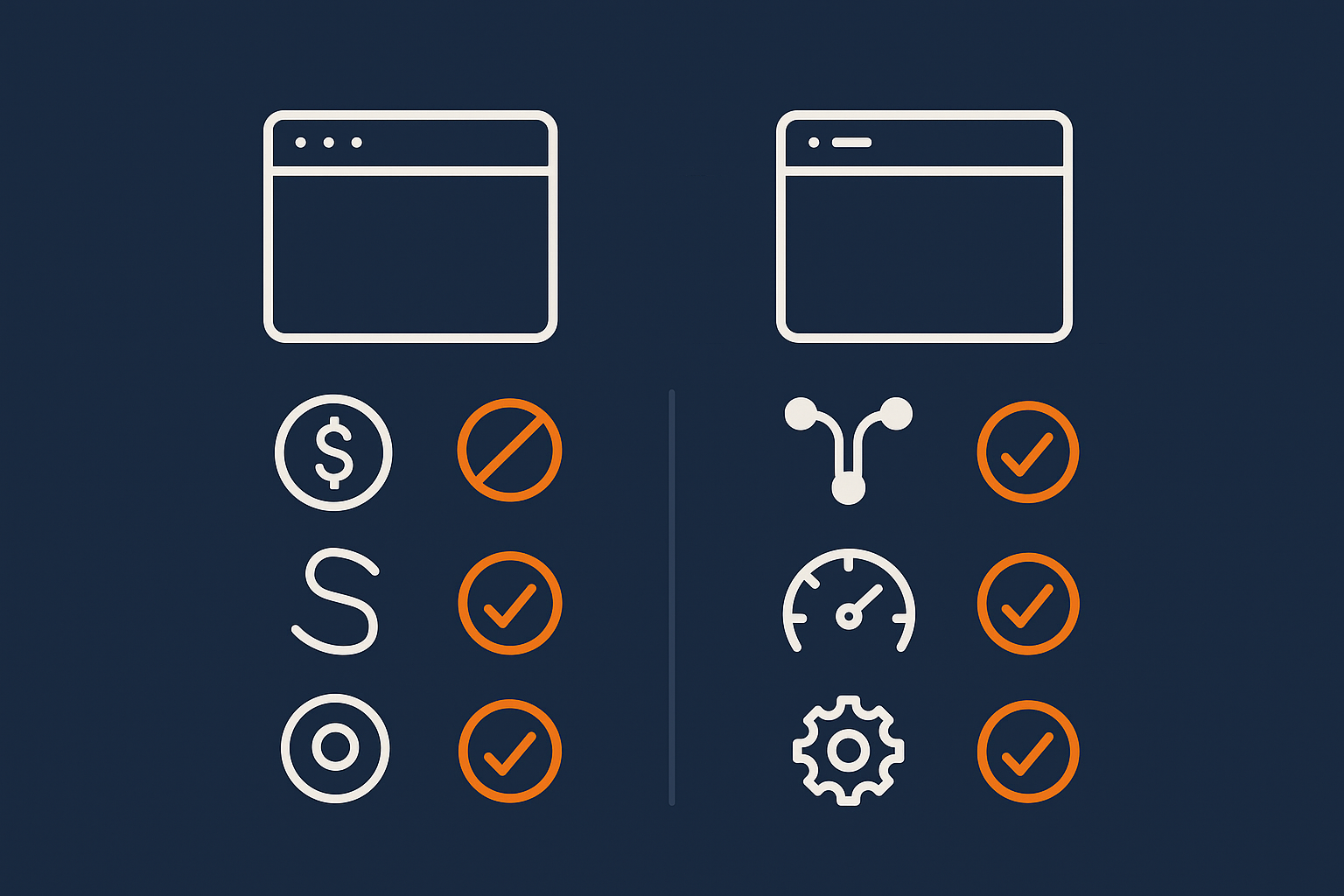
Below is a simplified comparison for typical UK business use cases.
| Area | Squarespace | WordPress (with good managed hosting) |
|---|---|---|
| Type of platform | All‑in‑one hosted website builder | Open‑source software on separate hosting |
| Ease of first build | Very easy for simple sites | Depends on setup; can be almost as easy with a good starter theme and host |
| Ongoing editing | Simple, consistent editor | Flexible; more choice of editors, slightly more to learn |
| Design flexibility | Polished templates, some limits | Almost unlimited; themes, builders, custom designs |
| Ecommerce | Good basics built in | WooCommerce + extensions handle simple to very complex stores |
| Performance & SEO | Decent out of the box, less control | Can be extremely fast and optimised with the right hosting and setup |
| Security & backups | Handled by Squarespace | Shared responsibility between WordPress owner and host |
| Costs over 3 years | Predictable monthly fee; paid add‑ons for some features | Hosting + optional premium themes/plugins; can be cheaper or more expensive depending on needs |
| Ownership & portability | Content export limited; design and features stay on Squarespace | Full control of code and database; easy to move hosts, redesign or extend |
How to interpret the trade offs
Squarespace is usually better when you want simplicity, low decision fatigue and do not need anything unusual. WordPress, especially on managed WordPress hosting for business sites, is usually better when the website is central to revenue, marketing or operations and you expect your needs to change.
A useful way to think about it:
- If your site is mainly a digital brochure with a simple contact form, Squarespace is often enough.
- If you care deeply about SEO, lead tracking, custom journeys or advanced ecommerce, WordPress is usually worth the extra thought at the beginning.
Core Difference: Hosted Platform vs Open, Self‑Hosted Software
What Squarespace actually is
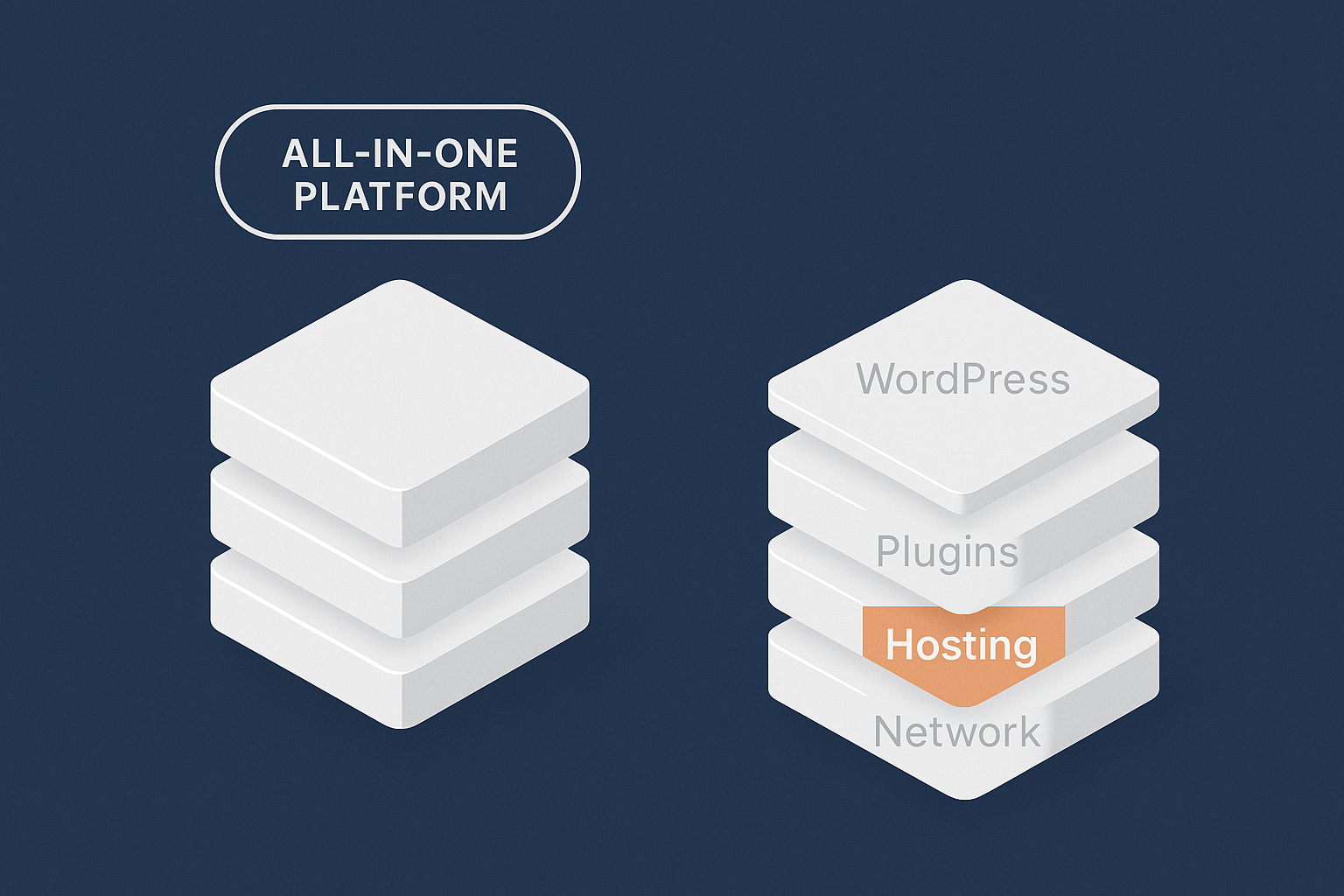
Squarespace is a fully hosted platform. You pay a monthly fee and they provide:
- The website builder interface
- Templates and styling controls
- Hosting, security patches and infrastructure
- Built‑in ecommerce on certain plans
You do not manage servers, software updates or low‑level configuration. In exchange, you accept the limits of what their platform allows. You cannot install arbitrary software on the server, and your control over the underlying code is limited.
What WordPress actually is
WordPress is open‑source software you install on a web server. It provides:
- The content management system (pages, posts, menus, users)
- A theme system for the design
- A plugin system for features (SEO, ecommerce, booking, memberships, etc.)
You then choose where to host it. With managed WordPress hosting for business sites the provider handles updates, backups, security hardening and performance tuning, which makes WordPress feel much closer to a “hosted platform” from your perspective.
Who controls what: hosting, code and data ownership
With Squarespace, they control the hosting and code. You control content and basic design choices. If you ever leave, you can export content in limited formats, but not the full design, ecommerce setup or custom functionality.
With WordPress:
- You can export your database and files and move them to another host at any time.
- You can switch themes and plugins without rebuilding from scratch.
- You can add custom code or hire developers to extend anything.
This extra control is why many businesses that start on Squarespace eventually move to WordPress when the website becomes more critical.
Ease of Use: Building and Updating Your Site
Onboarding and first build experience
Squarespace is designed for non‑technical users building their first site:
- Guided onboarding wizards
- Theme previews with dummy content
- Inline editing so you see your changes as you type
You can often get a clean site live in a day or two if your content is ready.
WordPress can feel more fragmented because you choose a host, a theme and sometimes a page builder. Good managed providers bundle this together with sensible defaults, so you log in to a site that already has:
- A business‑ready starter theme or block pattern set
- Core plugins for SEO, forms and caching
- Automatic SSL and security hardening
With that sort of setup, the first build experience is not as slick as Squarespace, but it is much closer than it used to be.
Day‑to‑day editing for non‑technical teams
Non‑technical staff usually find both systems manageable once set up properly.
Squarespace:
- Single visual editor for pages and posts
- Simple interface for swapping images, editing text and managing products
- Fewer ways to “break” layouts, which can be a relief
WordPress:
- Gutenberg block editor for modern builds, or visual builders like Elementor / Beaver Builder if chosen
- Media library, menus and widgets in separate sections
- More flexibility, but also more variation between sites depending on your theme and plugins
For non‑technical teams, the key is a disciplined setup: use one editor style, one forms plugin, one SEO plugin and provide short internal how‑to notes. With sensible choices and good managed WordPress hosting for business sites, most content changes are as simple as Squarespace.
Working with designers, developers and agencies
Squarespace limits what professionals can do under the bonnet. Designers can deliver very nice results by using advanced layout features and custom CSS, but deeper changes to checkout, automation or integrations are constrained.
WordPress is usually the default choice for agencies because:
- They can build custom themes that match your brand exactly.
- Developers can create bespoke plugins or integrations.
- The site can be moved between agencies or in‑house teams without a full rebuild.
If you expect to work with external partners over several years, WordPress tends to age better as a long‑term platform.
Design Flexibility and Branding
Templates and customisation on Squarespace
Squarespace offers a curated set of modern templates that are hard to make look truly bad. You can:
- Switch fonts, colours and layouts within fairly strict rules
- Use sections and content blocks to add variety
- Inject some custom CSS for finer control
This is excellent for consistency and quick results. The trade off is that many Squarespace sites feel similar, and some designs that marketing teams want simply are not possible without workarounds.
Themes, page builders and custom design on WordPress
WordPress offers three broad routes:
- Off‑the‑shelf theme: Choose a reputable, lightweight theme with business‑oriented starter sites.
- Block‑based design: Use the built‑in block editor and patterns for a modern, minimal setup.
- Fully custom theme: Have a designer and developer create a bespoke theme tailored to your brand and content model.
Visual page builders can make sophisticated designs accessible to non‑developers, but they add complexity and sometimes performance overhead. A lean block‑based theme on managed WordPress hosting for business sites often gives a good balance of design freedom and long‑term maintainability.
When you will hit limits on each platform
You are likely to hit Squarespace limits when you want:
- Custom logic on pages (conditional content, personalised pricing)
- Complex filtering (for blogs, products, case studies)
- Deep integrations with CRMs, ERPs or bespoke systems
You are likely to hit WordPress limits not in terms of “can it do this?” but in terms of complexity: too many plugins, bloated page builders or cheap hosting making the site slow and fragile. Careful selection of plugins and a good hosting baseline prevent most of these issues.
Cost Comparison: Today vs Three Years From Now
Typical Squarespace pricing for business and ecommerce
Squarespace pricing is tiered by features:
- Business plans for brochure sites and basic marketing
- Commerce plans for online shops, with higher tiers for advanced features
Domains, SSL and hosting are included. You may still pay extra for:
- Premium integrations or extensions
- Third‑party tools (email marketing, CRM, booking systems)
- Design help for initial setup
Over three years, the total is usually quite predictable but can rise as you upgrade to higher plans or bolt on external services.
Typical WordPress costs: hosting, themes, plugins and help
With WordPress you assemble the pieces:
- Hosting: From very cheap shared hosting up to premium managed WordPress hosting for business sites. Realistically, serious businesses should avoid the very cheapest plans.
- Themes: Free or paid. Many good business themes are a one‑off or annual cost.
- Plugins: Many are free; premium ones cover SEO suites, forms, ecommerce extensions, membership tools and so on.
- Help: Occasional developer or agency time, especially at the start.
For a typical SME, the three‑year cost can end up similar to Squarespace, but with more flexibility and performance potential. Complex ecommerce or membership builds on WordPress may cost more initially, but save money later as you avoid rebuilding on a new platform when you hit limits.
Hidden costs: add‑ons, transaction fees and rebuilding
Two hidden costs catch many businesses:
- Transaction and platform fees: Ecommerce platforms sometimes add their own fees on top of payment gateway charges. With WordPress and WooCommerce you mainly pay gateway fees.
- Rebuild costs: If you outgrow Squarespace, moving to WordPress later usually means a rebuild. If you start on WordPress, you are more likely to evolve your existing site instead.
When comparing platforms, look at a three‑year window including realistic growth, not just the first year.
Ecommerce: Squarespace Commerce vs WooCommerce on WordPress
Basic products, carts and checkout
For simple stores, both platforms are viable.
Squarespace Commerce gives you:
- Standard product pages with images, descriptions and variants
- A hosted cart and checkout
- Basic discounts and promotions
WooCommerce on WordPress provides:
- Full control of product types, categories and attributes
- Customisable cart and checkout templates
- Extensions for almost any feature you can name
For “straightforward” shops with a few dozen items, Squarespace often feels simpler. As catalogues grow, WooCommerce’s taxonomy and filtering tools become more helpful.
Advanced needs: B2B, subscriptions, complex shipping and tax
Squarespace supports a subset of ecommerce patterns. When you need:
- Tiered pricing by customer group (B2B)
- Complex shipping rules or multi‑warehouse setups
- Subscription products and mixed carts
- Advanced tax logic across regions
you will quickly run into platform limits or require external tools.
WooCommerce shines here. With the right extensions and specialist WooCommerce hosting, you can handle advanced B2B workflows, subscriptions, booking systems, multi‑currency, and complex fulfilment rules. That complexity needs careful planning, but you rarely face a hard “cannot do this on the platform” wall.
If you are leaning towards WooCommerce and want more detail on hosting trade offs, the guide Choosing the Right WooCommerce Hosting for UK Small Businesses walks through what to look for.
Payments, PCI responsibilities and compliance
On both platforms you will typically use third‑party gateways (Stripe, PayPal, etc.) that handle card data on their side, which simplifies PCI DSS responsibilities.
Squarespace abstracts more of this away: they run the underlying infrastructure and keep software patched. With WordPress, your responsibilities depend heavily on your host. With good specialist WooCommerce hosting, server‑level hardening, automatic updates and web application firewalls remove most of the day‑to‑day security burden, leaving you to focus on user access, strong passwords and sensible plugin choices.
Performance, SEO and Core Web Vitals

How fast each platform can realistically be
Both platforms can be fast enough for typical users, but how you reach that speed differs.
Squarespace performance is mostly controlled by their infrastructure and template efficiency. You can trim images and avoid heavy custom code, but you cannot optimise the back‑end or hosting stack yourself.
WordPress performance is more variable. On cheap shared hosting with lots of plugins, it can be slow. On lean builds with good caching and managed WordPress hosting for business sites, it can be extremely fast, even under load.
If you want concrete targets and how to reach them, Realistic Core Web Vitals for WordPress gives achievable numbers for UK SMEs.
Core Web Vitals, mobile experience and page weight
Core Web Vitals measure loading speed, interactivity and visual stability, particularly on mobile. They are influenced by:
- Page weight (CSS, JavaScript and image sizes)
- Server response time
- Caching and use of CDNs
- How much JavaScript runs in the browser
Squarespace handles some of this for you, but you still need to:
- Use compressed, correctly sized images
- Avoid overly heavy third‑party scripts
- Keep designs clean rather than animation‑heavy
On WordPress, you have more control, but also more ways to slow things down. Sensible basics include:
- Using a lightweight theme and minimal plugins
- Optimising images and video usage
- Keeping third‑party tracking scripts under control
A practical WordPress image strategy guides you through this in detail in How to Set Up a Sensible WordPress Image Strategy.
Caching, CDNs and image optimisation (and how managed hosting helps)
For WordPress, a good hosting platform should include:
- Server‑side caching of pages and assets
- A content delivery network (CDN) to serve assets closer to visitors
- Automatic compression and optimisation of images
The G7 Acceleration Network for caching and image optimisation places a smart edge layer in front of WordPress that handles caching, HTTP/2 delivery and image optimisation so PHP and the database work less for each request. As part of that, it converts images to modern AVIF and WebP formats on the fly, typically cutting image file sizes by over 60 percent with no visible loss in quality, and this is included for every site hosted with G7Cloud without extra plugins or changes inside WordPress.
Security, Backups and Reliability
What Squarespace handles for you
Squarespace deals with most operational security and reliability concerns behind the scenes:
- Server maintenance and operating system patches
- Platform‑level security updates
- Backups at the infrastructure level
- DDoS protection and basic caching
You still need to manage user access, passwords and sensible content policies, but you do not worry about the server stack itself.
What WordPress and your host need to get right
With WordPress, responsibilities are shared:
- You choose and update themes and plugins, manage user accounts and keep admin access tight.
- Your host secures the server, provides SSL, runs backups and monitors uptime.
With good managed WordPress hosting for business sites, many traditional “security plugin” roles move to the server layer, so your site can be both simpler and safer. If you want to see how this split works in practice, WordPress Security Plugins vs Server‑Level Protection is a useful companion read.
Bot traffic is also a factor. The G7 Acceleration Network for caching and image optimisation includes bot protection that filters abusive and non‑human traffic before it hits PHP or the database, which reduces wasted server load, keeps response times steadier and helps prevent avoidable downtime during busy periods.
Managed WordPress hosting and shared responsibility
If the idea of “managing a server” is off‑putting, managed WordPress hosting narrows the gap between Squarespace and WordPress from a maintenance point of view. A good provider should:
- Handle core updates and security patches
- Take automatic, tested backups with easy restores
- Provide meaningful uptime monitoring and support that understands WordPress
You still have more moving parts than on Squarespace, but much less than on DIY hosting. This balance is why many businesses choose WordPress with a managed platform rather than a raw VPS or cheap shared hosting.
Scaling Up: When You Outgrow Your First Setup

Traffic spikes and peak events
Campaigns, PR coverage or seasonal peaks can stress any platform.
Squarespace scales its own infrastructure, but you have limited visibility into how much headroom you have or where bottlenecks appear. Usually it copes well with moderate spikes; extreme spikes are still a risk on any shared platform.
WordPress scalability depends on:
- Hosting quality and architecture
- Caching configuration
- How heavy your theme and plugins are
Good managed hosting with an edge layer such as the G7 Acceleration Network for caching and image optimisation can serve large amounts of cached traffic with minimal strain on the origin server. Its bot protection filters abusive traffic before it reaches PHP or the database, which is important during campaigns when extra load from bad bots can tip a site over unnecessarily. If you want detailed tactics, Handling Traffic Spikes on WordPress Without Breaking the Bank covers this in depth.
Adding new features and integrations over time
Squarespace adds new features regularly, but you are limited to what the platform team prioritises and what is available via official integrations. For standard marketing tools this is fine; for niche or in‑house systems it can be restrictive.
WordPress’s plugin ecosystem and open APIs mean you can integrate almost anything with enough development time. You can also replace parts gradually without replatforming: swap email tool, CRM, forms system or even the entire front‑end design while keeping the same core platform.
Migrating from Squarespace to WordPress later
If you start on Squarespace and later decide to move, you should plan for a proper migration project, not just pressing an export button. In practice you will:
- Export content where possible, then clean or restructure it
- Rebuild the design (you cannot simply “import” a Squarespace template)
- Set up redirects to preserve SEO
- Recreate ecommerce products, orders and customer data where needed
Many hosts and agencies offer migration help. A provider with a free, zero‑downtime WordPress migration service can reduce risk and internal effort by handling most of the technical steps for you. For a more detailed checklist, see Planning a Smooth WordPress or WooCommerce Migration.
How To Decide: Simple Recommendations by Scenario
If you need a simple brochure site quickly
Squarespace is usually the practical choice if:
- You need a clean, simple site live within days
- Your main goal is to provide information and a contact route
- You are happy with a template‑driven design that looks professional but not unique
WordPress is worth considering even for a brochure site if you expect to add more advanced features within a year or two, and you are comfortable investing a bit more effort upfront.
If your website is core to lead generation or revenue
If you rely heavily on SEO, content marketing, landing pages and tracking, WordPress generally offers better long‑term control.
On managed WordPress hosting for business sites you have freedom over:
- On‑page SEO configuration and structured data
- Lead capture forms, routing and integration with CRMs
- A/B testing, personalisation and analytics setups
Squarespace can handle basic SEO, blogs and landing pages, but advanced funnels and integration‑heavy sales processes are where WordPress typically wins.
If you are planning serious ecommerce or B2B
For small, straightforward product catalogues and simple logistics, Squarespace Commerce is fine and fast to launch.
For anything “serious” in terms of complexity or scale, WooCommerce on WordPress is usually more sustainable:
- B2B pricing, quoting and account management
- Complex shipping, multi‑warehouse or multi‑currency setups
- Subscriptions, memberships, bookings or mixed models
- Integration with ERPs, stock systems and marketing automation
In these cases, pairing WooCommerce with specialist WooCommerce hosting gives you flexibility without sacrificing stability.
Next Steps: If You Choose WordPress
Picking the right hosting plan for your stage
If you decide on WordPress, the host you choose matters as much as the theme.
- New or low‑traffic sites: A solid entry‑level managed WordPress hosting for business sites plan is usually enough. Prioritise reliability, support and built‑in performance features over chasing the cheapest price.
- Growing or revenue‑critical sites: Look for staging sites, edge caching, image optimisation and proactive security.
- WooCommerce stores: Consider specialist WooCommerce hosting tuned for checkout performance and database queries.
If you ever wonder when to move beyond entry‑level plans, the guide When Is It Time to Move Your WordPress Site Off Shared Hosting? sets out clear signals.
Planning a smooth migration without downtime
Whether you are moving from Squarespace or from another WordPress host, a smooth migration should:
- Clone the site to the new host and test it privately
- Switch DNS during a planned low‑traffic window
- Keep the old site running briefly as a fallback
- Monitor logs, performance and key user journeys after cut‑over
A host with a free, zero‑downtime WordPress migration service can handle most of this for you so your team focuses on checking content and functionality rather than worrying about DNS or file transfers.
Keeping your WordPress site fast and low‑maintenance
To keep WordPress feeling as low‑maintenance as possible:
- Limit plugins to those you genuinely need and keep them updated
- Use a lean theme and avoid heavy page builders unless you truly need them
- Let your host handle caching, image optimisation and security hardening where possible
- Schedule a simple monthly or quarterly check‑up routine
The G7 Acceleration Network for caching and image optimisation helps here by handling caching, image conversion to AVIF/WebP and bot filtering automatically, so you do not have to juggle multiple plugins for performance and protection.
If you want a concrete routine to follow, How to Keep a WordPress Site Fast Over Time offers a practical maintenance checklist.
If you are leaning towards WordPress and want fewer moving parts to manage, exploring managed WordPress hosting for business sites and the G7 Acceleration Network for caching and image optimisation is a sensible next step. It allows you to benefit from WordPress’s flexibility without taking on all of the technical burden yourself.