

Who this guide is for (and what you will be able to decide by the end)
This guide is written for UK small and medium businesses that either run, or are planning to run, a WooCommerce shop. You might be:
- On a low‑cost shared hosting plan that feels slow or unreliable.
- On “general” WordPress hosting and wondering if you need something more shop‑specific.
- Talking to agencies or freelancers who are recommending a VPS or “cloud” server and want to understand why.
By the end you should be able to:
- Explain, in simple terms, what WooCommerce needs from hosting.
- Compare shared, managed WooCommerce hosting and VPS / virtual dedicated options without needing to be a sysadmin.
- Decide whether you want a managed service or are happy with more hands‑on responsibility.
- Ask better questions of potential providers and spot common red flags.
Typical UK WooCommerce scenarios
Here are some very common situations this guide is meant to help with:
- Early‑stage shop: A small retailer, café, or service business taking orders online for the first time. Traffic is low, budget is limited, but the site must not fall over on a weekend.
- Growing brand: A fashion label, local wholesaler or D2C brand doing a few hundred orders a month, starting to run campaigns and work with agencies.
- Established SME: Turnover in the hundreds of thousands or low millions, perhaps with trade and consumer pricing, running busy campaigns and seasonal peaks.
If you see yourself somewhere in that list, this guide is for you.
What this guide will and will not cover
This guide will:
- Stay focused on WooCommerce hosting for UK merchants.
- Use plain English, with minimal jargon and clear explanations when jargon is unavoidable.
- Cover performance, reliability, security and responsibility at a business level, not deep server commands.
- Link to more detailed pieces where you can dive deeper, such as our article on choosing WordPress hosting for a UK SME.
This guide will not:
- Teach you how to code or build a WooCommerce site from scratch.
- Provide an exhaustive checklist of every Linux command or nginx directive.
- Claim that one single hosting model is right for every shop.
Where running your own server is involved, we will be honest about the work involved and when a managed option, such as WooCommerce hosting or virtual dedicated servers, can sensibly take pressure off your team.
What WooCommerce actually needs from hosting
How a WooCommerce page load works in simple terms
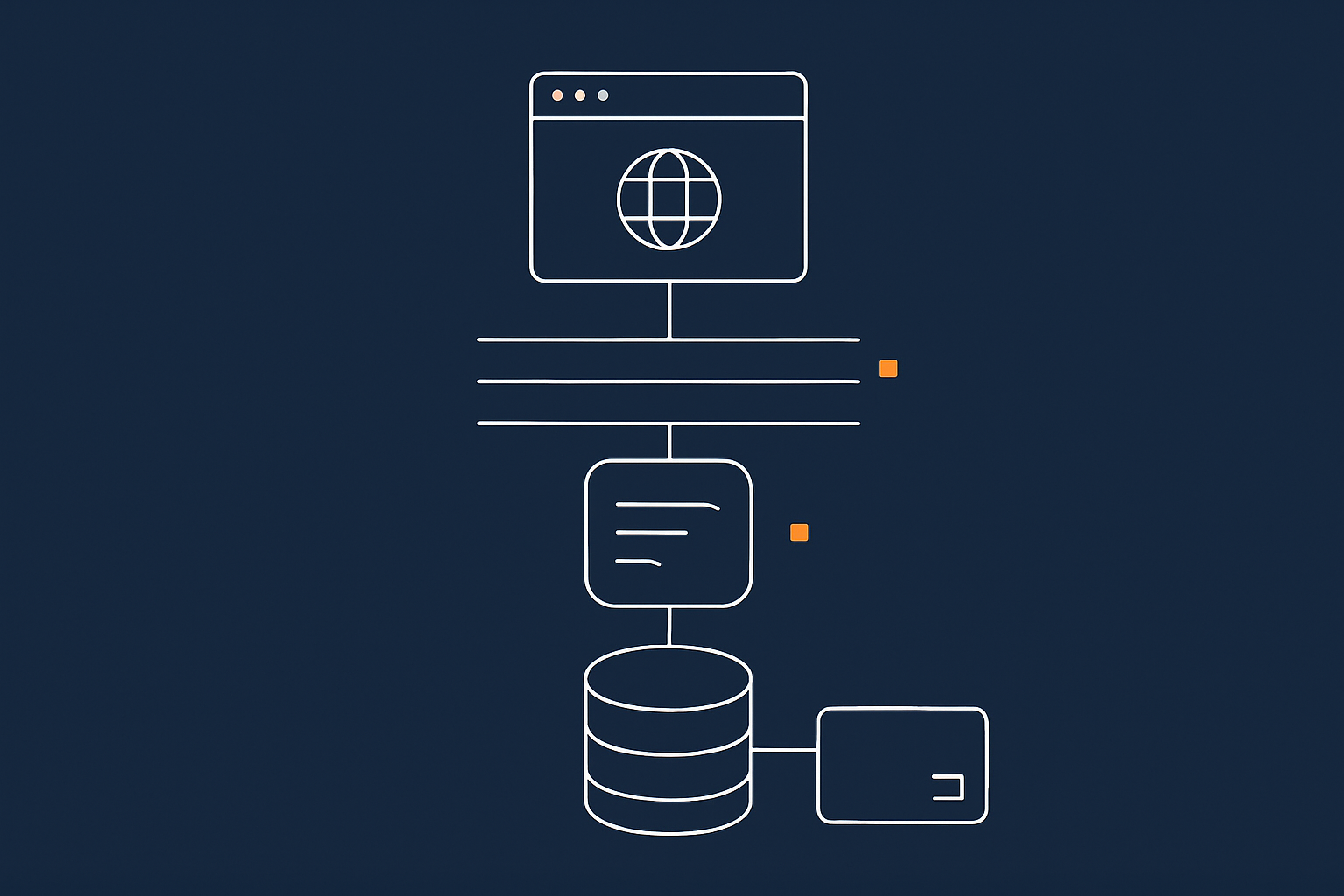
When someone visits your shop, quite a lot happens behind the scenes in a fraction of a second:
- Their browser looks up your domain using DNS to find your server.
- The browser connects to your web server (for example, nginx or Apache) over HTTPS.
- WordPress and WooCommerce run using PHP, pulling content from the database and combining it with your theme.
- The database (usually MySQL or MariaDB) fetches product, customer and order data.
- Optional caching layers may shortcut some of this work for repeat visitors.
Your hosting provider is responsible for keeping all those pieces running correctly and quickly: the server hardware, network, web server, PHP, database and often some form of caching or optimisation.
For a simple brochure site, this stack can be relatively forgiving. For WooCommerce, small delays or resource limits can show up as slow carts, flaky checkouts or errors during busy periods.
Why shops are harder to host than simple WordPress sites
WooCommerce adds several challenges on top of normal WordPress:
- Dynamic pages: Cart and checkout pages cannot safely be fully cached, because they are different for each customer. That means more real‑time work for PHP and the database.
- Logged‑in users: Customers logging in, checking order history, redeeming coupons and using saved addresses all add to database activity.
- Write traffic: A brochure site is mainly read‑only. A shop is constantly writing new orders, stock changes, log entries and more.
- Payment flows: Payment gateways call back to your site to confirm or cancel transactions. If the site is slow or briefly unavailable, orders can end up in odd states.
This does not mean you need an enterprise platform for a modest shop. It does mean that what feels “fine” for a simple blog can be frustrating for WooCommerce, especially at weekends or during campaigns.
Core needs: speed, stability, security, email and payments
From a hosting perspective, every WooCommerce site needs:
- Speed: Reasonable page loads on product, category, cart and checkout pages, even when a few people are buying at once.
- Stability: Predictable performance without “resource limit reached” errors or random white screens.
- Security: SSL certificates, up‑to‑date software, protection against common attacks and isolation from other customers where possible.
- Email deliverability: Reliable sending for order confirmations, password resets and account emails.
- Payment friendliness: Proper HTTPS, stable DNS and uptime so your payment gateway callbacks can reach the site when needed.
For UK merchants, there is also the question of being “PCI conscious”. You typically rely on an external payment gateway (Stripe, PayPal, SagePay, etc.) so you may not need full PCI certification for your server, but you do need to avoid obvious weak points. We will come back to this later.
Hosting options in plain English: from cheap shared to dedicated WooCommerce platforms

Shared hosting and cPanel plans
Shared hosting is where many shops start. You share a physical server with many other customers and each account gets a slice of CPU, memory and disk. Management is usually via cPanel or a similar control panel.
Advantages:
- Low monthly cost.
- Simple interface for creating email accounts, databases and FTP users.
- Often includes “1‑click” WordPress installers.
Limitations for WooCommerce:
- Resources are limited and often bursty, especially at peak times.
- You have less control over PHP workers, caching and database tuning.
- Noisy neighbours can affect performance if another account on the same server misbehaves.
Shared hosting can be fine for a very small shop starting out, but if WooCommerce is important for revenue you will probably feel the limits once you have steady orders or run your first successful campaign.
Managed WordPress and WooCommerce hosting
Managed WordPress or WooCommerce hosting sits in the middle. You still share some infrastructure with other customers, but the environment is built specifically for WordPress and WooCommerce. The provider looks after performance, security and many routine tasks.
Typical features include:
- Servers tuned specifically for PHP and WordPress.
- Built‑in caching that understands WooCommerce cart and checkout behaviour.
- Automatic updates, backups and security patches.
- Support teams who understand typical WooCommerce issues.
For UK SMEs running one or several shops, this can be a practical sweet spot. You get predictable performance and expert help without needing to run your own server. If you only want to manage products, content and marketing, managed services such as Managed WordPress hosting are often more appropriate than self‑managed servers.
Virtual Dedicated Servers (VDS) and VPS for WooCommerce
A Virtual Private Server (VPS) or virtual dedicated server (VDS) gives you a dedicated slice of resources that is isolated from other customers. You get root or admin access and can configure the server as you wish.
There are two broad models:
- Unmanaged VPS/VDS: The provider gives you the server and keeps the host node running. You or your developer handle everything inside the server: installing software, managing updates, tuning performance and responding to incidents.
- Managed VDS: The provider also looks after the operating system, monitoring, updates, backups and often performance tuning. You still have flexibility but offload day‑to‑day operations.
For WooCommerce this can give you:
- Predictable CPU and memory for busy periods.
- More control over PHP versions, workers and caching.
- Better isolation for security and performance.
The trade‑off is responsibility. Running an unmanaged VPS is a technical job involving patching, security hardening, capacity planning and troubleshooting. For most UK retailers this is something to give to a managed provider or agency rather than keep in‑house unless you have clear technical capacity.
Enterprise and multi‑server setups (when you really need them)
At the high end there are clusters of servers, load balancers and database replicas. These are used when:
- You have very high traffic or order volume.
- Downtime has a substantial financial cost.
- You need strong resilience against hardware failure or data centre issues.
Most UK SMEs do not need this from day one. It usually becomes relevant when your shop is a core part of a multi‑million turnover business. If you are curious, our article on WooCommerce hosting for UK retailers on peak days explores this territory.
Quick comparison table: which model suits which type of shop
| Hosting model | Best for | Pros | Cons |
|---|---|---|---|
| Shared / cPanel | Very small shops, testing ideas | Low cost, simple interface | Limited performance, noisy neighbours, basic support |
| Managed WordPress / WooCommerce hosting | Most small and mid‑sized UK shops | Balanced cost, shop‑aware performance, expert support | Less low‑level control, typically per‑site pricing |
| Managed VDS / VPS | Growing shops, agencies hosting multiple clients | Dedicated resources, high flexibility, centralised hosting | Higher cost, more planning and coordination |
| Unmanaged VDS / VPS | Teams with in‑house Linux skills | Maximum control, can be cost‑effective at scale | You own patching, security and incident response |
Performance: keeping product, cart and checkout pages fast
Why performance matters more for WooCommerce than for a brochure site
On a simple site a slightly slow page is an irritation. On a shop it can directly affect revenue. Slow product pages reduce add‑to‑cart rates. Slow carts and checkouts lead to abandoned baskets and support queries.
Search engines also factor speed into rankings, and ad campaigns tend to perform better when landing pages are responsive. This is particularly important in the UK where many customers browse on mobile networks rather than fast office connections.
Hosting is only part of performance, but it is the foundation. Themes, plugins and content matter too, yet even the best‑built WooCommerce site will struggle on an overloaded or underspecified server.
What really affects WooCommerce speed on the hosting side
PHP versions and workers (what they mean in practice)
WooCommerce runs on PHP. Two simple things matter here:
- PHP version: Newer, supported versions of PHP are faster and more secure. For example, PHP 8.1 or 8.2 will typically execute the same WooCommerce code much faster than older versions.
- PHP workers: You can think of workers as the number of simultaneous PHP requests your site can process. If you have too few, visitors queue and pages feel slow during busy times.
On shared hosting you may have little visibility of workers. On managed WordPress / WooCommerce hosting it is common to have per‑site limits set sensibly for typical usage. On VDS or VPS you or your provider can tune workers more precisely based on your traffic patterns.
Caching that works with carts and checkouts
Caching can greatly speed up WordPress, but it must be applied carefully for shops.
- Full‑page caching: Excellent for product listings and blog posts, but must be bypassed or tailored for carts and checkouts where each user’s content is unique.
- Object caching: Stores repeated database queries in memory for faster reuse, useful for busy shops with complex queries.
- Edge / CDN caching: Serves static assets such as images, CSS and JavaScript from locations closer to users.
A good WooCommerce‑aware host will configure caching rules so that product and content pages are aggressively cached while keeping carts and checkouts accurate. Some will also offer advanced optimisation at the network edge; for example, the G7 Acceleration Network can optimise images to AVIF and WebP on the fly, often cutting file size by 60 percent or more without changing your WordPress plugins.
Database performance and WooCommerce order data growth
As orders accumulate your WooCommerce database grows. Over time:
- Order tables become larger.
- Postmeta records, logs and sessions accumulate.
- Reporting and backend queries can slow down.
On shared hosting the database server is usually shared with many other customers and you have limited tuning options. On managed WooCommerce hosting and especially on VDS / VPS, your provider can tune database settings to match your workload and suggest sensible housekeeping routines.
Practical performance questions to ask a host
When comparing providers, consider asking:
- Which PHP versions are supported, and what is recommended for WooCommerce today?
- How many PHP workers are included for my site or plan, and how can that be adjusted as we grow?
- How is caching handled for WooCommerce carts and checkouts?
- What database technology and resources are provided, and is there any limit that might affect order volume?
- Do you offer any edge optimisation or CDN, and how does it integrate with WordPress and WooCommerce?
The answers do not need to be technical in depth, but you want clear, confident explanations rather than vague marketing phrases.
Reliability and uptime: how to judge if hosting is really “shop ready”
What uptime percentages actually mean for a shop
Many providers quote figures such as “99.9% uptime”. It helps to translate that into practical terms:
- 99.0% uptime: Up to ~7 hours downtime per month.
- 99.9% uptime: Up to ~44 minutes downtime per month.
- 99.99% uptime: Up to ~4.4 minutes downtime per month.
In reality, downtime is often not a single chunk. It can be a few short incidents, or performance can degrade without being counted as “down”. For a WooCommerce shop this may mean:
- Failed checkouts during a short outage.
- Slow responses when a server is under heavy load.
- Intermittent issues that are hard to reproduce.
Look beyond the percentage. Ask how uptime is measured, what is included, and how incidents are communicated.
Single server vs more complex setups for resilience
Most WooCommerce shops run on a single primary server. This is fine as long as:
- The hardware is reliable.
- The provider has good monitoring and can respond to issues quickly.
- You have consistent backups.
More complex setups, such as clusters with load balancers and multiple web nodes, reduce the impact of a single server failure but increase complexity and cost. These are typically appropriate only when your shop’s revenue or contractual obligations truly justify them.
Backups, restores and disaster recovery in real life
Everyone says they take backups. What matters is how quickly and safely you can restore.
For WooCommerce, ask:
- How often are backups taken (daily, hourly)?
- Are databases and files both backed up?
- How long are backups kept for (retention)?
- Can I request a restore at a specific point in time, such as “yesterday afternoon before the plugin update”?
- Is there any self‑service restore facility in the control panel?
For high‑value shops it is sensible to test a restore on a staging environment at least once, to confirm how long it takes and what the process involves. Our article on preparing WooCommerce for seasonal traffic spikes covers backup and rollback as part of change planning.
Key reliability questions to ask providers
- Where are your servers located, and do you have UK or nearby European locations?
- How do you monitor my site or server, and who responds if something goes wrong at 2 am?
- Are there maintenance windows, and how are they communicated?
- What is your process when a site or server hits resource limits?
You do not need a 40‑page SLA, but you do need a clear picture of what happens in practice.
Security, PCI and payments: what matters for UK WooCommerce stores
What “PCI conscious” and “PCI compliant” actually mean
The Payment Card Industry Data Security Standard (PCI DSS) is a set of rules for handling card data. For WooCommerce merchants using redirect or tokenised payment gateways, the main idea is:
- You avoid storing or directly processing raw card numbers on your server.
- The gateway handles the sensitive parts and returns a token or reference.
In this model your hosting environment still needs to be PCI conscious: built and maintained in a way that respects PCI principles, even if you are not undergoing full certification for that specific server. For a deeper dive, see our article on PCI‑conscious WooCommerce hosting.
How responsibility is shared between you, your host and your payment gateway
Security is shared:
- You / your agency: Choose plugins carefully, keep themes and plugins updated, manage admin accounts and passwords, and configure WooCommerce and gateway plugins correctly.
- Your host: Provides a secure platform, including patched operating systems, hardened web stack, and isolation between customers. Many also provide web hosting security features such as firewalls and malware scanning.
- Your payment gateway: Handles card data securely, provides PCI compliance for their service and supports safe integration methods.
Understanding this split helps you decide whether you need a managed platform or are comfortable handling more tasks yourself. Our article on hosting responsibility explains this division in more detail.
Practical security features to look for in WooCommerce hosting
When comparing WooCommerce‑friendly hosts, look for:
- Automatic SSL certificates with easy renewal.
- Regular OS and PHP patching, handled by the provider on managed plans.
- Web application firewall (WAF) to filter common attacks before they hit WordPress.
- Bot and abuse filtering so non‑human traffic does not waste your PHP and database capacity. For instance, the G7 Acceleration Network can filter abusive traffic before it reaches your shop, helping keep performance stable.
- Two‑factor authentication (2FA) options and secure panel access.
None of these replace good password hygiene and careful plugin choices, but they provide a strong baseline.
Email deliverability for order confirmations and password resets
Email is part of the shop experience. Customers expect to receive:
- Order confirmations and invoices.
- Shipping updates.
- Password resets and account notifications.
Some basic hosting plans send email directly from the web server, which can be unreliable if not set up carefully. As shops grow it is common to use a specialist transactional email service (such as SendGrid, Mailgun or Amazon SES) integrated via SMTP or API.
Ask potential hosts:
- How is email from my WooCommerce site sent?
- Do you provide SPF, DKIM and DMARC guidance for better deliverability?
- Is there support for connecting external transactional email providers?
Managed vs self‑managed WooCommerce hosting
What “managed” really includes (and what it usually does not)
“Managed” is used in many different ways. For WooCommerce‑oriented services it usually means that the provider will:
- Maintain the operating system and web stack.
- Apply security patches to the platform.
- Monitor basic availability and performance.
- Provide tuned defaults for PHP, database and caching.
- Help with common issues such as SSL, domain mapping and basic plugin conflicts.
Managed hosting usually does not mean:
- Building your site or theme for you.
- Managing your marketing tools or SEO plugins.
- Taking responsibility for custom code written by third parties.
Managed WooCommerce hosting sits closer to your business needs than a generic VPS, but there is still a line where your site‑specific choices are yours to manage.
If you self‑manage: what you or your developer must be ready to handle
If you choose an unmanaged VPS or VDS, you (or your developer/agency) are effectively acting as your own hosting provider on that server. This involves:
- System updates: Regularly updating the operating system, PHP, database and other packages, testing for compatibility with your site.
- Security hardening: Configuring firewalls, SSH access, file permissions and intrusion detection.
- Monitoring and alerts: Setting up monitoring for uptime, CPU, memory, disk and errors, and responding when something is wrong.
- Backups & recovery: Designing and maintaining a backup strategy and testing restores.
- Performance tuning: Adjusting PHP workers, database settings and caching rules based on actual usage.
None of this is impossible, but it is ongoing work. If WooCommerce is critical for revenue and you prefer to keep your internal team focused on products and customers, a managed service or managed virtual dedicated server is often calmer.
When a UK SME is better off on managed WooCommerce hosting
Managed WooCommerce hosting is usually a good fit when:
- Your team does not include a dedicated sysadmin and you do not plan to hire one.
- The shop is important to revenue, but you are not yet at the scale where building your own hosting department is sensible.
- You value predictable performance and support tailored to WooCommerce.
For many UK SMEs, a quality managed platform costs less than the combination of staff time, stress and potential downtime associated with running complex infrastructure in‑house.
Right‑sizing your WooCommerce hosting: from launch to peak season

Planning for current traffic vs realistic growth
It is easy to either under‑specify hosting and suffer slowdowns, or over‑specify and pay for capacity you are not yet using. A practical approach is:
- Start with a plan that comfortably covers your current traffic plus a reasonable growth margin.
- Choose a provider that makes it straightforward to upgrade without major disruption.
- Review usage at natural checkpoints, such as after a successful campaign or seasonal peak.
This is similar to how you might approach renting office space: you pick something that fits current needs with room to grow, rather than a giant empty building or a cramped cupboard.
Handling traffic spikes, campaigns and busy seasons
Campaigns, Black Friday, Christmas and local events can cause short but intense spikes. Preparing for these usually involves:
- Ensuring your hosting plan has temporary headroom for increased traffic.
- Enabling edge caching and image optimisation to reduce server load.
- Limiting particularly heavy features during peaks, such as very complex search or live stock widgets.
Some platforms, including those with features like the G7 Acceleration Network, help by optimising images and filtering non‑human traffic before it reaches your server, keeping more capacity available for real customers. For a detailed walkthrough of seasonal planning, see our guide on preparing WooCommerce for seasonal traffic spikes.
How to upgrade safely without breaking the shop
Upgrading hosting can sometimes involve:
- Moving to a larger plan on the same platform.
- Migrating to a new server or data centre.
- Switching providers entirely.
To keep risk low:
- Use staging or test environments where possible to confirm the shop works on the new platform.
- Plan upgrades for quieter trading periods and avoid major sales days.
- Ensure you have a current backup before any move.
Managed platforms and managed virtual dedicated servers normally provide migration assistance so that PHP, database versions and caching are aligned with your site’s needs.
Practical checklist: how to compare WooCommerce hosting plans
Non‑technical comparison sheet you can fill in
When collecting quotes or reviewing providers, it helps to write answers down in a simple table or document. Headings might include:
- Location: Server region (e.g. UK, EU), data protection stance.
- Performance: PHP version, typical PHP worker allocation, caching approach, CDN or acceleration features.
- Reliability: Uptime commitment, monitoring, backup frequency and retention.
- Security: SSL, firewall/WAF, patching policy, DDoS/bot protection.
- Support: Channels (email, chat, phone), WooCommerce experience, response targets.
- Management level: Shared, managed WordPress/WooCommerce, managed VDS, unmanaged VDS.
- Costs: Monthly/annual fee, overage or bandwidth charges, migration fees if any.
You can then score or annotate each provider in a way that fits your priorities.
Red flags in WooCommerce hosting marketing
Some warning signs to be aware of:
- Unlimited everything: CPU and memory are never truly unlimited. Check how they handle “fair usage”.
- Very low prices with “enterprise” claims: There is nothing wrong with affordable hosting, but if pricing is extremely low compared to peers claiming similar performance, look closely at the small print.
- No mention of WooCommerce or e‑commerce: Generic WordPress hosting can work, but if they never mention shops, carts or checkouts, their stack may not be tuned for it.
- Vague support promises: “24/7 support” is only useful if the team actually understands WooCommerce and can do something about an issue rather than just logging a ticket.
Examples: which option fits 3 common UK shop profiles
To make this concrete, here are three simplified scenarios.
1. Local retailer going online for the first time
- Traffic: A few dozen visitors a day.
- Orders: A handful per week.
- Technical comfort: Limited, perhaps working with a freelancer.
Typical fit: Managed WooCommerce or managed WordPress hosting, avoiding the complexity of VPS but gaining reliable performance and backup support.
2. Growing D2C brand with regular campaigns
- Traffic: Hundreds of visitors a day, spikes during campaigns.
- Orders: Dozens per day, more during promotions.
- Technical comfort: Agency involved, internal marketing team.
Typical fit: Higher‑tier managed WooCommerce hosting or a managed virtual dedicated server, giving dedicated resources and more tuning options. May add an acceleration layer for image optimisation and bot filtering.
3. Established wholesaler with trade and consumer customers
- Traffic: Steady business‑hour use plus some consumer evening traffic.
- Orders: Significant monthly volume with business‑critical daytime periods.
- Technical comfort: IT or development partner available.
Typical fit: Managed virtual dedicated servers with room to scale, possibly moving toward multi‑server setups as order volume justifies. Strong emphasis on backups, monitoring and change control.
Next steps if you are moving an existing WooCommerce store
Planning a low‑risk migration
If you are already live and considering a move, take a measured approach:
- Audit your current site: themes, plugins, custom code, PHP and database versions.
- Discuss with the new host what the target environment will look like.
- Plan a migration window and rollback approach in case of unexpected issues.
Where possible, take a full backup or snapshot before starting. Managed providers and agencies will often handle migration for you or guide you through the necessary steps. For a detailed step‑by‑step outline, see our guide on planning a smooth WordPress or WooCommerce migration.
What to test on the new host before switching DNS
On the new platform, with a temporary domain or hosts file override, work through:
- Browsing product and category pages.
- Adding items to the cart and completing a test checkout using a sandbox or low‑value payment.
- Account registration, login and password reset emails.
- Order emails to both customer and admin addresses.
- Any integrations such as shipping calculators, accounting links or stock systems.
Only once you are comfortable that the shop behaves correctly should you update DNS to point the live domain to the new host.
Where managed WooCommerce hosting and VDS can take the pressure off
Migration and scaling can feel like large, one‑off projects. A well‑chosen managed platform or managed virtual dedicated server can absorb much of the technical work, leaving you free to focus on merchandising, campaigns and customer service rather than kernel versions and database tuning.
If you are unsure whether your current hosting is fit for where your shop is heading, it can be helpful to talk it through with a provider that offers both managed and unmanaged options. That way you can choose the level of responsibility that matches your team and your appetite for hands‑on server work.
Where to go from here
Choosing WooCommerce hosting is ultimately about matching your shop’s importance and growth plans with an honest picture of how much technical responsibility you want to carry.
If you would like a clearer sense of what a balanced, shop‑aware platform looks like in practice, you might find it useful to review our WooCommerce hosting and virtual dedicated servers. Even if you do not move today, understanding how managed and unmanaged options are structured can help you make better decisions with your current or future providers.