Backups vs Redundancy: What Actually Protects Your Website
Most organisations care about two simple things with their website:
- It should stay online.
- If something goes wrong, it should not lose important data.
Backups and redundancy both help with these goals, but in quite different ways. They are often marketed together, which makes it easy to assume that “we have backups, so we are covered” or “our platform is redundant, so we do not need backups”. Neither assumption is safe.
This article explains the difference in practical, business terms, so you can decide what level of protection makes sense for your own site, whether that is a small brochure site, a busy WooCommerce shop, or a custom internal tool.
Why backups and redundancy are often confused
Real world examples of things going wrong
A few common stories illustrate where confusion comes from:
- The hacked online shop
A WooCommerce store is compromised through a vulnerable plugin. Attackers add malicious code that skims card details. The site is hosted on a “high availability” cluster, so it never actually goes down. In fact, the compromised code is reliably served from multiple servers. - The deleted database
An employee accidentally runs a script on the production database instead of the staging one and wipes out a week of orders. The underlying virtual machine is fine, storage is fine, uptime graphs are green. The data is simply gone. - The dead server
A single physical server in a small hosting set up has a disk failure. There is no RAID, no spare node. The provider has to replace the disk and restore a backup. The site is down for several hours, but data from the previous night is recovered. - The failed data centre router
A core network issue knocks out a data centre segment for an hour. Every server inside that zone is healthy, but the world cannot reach them. A site that replicates to a second region is reachable. A site without that redundancy is offline until the network is fixed.
All four examples involve data, uptime and “copies” of something, but they are protected or exposed in very different ways. That is where the confusion starts.
The simple difference in one sentence
You can get most of the way there with one sentence:
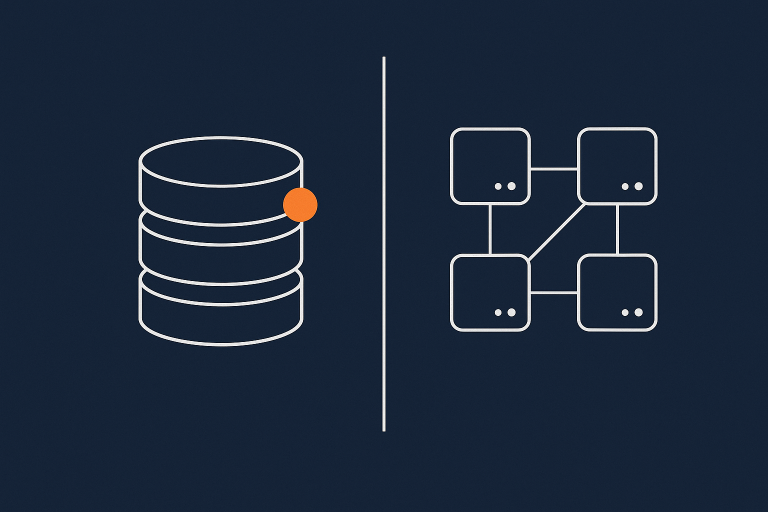
Redundancy keeps things running when something fails; backups let you go back in time when something goes wrong.
Redundancy is about having extra capacity ready to take over. Backups are about having extra copies that are not in use until you need them.
Why this difference matters for risk, not just uptime
If you only think in terms of “uptime” you can miss important business risks.
- Some incidents harm confidentiality or integrity, not availability.
A hack that steals customer data might not take your site offline at all. Redundancy focuses on availability. It does not undo a breach. - Losing 30 minutes of orders can be worse than 30 minutes of downtime.
In many businesses, especially e‑commerce, accounting or booking systems, silent data loss is more damaging than a visible outage. - Time to recover matters as much as whether you can recover.
If it takes you six hours to restore from a single nightly backup, then you still have six hours of downtime, even though you “have backups”.
Understanding what backups and redundancy actually protect you from helps you decide where to spend money and effort, instead of assuming one thing covers everything.
What a website backup actually is (and is not)
In simple terms, a backup is a separate, safe copy of your data and/or configuration that you can restore from later.
It is easy to stretch that definition in marketing. A snapshot on the same server is sometimes called a backup, but if that server fails completely you can lose both the live site and the “backup”. So it helps to be clear what type of backup you have.
Types of backups: full, incremental, database only, file only
Most website backups fall into these categories:
- Full backup
A complete copy of everything in scope, for example the entire server, or an entire site including database and files. Simple to understand, space hungry if done often. - Incremental backup
After a full backup, only changes since the last backup are stored. This saves space and allows more frequent backups, but can take longer to restore because you have to apply a chain of increments. - Differential backup
A middle ground: store changes since the last full backup, not since the last differential. Restores are simpler than incremental, but it uses more space. - Database‑only backup
Saves the database (such as MySQL or MariaDB) without the code or media files. Critical for dynamic content like orders, posts and users. Useless on its own if your code or uploads are lost. - File‑only backup
Saves your application files and uploads, but not the database. Useful for recovering from a bad code deployment, but not enough if the database is corrupted.
For many sites you actually want a combination, for example:
- Daily full backups of the entire site
- Hourly database‑only backups during business hours
Key concepts: Recovery Point Objective (RPO) and Recovery Time Objective (RTO)
Two industry terms help you design a backup plan that matches business impact:
- Recovery Point Objective (RPO)
How much data you can afford to lose, measured as time. If your RPO is 1 hour, you accept that in the worst case you may lose up to 1 hour of changes. - Recovery Time Objective (RTO)
How quickly you need to be back up and running after a failure. If your RTO is 30 minutes, your backup and restore tooling must be able to get you online within half an hour.
RPO tells you how often to back up. RTO tells you how you should back up and how you should restore.
For example:
- A brochure site that is only updated weekly might have an RPO of 24 hours and an RTO of 4 hours.
- A busy WooCommerce store might need an RPO of 5 minutes for orders and an RTO of under 30 minutes during trading hours.
Designing around RPO and RTO is part of basic good practice, and is referenced in many standards such as ISO 27001’s business continuity guidance.
Common backup mistakes: single copy, same server, never tested
Several patterns show up again and again in incident reviews:
- Only one backup copy
If your single backup is corrupted or incomplete, you have nothing to fall back to. Retention policies that keep multiple restore points are critical. - Backups stored on the same server
A hardware failure, disk corruption or serious hack can remove both live data and backup data in one go. A “backup” on the same disk is really just a versioned copy. - Backups stored in the same data centre only
If the data centre has a serious outage or disaster, you may not be able to access either your live environment or your backups. - Backups that never include all components
For example, backing up only the database, but not the uploads directory or custom code. Recovery becomes complicated and sometimes incomplete. - Backups that are never tested
This is the largest gap. The backup job reports “success”, but nobody has tried restoring to a test system for a year. Problems are first discovered during a real incident.
How backups usually work for WordPress and WooCommerce sites
For WordPress and WooCommerce, you generally have three layers of backup:
- Hosting‑level backups
Many providers take full snapshots of the site or server at regular intervals. In Managed WordPress hosting this is often automated and integrated into the control panel. - Application‑level backups
Plugins can export the database, files or both. These are handy for site migrations or extra safety, but they must be stored off the server to be useful in a serious failure. - Third‑party or cloud backups
Some teams push database dumps or compressed site archives to an external storage provider, such as object storage or a cloud account.
If you want a practical, WordPress‑specific walkthrough of backup tools and restore steps, the guide What Every WordPress Owner Should Know About Backups and Restores is a useful companion to this article.
What redundancy actually is in hosting
Redundancy is about having more than one of something so that if one fails, another is ready to take over automatically or with minimal intervention.
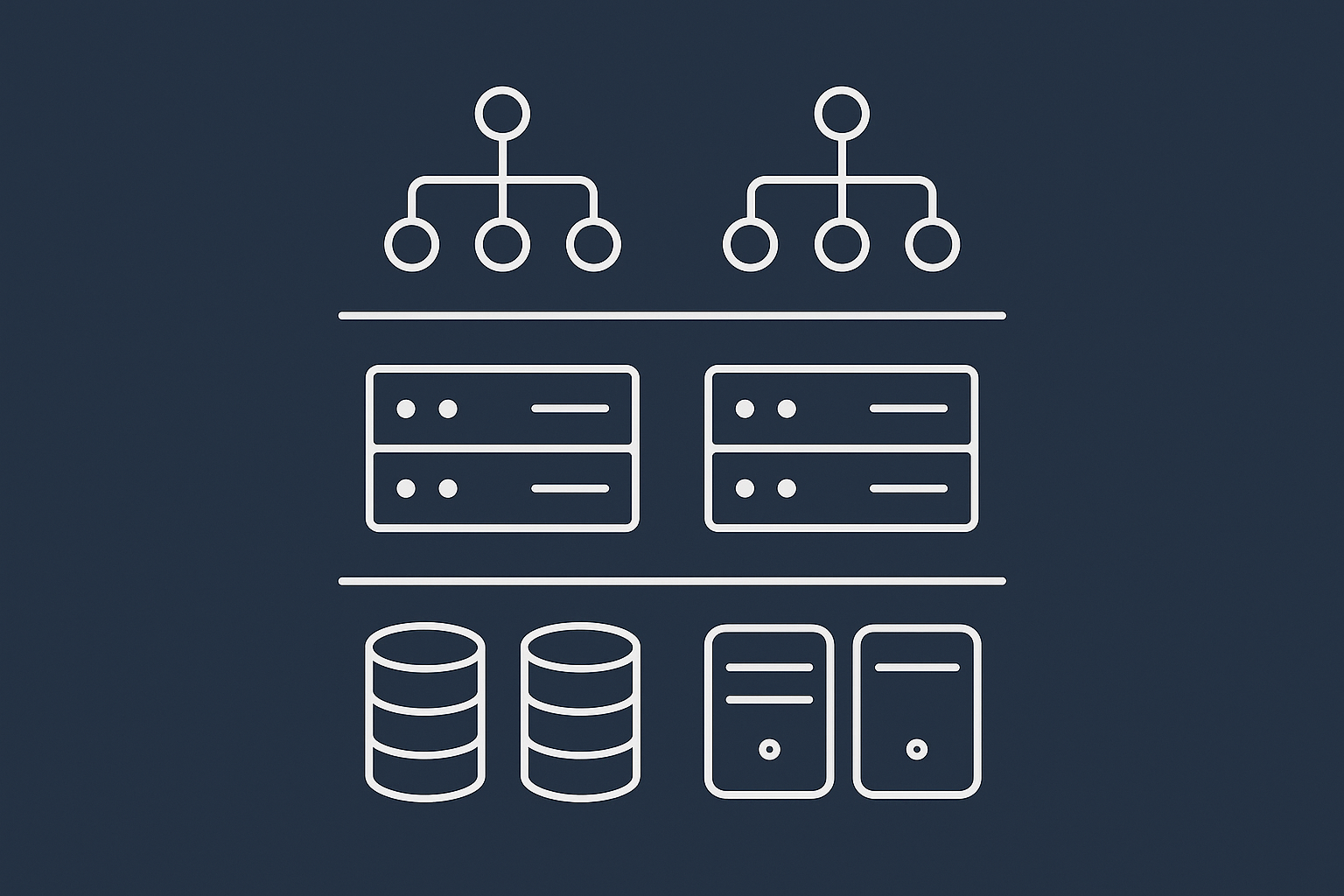
Redundancy in plain English: copies that keep running when things fail
A simple analogy is a dual carriageway road. If one lane is blocked, traffic can still move in the other lane. It might be slower, but it does not stop completely.
In hosting, redundancy can mean:
- Two or more power feeds into a rack
- Two or more physical disks behind a storage volume
- Two servers both capable of running your site
- Two networks or data centres that can serve traffic
The key point is that these “copies” are active parts of your live environment. They are not archives. If something corrupts your live data, that corruption can be quickly replicated to the redundant copy.
Typical layers of redundancy: disks, power, network, servers
Redundancy usually appears in several layers:
- Disk and storage redundancy
Technologies like RAID or distributed storage mean that your data is stored across multiple disks. If one disk fails, your data is still accessible while the disk is replaced. - Power redundancy
Power supplies in servers, UPS systems and dual power feeds mean a single failure does not bring the machine down. - Network redundancy
Multiple switches, routers and upstream links mean traffic can reroute if there is a failure. In some architectures, multiple data centres also provide network‑level redundancy. - Server or node redundancy
Multiple web or application servers sitting behind a load balancer mean that if one server fails, the others continue to respond.
High availability, failover and clustering explained simply
Different terms are used in this space, sometimes inconsistently. In broad terms:
- High availability (HA)
An architecture that aims to minimise downtime through redundancy, automated failover and health checks. There is usually no single component whose failure will take you completely offline. Our article High Availability Explained for Small and Mid Sized Businesses covers this in more depth. - Failover
The process of switching from a primary system to a standby system when a failure is detected. This might be automatic or manual. - Clustering
Running multiple servers together as a logical group, sharing workload and state. For websites, this could mean a cluster of web servers and a cluster of database nodes that keep each other in sync.
All three ideas aim to keep your service available. None of them replace the need for backups.
Where redundancy lives in shared hosting, VPS and virtual dedicated servers
Different hosting models provide redundancy in different places:
- Shared hosting
Typically the underlying storage and power are redundant, and the provider may have failover capacity if a node fails, but your site usually runs on a single logical server. Redundancy is mostly invisible and outside your control. - VPS or cloud instances
The platform often provides storage redundancy and sometimes automatic migration if a physical host fails. Your virtual server itself is usually a single point of failure unless you explicitly design an HA setup with multiple instances and a load balancer. - Virtual dedicated servers
With virtual dedicated servers you gain more isolated resources and freedom to design redundancy around your applications. For example, separate VDS instances for the web tier and database tier, with replication between them, or active/standby nodes in different availability zones.
A hosting provider can supply the building blocks for redundancy, but it usually takes deliberate architecture work to ensure your particular site genuinely has no single point of failure.
Backups vs redundancy: what each protects you from
Thinking in concrete scenarios helps to clarify where backups and redundancy each help.
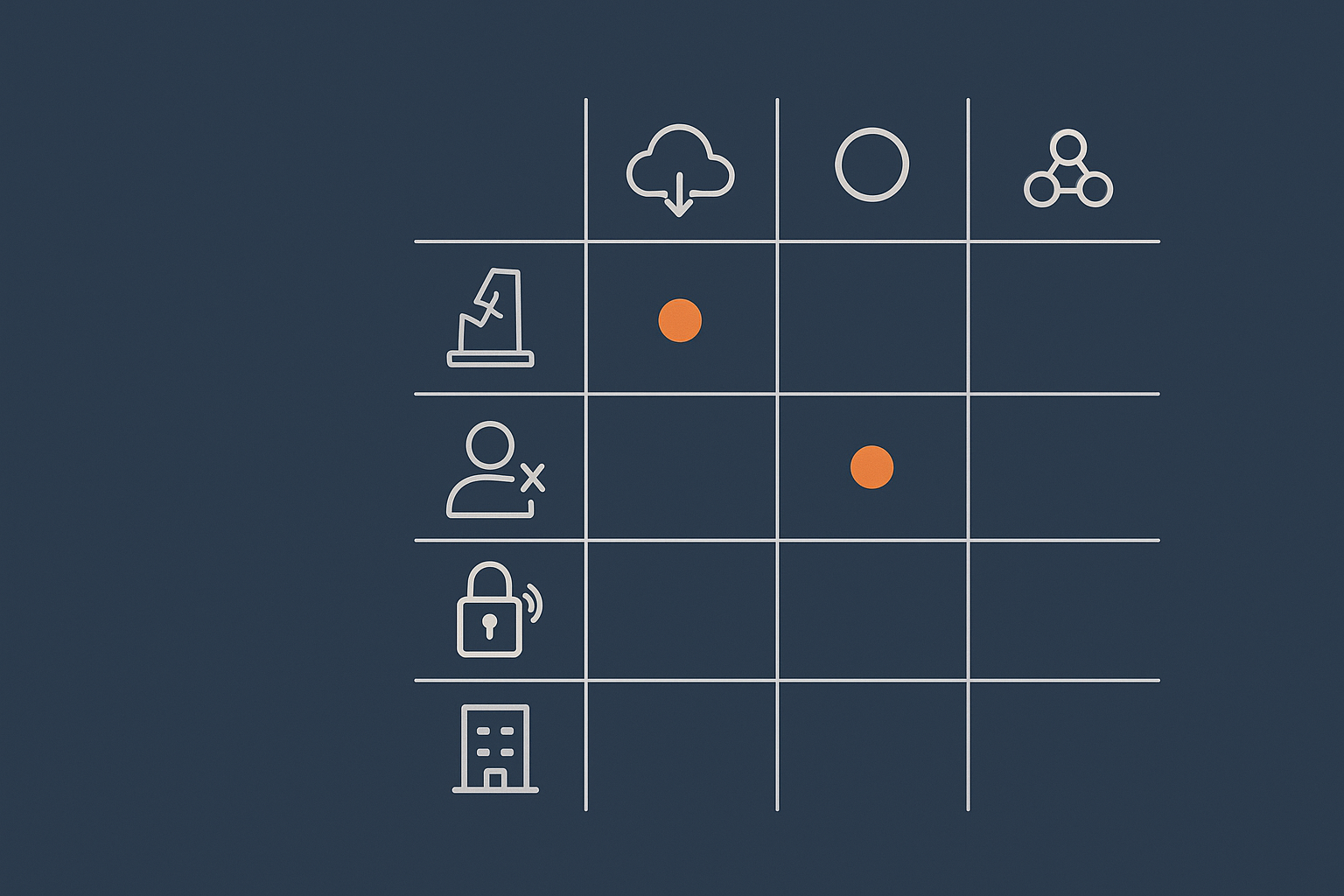
Comparing scenarios: hardware failure, human error, hacks, bad updates, provider issues
Consider these situations:
- Hardware failure such as a disk or physical server dying.
Redundancy: Can keep you online if you have RAID, storage replication, or multiple nodes.
Backups: Allow you to recover if redundancy is insufficient or also fails. - Human error such as deleting data or dropping a table by accident.
Redundancy: Offers no real help. The deletion typically replicates across redundant systems.
Backups: Essential to roll back to a point before the mistake. - Hacks and malware that modify or delete data.
Redundancy: Usually spreads the problem, as compromised files or database changes are synchronised.
Backups: Provide a clean restore point, assuming they are not also compromised. - Bad software updates such as a plugin update that breaks the site.
Redundancy: Keeps serving the broken version.
Backups: Enable you to roll back to a working version. - Provider‑level or data centre issues such as a major outage in one location.
Redundancy: If you have resources in multiple availability zones or regions, you can fail over.
Backups: Allow you to rebuild elsewhere, but not quickly unless you have planned for it.
Why redundancy will not save you from a bad plugin or a hacked admin account
Redundancy keeps your current state highly available. That current state may be good or bad.
If an admin installs a faulty plugin, deletes content, or an attacker uploads malicious code, the “bad” state is what your redundant infrastructure faithfully serves to the world.
To recover from these situations you need two things:
- A clean backup from before the incident
- A way to restore that backup safely, perhaps to a staging environment first to verify it
Redundancy improves uptime. Backups protect data integrity and give you a path to undo mistakes or attacks.
Why backups alone will not give you strong uptime
If your site runs on a single virtual server in a single data centre, with excellent backups, you can still have poor uptime.
Reasons include:
- A failed host or storage system might take your virtual server offline until your provider intervenes.
- A data centre power or network incident might leave your server unreachable for some time.
- Restoring from backups takes time, especially if large data volumes are involved.
Backups are about “eventual recovery”, not “instant continuity”. For many business‑critical sites you need both good backups and appropriate redundancy.
How uptime guarantees fit into the picture
Uptime guarantees or SLAs describe the provider’s target availability for the hosting platform. They usually measure whether their infrastructure is reachable and responding, not whether your specific website is working as expected.
It is easy to assume that a “99.9% uptime guarantee” means your site will only be down for a few minutes per month. In practice:
- The guarantee typically covers network and power availability in the provider’s data centre, not application‑level issues.
- Compensation is often in the form of service credits, not business loss coverage.
- You may still be within SLA even if your own configuration or deployment caused hours of downtime.
For a deeper look at what these numbers really mean, see What Uptime Guarantees Really Mean in Real World Hosting.
Designing a sensible backup strategy for your site
A good backup strategy starts from business impact, not from which tool is available in your control panel.
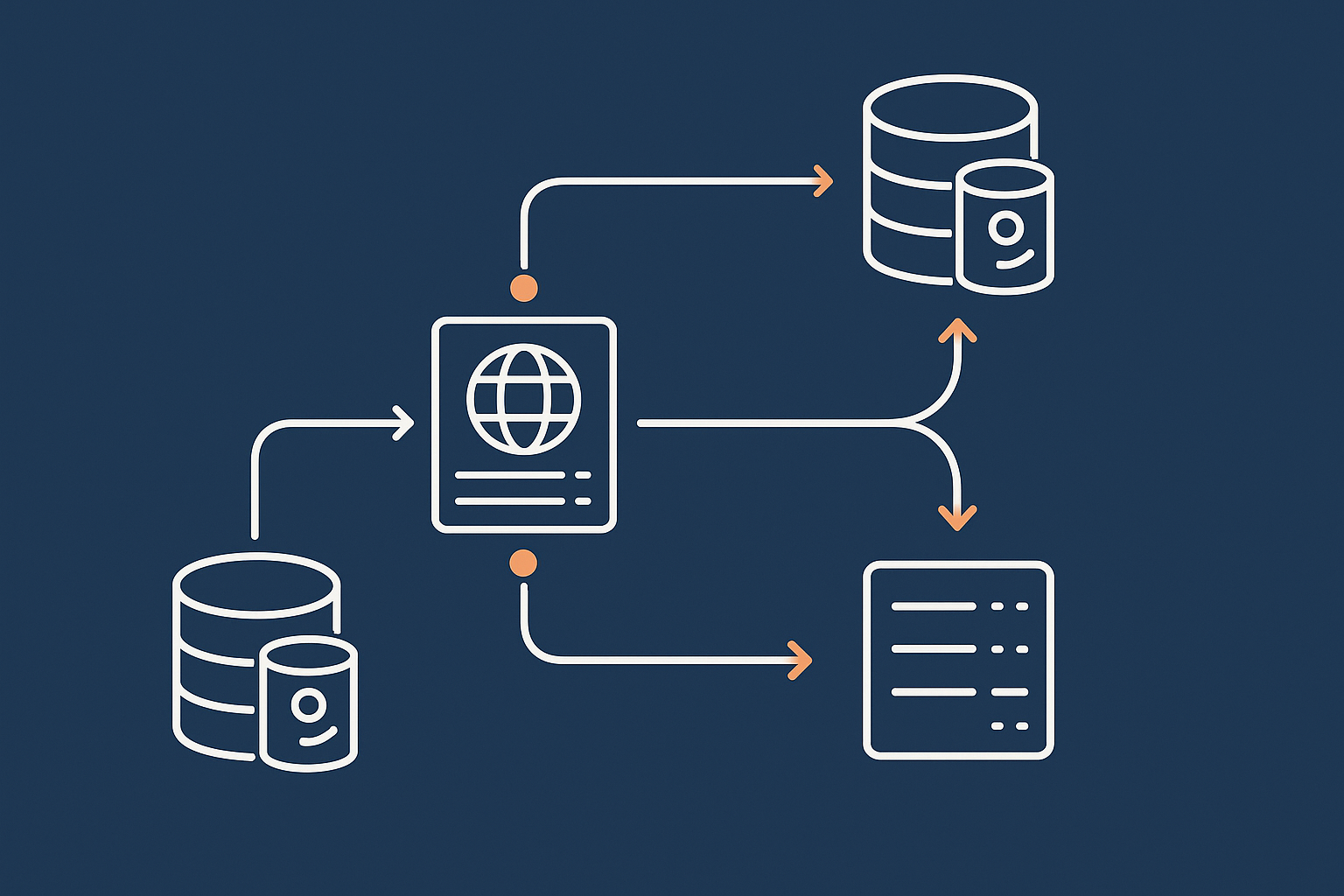
Start with impact: what happens if you lose a day, an hour, or 5 minutes of data?
Ask simple, concrete questions:
- If we lost one day of data, what would that mean? Lost orders, lost enquiries, compliance issues?
- If we were offline for four hours, what would that cost in revenue or reputation?
- For which parts of the system is even five minutes of data loss unacceptable?
The answers usually vary across components. For example, a content site might tolerate losing a day of new posts, but not a day of membership sign‑ups.
Translate those answers into RPO and RTO numbers. That is your design target.
How often you should back up: blogs, business sites, WooCommerce stores
There is no single correct schedule, but some sensible baselines are:
- Personal or low‑change blogs
Daily full backups, plus an ad‑hoc backup before major updates. - Standard business websites (brochure, lead generation, information)
Daily full backups, plus more frequent database backups if you have contact forms or user accounts that you care about. - Busy WooCommerce or other transactional sites
Nightly full backups.
Database backups at least every 15 minutes during trading hours, and more frequently if your order volume is high.
Consider point‑in‑time recovery options at the database layer if order data is very sensitive.
Managed platforms such as WooCommerce hosting often build these patterns in, but you still need to confirm that the backup frequency and retention match your own risk appetite.
Where backups should live: off server, off site, and retention policies
Simple guidelines that avoid most common traps:
- Off server
Do not rely solely on backups stored on the same server. Keep at least one copy on separate storage. - Off site
Consider at least one backup copy in a different physical location or availability zone, so that a data centre‑level incident does not take out everything. - Retention policies
Decide how long to keep backups. A typical pattern might be:- Daily backups kept for 7 to 14 days
- Weekly backups kept for 4 to 8 weeks
- Monthly backups kept for 6 to 12 months
Longer retention helps when an issue is only noticed after some time, for example a compromise dating back several weeks.
Testing restores: the missing piece in most backup plans
A backup strategy is only as good as your ability to restore when stressed and tired.
In practice, you want to:
- Schedule at least a quarterly test restore to a staging or disposable environment.
- Document the steps clearly so that someone other than the original implementer can follow them.
- Measure how long a restore actually takes and compare it to your RTO.
This can feel like extra work, but it is cheaper than discovering during an incident that your only backup is incomplete or incompatible with your current setup.
How managed hosting can take some of this off your plate
Planning, configuring, monitoring and testing backups all take time. For smaller teams, this can be a distraction from core work.
Managed platforms, including Managed WordPress hosting and managed virtual infrastructures, typically provide:
- Automatic backups with sensible defaults for frequency and retention
- Off‑server and often off‑site storage for backups
- One‑click or guided restores, sometimes with temporary “restore to staging” options
- Monitoring and alerts if backups fail
This does not remove your responsibility to understand your RPO and RTO, but it does reduce the operational load and the risk of silent configuration mistakes.
Designing the right level of redundancy
Unlike backups, where “more coverage and more copies” is rarely a bad thing, redundancy has clearer trade offs in cost and complexity. It is worth being deliberate about how far you go.
When basic shared hosting redundancy is probably enough
If your site is:
- Not directly revenue‑critical
- Relatively static
- Not tied into internal line‑of‑business systems
then the standard redundant storage and network in a quality shared or simple VPS hosting environment, combined with solid backups, is often sufficient.
The focus in this case should be on:
- Reliable off‑server backups and tested restores
- Good update discipline to minimise self‑inflicted downtime
- Basic uptime monitoring to catch issues early
When you should consider redundant infrastructure like clustered or highly available setups
You might look towards higher levels of redundancy when:
- Downtime of more than an hour or two would cause material financial loss or contractual issues.
- You have peak trading periods where being offline is particularly damaging, for example Black Friday for e‑commerce.
- Your site is used as a core tool by staff or customers, such as a portal or booking system.
- You have regulatory or contractual obligations around availability.
Patterns you might consider include:
- Multiple web servers behind a load balancer
- Database replication with automatic or manual failover
- Resources spread across separate availability zones or data centres
- Use of a content delivery or acceleration network to absorb traffic spikes and mitigate some network issues
These architectures introduce more components, which themselves need monitoring, patching and testing. For small teams, this is often where a managed or virtual dedicated servers based solution is worth considering, so that the low level details are handled by specialists.
Examples: busy WooCommerce, membership sites and internal business tools
Concrete examples where stronger redundancy is usually justified:
- Busy WooCommerce store
Peaks during sales or seasonal events can be many times higher than normal. Redundant web nodes and a robust database layer reduce the chance of outages from load or single‑node failures. Our article WooCommerce Hosting for UK Retailers explores this in detail. - Membership or subscription site
Members expect consistent access. Downtime creates support load and refunds. Splitting functions such as web front end, API services and database across separate nodes can keep the platform available even when individual components need maintenance. - Internal business tools
Systems such as CRMs, order processing or HR tools can halt operations if unavailable. Redundancy here is less about public image and more about keeping staff productive.
Virtual dedicated servers, separation of roles and reducing single points of failure
One way to improve resilience without going full enterprise cluster is to separate roles across multiple nodes.
For example:
- One VDS for web and application logic
- One VDS for the database
- Dedicated storage or backup nodes for off‑server copies
This separation:
- Reduces the impact of a single host failure
- Makes it easier to scale individual layers independently
- Improves security isolation between components
From there, you can add further redundancy selectively, such as a second database node or a second web node, focusing on the parts of the system that cause the most damage if they fail.
Compliance, governance and incident response
As soon as you handle regulated data, card payments or sensitive personal information, backups and redundancy stop being purely technical concerns. They become part of your governance and compliance story.
Why regulated or PCI influenced businesses need clearer backup and redundancy policies
Frameworks influenced by PCI DSS or similar standards expect you to:
- Understand how data is protected at rest and in transit, including in backups.
- Know where your data is stored geographically.
- Have documented recovery processes and test them periodically.
If you process card payments directly, hosting in a PCI conscious hosting environment can help align infrastructure capabilities with these requirements, but you still need internal policies covering who can restore data and how you handle incidents.
Retention, audit trails and who can restore data
From a governance perspective, you should be clear on:
- Retention for different data types, so that you do not keep backups containing personal data longer than necessary.
- Access control to backup systems, including who can:
- View backup contents
- Trigger a restore
- Change retention settings
- Audit trails so that you can see when restores were performed and by whom.
In regulated environments, these details may be reviewed during audits or incident investigations, so it is worth taking them seriously even if they feel bureaucratic.
Documenting what you will actually do when something breaks
An incident response plan does not have to be long, but it should be clear and realistic. At minimum, consider documenting:
- Who is authorised to declare an incident and lead the response.
- Where you will get information from (monitoring tools, logs, provider status pages).
- How you decide whether to:
- Wait for the hosting provider to fix an issue
- Fail over to a redundant environment
- Restore from backup
- How you will communicate with customers or internal users during an outage.
Practising a simple restore drill once or twice a year helps turn this from theory into muscle memory.
Bringing it together: a practical checklist
It is easy to get lost in terminology. A short checklist helps you apply the ideas.
Questions to ask your current or future hosting provider
- Where are backups stored, and are they on different infrastructure from the live site?
- How often are backups taken, and how long are they retained?
- How do restores work, and who is responsible for testing them?
- What levels of redundancy exist at storage, server and network layers?
- If a node fails, what happens automatically, and what needs manual intervention?
- What does your uptime guarantee actually cover, and how is downtime measured?
The article Why Websites Go Down: The Most Common Hosting Failure Points can help you map provider answers to real‑world risks.
Minimum viable safety net for most business websites
For many small to mid‑sized organisations, a pragmatic minimum set of protections looks like:
- Daily full backups plus more frequent database backups during active hours.
- Backups stored off server and at least one copy off site.
- Quarterly test restores to confirm that backups work and that you know the procedure.
- Hosting with basic storage and network redundancy, from a reputable provider.
- Simple uptime monitoring to alert you to outages.
This level does not give you instant failover or zero downtime during maintenance, but it significantly reduces the risk of catastrophic data loss.
When to move towards high availability and enterprise style setups
It may be time to look at more advanced architectures when:
- Your site directly drives significant revenue or mission‑critical operations.
- You have contractual SLAs that commit you to higher availability.
- Regulators or auditors expect documented continuity capabilities.
- You regularly experience traffic spikes that put a single server under strain.
At that point, combining strong backups with well designed redundancy, possibly across multiple virtual dedicated servers or clusters, becomes a sound investment rather than technical overkill.
If you are unsure where your own site sits on this spectrum, a short conversation with a hosting specialist can often clarify things quickly. You can talk to G7Cloud about your current set up and risk tolerance, and we can help you decide whether better backups, more redundancy, or managed services would make the biggest difference with the least complexity.