How to Choose the Right WordPress Hosting Plan for a UK SME (Without Overpaying or Underspec’ing)
Who This Guide Is For (And Why Hosting Choice Matters More Than You Think)
If you run a UK small or medium business on WordPress or WooCommerce, your hosting is the quiet infrastructure that keeps everything working. When it is right, you barely think about it. When it is wrong, you feel it in lost enquiries, abandoned baskets and late nights.
Typical UK SME WordPress scenarios
Most UK SMEs fall into one or more of these categories:
- Brochure or local service site
A few key pages, contact forms, maybe a blog. Examples: accountancy firm in Leeds, electrician in Bristol, boutique hotel in the Cotswolds. - Lead generation / content hub
Multiple landing pages, gated resources, email signups and tracking. Examples: B2B SaaS vendor, marketing agency, training provider. - Content heavy site
Regular articles, guides and resources, sometimes with ads. Examples: niche magazine, news site, professional association. - WooCommerce or other ecommerce
Product catalogue, baskets, checkout, payment integrations, often with seasonal peaks. Examples: online gift shop, fashion retailer, D2C food brand. - Memberships, bookings or portals
User accounts, protected content, booking calendars and often integrations with CRMs or external systems.
All of these can run on WordPress, but their hosting needs are not the same. A £4 per month shared plan might cope with a small brochure site, but it will struggle with a busy WooCommerce store or membership portal.
What can go wrong when you pick the wrong plan
Common problems when an SME underspecs (or overspecs) hosting include:
- Slow pages and timeouts at busy times, particularly on checkout or enquiry forms.
- Random errors like “503 Service Unavailable” or “Error establishing a database connection”.
- Security gaps when cheap hosting does not update PHP or WordPress tools promptly.
- Noisy neighbours on crowded shared hosting affecting your performance.
- Unexpected limits such as capped CPU, entry processes or email relays, despite “unlimited” marketing claims.
- Overpaying for unused capacity by jumping to a large server before you actually need it.
These are not just technical annoyances. They translate into:
- Lower search rankings due to poor Core Web Vitals and uptime.
- Lost revenue from abandoned baskets or forms that do not submit.
- Time and stress for you or your team acting as last line of support.
How this guide will help you choose based on facts, not guesswork
This guide walks through a structured way to choose hosting based on:
- What your site actually does.
- How much real traffic you receive or expect.
- Key resources such as CPU, RAM and PHP workers, explained in plain language.
- Performance features such as caching, image optimisation and bot filtering.
- The level of support and management you want from a provider.
It uses practical examples for UK SMEs, and where it makes sense, it references solutions such as G7 Acceleration Network and managed WordPress hosting plans, without assuming they are automatically the right fit for everyone.
Step 1: Get Clear on What Your Site Actually Does
Brochure site, lead generation, content hub or full ecommerce?
Before comparing plans, write down in one or two sentences what your site’s main job is.
- Brochure / local service: Inform visitors and generate enquiries.
- Lead generation: Capture contact details and track campaigns.
- Content hub: Publish regular articles and build audience.
- Ecommerce: Sell products, process payments, manage orders.
- Membership / portal: Serve logged-in users with personalised content.
This seems basic, but it anchors everything. A site with a handful of static pages can tolerate more resource constraints than a site where every page view hits the database and updates the basket.
Traffic levels: real numbers vs gut feeling
Use data instead of guesswork where possible:
- Google Analytics: Check monthly sessions and page views.
- Peak vs average: Note your busiest day and busiest hour in a typical month.
- Growth or campaigns: Are you planning ads, PR or a new product launch?
Even rough ranges help:
- Low: under 5,000 visits per month.
- Moderate: 5,000 to 50,000 visits per month.
- High: 50,000 to 250,000+ visits per month.
Also think about concurrency: how many people are likely to be on the site at the same time during peaks. A small local firm might see 10 people at once; a busy retailer on Black Friday might see hundreds.
Features that change hosting needs (logins, search, page builders, heavy plugins)
Some WordPress features are cheap in terms of server resources. Others are expensive. Expensive examples include:
- Visual page builders (Elementor, WPBakery, Divi) rendering complex layouts.
- Advanced search or filtering across many products or articles.
- Heavy membership or LMS plugins handling access control and course progress.
- Form and marketing automation plugins that run logic for each submission.
- Translation plugins duplicating content in several languages.
Make a note of anything that:
- Involves logged-in users.
- Runs search, filters or complex queries.
- Handles checkouts, payments or bookings.
These tend to bypass simple page caching and therefore depend more directly on CPU, RAM and PHP worker capacity.
Special cases: WooCommerce, memberships, bookings and peak traffic days
WooCommerce, membership sites and online booking systems deserve special attention because:
- They have dynamic pages that cannot always be cached (basket, account, checkout, booking flow).
- They often see sharp peaks during promotions or seasonal periods.
- Every action such as adding to basket or updating membership status touches the database.
For example:
- A florist running Valentine’s promotions might see 10 times the normal traffic over a few days.
- A training provider opening course bookings on a specific date might see a spike at 9am.
When considering WooCommerce hosting for UK retailers or similar setups, think not just about typical days but about your top 1 or 2 busier periods per year.
Step 2: Understand the Main Types of WordPress Hosting

Shared hosting / cPanel plans in plain English
Shared hosting is like renting a desk in a busy co-working space. You share CPU, RAM and disk with many other customers. Typical features:
- Low monthly price.
- cPanel or similar control panel with email, one-click installers and file manager.
- Many sites per physical server.
- “Unlimited” domains or storage, with hidden limits on CPU or simultaneous processes.
Suitable for:
- Very small brochure sites with low traffic.
- Early-stage projects where budget is extremely tight.
Less suitable for:
- WooCommerce with live customers.
- Membership or bookings.
- Sites needing consistent performance or strong isolation from other customers.
If you are on shared hosting now and see frequent slowdowns or “resource limit reached” messages, it is a sign that you are pushing against its ceilings.
Managed WordPress hosting: what you actually get
Managed WordPress hosting focuses specifically on WordPress. Instead of a generic cPanel, you usually get:
- Servers tuned for PHP, MySQL and WordPress patterns.
- Automatic core and sometimes plugin updates.
- Integrated caching and performance layer.
- Daily backups and one-click restores.
- Security hardening and malware scanning.
- Access to WordPress specialists for support.
With managed WordPress hosting plans from providers such as G7Cloud, the aim is that you spend less time as a part-time system administrator and more time on content and customers.
Cost is typically higher than basic shared hosting, but for most SMEs, the reduction in problems and time taken to resolve them justifies the difference.
VPS / virtual dedicated servers: more power, more responsibility
A Virtual Private Server (VPS) or virtual dedicated server is like having your own private office in a building. You get a defined slice of CPU, RAM and storage that is isolated from others.
Benefits:
- Predictable resources and performance.
- More control over software versions and configuration.
- Ability to host several sites under one umbrella.
Trade offs:
- You or your provider must handle system updates and security patches.
- Bad configuration can negate the performance benefits.
- More moving parts to monitor and manage.
Some providers, including G7Cloud with its virtual dedicated server options, offer fully managed VPS-style environments where they handle server-level management for you. This suits growing SMEs that outgrow single-site hosting but do not yet need complex enterprise infrastructure.
Enterprise and high availability setups: when they become relevant
Enterprise or high availability setups usually involve:
- Multiple servers behind a load balancer.
- Redundant database clusters.
- Separate caching or search layers (for example Redis, ElasticSearch).
These become relevant when:
- Your site is genuinely business critical and downtime is extremely costly.
- You routinely handle hundreds of concurrent users.
- You require custom security, compliance or integration work.
Most SMEs do not start here. The more common pattern is to begin with quality managed hosting, then move to a managed VPS or virtual dedicated setup as traffic and complexity grow, and only consider enterprise clusters once there is clear demand and budget.
Self managed vs fully managed: who is doing the hard work?
Behind every hosting type is a question: who is responsible for the hard work?
- Self managed: You control the server, install software, configure backups, manage security and optimisations. This suits teams with strong in-house technical skills.
- Fully managed: The host handles operating system, web server stack, backups, security patching and often performance tuning. You focus on WordPress itself.
If you are unsure which path suits you, the article Self Hosted vs Managed WordPress: What UK SMEs Really Gain (and Lose) by Letting Go of Server Management explores this trade-off in more detail.
Step 3: The Key Resources That Decide Whether a Plan Is Big Enough
CPU, RAM and PHP workers in non technical language
Think of your hosting as a shop:
- CPU is the number of staff on the shop floor, actually serving customers.
- RAM is the size of the counter and back room where you store items in quick reach.
- PHP workers are the number of tills open at any one time.
When someone visits a page that is not fully cached, a PHP worker picks up the request, CPU does the calculations, RAM holds the data. If all PHP workers are busy, new visitors queue. If the queue gets too long, they see timeouts or errors.
For SMEs:
- Simple brochure sites can often run well on lower CPU and fewer workers, as most pages cache efficiently.
- WooCommerce stores, memberships and busy blogs often benefit from more workers and CPU capacity, especially at peaks.
Storage, databases and bandwidth: what matters and what is just marketing
Storage and bandwidth figures are easy to understand but often oversold.
- Storage matters if you host many images, videos or downloads. Most business sites fit within 10–20 GB very comfortably.
- Database size grows with posts, orders, users and plugin data. A busy WooCommerce store can see its database grow faster than its file storage.
- Bandwidth is the data transferred to visitors. Large numbers can look impressive, but unless you serve heavy media or extremely high traffic, you are unlikely to hit sensible limits.
In practice, sites slow down because of limited CPU/PHP worker capacity or inefficient code, not because they run out of disk or bandwidth.
Why “unlimited” is rarely what it sounds like
Many entry-level plans advertise “unlimited” storage or traffic. In the small print you will usually find:
- Limits on CPU seconds or “resource usage”.
- Caps on the number of files (inodes).
- Fair use policies that allow the host to throttle or suspend heavy users.
Unlimited is typically a marketing term based on the assumption that most customers only use a fraction of what is theoretically available. For a serious SME site, clear, documented resource allocations are more honest and easier to plan around.
Simple rules of thumb for common SME site types
These are rough starting points, not hard rules, but they can help frame conversations with hosts.
- Local brochure site (under 5,000 visits / month)
Entry-level managed WordPress plan or high-quality shared hosting. Modest CPU, 1–2 PHP workers, 5–10 GB storage usually fine. - Active blog or content hub (10,000–50,000 visits / month)
Mid-tier managed plan with more CPU and workers, good caching and image optimisation. 10–20 GB storage, well tuned database. - Small WooCommerce store (a few hundred orders / month)
Managed WooCommerce or similar performance-focused plan. Extra PHP workers to handle checkout and admin, SSD storage and strong backup regime. - Growing store or membership site (thousands of users, regular promotions)
Higher tier managed plan or managed VPS / virtual dedicated with dedicated resources. Ability to scale workers and CPU quickly for peak events.
Step 4: Performance Features You Should Care About (Beyond Raw Specs)
Caching layers: page cache, object cache and why they cut server load
Caching stores pre-generated content so it does not have to be rebuilt on every request.
- Page cache: Saves the final HTML output of a page. Ideal for blogs, articles and product pages that do not change for every user.
- Object cache: Caches bits of data that WordPress uses, such as query results, so subsequent requests are faster.
- Browser cache: Encourages visitors’ browsers to keep static assets like CSS, JS and images for reuse.
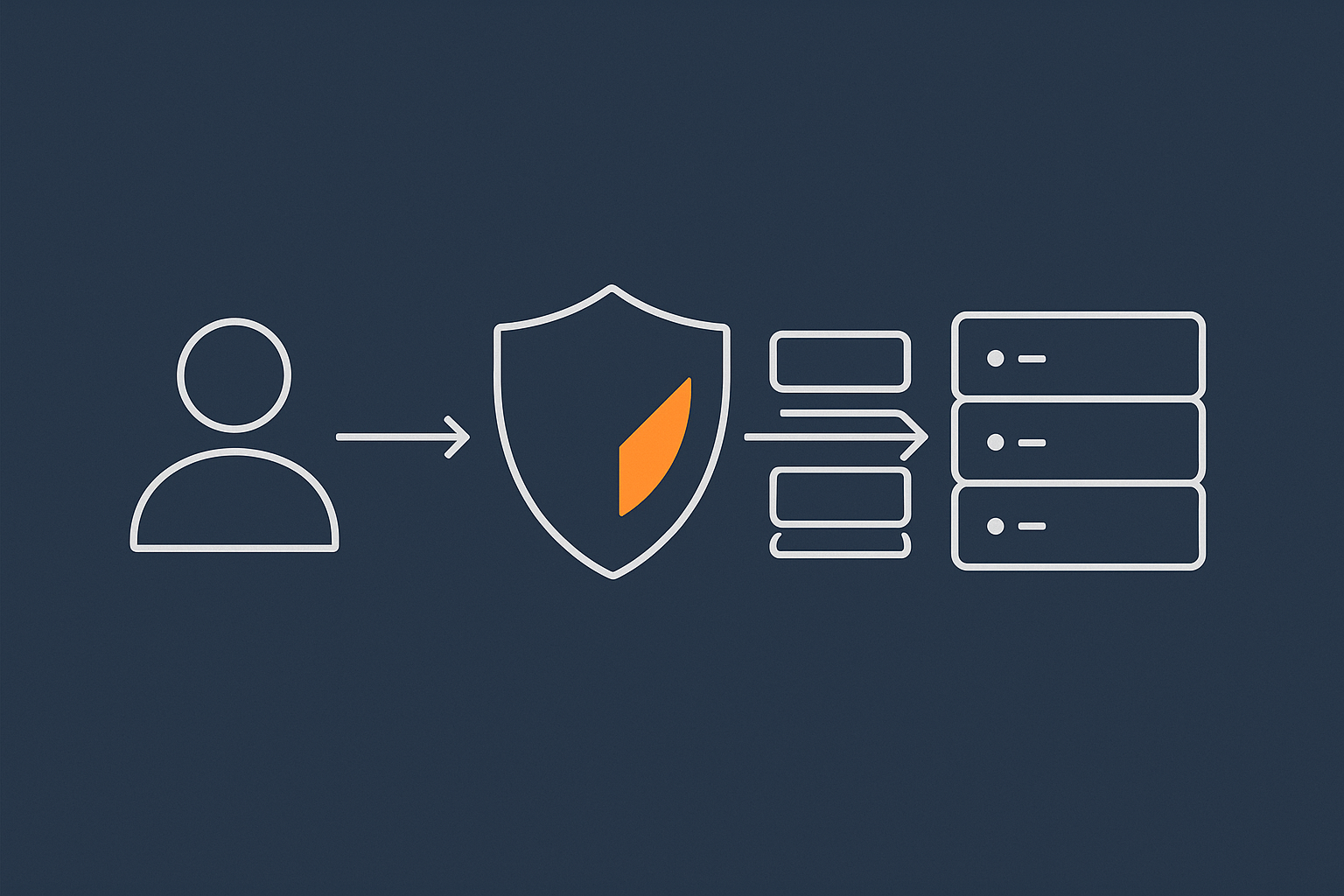
A good hosting platform will combine server-level caching with smart rules for logged-out vs logged-in users, and ecommerce exclusions. Services such as the G7 Acceleration Network add a global caching layer in front of your site, cutting load times and reducing how often requests reach PHP and the database.
Image optimisation, Core Web Vitals and page weight
Large images are one of the most common causes of slow sites. Typical issues:
- Uploading images directly from a camera or phone without resizing.
- Using PNGs where JPEG, WebP or AVIF would be smaller.
- Serving the same large image to all devices instead of responsive sizes.
Tools in WordPress or at the hosting layer should compress, resize and convert images automatically. This improves Core Web Vitals such as Largest Contentful Paint and reduces page weight, which is important both for users on slower connections and for SEO. The G7 Acceleration Network automatically converts your images to modern AVIF and WebP formats on the fly, typically cutting file sizes by more than 60 percent without visible quality loss, and it does this for every site hosted with G7Cloud without any extra plugins or WordPress changes.
If you would like a deeper look at how hosting, caching and images affect metrics, the guide Practical Core Web Vitals for WordPress: A Non‑Developer’s Guide for UK Business Sites is a useful follow-on.
Bad bots, abusive crawlers and how they quietly eat your resources
Not all traffic is equal. Many sites see a surprising proportion of visits from:
- Aggressive scrapers copying content or pricing.
- Unoptimised SEO tools or uptime bots.
- Brute force login attempts and vulnerability scanners.
Even if these fail to log in or do nothing useful, they still consume CPU and PHP worker time. Over time this can slow your site for real visitors or push you into higher plans unnecessarily.
Smart edge protection, like the bot filtering in the G7 Acceleration Network, stops many abusive and non human requests before they ever reach PHP or the database, which reduces wasted server load and helps keep performance consistent during busy periods.
PHP versions, database tuning and data centre location for UK audiences
Three quieter but important factors:
- PHP version: Newer supported versions of PHP are significantly faster and more secure. Your host should keep your site on a supported PHP version and offer easy upgrades.
- Database tuning: Indexes, query caching and sensible configuration can make a large difference for WooCommerce and content-heavy sites.
- Data centre location: For UK-focused businesses, a UK-based data centre generally offers lower latency than hosting in North America or Asia.
Ask prospective hosts where your site will physically run and how often they update PHP and database engines.
How the G7 Acceleration Network helps with speed, caching, images and bot filtering
A performance and security layer such as the G7 Acceleration Network sits in front of your WordPress site and provides:
- Global content caching close to visitors.
- Automatic image optimisation (including AVIF/WebP conversion).
- Bot protection and rate limiting to cut abusive traffic.
- Useful security headers and TLS configuration.
For many SMEs, this sort of integrated layer is more practical than managing multiple separate plugins for caching, security and image optimisation inside WordPress.
Step 5: Reliability, Backups and Security (So You Are Not Constantly Firefighting)
What uptime guarantees really tell you
Many hosts advertise 99.x percent uptime. In practice:
- 99% uptime allows over 7 hours of downtime per month.
- 99.9% allows about 44 minutes per month.
- 99.99% allows under 5 minutes per month.
The key questions:
- How is uptime measured, and what is excluded?
- What happens if they miss the target (service credits, investigation, nothing)?
- Do they publish historical uptime statistics?
If you want to understand uptime in more depth and how to monitor it independently, see Why Uptime Matters and How to Monitor Your WordPress Site Properly.
Backups vs redundancy: how your site is actually protected
Backups and redundancy solve different problems:
- Backups: Copies of your site and database from specific points in time. Used to recover from accidental deletion, plugin failures or hacking.
- Redundancy: Duplicate hardware or systems so your site keeps running if a server or disk fails.
Ask hosts:
- How often do you back up (daily, hourly)?
- How long are backups retained?
- Where are backups stored (same server, different data centre)?
- How quickly can you restore a backup, and is there a charge?
For business-critical sites, you might also keep an extra offsite backup under your own control, just in case. The article What Every WordPress Owner Should Know About Backups and Restores covers this area in more depth.
Security basics you should expect from any serious WordPress host
At a minimum, look for:
- Free TLS certificates (HTTPS) and automatic renewal.
- Regular OS and PHP security updates.
- Basic Web Application Firewall (WAF) or equivalent protections.
- Protection against brute force login attempts and known exploits.
- Isolation between customers to prevent cross-site contamination.
Many attacks are automated and rely on volume. Using a platform that filters obviously malicious traffic closer to the edge, as with G7Cloud’s bot protection inside the G7 Acceleration Network, can greatly reduce noise before it hits WordPress itself.
PCI, payments and what ecommerce stores need to think about
If you process card payments, hosting is one part of your PCI DSS compliance story. Most SMEs now use third-party payment gateways (Stripe, PayPal, etc), which means:
- Card details are not stored on your server.
- You still need to secure your site and follow good practices.
Check that your host:
- Supports secure TLS and modern ciphers.
- Provides logs and audit trails if needed.
- Understands ecommerce requirements and can advise during audits.
Step 6: Support, Maintenance and The Real Cost of “Cheap” Hosting
How much of your time you want to spend as a part time sysadmin
The cheaper the hosting, the more your own time fills the gap. Hidden tasks often include:
- Diagnosing 500 errors and timeouts.
- Updating PHP and testing for compatibility.
- Configuring backups and testing restores.
- Tuning caching plugins and clearing caches.
Those hours have a cost. If you bill clients at £75 per hour, spending even 3–4 hours per month firefighting hosting issues quickly outweighs the difference between budget and well-managed hosting.
Updates, plugin conflicts and who owns the problem when things break
WordPress needs regular updates for:
- Core software.
- Themes.
- Plugins.
On cheaper, unmanaged plans, you own this entirely. On better managed WordPress hosting plans, the host may:
- Handle core updates automatically.
- Stage updates and test compatibility.
- Help diagnose performance or plugin conflicts.
Ask prospective hosts what they do if an update breaks your site. Some will simply restore a backup and leave you to figure it out; others will actively help trace the cause.
What good WordPress support looks like in practice
Useful indicators of strong support:
- 24/7 availability via live chat or tickets for urgent issues.
- Staff who understand WordPress and WooCommerce specifically.
- Clear SLAs or target response times.
- Willingness to look at logs and configuration, not just say “that is a developer issue”.
Ask how far their responsibility goes. For example, will they help you:
- Diagnose a slow WooCommerce checkout.
- Identify a plugin causing high CPU use.
- Configure caching for a membership plugin.
Total cost of ownership: hosting price vs lost sales, time and stress
When comparing plans, add up:
- Monthly or annual hosting fee.
- Your own time spent managing hosting and troubleshooting.
- Revenue lost during outages and serious slowdowns.
- Developer time for emergency fixes that a better platform might have avoided.
A slightly higher hosting fee that saves even a few hours per month and prevents a major outage can easily be cheaper in real terms than the lowest advertised price.
Step 7: Matching Common UK SME Profiles To Sensible Hosting Plans
Local service business or brochure site: where to start and when to upgrade
If you run a local service business with a simple site (home, about, services, contact, a few blogs):
- Start with a reputable managed WordPress plan at the entry level.
- Make sure it includes automatic backups, SSL and server-side caching.
- Check that performance is solid on mobile and that contact forms are reliable.
Upgrade if:
- You add more dynamic features such as bookings or logins.
- Your content grows significantly and traffic increases.
- You notice regular slowdowns or support flags resource limits.
Content heavy sites: blogs, resources, magazines and lead gen
For active blogs, resource centres and small magazines:
- Prioritise strong caching and image optimisation features.
- Choose a plan with enough CPU for busy publishing days and social media spikes.
- Ensure database performance is considered, as queries multiply with content.
A managed platform with something like the G7 Acceleration Network can be a good fit here, since it optimises both images and caching without requiring a patchwork of plugins.
Small to mid sized WooCommerce stores, including seasonal peaks
For WooCommerce stores:
- Favor WooCommerce-aware hosting (managed or specialist ecommerce plans).
- Look for more PHP workers for checkout and account pages.
- Ask how the host handles sudden spikes, such as Black Friday or TV mentions.
- Check backup frequency and restore speed in case of checkout-affecting bugs.
Articles such as WooCommerce Hosting for UK Retailers: Choosing Infrastructure That Will Not Fall Over on Peak Days can help you size around real peak scenarios rather than just averages.
Growing and high traffic businesses: when to look at virtual dedicated or enterprise hosting
Signs that it may be time to move to a managed VPS or virtual dedicated setup:
- You regularly exceed resource limits on shared or multi-tenant plans.
- Support suggests moving to higher tiers due to CPU or memory usage.
- Your site is mission critical and downtime directly impacts revenue.
A well-managed virtual dedicated server option gives you isolated resources, more customisation and a clearer path to scaling further, without the full cost and complexity of an enterprise cluster.
Step 8: Questions To Ask Any Hosting Provider Before You Sign
Performance and capacity questions
- What resources (CPU, RAM, PHP workers) does this plan include for my site?
- How do you handle traffic spikes or short-term bursts?
- What caching layers do you provide, and how are they tuned for WordPress / WooCommerce?
- How do you handle bad bots and abusive crawlers to protect performance?
Security, backups and recovery questions
- How often is my site backed up, and how long are backups kept?
- Can I restore a backup myself, and is there a charge?
- What security measures do you provide as standard (firewall, malware scanning, login protection)?
- What happens if my site is hacked? Do you help clean it up?
Support, maintenance and upgrade path questions
- Is your support team WordPress-aware or just general hosting support?
- What are your typical response times for urgent issues?
- Who is responsible for PHP, database and OS updates?
- If I outgrow this plan, what is the next step and how smooth is that upgrade?
Red flags in hosting marketing and pricing
- Very low prices accompanied by “unlimited everything” language.
- Lack of clear resource allocations or SLAs.
- No mention of WordPress experience for support staff.
- Charges for basic essentials such as TLS certificates or backups.
Migrating Without Pain: Moving Your Existing WordPress Site Safely
How to time and plan a low risk migration
A careful migration plan should cover:
- Timing: Prefer quieter periods for your business, often late evening or early morning.
- Inventory: Note all domains, subdomains, email setups and external integrations.
- Plugin review: Remove unused plugins and update the rest before migrating.
Always make sure you have a working backup at both the old and new host before making DNS changes.
Zero downtime cutovers, DNS and testing checklists
To minimise downtime:
- Set up the site fully on the new host using a temporary URL or hosts file override.
- Test key flows: home page, key landing pages, forms, login, checkout, search.
- Reduce DNS TTL for your domain at least 24 hours before the move.
- Schedule the cutover for a quiet window and update DNS records.
- Monitor both old and new environments for a few hours as DNS propagates.
Do not forget to check email routing, third-party integrations and payment gateways after cutover.
When to lean on your host for a managed migration
If you are not comfortable handling these steps, or if your site is complex, a managed migration is worth requesting. Many managed providers, including G7Cloud with its free managed WordPress migration service, will handle the technical move, let you test on a staging URL and only switch DNS once you are happy.
Bringing It All Together: A Simple Decision Path You Can Revisit As You Grow

Recap: performance, reliability and support questions that really matter
To choose the right hosting plan without overpaying or underspec’ing, focus on:
- What your site does (simple brochure, content, ecommerce, membership).
- How much traffic you have, especially at peaks.
- Key resources: CPU, RAM, PHP workers rather than just storage.
- Performance features: caching layers, image optimisation, bot protection and up-to-date PHP.
- Reliability: realistic uptime, solid backups and clear restore procedures.
- Support and management: how much of the operational burden you want to carry yourself.
When to review your hosting again as the business evolves
Hosting is not a one-off decision. Review it when:
- You launch new features such as ecommerce, memberships or complex integrations.
- Your traffic or order volume grows significantly.
- You encounter repeated performance issues that require support intervention.
- You are planning major campaigns or seasonal promotions.
A good host will be happy to discuss upcoming plans, advise on likely impact and suggest a measured upgrade path rather than forcing you into the largest option immediately.
Next steps and further reading
If you would like to reduce the time you spend on server management and focus more on your business, exploring managed WordPress hosting plans or the G7 Acceleration Network for performance, image optimisation and bot filtering is a sensible next step. You can start small, migrate safely, and adjust your plan as your traffic and requirements change.
Used thoughtfully, hosting is not just a cost but an enabler: it keeps your WordPress or WooCommerce site fast, stable and secure so customers can find you, trust you and complete the actions that matter.