Designing Hosting for Peak Events: How to Prepare Your Infrastructure for Traffic Spikes and Product Launches
Who this guide is for and what you should be able to do by the end
This guide is for people responsible for a website or application that has important peak days. You might be a marketing lead planning a big campaign, an ecommerce manager running a busy WooCommerce store, or a technical generalist asked to “make sure the site does not go down on launch day”.
You do not need to be a full time infrastructure engineer. You do need to be comfortable talking about goals, looking at graphs, and making trade offs about cost and risk.
By the end, you should be able to:
- Describe your peak event in concrete numbers, not vague hopes.
- Spot likely bottlenecks in your current hosting setup.
- Decide whether a single well sized server is enough or if you need a multi server architecture.
- Use caching, edge optimisation and CDNs intelligently, rather than just “turning everything on”.
- Plan realistic testing, monitoring and fallback options for launch day.
- Decide where unmanaged hosting is fine and where managed services reduce operational risk.
This guide sits alongside our broader piece on planning hosting capacity for traffic spikes, but focuses more on architecture and practical preparation for specific events.
Typical scenarios: launches, campaigns and seasonal peaks
Typical peak scenarios include:
- Ecommerce product launches where you email your full list at once or appear on TV and expect a surge of visitors in a short period.
- Seasonal sales such as Black Friday, Christmas, or a limited time promotion that drives far more checkouts than normal.
- PR spikes for WordPress sites when an article goes viral or you are featured in national media.
- Booking and ticket releases where thousands of people try to book the same slot as soon as it opens.
- Internal or API driven peaks such as a partner integration going live, or many internal users accessing an application at once.
In all of these cases, the normal hosting configuration that feels perfectly adequate on a typical Tuesday can start to struggle.
The core questions this guide helps you answer
We will focus on three core questions:
- Capacity: Can your current hosting handle the traffic and workload you are planning, both technically and operationally?
- Architecture: Is a single server enough, or do you need to separate roles, add redundancy or introduce an edge layer?
- Preparedness: Have you planned, tested and monitored things well enough that surprises are unlikely and recoverable?
We will also be clear about what a provider like G7Cloud can reasonably handle for you, and what remains your responsibility, especially on unmanaged setups.
Why sites fall over during traffic spikes
The difference between average traffic and peak traffic
Most dashboards emphasise monthly visitors or average requests per minute. Peaks are a different story.
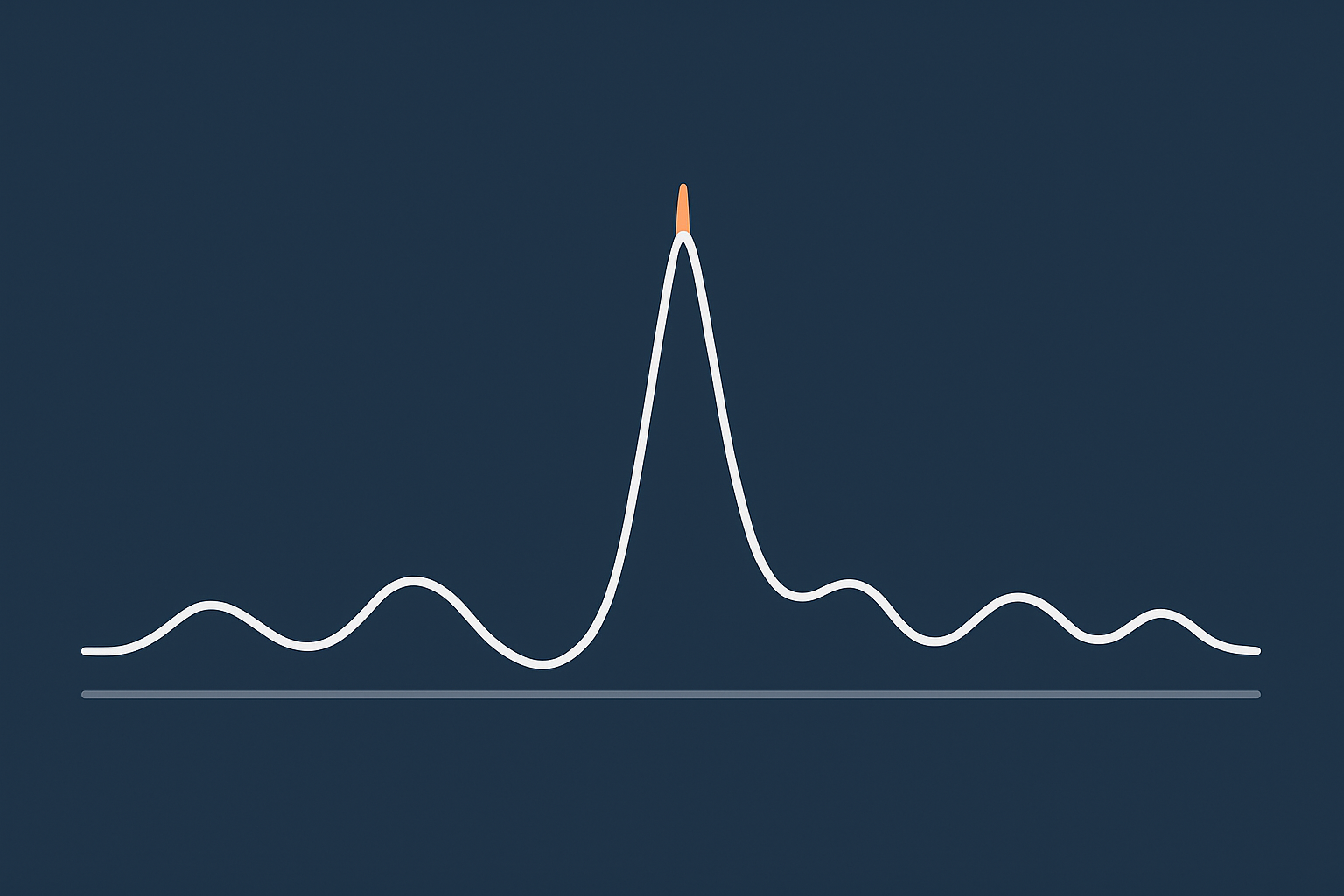
Imagine a shop that has 200 customers across a normal day. That sounds modest. Now imagine 600 people arrive in the same 10 minute window because you started a flash sale on TV. The staff, tills and doors are overwhelmed, even though the total number of customers is the same.
Hosting behaves in a similar way. A server that comfortably handles 200,000 page views a month can still fall over if 30,000 of them arrive in ten minutes.
The key distinction is:
- Average load: spread out across a day or month; often looks fine.
- Peak load: concentrated in short bursts; stresses the narrowest parts of your system.
Peak events tend to hit those narrow parts hard.
Where bottlenecks usually appear: CPU, RAM, database, external services
Under stress, issues usually show up in a few common places:
- CPU: Each incoming request needs some processing. Dynamic pages, heavy plugins or complex WooCommerce checkout flows can use a lot of CPU. When CPU is saturated, requests queue up and pages slow or time out.
- RAM: Databases, PHP workers and caches all sit in memory. If RAM runs out, the server starts swapping to disk or killing processes. This can cause unpredictable failures.
- Database: Reads and writes to MySQL or MariaDB can become the limiting factor when you have many concurrent checkouts, searches or account updates.
- External services: Payment gateways, third party APIs, mailing tools and search services all introduce their own limits and latency. Your site might be fine but blocked waiting for a slow API call.
In many cases the bottleneck is not raw hardware but configuration. For example, a server with plenty of CPU but too few PHP workers configured will show slow response times long before the physical limits are reached.
Why caching alone does not always save you
Caching is a powerful tool. It is not magic.
Caches help when:
- The same content is requested repeatedly, such as a home page or product listing.
- Users do not need a fully personalised response on every page.
They help less when:
- Most load is on personalised or sensitive operations, such as cart, checkout, “my account” or booking confirmation pages.
- Your cache configuration is conservative, with many pages excluded “just in case”.
- Traffic is dominated by bots that you are not filtering at an edge layer.
It is entirely possible to have excellent caching on the public pages and still have the site fall over because of uncached actions behind the scenes. For example, a WooCommerce launch where visitors rush through cart and checkout can overload the database even if product pages are cached.
If you are on WordPress, our guide to WordPress caching layers goes deeper into how different layers help in traffic spikes.
Step 1: Define your peak event clearly
Before changing anything, you need a clear picture of what “success” looks like in measurable terms. Vague hopes such as “lots of traffic” are not actionable.
Quantifying “success”: visitors, orders, signups and API calls
Try to define your peak event in at least these terms:
- Visitors: How many unique visitors do you expect over the whole event, and what is your upper bound if things go very well?
- Concurrent users: Roughly how many people might be active at the same time at the peak minute?
- Conversions: Orders, signups, bookings or API calls per minute at peak.
- Geography: Are visitors concentrated in one region or global?
- Duration: Is the peak 10 minutes, 2 hours, or a whole day?
Use past events, marketing reach, mailing list size and ad spend to make an estimate. You will not be perfectly accurate. That is fine. The purpose is to design for a reasonable upper bound, with some safety margin.
Understanding your traffic pattern: short spikes vs sustained load
The shape of traffic matters as much as the total.
- Short, sharp spikes: Typical for flash sales, TV coverage or limited ticket drops. You may need aggressive queuing and edge offload to avoid a pile up.
- Sustained elevated load: Typical for campaigns that run all day or seasonal peaks. You need an architecture and configuration that remain stable for hours or days.
- Rolling spikes: For global audiences, you may see several smaller peaks as each region wakes up.
Explain the expected pattern to your hosting provider. It affects recommendations for CPU, RAM, database sizing and caching strategy.
Agreeing business priorities: what must stay fast and what can degrade
Every system has limits. During absolute peak moments you may have to choose what remains fast and what can degrade gracefully.
Agree with stakeholders beforehand:
- Which journeys are critical? (For ecommerce: product pages, add to cart, checkout, order confirmation.)
- Which parts can be slower or temporarily simplified? (For example, non essential pages, account history, advanced search.)
- Are you willing to turn off features if needed? (Live chat, personalised recommendations, heavy third party widgets.)
- Would you prefer a queueing page for some visitors or let everyone in with slower performance?
These decisions guide caching rules, edge behaviour and how you degrade under pressure, rather than just “falling over”.
Step 2: Assess your current hosting and architecture
Shared hosting vs VPS vs virtual dedicated vs multi server setups
Your starting point matters. Broadly:
- Shared hosting: Many sites on one physical server, sharing resources. Fine for low to moderate, mostly static traffic. Not ideal for serious peaks, because neighbours affect you and you have limited control.
- VPS (virtual private server): You have a slice of a server with allocated CPU and RAM. More predictable than shared, suitable for modest launches if tuned well.
- Virtual dedicated servers: Larger allocations with dedicated resources, often with better I/O. Good for high traffic single site or small portfolio setups, and many peaks can be handled here with proper optimisation.
- Multi server architectures: Separate servers for web, database, caching or search, often behind load balancers. Used for higher resilience and scale, at the cost of more complexity.
If you are currently on shared hosting and expecting a major event, there is usually limited scope to tune. For anything higher stakes, moving at least to a VPS or virtual dedicated server in good time before the event is worth considering.
Our article on single versus multi server architecture off public cloud goes deeper into the trade offs.
Reading resource graphs and slow points before a launch
Most control panels and monitoring tools provide graphs for:
- CPU usage
- RAM usage and swap
- Disk I/O
- Database connections and slow queries
- HTTP response times and error rates
Look at:
- Current peaks: What happens on your busiest existing days? Are you already close to 70–80 percent CPU, or do you have plenty of headroom?
- Spikes: Do you see short bursts where response time jumps or errors increase? That suggests you are hitting limits already.
- Time of day: Do graphs line up with known marketing activity, such as email sends?
If you are unsure how to read these graphs, this is an area where speaking with your provider or a managed services team is worthwhile. They can interpret patterns and suggest either configuration changes or hardware upgrades.
Single point of failure checklist: what currently breaks if one server fails
Many sites still run everything on a single server. That is often acceptable for smaller businesses, but you should understand the risk.
Ask yourself:
- If my main server goes down, does everything stop? Website, database, emails, cron jobs, admin logins?
- Is there a separate backup database, or is it on the same server?
- Is file storage (uploads, images) stored only locally, or replicated elsewhere?
- Do I rely on one DNS provider, one payment gateway or one external API without fallback?
Our guide on what “redundancy” really means in hosting explains different levels of protection, from RAID to multiple data centres.
Design choices for handling peak traffic on a single server
For many mid sized businesses, especially those not on public cloud, a single well specified server can be a sensible and cost effective choice, provided it is tuned for peaks.
When a well sized virtual dedicated server is enough
A single virtual dedicated server is often enough when:
- Your peak is measured in hundreds or low thousands of concurrent users, not tens of thousands.
- Your application stack is relatively straightforward, such as a single WordPress or WooCommerce site.
- You have a strong edge caching and image optimisation layer in front, so origin requests are reduced.
- You can tolerate some risk of downtime if the physical host fails, in return for lower cost and operational simplicity.
Scaling “up” by increasing CPU, RAM and storage on one machine is usually simpler to manage than scaling “out” to multiple servers, at least up to a point.
Practical tuning: PHP workers, database limits, and request queuing in plain English
On a single server, there are a few key configuration levers that make a big difference.
- PHP workers: Think of these as staff on tills. Each worker handles one request at a time. Too few, and customers queue up and wait. Too many, and they compete for limited CPU and RAM, slowing each other down. The right number depends on your CPU cores, RAM, and how heavy each request is.
- Database connection limits: Limit how many simultaneous queries are allowed. This prevents the database from being overwhelmed. It is often better for some users to queue for a second than for everyone to see timeouts.
- Request timeouts and queuing: Configure sensible timeouts and backlog sizes at the web server or application level. This controls how many requests can wait in line and for how long before returning a friendly error page.
These are not “set and forget” values. They should be tuned with your provider, ideally informed by load testing that simulates your expected peak.
Making the most of caching and acceleration layers
To get the most from a single server during peaks, push as much work as possible away from the origin.
- Page caching: Serve static versions of common pages to most users. On WordPress, that usually involves both plugin level caching and server or proxy level caching configured by your host.
- Object caching: Use Redis or similar to cache database query results. Particularly useful for WooCommerce product and cart flows.
- Edge and CDN layers: Offload static and semi static content to a network closer to users. The G7 Acceleration Network can cache content, optimise images to AVIF and WebP on the fly, and reduce the number of requests that ever hit your server.
We will come back to caching and edge design in more detail later.
When you should move to a multi server or distributed architecture
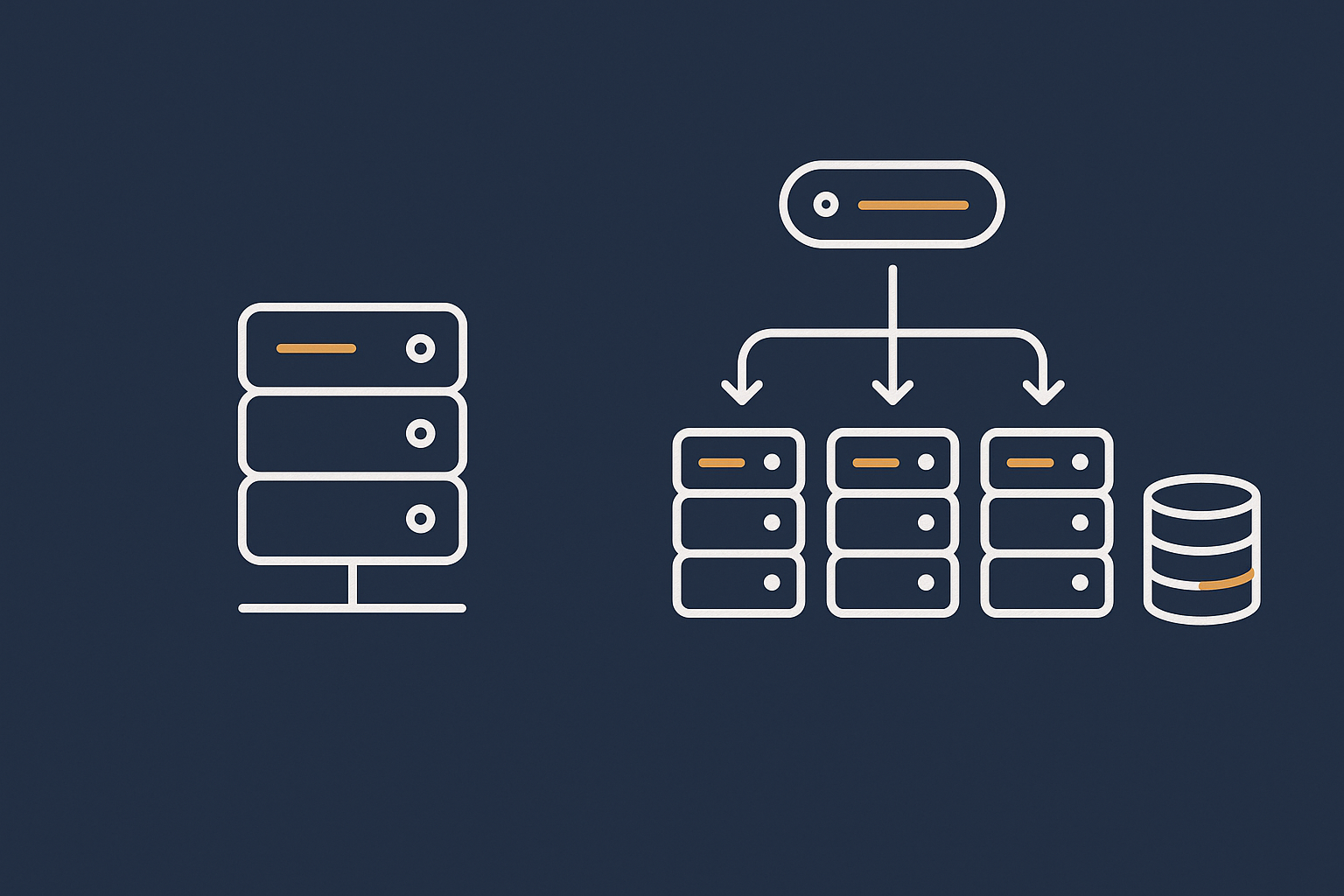
At some point, adding more CPU and RAM to a single box gives diminishing returns or creates an uncomfortable single point of failure. Then it becomes sensible to separate roles.
Separating web and database roles
A common next step is to move the database onto its own server. This provides:
- More dedicated resources for queries, without competing with web and PHP processes.
- Flexibility to scale CPU and storage for the database separately.
- Cleaner backup and replication strategies.
The trade offs are:
- More complexity in configuration and monitoring.
- Network latency between web and database servers, which must be kept low.
- More moving parts that can fail.
For many busy WooCommerce or booking systems, a separate database node is a logical and manageable step.
Using load balancers and multiple web nodes
For higher peaks or stricter uptime targets, you may introduce:
- A load balancer that receives all incoming traffic.
- Two or more web nodes that handle PHP and web traffic.
- A separate database server or cluster.
The advantages are:
- You can take one web node out of service for maintenance while the others keep serving traffic.
- You can add additional nodes as you grow.
- Some failures become less dramatic. Losing a single node does not bring the whole site down.
The trade offs are higher complexity, more detailed monitoring, and a stronger need for configuration management and deployment discipline so that web nodes stay in sync.
For many mid sized businesses, this step is appropriate only when peaks and uptime requirements justify the extra operational effort. Where that effort would overwhelm a small internal team, using managed multi server or enterprise services can reduce risk.
Redundancy versus cost: what is realistic for a mid sized business
It is easy to sketch a diagram with multiple data centres, replicated databases and hot standby servers. It is harder to justify the cost and ongoing management for a mid sized business.
Think in levels:
- Basic redundancy: RAID on disks, snapshots, offsite backups. Suitable for many businesses.
- Service redundancy: Separate web and database servers, maybe two web nodes. Justified for sites where downtime directly affects revenue and reputation.
- Site and data centre redundancy: Active failover to another facility. Appropriate when downtime has major commercial or compliance implications.
Our guide on redundancy and failover without public cloud covers approaches that are realistic off the hyperscale clouds.
Designing for specific peak scenarios
Ecommerce product launches and WooCommerce peaks
For WooCommerce and other ecommerce platforms, peak events tend to stress:
- Cart and checkout flows where caching is limited.
- Stock management and order creation in the database.
- Payment gateway integrations and webhooks.
Practical design choices include:
- Keeping the checkout flow lean: minimise heavy plugins and unnecessary fields.
- Pre warming caches for product and category pages.
- Using object caching to reduce repeated database work for popular products.
- Ensuring payment gateways are tested under load and have clear timeout and retry behaviour.
Specialist WooCommerce hosting and managed services can help here, as the patterns are quite repeatable across stores.
Content and PR spikes for WordPress sites
For content sites, the heaviest load often falls on a small number of pages that go viral.
Helpful designs include:
- Strong full page caching for all anonymous users.
- Minimal per request work in themes and plugins on article pages.
- Edge caching of HTML, not just images and scripts.
Here, a powerful single server with an effective edge layer is often entirely adequate, even for very large spikes, because so much content is cacheable.
Internal applications, APIs and booking systems
Internal applications and APIs tend to be more dynamic and less cacheable. Peak events are often around:
- Quarter end reporting.
- SIMultaneous booking window openings.
- Partner integration go lives.
Design choices include:
- Rate limiting and fair usage controls to avoid one client starving others.
- Making heavier operations asynchronous, moving them to queues and background workers.
- Using a separate database node earlier than you might for a simple web presence.
Testing is particularly important for APIs, as bugs under load can be subtle and are not always apparent in low traffic environments.
Using caching, CDNs and edge optimisation effectively
What can be cached safely and what must stay dynamic
The key to safe caching is understanding what data can be shared between users and what is unique.
- Safe to cache for most sites:
- Marketing pages.
- Blog posts and articles.
- Product listings and product detail pages, as long as stock availability is not changing every second.
- Usually dynamic:
- Carts and checkouts.
- User dashboards.
- Search results that depend on user filters or permissions.
If in doubt, you can often cache whole pages but punch small “holes” with AJAX or edge side includes for the genuinely dynamic parts, such as mini carts.
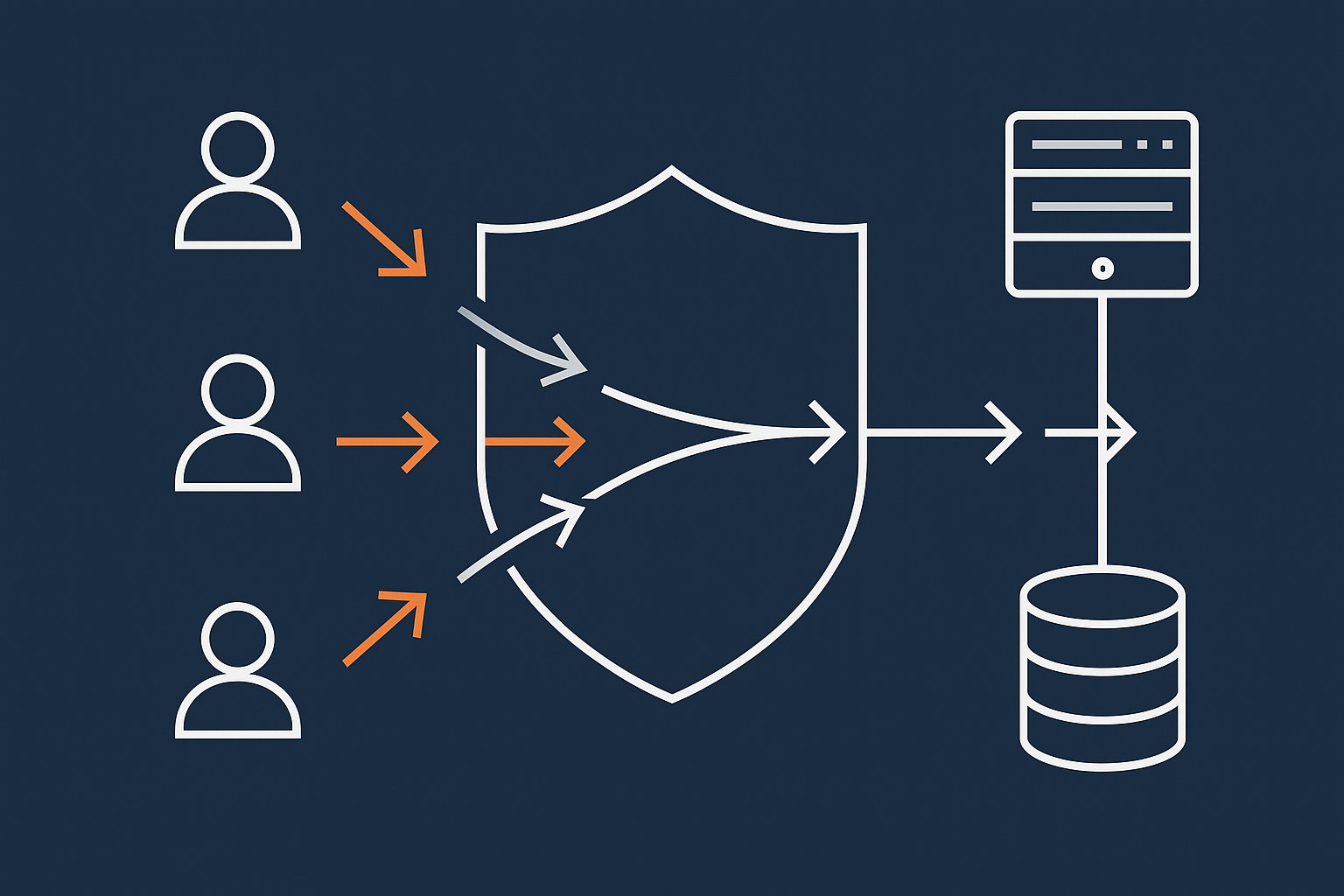
How an edge acceleration layer reduces load before it hits PHP or the database
An edge layer or CDN sits between visitors and your origin server. It can:
- Serve cached copies of pages and assets directly from locations closer to the user.
- Optimise images on the fly to smaller formats like AVIF and WebP, often reducing size significantly.
- Filter abusive or clearly automated traffic so it never reaches your PHP or database layer.
The G7 Acceleration Network does this by caching suitable content, delivering optimised images and dropping unwanted traffic at the edge. This reduces CPU and bandwidth load on your servers during peaks, while improving perceived speed for users.
Static assets, images and Core Web Vitals during busy periods
During peaks, it is tempting to think only about “keeping the site up”. Performance still matters. Users on slow mobile connections are more likely to give up if the site is sluggish.
To keep Core Web Vitals under control during busy periods:
- Serve static assets such as CSS, JavaScript and fonts from an edge or CDN.
- Optimise images using modern formats, responsive sizing and lazy loading for below the fold content.
- Avoid heavy client side features that are not essential to the peak event.
The less data each page needs to send, the more users your infrastructure can serve with the same hardware.
Operational preparation: testing, change freezes and monitoring
Planning and running realistic load tests
Load testing gives you confidence that your design and configuration hold up. It should:
- Use realistic user journeys: for example, product view to checkout for ecommerce, or browse to article to signup for content sites.
- Ramp up gradually to and beyond your expected peak, so you can see where performance starts to degrade.
- Run against a staging environment that resembles production, or carefully during a quiet real world period.
There are open source tools for this, such as k6 and Locust, and commercial platforms that make scripting easier. If this is new to you, ask your provider if they can help plan and interpret tests. The aim is to learn where the limits are and adjust before the real event.
Code freeze, plugin discipline and staging environments
Many launch day issues come not from pure capacity but from last minute changes.
Good practice includes:
- Code freeze: Agree that no new features or plugin updates go live for a defined period before and during the event, unless they are critical fixes.
- Staging environments: Test changes and content updates in a separate environment first, especially any performance related ones.
- Plugin discipline: For WordPress, review plugins and remove or disable anything non essential, particularly those that add database queries or external API calls on every page.
This is an area where managed platforms, such as Managed WordPress hosting, often help by providing easy staging, safe update workflows and guidance on plugin impact.
Monitoring, alerts and a simple incident plan for launch day
On the day, you want information and clear steps, not guesswork.
Prepare:
- Monitoring that covers uptime, response time, errors and resource usage.
- Alerts that go to the right people, on channels they actually see.
- A short incident plan that answers:
- Who is making technical decisions?
- Who can communicate with stakeholders or customers?
- What are the pre agreed options if performance degrades? (For example, temporarily disabling a heavy feature, increasing capacity, or enabling a queue page.)
For unmanaged hosting, this is primarily your responsibility. On a managed service, the provider will usually share this responsibility and may operate or assist with monitoring and response.
Resilience, backups and disaster recovery for peak events
Backups versus redundancy: what each protects you from
It is important to distinguish:
- Backups: Point in time copies of your data and sometimes your full system. They protect against data loss, corruption or major mistakes, but usually involve some downtime to restore.
- Redundancy: Having multiple instances of a component (servers, disks, power) so that if one fails, service continues with minimal interruption.
For a peak event, you want both:
- Recent, tested backups so that if something goes very wrong you can recover.
- Enough redundancy in critical components that a single hardware fault does not ruin the day.
Failover options when you are not on public cloud
Outside the big public clouds, failover is still possible, but options vary:
- Within a data centre: Failover between web nodes behind a load balancer, use of redundant power and network paths.
- Between servers: Standby servers that can be promoted if the primary fails, often using replicated databases and synchronised files.
- Between sites: Secondary environments in another facility, with DNS failover or traffic management.
Each step adds cost and complexity. The right level depends on how damaging peak day downtime would be for your business. Providers can help design something proportionate.
What “acceptable” downtime looks like for a peak event
Absolute zero downtime is rarely realistic. Instead, decide:
- How many minutes or hours of outage would be painful but survivable.
- Whether brief, controlled maintenance windows out of hours are acceptable before or after the event.
- What communication you would provide to customers in the event of issues.
Being explicit about this helps align expectations with internal teams and your hosting provider. It also frames the budget: higher uptime targets almost always require more spend and more operational discipline.
Managed vs unmanaged hosting for high stakes events
Who does what during a launch on unmanaged infrastructure
On unmanaged hosting, your provider delivers the infrastructure and core network reliability. The day to day application and system management is largely your responsibility.
That means your team typically handles:
- Application and plugin updates.
- Web server, PHP and database tuning, within the constraints provided.
- Caching configuration and edge integration.
- Load testing and capacity planning.
- Monitoring and incident response at the application level.
The provider ensures the underlying host, hypervisor and network are healthy, but will not usually manage your application configuration unless separately agreed.
Where a managed WordPress or VDS setup reduces operational risk
Managed services, such as Managed WordPress hosting or managed virtual dedicated servers, can reduce risk and workload where:
- Your internal team is small and cannot specialise deeply in performance tuning.
- The commercial impact of a failed launch or prolonged slowdown is significant.
- You prefer to work with one party who understands your stack over time.
Managed services typically include:
- Guidance on architecture suitable for your peaks.
- Tuning of PHP, database and caching layers.
- Help planning and sometimes running load tests.
- Closer monitoring during agreed peak events.
This does not mean unmanaged hosting is wrong. If you have internal expertise and prefer full control, unmanaged can be entirely appropriate. The key is to be honest about your team’s capacity and appetite for operational responsibility.
Cost trade offs: overprovisioning vs smarter architecture and management
There are two broad ways to approach peak events:
- Overprovisioning: Rent a very large server or cluster “just in case”, potentially paying for unused capacity most of the year.
- Smarter architecture and management: Use caching, edge optimisation, appropriate redundancy and tuning to handle more traffic with less raw hardware.
Overprovisioning can be simple to reason about but wasteful. Smarter design and managed services require more up front thought but often reduce both risk and long term cost.
The right balance depends on how often you have peaks, how predictable they are, and whether you can reuse that capacity for other workloads.
Putting it all together: a simple planning checklist
90 day, 30 day and 7 day tasks before a peak event
As a rough timeline:
90 days before
- Define the event: expected visitors, conversions, geography, duration.
- Review current architecture and hosting type.
- Discuss options with your provider, including single vs multi server setups.
- Decide on any significant architectural changes or migrations.
30 days before
- Complete migrations or sizing changes.
- Implement or refine caching and edge settings.
- Run at least one round of load testing and adjust configuration based on findings.
- Confirm backup and basic redundancy arrangements.
7 days before
- Agree code freeze period and list of “do not change” components.
- Test monitoring and alerts, including notification channels.
- Prepare a short incident response plan and share it with the relevant people.
- Inform your hosting provider of the exact date and window if you expect unusual traffic.
Questions to ask your hosting provider
Good questions include:
- Based on our expected peak, is our current sizing adequate, or would you recommend changes?
- What are the main bottlenecks you see for customers like us under load?
- What visibility will we have into performance and resource usage on the day?
- What is your role if we see issues during the event on our current plan?
- Are there managed options that would reduce our operational burden for this event?
When to consider a move to virtual dedicated or enterprise hosting
It may be time to consider virtual dedicated servers or more enterprise focused setups when:
- You have repeated peaks that strain shared or small VPS environments.
- Performance issues are starting to affect revenue or reputation.
- You are constrained by noisy neighbours or limited control on shared platforms.
- You need structured support around planning, testing and operating peak events.
Enterprise or managed multi server architectures can be explored when single server options have been sensibly tuned and still cannot meet your needs or risk tolerance.
Next steps
If you have a launch, campaign or busy season coming up and would like a calm, practical review of your options, talking to G7Cloud about your current setup and goals is a sensible next step. Together we can map out whether straightforward tuning, a move to a better sized server, or a more managed architecture will give you the confidence you need on the day.