Hosting for Card Payments: What ‘PCI Conscious’ Really Means and How Responsibilities Are Shared
Who this guide is for and why ‘PCI conscious’ keeps coming up
Accepting card payments online turns your website from a marketing asset into part of your financial systems. At that point, questions about “PCI”, “secure hosting” and “liability” start to matter in a more concrete way.
This guide is for you if:
- You run or plan to run an ecommerce site, for example on WordPress and WooCommerce, and want to offer card payments.
- You work in a business that takes payments online and need to understand what your hosting provider can and cannot cover.
- You have seen phrases like “PCI compliant hosting”, “PCI ready” or “PCI conscious hosting” and are not sure what is actually behind them.
Typical situations: from first online payments to growing ecommerce
In practice, PCI questions often arise at a few common stages:
- First online payments. A small business adds a simple card checkout to an existing brochure site. Hosting has always been an afterthought, but now there are forms capturing customer details and an order database.
- Growing ecommerce. Orders grow, perhaps via WooCommerce or another platform. Staff access the admin more often, there are plugins and integrations everywhere, and the site now feels critical to revenue.
- More advanced payment features. You start offering subscriptions, saved cards, pay by link or taking phone orders keyed into an online system. The card flows are more complex and risk grows quietly in the background.
- Question from a bank or partner. An acquiring bank or payment gateway asks which PCI SAQ you complete, or whether your environment is PCI compliant. You need a clear explanation of what role your hosting plays.
In all of these scenarios, the key questions are similar:
- What does PCI DSS actually require?
- What is my responsibility as the merchant?
- What should my payment provider and hosting provider be doing?
- Is my current hosting appropriate for the way I am taking payments?
What you will get from this guide
This guide focuses on the hosting and architecture side of PCI, not the legal fine print. By the end, you should:
- Understand PCI DSS in plain English and avoid common myths.
- Know what “PCI conscious” hosting typically means and what it does not guarantee.
- See how different payment integration patterns change your PCI scope and risk.
- Have a practical sense of who is responsible for what among you, your host and your payment provider.
- Be able to ask better questions of current or potential hosting providers.
The aim is to help you make sensible, proportionate decisions. Sometimes that will lead to simple shared hosting with a hosted payment page. In other cases you might decide that managed PCI conscious hosting or more isolated infrastructure is worth the investment.
PCI DSS in plain English: what it is and what it is not
What PCI DSS actually is
PCI DSS stands for Payment Card Industry Data Security Standard. It is a set of security requirements created by the major card brands (Visa, Mastercard and others) and maintained by the PCI Security Standards Council.
In simple terms, PCI DSS is a rulebook for anyone who stores, processes or transmits cardholder data. It covers areas such as:
- How networks and servers should be secured.
- How access to systems and data is controlled.
- How software is updated and vulnerabilities are managed.
- How logs are kept and incidents are handled.
It is not a law in its own right, but it is usually a contractual obligation that comes from your acquiring bank or payment provider. If you take card payments, you will almost certainly be expected to meet PCI DSS in some form.
For the official wording, you can refer to the PCI SSC site, but you do not need to read every page to make good hosting decisions. Understanding the broad intent and how it applies to your card flows is usually enough for architecture planning. The PCI SSC overview is a useful reference if you want the primary source.
What PCI DSS does not do (and common myths)
There are a few common misunderstandings worth clearing up.
- PCI DSS does not give you zero risk. Complying reduces the likelihood and impact of incidents but does not make breaches impossible. It is about sensible controls, not magic immunity.
- PCI DSS is not just an IT checkbox. It includes policies, staff training, physical security and incident response. Hosting is one part of the picture, not the whole.
- PCI DSS is not something you “buy” from a host. A hosting provider can offer environments designed with PCI requirements in mind. They cannot make your whole business PCI compliant on their own.
- PCI DSS is not one-size-fits-all. The requirements you have to meet depend on how you take payments, your transaction volume and what card data you touch.
Thinking of PCI as a shared discipline, rather than a product, makes the rest of this guide easier to follow.
PCI levels and SAQs: why your payment flow matters more than your host’s label
PCI uses two main concepts to size and shape your obligations:
- Merchant level. Based on your annual transaction volume. Higher levels have stricter validation requirements (for example annual onsite assessments).
- SAQ (Self Assessment Questionnaire) type. A specific questionnaire that matches your payment channels and technical setup.
For small and mid sized online merchants, the SAQ type usually has more practical impact than the merchant level. Examples include:
- SAQ A. For fully outsourced ecommerce with no card data hitting your server, for example a pure redirect to a hosted payment page.
- SAQ A-EP. For ecommerce sites where card data goes directly from the customer’s browser to the payment provider, but your website still controls the page that hosts the payment form.
- SAQ D. For merchants that store, process or transmit card data on their own systems, or that do not fit other SAQ types.
The technical distinction between those SAQs is closely tied to architecture:
- If no card details pass through your infrastructure, your hosting is mostly out of PCI scope.
- If your site delivers the page that hosts the payment fields, your hosting and security practices are firmly in scope, even if card data is posted directly to your gateway.
- If you handle raw card data on your servers or databases, your entire environment becomes part of the “cardholder data environment” and PCI becomes much more demanding.
This is why marketing labels like “PCI hosting” matter less than a clear description of how your payment flow works. The same host can support very low scope setups and very high scope setups. Your own implementation choices decide which you are running.
‘PCI conscious’ vs ‘PCI compliant’ hosting: clearing up the language
Why most small sites do not need full PCI certified infrastructure
You will sometimes see references to “PCI certified data centres” or “Level 1 PCI compliant hosting”. These usually refer to environments that have been assessed as a service provider under PCI DSS.
For many smaller merchants, especially those using hosted payment pages or tokenisation through a gateway, full PCI certified hosting infrastructure is often not necessary. The reasons are:
- The cardholder data environment is largely at the payment provider, not on your web servers.
- Your responsibility is primarily to keep the ecommerce application and surrounding infrastructure secure enough that attackers cannot tamper with payment pages or steal credentials.
- The cost and complexity of fully PCI certified infrastructure is usually not justified for modest transaction volumes and low risk payment flows.
What you do need is infrastructure and operational practices that align with PCI expectations, even if they are not formally assessed as a service provider. That is where “PCI conscious” comes in.
What ‘PCI conscious’ usually means in hosting
“PCI conscious hosting” is not a formal standard. It is a practical shorthand for hosting that is designed with PCI requirements and payment risk in mind.
In concrete terms, this usually includes:
- Network segregation. Keeping your servers in environments where access can be controlled and logged, and where your resources are not casually mixed with unrelated workloads.
- Security controls that map to PCI themes. For example, firewalls, intrusion detection, regular patching and vulnerability management, secure remote access and centralised logging. Many of these are covered in G7Cloud’s web hosting security features.
- Operational discipline. Clear processes around updates, backups, incident handling and access control.
- Awareness of PCI scope. Staff and systems that understand which elements of your setup are in scope and treat them with appropriate care.
The key point is that PCI conscious hosting supports your compliance efforts. It does not replace them. You still need to choose appropriate payment flows and complete the right SAQ for your business.
Red flags in PCI marketing claims from hosting providers
When assessing providers, be cautious of claims that sound too absolute or vague. Examples of red flags:
- “We make you PCI compliant by hosting with us.” No hosting provider can do this alone. Compliance includes your business processes, staff and payment integration.
- “Our shared plan is fully PCI compliant for any use.” A single shared environment cannot be appropriate for all possible card flows, especially where raw card data is involved.
- “No need to complete a SAQ if you use our PCI hosting.” Merchants are still responsible for completing the right questionnaire, even if most questions are answered by their choice of payment gateway.
- No clear documentation. If PCI is mentioned in marketing but there is no technical description of controls, logging, isolation or responsibilities, treat that as a signal to ask more questions.
By contrast, honest providers will usually talk in terms of shared responsibility, specific controls and the payment flows they support comfortably.
Who is responsible for what: merchant, payment provider and hosting

PCI is a shared obligation. Understanding who owns which responsibilities will help you avoid gaps and also avoid overpaying for controls you do not actually need.
The merchant’s responsibilities you cannot outsource
As the merchant, certain duties stay with you regardless of your hosting choice:
- Choosing safe payment flows. You decide whether to use redirects, embedded fields or full API integrations. That choice shapes your PCI scope.
- Completing the SAQ and attestation. Even if it is very short, you are the one signing to say your business meets the required controls.
- User access management. Who has admin access to your ecommerce platform, how strong their passwords are, whether you use multi factor authentication and how you offboard leavers.
- Application security. Installing and updating plugins, themes and integrations, avoiding untrusted code, and following best practice in platforms such as WordPress and WooCommerce.
- Policies and training. Staff handling, for example, phone orders or refunds should know how to manage card details and avoid writing sensitive data in emails or tickets.
- Incident response. You are responsible for responding appropriately if you suspect a breach, including working with your host, payment provider and (if needed) your bank.
Some of these can be supported or even largely handled through managed services, but the accountability remains with you.
What your payment gateway or acquirer typically covers
Your payment gateway or acquiring bank usually takes responsibility for:
- Processing card transactions. Authorisation, settlement and secure handling of cardholder data within their systems.
- Security of hosted payment pages or tokenisation endpoints. Keeping their own infrastructure compliant with PCI DSS in scope for service providers.
- Providing PCI documentation. Offering guidance on which SAQ applies to your integration method and evidence of their own compliance.
- Handling disputes and chargebacks. Operational processes around contested transactions and fraud analysis.
Many gateways also provide tools such as fraud filters, 3D Secure integration and tokenisation. Using these correctly can significantly reduce your exposure, but you should still confirm how they affect your PCI obligations.
What a PCI conscious hosting provider should reasonably handle
A host that advertises PCI conscious hosting or similar should be prepared to cover the infrastructure side of the picture. Typical responsibilities include:
- Secure-by-default server builds. Hardened operating systems, restricted services, and removal of unnecessary software that expands attack surface.
- Firewalling and network controls. Restricting inbound and outbound traffic, separating management interfaces from public access and providing secure VPN or SSH access.
- Patch management. Keeping operating systems and core software up to date, with a sensible balance between speed and stability.
- Logging and monitoring. Collecting system logs, monitoring for suspicious activity and providing alerting for availability and security issues.
- Backups and recovery. Regular backups and documented processes for restoring systems, especially databases containing order and customer data.
- Support in incident investigations. Being able to provide logs, timelines and technical assistance if you suspect compromise.
On self-managed VPS or dedicated servers, some of these may be your responsibility. Managed services aim to take a larger share of this burden, which can be valuable if you do not have in house infrastructure expertise.
The shared responsibility model: practical examples
Two quick examples illustrate how responsibilities overlap.
Example 1: WooCommerce with hosted payment page (SAQ A).
- Your site redirects customers to your payment provider for card entry.
- You are responsible for keeping WooCommerce and plugins updated, managing admin access and detecting suspicious orders.
- Your host provides a stable, secure environment with regular backups and patching.
- Your gateway handles card data, fraud checks and PCI certification of the payment page.
Example 2: Embedded card fields on your checkout (SAQ A-EP or beyond).
- Card details are entered on your domain, often through JavaScript from your gateway.
- You must secure your site robustly, as any compromise can allow an attacker to tamper with the embedded fields or skim card data.
- Your host must support stronger controls, such as web application firewalls, stricter access control and more detailed logging.
- Your gateway still processes the card data, but they will usually expect stronger evidence of your security posture.
In both cases, no single party can claim to “own” PCI compliance altogether. A weakness in any area can create risk.
How your payment integration changes your PCI scope
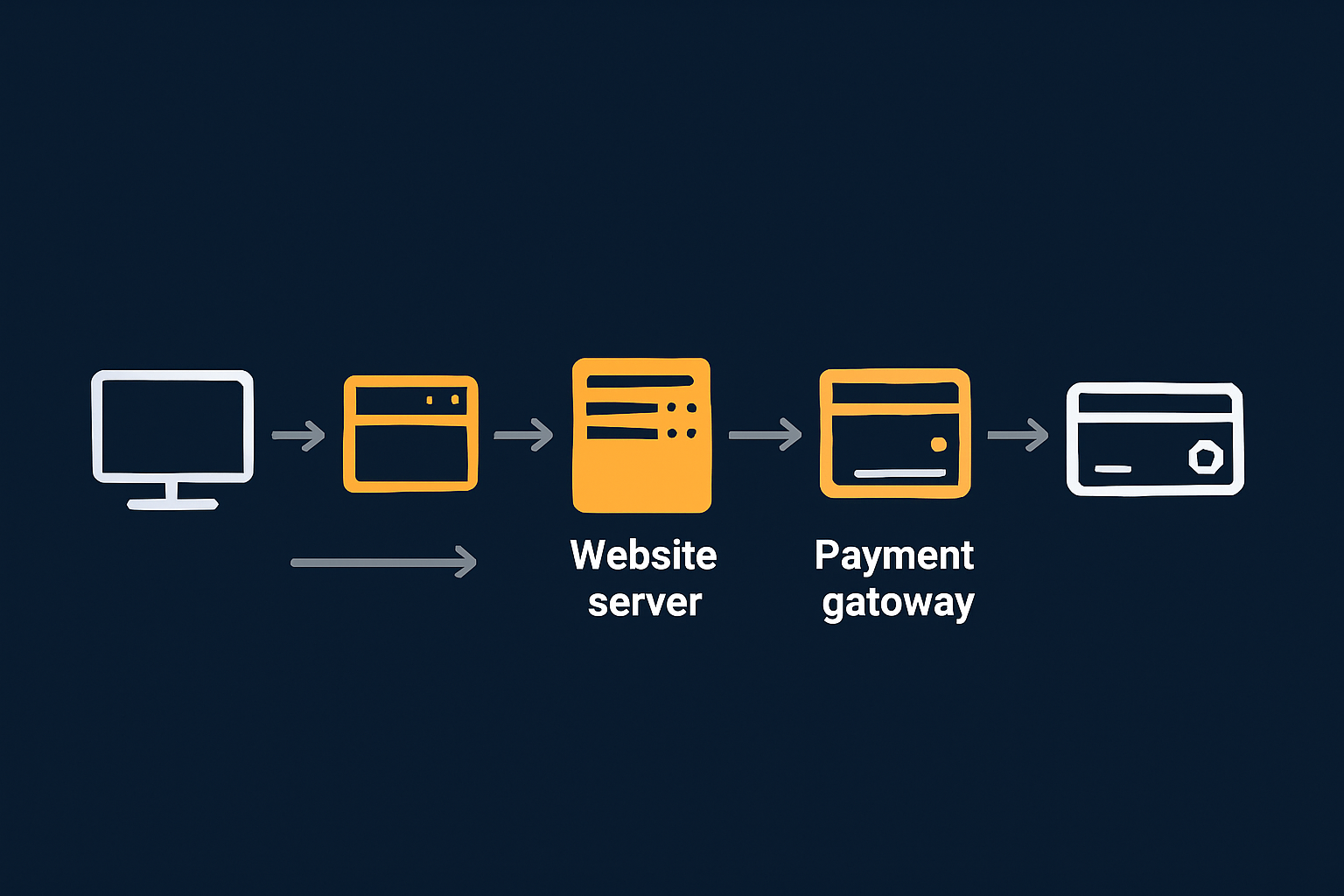
How you technically integrate card payments has a bigger impact on PCI scope than which hosting plan you pick. Here are the main patterns, from lowest to highest risk for your infrastructure.
Redirects and hosted payment pages (lowest risk)
In this model, your site sends the customer to a payment page hosted by your gateway or acquirer. For example, a “Pay now” button leads to a separate card entry page with the gateway’s URL, branding or both.
From a PCI perspective:
- Your servers do not handle card data.
- The cardholder data environment is almost entirely at the payment provider.
- You will often qualify for SAQ A, which is shorter and less demanding.
Host selection is still important for uptime and security of your ecommerce site, but PCI scope for hosting stays relatively light. Shared hosting can sometimes be acceptable if managed carefully, although you still need strong passwords, updates and basic hardening.
Embedded fields and iFrames
Here, the customer stays on your domain for checkout, but the actual card fields are served and controlled by your gateway, often inside an iFrame or through JavaScript. Card data is posted directly from the customer’s browser to the gateway, not via your server.
The benefits are:
- Better user experience, as customers feel they are staying on your site.
- Reduced handling of card data by your servers, compared to full API capture.
However, your site now delivers the page that hosts the payment fields. If an attacker can inject code into that page, they can potentially skim card details before they reach the gateway. As a result:
- Your ecommerce site and hosting are firmly in PCI scope.
- You are more likely to be in SAQ A-EP or another more detailed questionnaire.
- Expectation for security controls on your hosting rises significantly.
At this point, moving to a more isolated environment such as a VPS or virtual dedicated server, and possibly using managed services, becomes more attractive. It is not mandatory, but it often reflects the higher stakes.
On site card forms and API integrations (highest risk)
In a full API integration, your own site presents card forms, collects card data and sends it to the gateway via server-to-server API calls. In some cases, merchants also store part of the card data locally.
This offers maximum control and flexibility, but it has serious consequences for PCI:
- Your web servers and databases become part of the cardholder data environment.
- You typically fall into SAQ D, the most comprehensive questionnaire.
- PCI expectations extend deeply into your infrastructure, processes and documentation.
For most small and medium businesses, this level of responsibility is difficult to manage without dedicated security and infrastructure staff. It is one of the few cases where a more specialised, managed PCI conscious infrastructure, or even a fully PCI assessed provider, becomes a practical necessity rather than a nice-to-have.
Tokenisation and stored cards: what stays in scope
Tokenisation allows you to store a token or reference to a card, rather than the card number itself. When you charge the card later, you send the token to your gateway, which maps it to the full card details.
This is common for:
- Subscriptions and recurring billing.
- “One click” repeat purchases.
- Billing customers later for usage or add-ons.
Tokenisation significantly reduces risk, but does not make everything out of scope. Matters to consider:
- Tokens themselves are usually not cardholder data, but systems that can use tokens to initiate charges are still sensitive.
- Your site and hosting remain in scope if they control how tokens are created and used, especially where card details are initially captured.
- Storing any part of the PAN (card number) locally, even partially masked, can change your obligations.
The safest pattern is usually to let the gateway handle card capture and storage entirely, and treat tokens as opaque references that your application uses under strict access control.
Hosting models for card payments: shared, VPS, VDS and dedicated
Once you understand your payment flows, you can sensibly weigh different hosting models. The right choice balances cost, complexity and risk.
Why shared hosting is rarely a good fit for higher risk card environments
Shared hosting places many customers on the same physical server, sharing resources and some aspects of configuration. It is usually inexpensive and simple to manage.
For low scope setups such as pure payment redirects, shared hosting can be acceptable if the provider follows good baseline security practices. However, for embedded fields or on site capture, shared hosting has drawbacks:
- Less isolation. You have limited control over the operating system and neighbouring workloads. Misconfigurations affecting one site can sometimes impact others.
- Restrictive security controls. You may not be able to deploy certain security tools or fine tune firewalls.
- Varied patching windows. Upgrades and restarts are scheduled around many customers, which can affect availability planning.
This does not mean shared hosting is “insecure” by default. It simply has constraints that can make meeting higher PCI expectations harder, especially around logging, change control and bespoke security monitoring.
VPS and virtual dedicated servers for payment taking sites
A VPS (Virtual Private Server) or virtual dedicated server gives you an isolated virtual machine with dedicated resources. You share physical hardware, but your virtual environment is logically separated.
Advantages for PCI conscious setups include:
- Greater control. You can configure the operating system, firewall rules and installed software more precisely.
- Improved isolation. Other customers cannot directly interfere with your environment, compared to basic shared hosting.
- Better alignment with SAQ A-EP or equivalent. Easier to demonstrate specific controls if a payment provider or assessor asks.
The trade off is that someone must manage that environment sensibly. Self managed VPS hosting suits teams with system administration experience. Managed VPS or managed VDS hosting makes more sense when you want to reduce operational burden and focus on the application itself.
When you might need a more isolated or multi server architecture
Some situations justify going further, for example:
- High transaction volumes where downtime has significant revenue or reputational impact.
- Complex integrations with multiple payment providers, subscription systems or back office tools.
- On site card capture or other reasons you fall into SAQ D.
Architectural options include:
- Dedicated servers. Physical machines used exclusively by you, either singly or as part of a cluster.
- Multi node setups. Separate servers for web, database and background tasks, improving isolation and resilience.
- High availability designs. Redundant servers with failover to keep payment systems available during maintenance or failures. The article High Availability Explained for Small and Mid Sized Businesses explores this in more depth.
These architectures bring stronger resilience and often better alignment with PCI expectations, but also higher cost and complexity. For many businesses, they become attractive once card revenues are clearly material to the company, or when in house teams find it difficult to keep single server setups both stable and secure.
Mapping hosting choices to PCI scope and business risk
A simple way to think about this is:
- Low scope (SAQ A, redirect flows). Shared hosting or basic VPS can be adequate if well run. Focus on application hygiene and uptime.
- Medium scope (SAQ A-EP, embedded fields). VPS or virtual dedicated servers, ideally with managed services, start to look more sensible.
- High scope (SAQ D, on site capture or complex card flows). Dedicated or carefully segregated infrastructure, usually with strong involvement from security professionals, is advisable.
There is no strict rule that says “SAQ A equals shared hosting” or similar. The main idea is that as your exposure increases, so should the robustness and observability of your hosting.
Security controls that matter most for PCI conscious hosting
PCI DSS contains many detailed requirements. From a hosting perspective, a few themes matter most.
Network and server level controls
At the infrastructure level, look for:
- Firewalls. Restrict inbound traffic to necessary ports (typically 80 and 443 for web, plus secure management access). Block unnecessary outbound connections that could be used for data exfiltration.
- Segregated management access. Use VPNs or dedicated management networks for SSH or control panels, separate from public traffic.
- Hardened operating systems. Disable unused services, use secure configurations, and maintain consistent baseline images.
- Regular patching. Operating system and critical software updates applied in a timely but controlled manner.
- Malware and intrusion detection. Tools that monitor for known malware patterns, suspicious logins or integrity changes.
These controls support several PCI DSS requirements around network security and vulnerability management.
Application level controls for platforms like WordPress and WooCommerce
For many businesses, the application layer is the most common source of security issues. Key controls here include:
- Updates and patching. Keep WordPress core, WooCommerce and plugins up to date. Retire unused plugins to reduce attack surface.
- Trusted plugins and themes. Avoid unmaintained or obscure extensions, especially those that touch checkout, user accounts or admin tooling.
- Strong authentication. Use strong passwords and multi factor authentication for admin and SFTP/SSH accounts.
- Principle of least privilege. Give staff only the permissions they need within WordPress and hosting control panels.
- Basic hardening. Limit direct file editing from the WordPress admin, restrict access to wp-admin where appropriate and employ security plugins judiciously.
For more detail specific to WooCommerce, you may find the article PCI‑Conscious WooCommerce Hosting: What UK Merchants Really Need to Do helpful.
Monitoring, logging and incident response expectations
Being able to see and understand what has happened on your systems is essential for PCI. Consider:
- Centralised logging. System logs, web server logs and security logs stored in a way that cannot be easily tampered with.
- Retention. Keeping logs for long enough to investigate issues, typically several months as a minimum.
- Alerting. Automated alerts for important events, such as service outages, suspicious login attempts or resource exhaustion.
- Documented incident procedures. Clear steps for how you and your host will respond if you suspect compromise, including who to contact and what evidence to preserve.
On managed hosting, much of the base monitoring is handled for you, but you still need internal processes for decision making and communication when issues arise. The article Security Incidents in Web Hosting: Getting the Balance Right Between Prevention and Mitigation goes into this in more detail.
Backups, redundancy and business continuity from a PCI angle
From PCI’s point of view, resilience is partly about ensuring that cardholder data can be recovered and that security controls remain effective after failures.
Two related concepts matter:
- Backups. Point in time copies of data, such as your database and critical configuration, stored separately so they survive failures or attacks on the main system.
- Redundancy. Having duplicate systems that can take over if one fails, improving uptime.
These are not the same thing, and both have a place. Backups help with data loss and some forms of attack. Redundancy helps with hardware or network failures. The article Backups vs Redundancy: What Actually Protects Your Website explains the distinction clearly.
From a PCI perspective, the main expectations are that:
- Critical data is backed up securely and can be restored within an appropriate timeframe.
- Backup data is protected at least as carefully as live data.
- You have thought about how to continue processing or at least handling orders if part of your infrastructure fails.
What to expect from a PCI conscious WordPress or WooCommerce setup
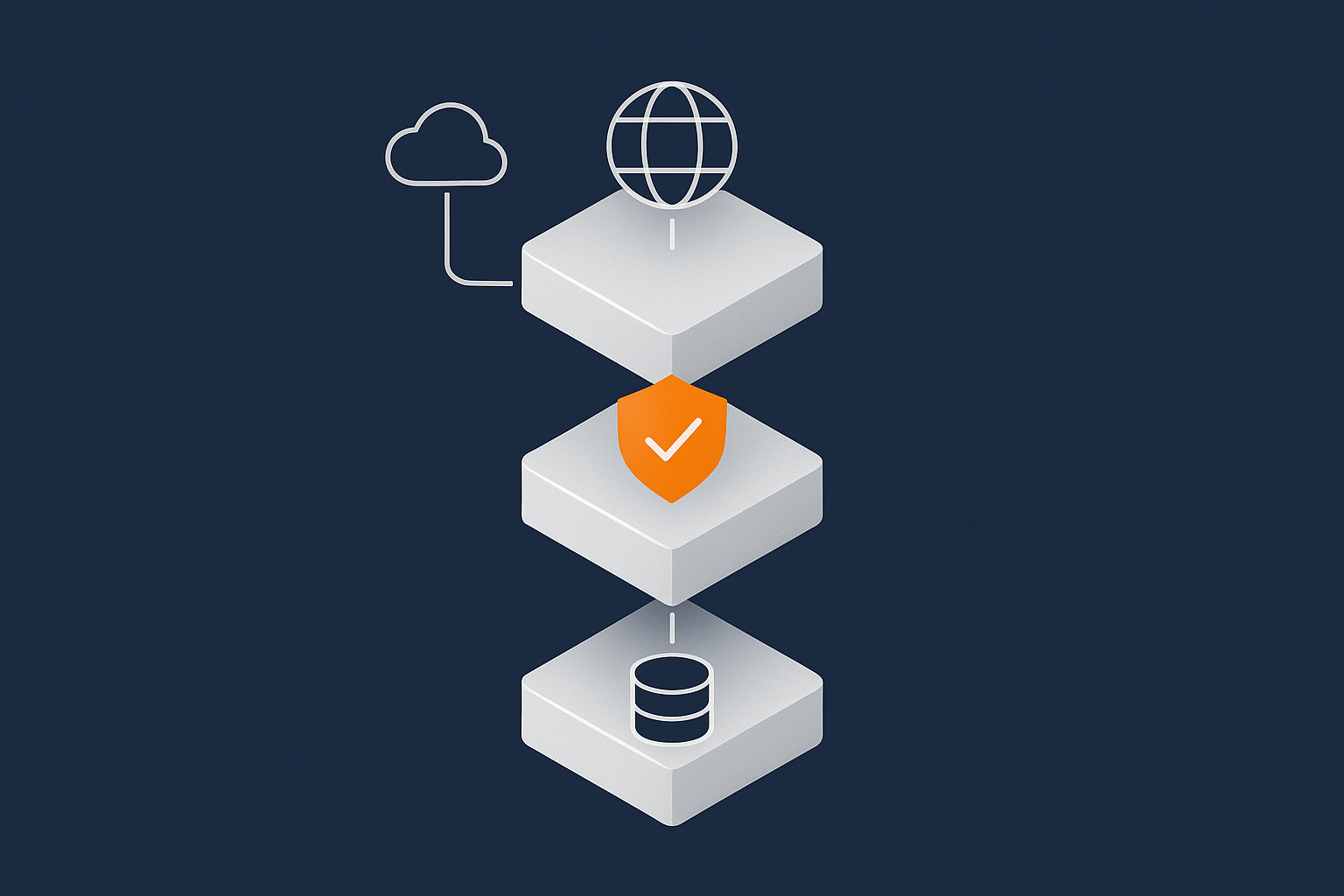
Many UK merchants use WordPress and WooCommerce as their ecommerce platform. A PCI conscious setup is less about exotic technology and more about sensible layering.
A realistic architecture for WooCommerce card payments
A common starting point for a PCI conscious WooCommerce architecture might look like:
- A VPS or virtual dedicated server running a hardened Linux environment and a well tuned web server and PHP stack.
- A separate database service or instance, with restricted access so only the application can talk to it.
- Regular, tested backups of both files and databases.
- Managed firewall and monitoring, with alerts to your team and the hosting provider for critical events.
- A payment integration that uses redirect or securely embedded fields, rather than full on site capture.
As volumes grow or risk increases, this can be extended into a multi server or high availability setup. At that stage, many merchants choose managed WooCommerce hosting or similar services to reduce operational burden.
How edge networks, WAFs and bot filtering reduce exposure
Placing protection in front of your application is a practical way to reduce exposure and improve performance at the same time.
An edge network with a Web Application Firewall (WAF) can:
- Filter common attack patterns before they hit your server.
- Block or rate limit abusive bots and suspicious IP ranges.
- Cache static content and offload bandwidth, which indirectly improves capacity for legitimate users.
The G7 Acceleration Network takes this a step further by caching content, optimising images to AVIF and WebP on the fly, often reducing image sizes by more than 60 percent, and filtering abusive traffic before it reaches your application servers. For payment taking sites, this can help in two ways:
- Reduced load on origin servers during traffic spikes, including during promotions or attacks.
- Lower likelihood that commodity scanning and low grade attacks will even reach your WooCommerce instance.
This does not remove the need for careful application security, but it adds another layer that aligns well with PCI’s “defence in depth” principle.
Operational discipline: updates, staging and change control
Many PCI issues arise not from dramatic attacks, but from routine changes that go wrong. Good practice for WooCommerce setups includes:
- Staging environments. Test plugin updates, new themes and configuration changes on a copy of your site before applying them to production.
- Change windows. Plan changes during quieter periods, and avoid heavy changes during peak trading.
- Rollback plans. Have a clear route back, usually through recent backups or snapshots, if a change causes issues.
- Documentation. Record who changed what and when, at least for major updates and new integrations.
Managed hosting or enterprise services can assist with this by providing staging, snapshot tools and guidance on safe deployment patterns. That does not remove your responsibility to decide what to change and when, but it can make executing those changes more reliable.
Questions to ask your current or future hosting provider
Once you understand the broad shape of PCI responsibilities, you can have more productive conversations with hosts.
Clarifying responsibilities in writing
Useful questions include:
- Which security controls do you manage, and which are my responsibility?
- Do you offer any specific PCI conscious hosting options or guidance on aligning with PCI DSS?
- What is included in standard support, and what falls under “best efforts” or billable work?
- Can you provide a simple shared responsibility matrix or document that outlines who does what?
Written clarity reduces misunderstandings later, especially during incidents.
Security, uptime and incident handling questions
On the technical side, consider asking:
- How do you manage operating system and platform updates for my hosting plan?
- What kind of firewalls or WAF options do you provide?
- How are backups handled, how often are they taken, and how quickly can they be restored?
- What monitoring and alerting do you have in place, and how will I be notified of outages or suspicious activity?
- What is your process if I report a suspected compromise involving my site?
The answers should give you a sense of whether the provider treats security and resilience as integral, or as optional extras.
How to tell if your provider actually understands PCI
Signs that a provider genuinely understands PCI include:
- They talk about payment flows and SAQs, not only about server checklists.
- They are clear about where their responsibilities stop and yours begin.
- They can describe how their controls map loosely to PCI themes (for example logging, access control, vulnerability management) without overclaiming.
- They avoid promising “automatic compliance” and instead focus on risk reduction and support.
A provider that is comfortable with the nuances is likely to be a better partner than one that relies purely on marketing language.
Putting it all together: choosing a sensible path to PCI conscious hosting
Simple decision paths for common business scenarios
To make this concrete, here are three typical scenarios and reasonable starting points.
Scenario 1: Small online shop starting card payments.
- Use a hosted payment page with a well known gateway.
- Keep to SAQ A if possible by avoiding embedded fields.
- Shared hosting or basic VPS is acceptable, but ensure regular updates and backups.
Scenario 2: Growing WooCommerce store with embedded fields.
- Move to a VPS or virtual dedicated server with stronger isolation.
- Consider managed hosting to handle patching, monitoring and backups.
- Use edge protection and WAF to reduce exposure.
Scenario 3: Subscription business with stored cards and high volumes.
- Work closely with your gateway on tokenisation and SAQ type.
- Plan for multi server or high availability hosting and strong segmentation.
- Use managed PCI conscious infrastructure or enterprise services to reduce operational risk.
In each case, the objective is not perfection but an appropriate balance of risk, cost and complexity.
When to move from basic hosting to managed PCI conscious infrastructure
Signs that it may be time to upgrade hosting and consider managed services include:
- Your site now represents a significant share of company revenue.
- You are handling more complex card flows, embedded fields or multiple gateways.
- Incidents, outages or security scares are becoming more frequent or harder to handle internally.
- Your team spends more time firefighting hosting issues than improving the site.
At that point, managed VPS, virtual dedicated servers or specialised PCI conscious environments can reduce operational load and improve your overall security posture. They do not remove your responsibilities as a merchant, but they can give you a stronger, more predictable foundation.
Next steps and where to learn more
If you want to go deeper into specific topics, the PCI Security Standards Council publishes the full standard and SAQ documents at pcisecuritystandards.org. For hosting focused perspectives, the G7Cloud Knowledge Base has related articles on shared responsibility, security incidents and high availability.
If you are unsure whether your current hosting and architecture fit your payment flows, a short conversation can often clarify matters quickly. Talking through your card journey, traffic patterns and internal capabilities with a provider used to PCI conscious hosting can help you choose a path that is proportionate, sustainable and aligned with how your business actually works.
You do not need to become a full time PCI expert to host card payments safely, but you do need a clear understanding of where your responsibilities lie and a hosting partner that takes their side of the shared model seriously.