Realistic Core Web Vitals for WordPress: Targets UK SMEs Can Actually Hit (And How Hosting Influences Them)
Who this guide is for and what you will get from it
This guide is for UK businesses running WordPress or WooCommerce who want faster, more stable sites without turning performance into a full‑time job.
If you are responsible for a brochure site, lead generation site or online shop, you will learn:
- Core Web Vitals targets that are realistic for typical UK SME sites
- Which parts of those scores are driven by hosting and which are not
- How to read your current results and avoid chasing unhelpful numbers
- What to expect from shared hosting, managed WordPress hosting and virtual dedicated servers
- A clear, staged plan to improve scores without overpaying or rebuilding everything
Typical UK SME scenarios: brochure sites, lead gen and WooCommerce
Most UK SMEs fall into a few patterns:
- Brochure sites with a handful of pages, team profiles and a contact form.
- Lead generation sites with landing pages, forms, maybe a blog and tracking scripts.
- WooCommerce shops with 20 to a few thousand products, filters, search and login.
Each of these can reach solid Core Web Vitals, but the realistic targets and trade offs differ. A simple brochure site can push very close to Google’s “good” thresholds on both desktop and mobile. A WooCommerce store on mobile with lots of filters, analytics and marketing scripts will usually need slightly more forgiving targets, especially during busy periods.
What “realistic” means for Core Web Vitals (and what it does not)
“Realistic” here means:
- Targets you can hit on real user data, not just one “perfect” test.
- Performance that holds up during campaigns, not only at 3 a.m.
- Changes that do not require a full custom rebuild or a dedicated dev team.
It does not mean accepting slow sites. It means recognising that an SME with a modest budget, off‑the‑shelf theme and standard plugins can usually reach “good enough for rankings and users” without obsessing over micro‑optimisations.
If you want a broader, non‑technical introduction first, the article Practical Core Web Vitals for WordPress: A Non‑Developer’s Guide for UK Business Sites is a helpful companion.
Quick refresher: the Core Web Vitals that matter for WordPress

LCP, INP and CLS in plain English
Core Web Vitals are three metrics Google uses to judge user experience:
- LCP (Largest Contentful Paint): how long it takes the main content to appear. Often a hero image, headline or product image. Google considers:
- Good: 2.5 seconds or less
- Needs improvement: 2.5 to 4 seconds
- Poor: over 4 seconds
- INP (Interaction to Next Paint): how quickly the page responds when users click, tap or type. Success now depends on how fast the site feels during use, not just during initial load.
- CLS (Cumulative Layout Shift): how much the layout jumps around while it loads. Think of buttons moving as ads or images appear.
Most WordPress and WooCommerce sites are held back by LCP and INP. CLS is usually fixable with a few practical layout and image changes.
How Google actually measures them: lab vs field data
One source of confusion comes from the tools:
- Lab data is what tools like PageSpeed Insights or Lighthouse simulate from a test device and connection. It is good for spotting issues but does not decide your rankings.
- Field data (CrUX, “Chrome User Experience Report”) is collected from real Chrome users on your site over the last 28 days. This is what feeds into Search Console and Google’s assessments.
Field data reflects UK users on 4G in busy cities, people on cheap Android phones, and customers on home broadband at peak time. That is why you might see a “90+” lab score but still fail Core Web Vitals in Search Console during a sales campaign.
Where to check your scores: Search Console and PageSpeed Insights
The two main places to monitor Core Web Vitals are:
- Google Search Console (“Experience” → “Core Web Vitals”): shows field data for groups of URLs over the last 28 days. This is your main source of truth.
- PageSpeed Insights: shows both field data (if available) and lab data for a single URL. Useful for diagnosing specific pages.
For deeper investigation, tools like web.dev/measure and the Chrome DevTools performance panel can help, but most SMEs can do a lot with just Search Console and PageSpeed Insights.
Realistic Core Web Vitals targets for UK WordPress and WooCommerce sites
Brochure and lead generation sites: good, great and overkill targets
For a typical UK brochure or lead gen site with a modern theme and sensible plugins, realistic field data targets are:
- Good (very achievable on decent hosting):
- LCP: under 2.5 seconds on desktop, under 3 seconds on mobile
- INP: under 200 ms for 75% of interactions
- CLS: under 0.1
- Great (requires more care, still realistic):
- LCP: under 2.0 seconds desktop, under 2.5 seconds mobile
- INP: under 150 ms
- CLS: under 0.05
- Overkill (often unnecessary effort):
- LCP under 1.5 seconds on mobile for every page
- INP under 100 ms everywhere
For lead gen sites, it is usually better to accept a minor performance compromise for a trusted form plugin or CRM integration than to chase perfect lab scores.
WooCommerce stores: where you can be flexible and where you cannot
WooCommerce adds dynamic behaviour: cart fragments, logged‑in users, product filters, search and checkout. You will rarely see the same scores as a tiny brochure site, especially on mobile, but you should still aim high on key pages.
Reasonable field data targets for a typical UK WooCommerce shop are:
- Product and category pages:
- LCP: under 3 seconds mobile, 2.5 seconds desktop
- INP: under 200 ms for most interactions, especially filters, “Add to basket” and pagination
- CLS: under 0.15
- Cart and checkout:
- LCP: under 3.5 seconds mobile, 3 seconds desktop
- INP: under 200 ms when updating the cart or moving between checkout steps
Do not cripple product discovery or trust just to shave 0.1 seconds off LCP. Focus on making sure product images load quickly, filters and search respond fast, and checkout feels snappy on an average phone.
A good WooCommerce hosting setup will help keep server response times low for logged‑in users, but you will still want lightweight themes and careful plugin choices.
Desktop vs mobile targets on typical UK connections
In the UK, mobile Core Web Vitals matter more for rankings, as most searches are now mobile. Typical scenarios:
- Desktop: often on fibre or strong office connections. LCP under 2 seconds is very achievable on competent hosting.
- Mobile: a mix of 4G, constrained indoor coverage and older phones. LCP under 2.5–3 seconds and INP under 200 ms are realistic and worthwhile goals.
Do not worry if your desktop scores look “perfect” while mobile is slightly behind. It is normal. Optimise for mobile first, then enjoy the desktop improvements that come with that.
How seasonal traffic and campaigns can temporarily affect scores
Core Web Vitals in Search Console use 28‑day rolling windows. That means:
- A big campaign can temporarily pull scores down as more users hit your site, often on mobile and older devices.
- Performance issues on a few high‑traffic pages (home, key category, main landing pages) will drag down the whole site grouping.
Expect some fluctuation around busy periods like Black Friday, January sales or local events. The goal is consistency: keep server response times and caching solid so peaks do not turn into a mess of timeouts and 5‑second loads.
What hosting can and cannot fix for Core Web Vitals
Which metrics are hosting-driven (TTFB, server latency, stability)
Your hosting platform directly affects:
- Time to First Byte (TTFB): how long it takes for the first response from the server.
- Server latency: physical distance and network hops between user and server.
- Consistency under load: whether performance collapses during peaks.
Good hosting reduces TTFB, which feeds into LCP and INP, and keeps these times stable when multiple users are browsing or bots are crawling. Features like PHP‑FPM, opcode caching, proper database configuration and HTTP/2 or HTTP/3 support all help here. You can see a deeper breakdown in Reducing WordPress Time to First Byte on UK Hosting.
Which metrics are mostly front‑end (images, JavaScript, layout)
Hosting has much less control over:
- How large your images are and whether they are compressed properly.
- How much JavaScript your theme, page builder and marketing tools load.
- Layout jumps caused by lacking width/height attributes, late‑loading banners and pop‑ups.
These are front‑end issues. Even the fastest server will deliver a slow page if it has a 4 MB hero image, five sliders and ten marketing scripts that block interaction.
Why “more CPU and RAM” is not a magic Core Web Vitals button
Upgrading to a bigger hosting plan can help when your site is genuinely constrained by CPU or memory, but it does not fix:
- Bloated themes and heavy page builders.
- Poorly configured caching or no caching at all.
- Huge images and unoptimised video backgrounds.
- Blocking third‑party scripts (chat widgets, tag managers, trackers).
Use upgrades tactically: to cope with more concurrent users or more complex queries, not to mask front‑end problems that should be trimmed anyway.
TTFB and server performance: the foundation for good Core Web Vitals
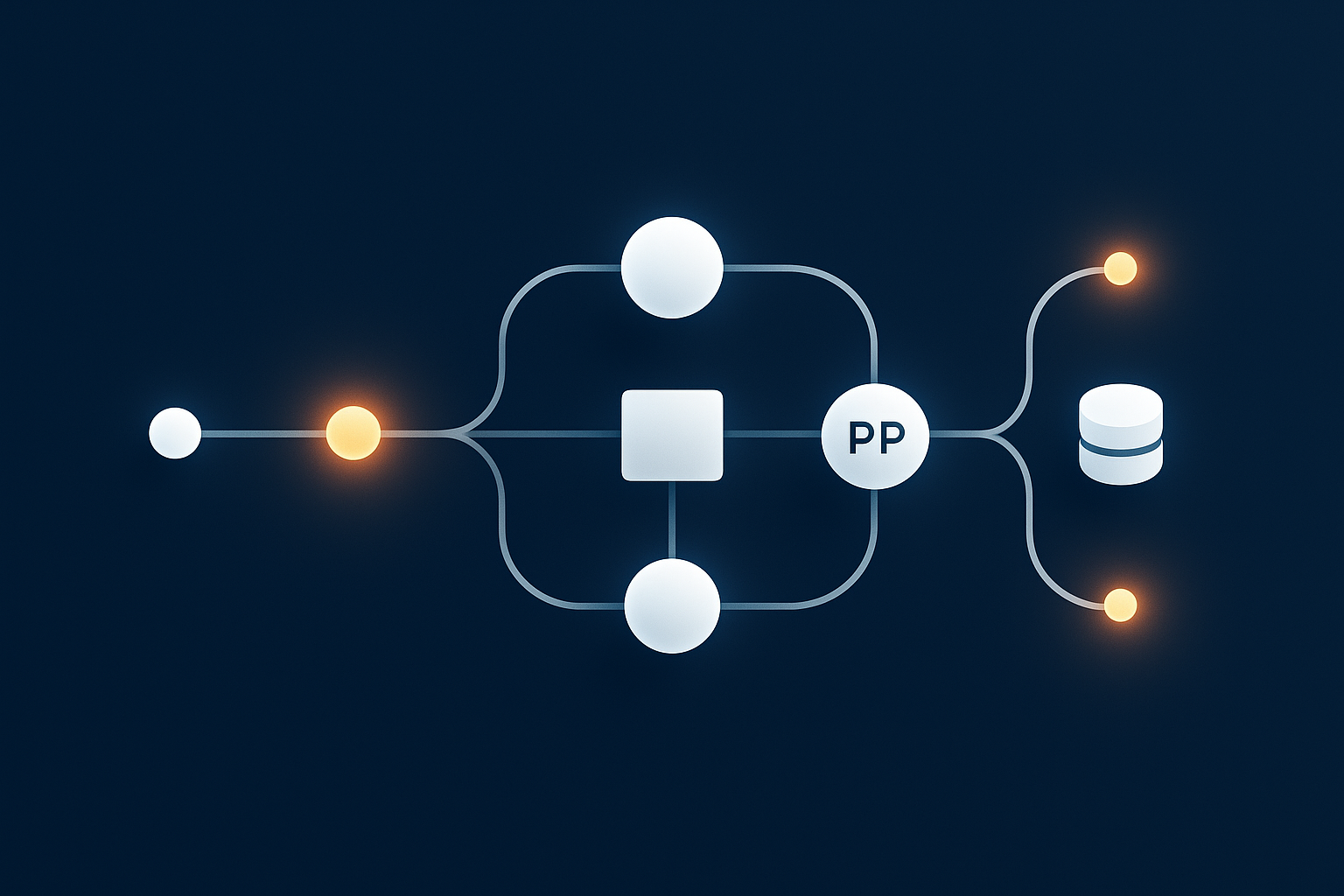
How TTFB flows from DNS and TLS through PHP and the database
From a UK visitor’s point of view, TTFB is the sum of several steps:
- DNS lookup: browser finds your site’s IP address.
- Connection and TLS: setting up a secure HTTPS connection.
- Edge or CDN cache (if used): the edge server may respond from cache or forward to origin.
- Web server and PHP: WordPress code runs, plugins load, templates render.
- Database queries: MySQL/MariaDB fetch options, posts, products and user data.
- Response returned: browser receives the first byte of HTML.
TTFB is heavily influenced by hosting architecture, PHP version, database tuning and whether a request hits a cache or forces a fresh PHP run.
Realistic TTFB goals for UK-hosted WordPress sites
For UK users connecting to UK‑based hosting, realistic TTFB targets are:
- Cached pages (anonymous visitors):
- Excellent: under 150 ms
- Good: 150 to 300 ms
- Uncached dynamic pages (logged‑in users, cart, checkout):
- Excellent: under 400 ms
- Good: 400 to 600 ms
Once TTFB creeps above ~800 ms regularly, you will feel it in LCP and INP, especially on mobile.
Hosting features that make the biggest difference to TTFB
When you compare web hosting performance features, look for:
- Modern PHP (8.1+), with PHP‑FPM and opcode caching enabled.
- Fast local or network SSD/NVMe storage rather than spinning disks.
- HTTP/2 and HTTP/3 support for parallel requests.
- Server‑level page caching (not just “we support caching plugins”).
- Object caching (Redis or similar) for busy WooCommerce sites.
- UK data centre locations if your users are primarily in the UK.
Managed WordPress hosting providers that specialise in this stack will usually have these tuned as standard, rather than leaving you to figure out every detail.
How edge caching and the G7 Acceleration Network help TTFB and stability
A content delivery or acceleration layer can bring cached copies of your pages closer to visitors. With the G7 Acceleration Network, for example, static HTML caches are served from edge nodes, so most anonymous visitors see TTFB in the low hundreds of milliseconds, while the origin server handles only the dynamic work.
This edge caching not only improves average TTFB and LCP, it also keeps them much more consistent when traffic spikes or when search engine crawlers are busy.
Caching, bad bots and traffic spikes: keeping Core Web Vitals consistent

Why Core Web Vitals often look fine in tests but poor in the field
Many businesses see a near‑perfect PageSpeed Insights result for a single test, yet Search Console shows “needs improvement” or “poor” in the field. Common reasons include:
- Testing from a fast desktop connection rather than typical UK mobile conditions.
- Testing at quiet times while real users visit during busy evenings or campaigns.
- Heavy plugins or third‑party scripts only activated for logged‑in users or certain locations.
- Server performance collapsing under real traffic or bots.
Good caching and traffic management help you close the gap between ideal tests and messy real‑world usage.
Page caching and object caching: what your host should handle
A solid hosting setup for Core Web Vitals should provide:
- Page caching: caches full HTML for anonymous users, so most requests do not hit PHP or the database. This is crucial for LCP.
- Object caching (Redis/Memcached): stores results of expensive database queries. Very useful for WooCommerce product queries, carts and user dashboards.
- Automatic cache purging: clears the right pages when you update content, products or stock.
With G7 Acceleration Network style acceleration, much of this page caching happens at the edge, outside your origin server, so WordPress only handles the work it really needs to do.
Filtering abusive bots before PHP to protect real user performance
Abusive bots, scrapers and brute‑force attacks can quietly consume a large share of your server resources, especially on cheaper shared plans. The result is simple: legitimate visitors wait longer while your server wastes time on requests that were never going to convert.
G7Cloud’s bot protection within the G7 Acceleration Network filters abusive and non‑human traffic before it reaches PHP or the database. That reduces wasted load, keeps TTFB and response times more predictable, and helps prevent avoidable downtime when campaigns draw more attention to your site.
Handling campaigns and peak days without your scores collapsing
To keep Core Web Vitals stable during peaks:
- Ensure page caching is working for all anonymous pages, especially campaign landing pages.
- Use a CDN or acceleration layer so static assets and cached HTML are served from edge locations.
- Limit heavy operations on each page view, such as real‑time stock checks across all warehouses.
- Consider queueing background tasks (emails, syncs) rather than doing everything during the page request.
If you know a campaign is coming, speak to your hosting provider in advance so they can confirm capacity, caching and bot filtering are set correctly.
Images, page weight and Core Web Vitals on WordPress
Why images dominate LCP on most SME WordPress sites
For most SME sites, the “largest contentful paint” is an image: the hero banner, a product photo or a large background. If that image is 500 KB to several MB, LCP will be slow, especially on mobile.
Even if your hosting is excellent, a series of uncompressed 2 MB hero images will force browsers to download far more data than necessary before users see the main content.
Realistic image optimisation process for non‑developers
You do not need to be a developer or designer to get images under control:
- Size images correctly:
- For full‑width hero images, aim for 1600–2000 px wide, not 4000 px camera originals.
- For product images, 800–1200 px wide is often enough.
- Compress before upload:
- Export from design tools at around 70–80% quality, or use a simple desktop tool to compress JPEGs/PNGs.
- Use lazy loading wisely:
- Keep the hero image and above‑the‑fold content eager; lazy load images lower down the page.
- Avoid unnecessary sliders:
- Sliders load multiple large images at once. One strong hero image usually works better for both speed and conversions.
A useful workflow is to agree internal rules, such as “no homepage image over 300 KB” and “no product gallery images over 200 KB”, and have whoever uploads content stick to them.
How automatic AVIF/WebP conversion in the G7 Acceleration Network helps
Modern image formats like AVIF and WebP deliver much smaller files at comparable quality. The G7 Acceleration Network automatically converts your images to AVIF and WebP on the fly and serves the best version to each browser. In practice this often cuts image file sizes by more than 60 percent, with no visible loss of quality, and it is included for every site hosted with G7Cloud without any extra plugins or WordPress changes.
Theme, plugins and JavaScript: where hosting cannot save a slow site
Heavy page builders, sliders and marketing scripts
Some performance problems live entirely in your theme and plugins. Common culprits are:
- Heavy page builders that load large CSS and JavaScript bundles on every page.
- Sliders and animation libraries that block rendering.
- Multiple analytics or marketing scripts (several analytics tools, chat widgets, heatmaps, tag managers).
- All‑in‑one plugins that add many features you do not need but still load assets.
No matter how strong your hosting, if each page loads several megabytes of JavaScript and CSS, INP and LCP will suffer, particularly on mid‑range phones.
Practical plugin and theme choices that support good Core Web Vitals
Practical steps that help without forcing a full rebuild:
- Choose a lightweight base theme known for performance, then layer a builder on top only if you actually need it.
- Limit yourself to one main page builder; avoid mixing several visual editors.
- Audit plugins twice a year:
- Remove those not in use.
- Replace heavy plugins with leaner single‑purpose alternatives where possible.
- Reduce marketing scripts:
- Consolidate tracking where you can.
- Load non‑essential scripts after user interaction, if compatible with your compliance policies.
On WooCommerce sites, be especially wary of add‑ons that inject extra scripts on every page when they only need to run on cart or checkout.
When to invest in development rather than more hosting
If your site:
- Runs on competent managed hosting.
- Has TTFB under ~300 ms for cached pages.
- Still fails LCP or INP due to front‑end weight.
then extra CPU and RAM will deliver very little benefit. In this case it is better to invest in:
- Refactoring or simplifying page templates.
- Reducing or replacing heavy JavaScript components.
- Optimising theme and plugin asset loading.
That work usually produces a bigger long‑term gain than doubling your hosting budget.
Choosing a hosting model with Core Web Vitals in mind
Shared hosting vs managed WordPress vs VDS for UK SMEs
In broad terms:
- Basic shared hosting:
- Low cost, but resources are shared with many other sites.
- Often lacks proper page caching, Redis and performance‑tuned PHP.
- Can be enough for very small brochure sites with low traffic.
- Managed WordPress hosting:
- Platform tuned for WordPress: caching, backups, security and updates handled for you.
- Good balance of performance, simplicity and support for most SMEs.
- Ideal for typical brochure, lead gen and small‑to‑medium WooCommerce sites.
- Virtual Dedicated Server (VDS):
- Dedicated resources, higher ceiling and more control.
- Best suited when you have higher traffic, complex custom code or in‑house technical expertise.
For most UK SMEs who care about Core Web Vitals but do not want to manage servers, a good managed WordPress platform is usually the sweet spot.
How to read hosting performance claims critically
When assessing performance claims on hosting sites:
- Ignore vague phrases like “10x faster” without context.
- Look for specifics: PHP versions, object caching, page caching, edge presence, HTTP/2/3, NVMe.
- Check whether caching is integrated server‑side or left entirely to plugins.
- Consider support quality for performance questions, not just uptime sales copy.
Features like the G7 Acceleration Network are useful indicators that performance is built into the platform rather than being an afterthought.
When it is time to move: clear signals from your Core Web Vitals
Hosting may be holding you back if, despite sensible theme and plugin choices, you see:
- Persistent TTFB over ~800 ms for cached pages from UK testers.
- Large differences between peak and off‑peak performance.
- Frequent timeouts or 5xx errors during traffic spikes.
- Support responses that blame “too many plugins” without specifics while your plugin set is moderate and essential.
If your field data LCP and INP jump sharply whenever traffic rises, that is another strong signal your hosting environment is struggling.
Making migration low‑risk if hosting is clearly holding scores back
To minimise risk during a hosting move:
- Use a staging migration first and run PageSpeed Insights and functional tests.
- Plan the DNS switch for a quieter period in your traffic, but keep the old host live for 24–48 hours as a fallback.
- Confirm that SSL, redirects and caching are correctly set up on the new host before switching.
- Monitor logs and Search Console after the move to check for crawl errors or unexpected slowdowns.
Most managed WordPress providers, including managed WordPress hosting with G7Cloud, will help with migration planning so you can focus on business rather than low‑level technical detail.
A simple, realistic Core Web Vitals improvement plan
Step 1: Get a clean picture of current performance
Before changing anything:
- Open Search Console → “Core Web Vitals” and note:
- Which URL groups are failing (mobile vs desktop).
- Whether the main issue is LCP, INP or CLS.
- Test key pages in PageSpeed Insights:
- Homepage
- Main lead gen or campaign landing page
- Top product and category pages if you run WooCommerce
Record the field data where available, TTFB and largest element details for each page. This is your baseline.
Step 2: Fix obvious hosting bottlenecks and enable smart caching
Next, deal with what hosting can fix quickly:
- Ensure your site runs on a modern PHP version (8.1+).
- Confirm server‑level page caching is enabled and configured for anonymous users.
- On busier sites, enable Redis or object caching.
- If you do not have one, add an acceleration or CDN layer such as the G7 Acceleration Network for edge caching and better TTFB.
- Make sure bad bot filtering is active so abusive traffic is blocked before it hits PHP or your database.
Often these changes alone can lift LCP and INP into the “good” range for a large portion of your users.
Step 3: Trim images, scripts and layouts that hurt LCP and CLS
With hosting foundations in place, focus on the front‑end:
- Compress and resize the largest images flagged by PageSpeed Insights.
- Where available, let your platform handle AVIF/WebP conversion so browsers receive smaller modern formats by default.
- Remove unneeded sliders and reduce above‑the‑fold content to what is essential.
- Audit and consolidate analytics, tracking and marketing scripts.
- Fix obvious CLS issues by setting explicit dimensions on images and embeds, and avoiding late‑loading banners that push content down.
If you use the G7 Acceleration Network on G7Cloud, image optimisation is automatic: your existing uploads are transformed into AVIF and WebP where supported, often cutting image weight by over half while keeping real‑world quality, which in turn improves LCP without extra plugins.
Step 4: Re‑measure and decide if you need code or hosting changes next
After deploying changes, give Search Console a couple of weeks to collect fresh field data. In the meantime, retest key URLs in PageSpeed Insights and note:
- New LCP and INP values, and what is now counted as the largest element.
- TTFB from UK test locations.
- Any remaining CLS warnings.
If TTFB is still high and unstable despite good caching, you may need a stronger or better tuned hosting plan. If TTFB is solid but LCP/INP are still weak, you are at the “code and design” stage, where theme, plugin and JavaScript work will deliver more value than further hosting upgrades.
For a more detailed checklist of tactical steps, you can pair this plan with A Practical Core Web Vitals Checklist for WordPress Business Sites in the UK.
Summary: what “good enough” Core Web Vitals looks like for most UK SMEs
For most UK WordPress and WooCommerce sites, “good enough” Core Web Vitals means:
- Field data LCP under ~2.5 seconds on desktop and ~3 seconds on mobile for key pages.
- INP under 200 ms for the majority of user interactions.
- CLS under 0.1, with no obvious layout jumps.
- TTFB in the low hundreds of milliseconds for cached pages from UK locations.
- Performance that holds up during campaigns and seasonal peaks, not just on quiet days.
Hosting choices matter: a platform with solid server‑level caching, modern PHP, UK locations, edge acceleration and bot filtering removes many of the infrastructure problems that hurt Core Web Vitals. From there, sensible theme, image and plugin decisions will usually take you the rest of the way.
If you would like to reduce the technical burden and focus on your business, exploring managed WordPress hosting or the G7 Acceleration Network for your next hosting move can be a practical way to reach and maintain realistic Core Web Vitals targets without constant manual tuning.