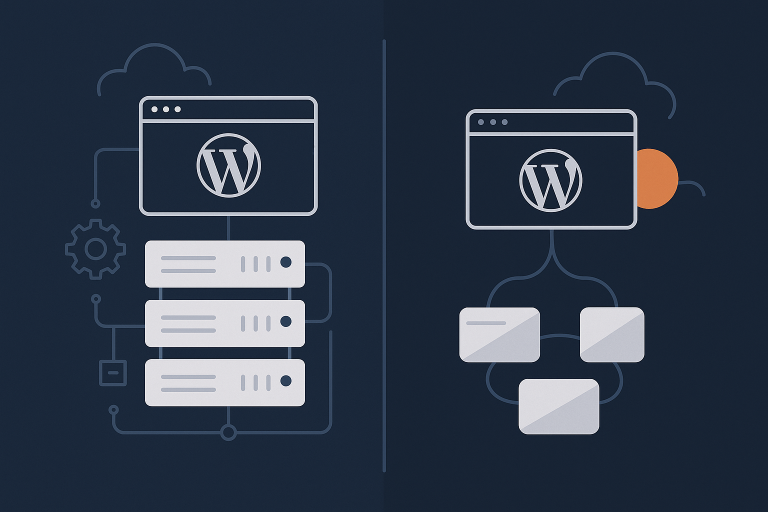
Self Hosted vs Managed WordPress: What UK SMEs Really Gain (and Lose) by Letting Go of Server Management
Who This Comparison Is For (And What “Self Hosted” Really Means)
This comparison is written for UK small and medium businesses using WordPress or WooCommerce who are trying to decide whether to keep managing servers in house, or move to a managed WordPress platform.
If you are not sure what “self hosted” actually covers in practice, or you are wondering whether managed WordPress hosting is worth the extra monthly cost, this guide is for you.
Typical UK SME scenarios: from brochure sites to busy WooCommerce stores
Most UK SMEs fall into a few common patterns:
- Brochure or lead generation sites
Local services, professional firms, B2B suppliers and charities. WordPress is used for pages, blogs and contact forms. Traffic is modest, but leads and reputation still depend on the site working and loading quickly. - Content and publishing sites
Blogs, resources and knowledge bases that drive organic search. Performance matters for SEO and user experience. Editorial teams need reliable, easy workflows more than low level server control. - WooCommerce stores
Retailers, wholesalers and subscription businesses. Checkout reliability, stock integrity and performance at peak times have a direct impact on revenue and customer trust. - Multi site or client hosting
Agencies and digital teams that host several sites. They often start self hosted to keep control and costs down, then hit scaling, security and support limits as the portfolio grows.
Your ideal hosting model depends less on how “technical” you feel and more on:
- How critical the site is for revenue or lead flow
- How often things currently go wrong (performance, uptime, security)
- Who actually has the time and skills to own the server side when they do
What counts as self hosted WordPress in practice
“Self hosted” means your business is responsible for large parts of the hosting stack, whether or not you have a friendly cPanel screen in front of it. In practice that usually looks like:
- VPS / virtual dedicated server you manage yourself
For example a VPS from a cloud provider or a platform like virtual dedicated servers for self hosted WordPress, where you choose the OS, configure WordPress and decide which services to run. You may add a control panel, but the underlying server is yours to manage. - Dedicated server or cloud instance you configure
Physical servers in a data centre or instances on AWS, DigitalOcean or similar. You install web server software, PHP, MySQL/MariaDB, and secure everything. You own updates, firewall rules, and performance tuning. - cPanel or Plesk hosting where you own WordPress itself
The provider manages the physical server and base OS. You are still responsible for WordPress, themes, plugins, database queries, caching plugins and many security decisions. On cheaper shared plans you also compete with “noisy neighbours” on the same machine.
Self hosting suits teams that want control and are willing to handle updates, monitoring, troubleshooting and capacity planning themselves.
If you want a deeper look at how shared, VPS and dedicated models differ, the guide Shared, VPS or Dedicated Hosting: How to Choose the Right Foundation for Your Business is a useful background read.
What managed WordPress hosting actually includes (and what it usually does not)
Managed WordPress hosting means the provider takes responsibility for running and optimising the environment WordPress sits on, not just renting you server space.
Good managed WordPress hosting options normally include:
- Pre configured server stack tuned for WordPress
- Automatic daily backups and easy restores
- Security hardening, malware scanning and a web application firewall
- Managed operating system and PHP updates
- Performance features such as full page caching, object caching and sometimes an edge network or CDN layer
- Support from people who understand WordPress, not only the server
Managed hosting usually does not include:
- Fixing custom code or poorly built themes from scratch
- Rebuilding your site for you if it is badly compromised
- Unlimited development work or design changes
Think of managed WordPress as a maintained platform: the infrastructure, operating system, runtime and many performance and security concerns are handled, while you still own your content, design and business logic.
Control vs Responsibility: Who Does What On Each Model

The WordPress stack in plain English
It helps to picture the stack in layers:
- Domain and DNS
Your domain name (example.co.uk) and the DNS records that point traffic to your server or managed host. - Web server, PHP, database
Apache or Nginx (or both), PHP versions and extensions, and the database (MySQL or MariaDB) where WordPress stores content, orders and settings. - WordPress core, themes, plugins
The CMS itself, your chosen theme and all plugins. This is where you add functionality, design and content. - Security, backups, monitoring
Firewalls, SSL/TLS certificates, malware scanning, security headers, backup schedules and uptime monitoring.
On self hosted, you are close to all of these. On managed, the provider sits between your site and many of the lower layers.
Responsibility split: self hosted vs managed
Here is a simplified view of who normally owns which layer.
| Layer | Self hosted | Managed WordPress hosting |
|---|---|---|
| Domain & DNS | Your responsibility | Usually your responsibility, with advice if needed |
| Server hardware / virtual machine | Provider keeps it on, you handle sizing & usage | Managed by host, capacity planned for WordPress |
| Operating system & security patches | You choose OS, patch schedule and hardening | Managed by host as part of the platform |
| Web server, PHP & database tuning | You install, configure and optimise | Pre tuned by host; changes via support or control panel |
| WordPress core updates | You schedule and test updates | Often managed or assisted by host, sometimes with staging |
| Themes & plugins | Your responsibility | Your responsibility, with advice and basic checks |
| Backups & restores | You set up tools, storage and test restores | Built in scheduled backups with tested restore process |
| Security, firewall & bad bot filtering | You install and tune firewalls, rate limiting, WAF, 2FA | Provided and maintained by host’s platform |
| Performance & caching | You choose and configure plugins or proxies | Integrated caching & often edge network handled by host |
| Monitoring & incident response | You set up alerting and fix issues | Host monitors platform; you handle site level issues |
Concrete examples:
- Hacked site
Self hosted: you or your developer must clean the site, patch vulnerabilities and possibly restore from backups.
Managed: the host often helps identify the entry point, restore a clean backup and harden the environment. You still need to address insecure plugins or code. - Slow checkout
Self hosted: you troubleshoot PHP workers, database load, caching rules and theme or plugin bottlenecks.
Managed: the host checks platform resources and caching; you focus on WooCommerce configuration and plugins, with support guidance. - Restoring a backup
Self hosted: you find the backup, verify its integrity and restore via SSH, control panel or plugins.
Managed: you click to restore a point in time backup, or ask support to handle it with you.
Where businesses often underestimate the work of server management
Common gaps tend to be:
- Patch management at OS, web server and database level, especially when security advisories appear.
- Performance tuning as traffic grows: PHP workers, object caching, query optimisation and background jobs.
- Monitoring and alerting: without good alerts, you only discover issues when customers complain.
- Incident response: who logs in at 10pm when the server hits 100 percent CPU due to a rogue script or attack?
If you enjoy this work and have time set aside for it, self hosting can be a good fit. If not, these are exactly the areas where managed WordPress platforms earn their keep.
Cost: The Sticker Price vs The Real Cost Of Doing It Yourself
Direct costs of self hosting
Self hosting looks cheaper at first, but you need to add everything you must bolt on yourself.
- Server or VPS costs
Monthly fees for a VPS, dedicated server or cloud instance. For a typical SME, this could be £10 to £150+ per month depending on resources and redundancy. - Paid control panels, backup tools, security add ons
cPanel, Plesk or other panels; backup services that store copies off server; firewall or WAF licences. Individually small, together they add up. - Premium plugins for caching, images and security that fill gaps
Caching, performance and security plugins to compensate for a basic hosting platform. These often include recurring subscription costs.
Hidden costs: time, risk and opportunity cost
- Time spent on updates, debugging, tuning, uptime firefighting
A director or senior developer doing server work costs far more per hour than the host’s fee. Time spent chasing down a memory leak or misbehaving plugin is time not spent on marketing, sales or product. - Cost of a day of downtime for an SME or retailer
For an e commerce store, one day of outages or timeouts can mean thousands in lost orders and support overhead. Even brochure sites lose leads and damage trust. - What happens if the only technical person is off or leaves
If the one individual who understands the server is on holiday, ill or moves on, your risk increases sharply. Documentation can help but does not remove the stress.
Managed WordPress pricing vs value
Managed WordPress plans usually have a higher headline price than a raw VPS, but they include bundled features that you would otherwise have to buy, configure and maintain:
- Backups, disaster recovery tools and simple restores
- Security hardening, firewall, malware scanning and bad bot mitigation
- Performance optimisations such as full page caching, object caching and an edge network
- Support from people who work with WordPress all day
Platforms that include an edge layer such as the G7 Acceleration Network performance and security layer often remove the need for several performance and security plugins altogether.
A managed plan is genuinely overkill when:
- The site is non critical, changes infrequently and downtime has little real cost
- You already have in house Linux and WordPress expertise, and enjoy managing servers
- You want to experiment with custom stacks or software that typical managed hosts do not support
For most SMEs that rely on their sites for sales or leads, the extra monthly cost is often offset by reduced firefighting and more predictable outcomes.
Performance & Core Web Vitals: Can You Match a Managed Stack Yourself?
What actually makes a WordPress site fast (beyond “good hosting”)
Speed comes from several factors working together.
- PHP and database performance
Fast CPU, appropriate PHP workers, correctly tuned MySQL/MariaDB and indexes on busy tables. Poorly tuned databases often show as slow product archives or checkout steps. - Full page caching and object caching
Serving cached HTML to anonymous visitors avoids running PHP for each request. Object caching stores database query results in memory (Redis or similar), improving dynamic areas like carts or dashboards. - Image optimisation and page weight
Large unoptimised images are one of the biggest drags on Largest Contentful Paint (LCP). Compressing images and serving modern formats like AVIF and WebP can dramatically cut page weight. - Handling traffic spikes and bad bots
Spikes from campaigns, seasonal peaks or even aggressive crawlers can exhaust PHP workers and database connections unless you have good caching and bot filtering in front of WordPress.
On platforms that include the G7 Acceleration Network performance and security layer, images are automatically converted on the fly to modern AVIF and WebP formats, usually cutting image file sizes by more than 60 percent while keeping quality acceptable for business sites, and this works without extra plugins or changes in WordPress.
Performance on self hosted WordPress
- You choose and tune web server, PHP and database
You can pick Nginx, Apache, LiteSpeed, specific PHP versions and database settings. This flexibility is powerful, but it demands knowledge of PHP-FPM pools, opcache settings, buffer sizes and query tuning. - You select and configure caching plugins or a reverse proxy
Popular caching plugins work well, but need careful configuration with WooCommerce, membership plugins, logged in users and multilingual setups. If you run a reverse proxy (Varnish, Nginx), you also need to manage cache invalidation for logins, carts and admin actions. - You deal with noisy neighbours and bot traffic on cheaper platforms
On low cost VPS or shared hosting, a spike in traffic from bots or another tenant on the same machine can slow your site. Without an edge layer to filter abusive traffic, all requests hit your server, consuming CPU, RAM and PHP workers.
It is entirely possible to match or exceed managed host performance on self hosted infrastructure, but doing so reliably requires monitoring, testing and regular tuning.
Performance on managed WordPress hosting
Quality managed platforms are built around WordPress workload patterns, which removes a large amount of guesswork.
- Pre tuned PHP, database and caching for WordPress
The provider chooses sane defaults for PHP-FPM, opcache, database connections and timeouts based on typical WordPress usage, then refines them over time. - Built in page caching, object caching and CDN style features
Managed WordPress platforms usually include an integrated page cache and object caching service, plus edge nodes in multiple locations for quicker delivery to UK and international users. - How networks like the G7 Acceleration Network handle caching, bad bots and image optimisation automatically
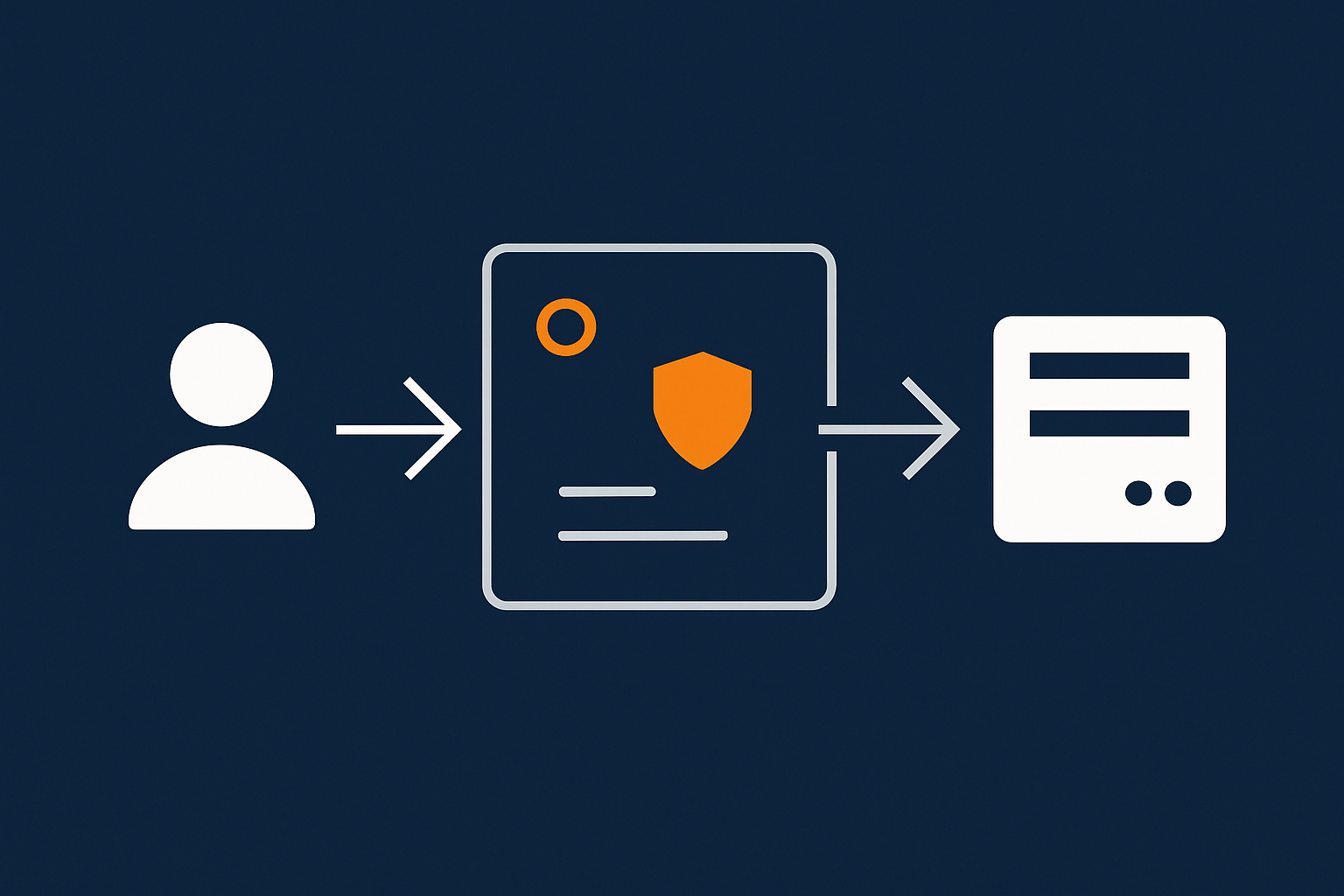
An edge network such as the G7 Acceleration Network performance and security layer sits in front of WordPress to cache pages, convert images to AVIF/WebP and filter bad bots before they ever reach PHP or the database. This reduces load on the origin server and helps keep response times consistent even during busy periods.
Where Core Web Vitals fit into the decision
Core Web Vitals (LCP, INP and CLS) measure real user experience. Hosting affects them in specific ways:
- LCP (Largest Contentful Paint)
Influenced by server response time, caching and image weight. A good managed platform reduces Time to First Byte and provides sensible caching and image handling out of the box. - INP (Interaction to Next Paint)
Impacted by JavaScript execution and main thread blocking. Hosting matters less directly here, although a slower server can still worsen delays under load. - CLS (Cumulative Layout Shift)
Mostly a theme and front end issue: image dimensions, fonts, banners and popups. Hosting has minimal impact.
Whichever model you choose, you will still need to pay attention to your theme, plugins and front end optimisation. If you want a practical, non technical overview, the guide Practical Core Web Vitals for WordPress: A Non‑Developer’s Guide for UK Business Sites is a good place to start.
Security, Backups and Uptime: Who Carries The Risk?
Typical security risks for self hosted WordPress
Common weak spots include:
- Unpatched PHP, web server or OS packages
Even if you keep WordPress core updated, outdated PHP, Apache/Nginx or kernel versions can expose known vulnerabilities. - Weak firewalls and exposure to bad bots and brute force attacks
Without a properly configured firewall and WAF, login pages and XML‑RPC endpoints receive constant brute force and scraping attempts, wasting resources and increasing compromise risk. - Poor backup routines or backups stored on the same server
If your backups are stored on the same VPS or not tested, a hardware failure, ransomware or a major misconfiguration can leave you without a clean restore point.
How managed WordPress hosting changes the risk profile
Managed providers build security into the platform so you do not have to reinvent it per site.
- Managed updates at OS, PHP and WordPress level
The underlying operating system and PHP are patched by the provider; WordPress core updates are either automatic or guided, sometimes with staging environments. - Proactive security monitoring, WAF and hardened defaults
Typical features include rate limiting, bot filtering, WAF rules tailored to WordPress, secure SSH/SFTP and 2FA-friendly control panels. - Scheduled backups and tested restore processes
Managed platforms offer daily (often more frequent) backups stored off server, with restore tools designed for non sysadmins.
Security layers such as the G7 Acceleration Network performance and security layer include bot protection that filters abusive and non human traffic before it ever hits PHP or the database, reducing wasted server load and helping prevent avoidable downtime during busy periods.
For a deeper dive into backup planning in particular, What Every WordPress Owner Should Know About Backups and Restores covers the essentials.
Backups vs redundancy: what matters in each model
- Redundant infrastructure vs single VPS instance
Many self hosted setups rely on a single VPS or server. If it fails, you are down until it is fixed or rebuilt. Managed platforms often use redundant clusters, storage replication and failover, reducing the impact of hardware failures. - Off server backups and recovery time objectives
For self hosted, you must decide how often to back up, where to store backups and how quickly you can restore. Managed platforms define these recovery time objectives and deliver tools to meet them.
Uptime and traffic spikes: who is watching the graph?
- Monitoring and alerting on self hosted vs managed
On self hosted, you are responsible for uptime checks and server metrics. If you do not set up monitoring, you only hear about outages from customers. Managed hosts monitor their platforms continuously and typically act on incidents before you are aware. - How bot filtering and caching reduce avoidable downtime
Heavy crawlers and brute force attacks can cause slowdowns and outages simply by exhausting server resources. Caching and bot filtering at the edge reduce these avoidable issues; for example, G7Cloud’s bot protection within the G7 Acceleration Network performance and security layer filters abusive and non human traffic before it reaches PHP or the database, keeping response times steadier.
Support, Skills and Internal Capacity: Be Honest About Your Team
What you realistically need to know to run your own WordPress server
To run self hosted WordPress with confidence, you or someone on your team should be comfortable with:
- Basic Linux, SSH and file permissions
Connecting via SSH, editing configuration files, setting correct file ownership and permissions, managing users and services. - How to troubleshoot CPU, RAM and disk issues
Recognising when high CPU is due to PHP, database queries, cron jobs or external attacks, and knowing how to resolve or mitigate them. The tutorial How to Check CPU, Memory and Disk Usage on a Linux Server gives a realistic taste of these tasks. - Reading logs, understanding 500 errors and slow queries
Interpreting web server logs, PHP error logs, slow query logs and correlating them with plugin or theme changes.
If these are skills you already have and want to exercise, the control of self hosting will appeal. If not, the learning curve can be steep, particularly under pressure when something has broken.
What “good” managed support looks like for SMEs
Managed support quality varies. For an SME, useful support usually means:
- Humans who understand both hosting and WordPress
Not just “our server is fine”. You want people who can recognise that a particular plugin is misbehaving, or that a query pattern is hurting performance. - Help with performance and plugin issues, not just “the server is fine”
Good support teams help you isolate whether a problem is hosting, WordPress or code, and give practical steps, not just a pass back to your developer. - Clear SLAs and escalation paths
You should know how quickly support will respond, how urgent issues are handled and what the escalation path is for serious outages.
When a hybrid approach makes sense (for agencies and technical teams)
Some teams use a hybrid model:
- Run development, staging or low risk projects on self hosted servers for flexibility
- Host revenue critical or client facing sites on managed WordPress hosting options for reliability and support
- Keep in house control of DNS, deployments and code, while offloading infrastructure maintenance and scaling to the managed provider
This can work well for agencies and technically minded SMEs who want both control and a safety net for the sites they cannot afford to lose.
Special Case: WooCommerce And Other Revenue Critical Sites
Why e commerce is less forgiving of self hosted mistakes
WooCommerce sites put extra pressure on both infrastructure and processes.
- Checkout performance and cart abandonment
Slow checkout pages are not just an inconvenience; they directly increase abandoned carts. Small performance issues that would be tolerable on a blog can cost real money during checkout. - Stock updates, orders and database load
Each order writes to the database, updates stock and may trigger email and third party integrations. Poor database optimisation or inadequate PHP workers show up as failed orders, duplicate payments or timeouts. - Peak days: sales, pay day spikes and campaigns
Flash sales, seasonal peaks and marketing campaigns all bring concentrated traffic. If your caching, PHP worker count or database cannot cope, users see errors exactly when you most want them to buy.
What managed WordPress adds for WooCommerce stores
For revenue critical sites, managed platforms can provide:
- Tuned database, object caching and PHP workers for concurrent users
Managed WooCommerce environments usually allocate more PHP workers, memory and optimised object caching so that concurrent checkouts do not block each other. - Bot filtering to keep resources for real buyers
Filtering abusive crawlers, scrapers and brute force attempts at the edge ensures that limited PHP workers and database connections are reserved for genuine shoppers. G7Cloud’s bot protection in the G7 Acceleration Network performance and security layer is an example of this in practice. - PCI conscious hosting considerations for payments
While WooCommerce itself does not make a host PCI compliant, good managed hosts design their environments with secure payment integrations in mind, including SSL, secure protocols and guidance on handling card data via third party gateways.
If you are currently self hosting WooCommerce and frequently battle slow checkouts or outages during campaigns, it may be more cost effective to treat hosting as an operational expense rather than a technical project. For deeper performance tuning ideas, see A Simple Guide to Optimising WooCommerce Performance.
How To Decide: A Simple Framework For UK SMEs

Key questions to ask about your site, team and risk tolerance
Use these questions as a quick health check:
- How much revenue or lead flow depends on the site?
- What would one day of downtime or heavy slowness actually cost?
- Who owns server issues today, and do they have time set aside for it?
- How often do you hit performance, security or reliability problems now?
- Do you have internal skills to handle a serious incident calmly?
- Are you happy to invest time learning and maintaining server skills?
If most of these are true, self hosted probably suits you
- You have in house Linux and WordPress skills and genuinely enjoy using them
- You want specific control over stack, versions, caching layers and custom code
- Your team is comfortable owning security, updates, backups and monitoring
- Your site can tolerate a bit of extra risk in exchange for flexibility
- You are running multiple projects where custom setups are a real benefit
In this case, a well specified VPS or dedicated server, perhaps using virtual dedicated servers for self hosted WordPress, can be cost effective and give you freedom to experiment.
If most of these are true, managed WordPress is likely the better fit
- You want to treat hosting as background infrastructure and focus on marketing, sales and content
- You prefer performance, backups and security to be handled by specialists
- Your site is revenue or lead critical, or holds sensitive data
- You want a UK based team to call when something breaks
- You do not have, or do not want to grow, in house server management skills
In this situation, moving to managed WordPress hosting options with a provider that understands UK businesses will generally reduce stress and total cost over time.
Migrating from self hosted to managed (or back the other way)
Whichever direction you move, a structured migration approach matters.
- Planning DNS, email and cutover
Decide who will manage DNS changes, ensure email (MX records) is unaffected, and plan a low traffic window for switching the live site. - Testing performance and functionality after the move
Use a staging environment to test contact forms, checkout, logins and integrations. Compare performance before and after with real user journeys, not only synthetic tests. - What a good migration service should include
Copying files and database, search and replace for URLs, SSL configuration, testing support and a fallback plan. A provider offering a free WordPress migration service will usually handle most of this with you.
If you are moving from managed back to self hosted, allow extra time to configure security, backups and performance tools that your old platform previously bundled for you.
Summary: What You Really Gain (And Lose) By Letting Go Of Server Management
Trade offs in one view: control, cost, risk, performance and peace of mind
In simple terms:
- Self hosted gives you maximum control and often lower direct costs, at the price of higher responsibility, more time spent on maintenance and greater exposure to outages if something is missed.
- Managed WordPress reduces your control over low level details but gives you a tuned, maintained environment, better default performance and security, predictable costs and someone to call when things go wrong.
For many UK SMEs, the real question is not “Can we run servers ourselves?” but “Should we?” If your core business is not infrastructure, delegating server management can free your team to work on activities that directly grow revenue.
How to revisit the decision as your site and business grow
Your answer today may not be your answer in two years. Growing traffic, more complex integrations, additional sites or a switch to e commerce can all shift the balance.
It is sensible to review your hosting model annually and after any major change in your online strategy:
- Check whether incidents, slowdowns or security worries have increased
- Review how much time your team spent on server tasks versus their main roles
- Assess whether uptime, speed and security still meet your expectations
If you recognise that server administration is becoming a distraction, exploring managed WordPress hosting options or an edge layer such as the G7 Acceleration Network performance and security layer is a practical next step. You can start by migrating a single site using a provider’s free WordPress migration service, measure the difference in performance and day to day effort, and then decide how far you want to let go of server management.