WordPress Security Plugins vs Server‑Level Protection: What UK Businesses Should Rely On (and What to Turn Off)
Who This Guide Is For (And Why Security Plugins Are Not the Whole Story)
This guide is for UK businesses running WordPress or WooCommerce that are trying to keep sites secure without slowing everything down or creating a maintenance headache.
If you recognise any of these situations, you are in the right place:
- You have installed one or more security plugins because “you are supposed to”, but you are not sure what they all do.
- Your site feels slower, but you are nervous about turning anything off in case it weakens security.
- Your hosting provider talks about firewalls and protection at their end, while your developer says you need more security inside WordPress.
- You run WooCommerce and worry about card payments, PCI and data breaches.
Typical UK scenarios: from brochure sites to busy WooCommerce stores
Most UK businesses fall into a few patterns:
- Small brochure sites for professional services, trades, local businesses, charities and consultants. Often on shared or managed WordPress hosting for UK businesses, with a contact form and a few logins.
- Growing WooCommerce shops with regular orders, a mix of logged in and guest customers, and integrations with payment gateways, CRMs or inventory systems.
- Agencies or in‑house teams looking after multiple WordPress installs on one server or cluster, often with varying plugin stacks and different levels of maintenance.
In each case, there is usually a combination of what your hosting provider does at server or network level, and what your chosen security plugin does inside WordPress. Problems arise when those layers overlap in confusing ways.
The core problem: overlapping security tools, slower sites and unclear responsibility
Stacking tools is easy. Logging into a slow, noisy WordPress dashboard with three security plugins all flagging different issues is also easy. Understanding which layer should handle what is harder.
The most common problems we see are:
- Overlapping protection such as a Web Application Firewall (WAF) at the network edge plus a WAF in a plugin, both trying to inspect every request.
- Performance hit from heavy scans, logging and filtering done in PHP on every page load.
- False positives and broken logins or APIs, where one system blocks what another expects to be allowed.
- Blurred responsibility when something does go wrong. The host blames a plugin; the developer blames the host; the business owner just wants the site back online.
Getting the split right is not just about security. It affects speed, uptime and how much time you spend firefighting. Modern web hosting security features can remove whole categories of plugin complexity if you are confident in what they cover.
What you will be able to decide by the end
By the end of this guide you should be able to:
- Explain in plain language how WordPress is usually attacked.
- Understand the difference between plugin‑level protection and server or network‑level protection.
- Decide which security features should live in your hosting platform, and which still make sense as plugins.
- Identify plugin settings you can safely turn off once server‑level protection is in place.
- Ask better questions of your hosting provider about their security posture.
If you want a broader view on prevention versus mitigation in hosting, the article Security Incidents in Web Hosting: Getting the Balance Right Between Prevention and Mitigation is a useful companion to this guide.
The Basics: How WordPress Actually Gets Attacked
The most common attack types in plain English
Brute force and credential stuffing on logins
Every public WordPress login page attracts automated attempts to get in. Two main patterns are:
- Brute force where bots repeatedly guess usernames and passwords, sometimes trying thousands of combinations per minute.
- Credential stuffing where bots try username/password pairs leaked from other sites, hoping people reuse credentials.
These attacks create noise in logs and can slow a site significantly if not controlled. They also succeed more often than you might expect when password hygiene is poor.
Vulnerability exploitation in plugins and themes
WordPress itself is reasonably well audited, but the ecosystem around it is vast. The main risk comes from:
- Outdated plugins and themes with known vulnerabilities such as SQL injection, privilege escalation or arbitrary file upload.
- Abandoned addons that no longer receive security patches.
- Poorly coded custom functionality inserted via child themes or bespoke plugins.
Automated scanners constantly probe for specific vulnerable versions. If they find one, exploitation is usually fast.
Bad bots, scraping and resource abuse
Not all bots are malicious, but many are unwanted. Common issues include:
- Price and content scraping that repeatedly downloads product or article pages.
- SEO crawlers that fetch every possible URL, including filters, search results and cart pages.
- Enumeration bots that try different URL patterns to discover admin panels, backups or vulnerable scripts.
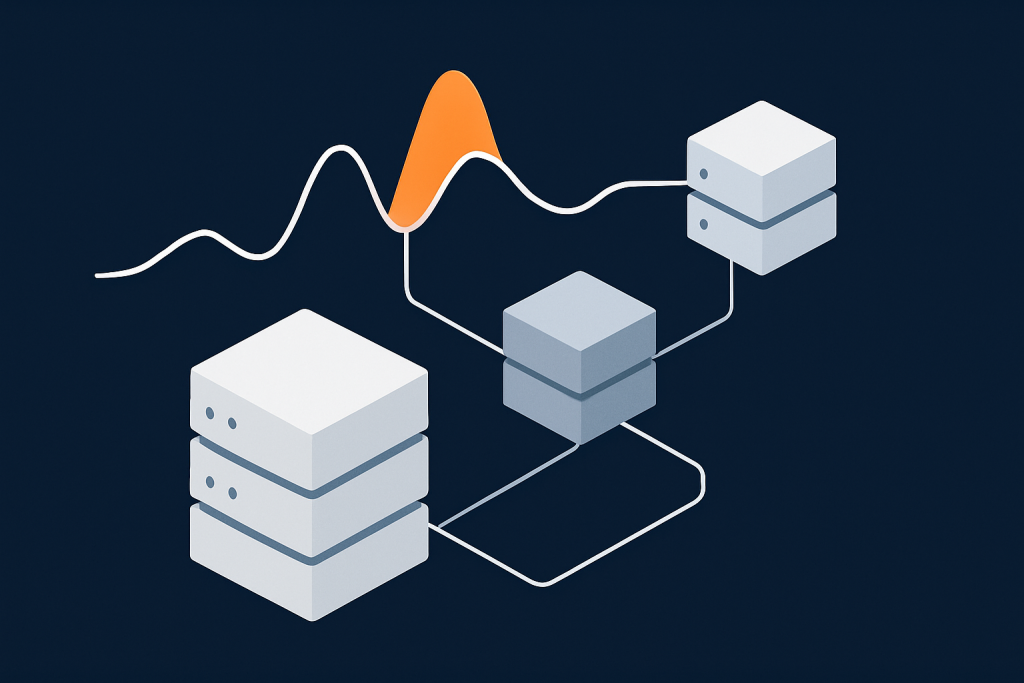
Even if these bots never “hack” the site, they consume CPU, RAM and database capacity. For busy WooCommerce shops, that can mean slower checkouts or even 502/504 errors during peaks.
This is where network‑level bot protection is powerful. For example, G7Cloud’s bot protection within the G7 Acceleration Network filters abusive and non‑human traffic before it hits PHP or the database, which reduces wasted server load and helps keep response times consistent during busy periods.
Malware uploads and file modifications
Once attackers find a way in, they often:
- Upload backdoor scripts to the
wp-contentdirectory. - Modify core files or plugin files to inject malicious code.
- Place phishing pages or spam content in hidden subdirectories.
These changes can be subtle. Some only activate for certain user agents or IP ranges to avoid detection. File integrity monitoring and good backup practices are essential here.
Where defences can sit: plugin, web server, network and data centre layers
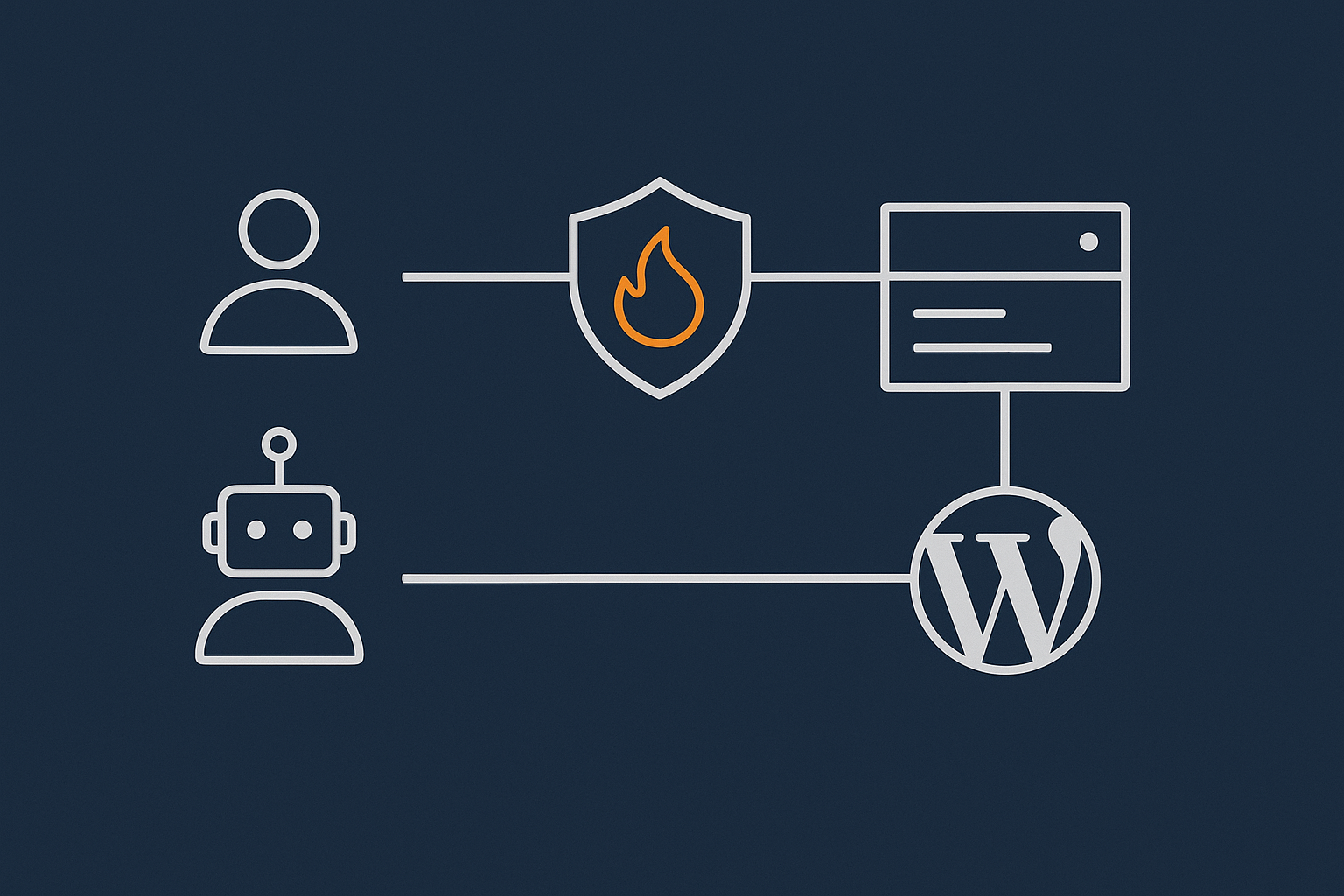
A typical request to your site passes through several layers:
- Network edge / CDN / WAF where traffic first enters the provider’s environment. Here you can block known bad IPs, rate limit abusive patterns and apply generic WAF rules.
- Web server (Nginx, Apache or similar) which serves static files and routes dynamic requests to PHP.
- PHP / WordPress application where plugins, themes and business logic live.
- Database and file storage where content, orders and user data are stored.
Security plugins operate at step 3. Server‑level protection lives at steps 1 and 2, and in how 3 and 4 are configured. Good security design pushes as much generic protection as possible to the earlier layers, so fewer bad requests ever reach WordPress.
What WordPress Security Plugins Actually Do
Typical features of popular security plugins
Login hardening and 2FA
Security plugins often offer:
- Login rate limiting (e.g. lock out an IP after 5 failed attempts).
- reCAPTCHA or hCaptcha on login, registration or comment forms.
- Two‑factor authentication (2FA) using an app, SMS or email codes.
- Username enumeration protection to hide whether a username exists.
These controls sit directly in WordPress, so they can be precise about user roles and login flows.
Application‑level firewalls and rules
Many plugins include a PHP‑level Web Application Firewall that:
- Inspects request parameters for suspicious patterns.
- Blocks common exploit attempts, such as obvious SQL injection payloads.
- Implements IP blacklists or whitelists.
- Applies virtual patching for specific vulnerabilities.
This is useful when your host does not provide a decent WAF, but it means every request must reach PHP before being filtered.
File change monitoring and malware scans
Plugins also provide:
- File integrity checks comparing current files to known good versions.
- Scheduled malware scans of the WordPress directory for suspicious signatures.
- Alerts if new files appear or existing ones change unexpectedly.
Some run entirely within your hosting account, while others offload scanning to a remote service via API.
Database and configuration tweaks from the dashboard
Security plugins often bundle convenience features such as:
- Disabling XML‑RPC or unused REST API endpoints.
- Changing the table prefix.
- Hiding the default login URL.
- Forcing stronger passwords and session timeouts.
These are mostly one‑off hardening changes, though some can cause compatibility issues if applied blindly.
Strengths of plugin‑based security
Visibility and alerts inside WordPress
Plugins excel at visibility for non‑specialists. From your WordPress dashboard you can typically see:
- Recent suspicious login attempts.
- Files changed since the last scan.
- Security recommendations based on your configuration.
For small teams without a separate monitoring system, these in‑dashboard alerts are useful.
Helpful hardening for smaller or budget hosts
If your host provides little more than basic shared hosting, a mature security plugin can compensate by:
- Adding basic rate limiting and brute‑force protection.
- Providing malware scans where the host has nothing comparable.
- Enforcing stronger passwords and login controls.
In that context, a plugin might be your primary line of defence rather than just a supplement.
Limits and side effects of security plugins
Performance impact and added complexity
The main drawback of plugins is that they live inside WordPress. Every WAF check or scan consumes PHP and database resources. On busy WooCommerce sites, this overhead adds up, particularly if you run multiple security plugins or have real‑time scanning enabled.
Complexity is another risk. Over time, sites accumulate abandoned plugins, overlapping features and outdated rules that nobody remembers configuring. That makes troubleshooting far harder during an incident.
False positives and broken logins or APIs
Plugin‑level WAFs and hardening rules can break legitimate behaviour, for example:
- Blocking AJAX requests used by modern themes or checkout flows.
- Interfering with REST API calls from mobile apps or third‑party integrations.
- Making it difficult for staff working from multiple locations to log in reliably.
These problems are often intermittent and only appear under certain conditions, which makes them tricky to trace back to a specific setting.
Relying on WordPress to protect WordPress
Security plugins also assume that:
- PHP is running normally.
- Your database is accessible.
- WordPress loads far enough to invoke the plugin code.
If an attack crashes PHP, locks up the database or exhausts resources, the plugin cannot help. That is one reason why pushing protection earlier in the request path is so important.
What Server‑Level Protection Looks Like (Beyond Your Plugin List)
Network firewalls, Web Application Firewalls and rate limiting
Blocking abusive traffic before it reaches PHP
At the network edge, a firewall or WAF can:
- Drop traffic from known malicious IP ranges or compromised devices.
- Limit how many requests a single IP or session can make in a short period.
- Block obviously malformed HTTP requests that no normal browser would send.
This happens before the request reaches the web server or PHP. For example, with the G7 Acceleration Network, abusive and non‑human traffic is filtered at the edge, which keeps server load much lower and reduces the chance of slowdowns during brute‑force waves.
Filtering common exploits and bad patterns centrally
Modern WAFs maintain global rule sets that catch new exploit patterns quickly. Because they operate across many sites, they can:
- Recognise and block known exploit kits and scanners by signature.
- Apply virtual patches for common vulnerabilities before every site owner has updated plugins.
- Enforce sensible limits on things like request size and URL length.
This centralised defence is hard to replicate with a single WordPress plugin.
Server hardening, user isolation and malware controls
Separation between sites and customers
On well‑configured hosting, each site or account is isolated so that:
- A compromised site cannot read or modify another customer’s files.
- Processes run under separate system users with minimal permissions.
- Resource usage is limited per account to prevent “noisy neighbours” from affecting others.
This isolation is a core part of serious web hosting security features and cannot be implemented by a WordPress plugin alone.
Real‑time malware detection and file quarantine
Server‑side malware scanners run outside WordPress and can:
- Monitor the filesystem in real time for suspicious writes.
- Quarantine known malware files before they are executed.
- Scan email and other services, not just web content.
Because they operate at the OS level, they can still act even if PHP is compromised or disabled.
Security headers, TLS and secure defaults
What good defaults look like for UK business sites
A good host should take care of:
- TLS configuration with modern ciphers, automatic certificate renewal and HTTP/2 or HTTP/3 support.
- Security headers like
Content-Security-Policy,Strict-Transport-Security,X-Frame-OptionsandReferrer-Policy. - Reasonable PHP defaults such as disabling dangerous functions and limiting file upload sizes.
You can check many of these with tools based on standards from organisations such as the OWASP Top 10. Some hosts, including those using the G7 Acceleration Network, apply sensible security headers at the edge so you do not need to rely on a plugin for them.
How G7Cloud’s G7 Acceleration Network fits in
Bad bot filtering and WAF in front of WordPress
G7Cloud places the G7 Acceleration Network in front of WordPress so that:
- Bad bots, scrapers and obvious attack traffic are filtered before they reach your server.
- WAF rules are applied centrally and updated without you editing plugin settings.
- Rate limiting happens at the edge, which is more efficient than doing it in PHP.
This is particularly helpful during traffic spikes, marketing campaigns or sale events, where the aim is to preserve capacity for real customers.
Security headers and stability benefits for busy sites
The same edge layer can enforce consistent HTTPS redirection, HSTS and other headers for every site, and can cache static assets to reduce origin load. By cutting out abusive traffic early and reducing repeat hits for cached content, the network layer helps keep TTFB more stable and reduces the incidence of 502/504 errors when sites are busy.
Comparing Plugin vs Server‑Level Protection: Who Should Handle What?
A simple responsibility split UK businesses can follow
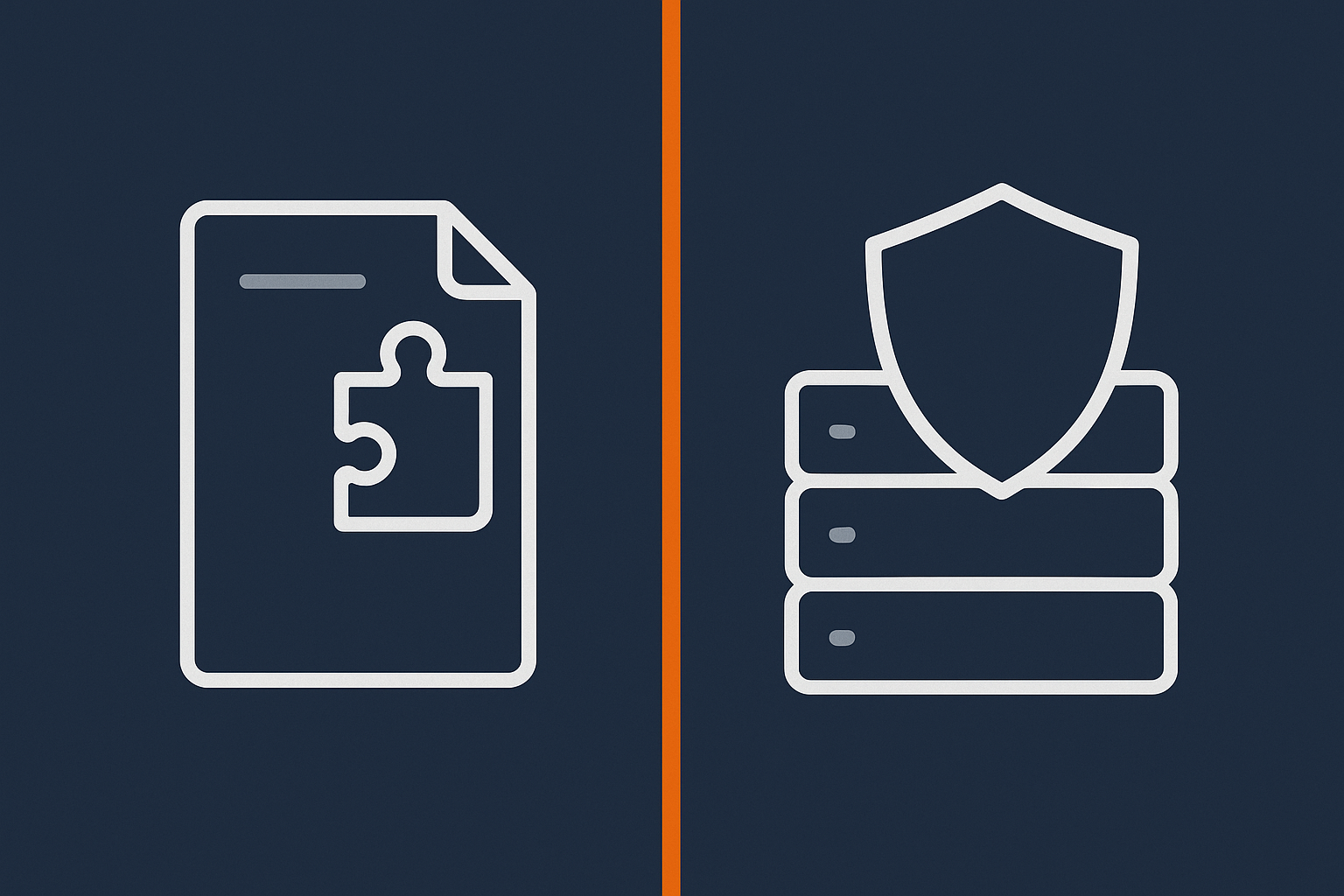
What security your hosting provider should handle
For a typical UK business relying on managed WordPress hosting for UK businesses, your host should reasonably provide:
- Network firewall and basic WAF protection.
- Bot filtering and rate limiting at the edge.
- Server hardening, user isolation and OS‑level malware scanning.
- Regular, secure backups stored off the main server.
- Automatic TLS certificates and secure default configurations.
If any of these are missing, you are likely leaning harder on plugins than you should.
What still needs to live in WordPress itself
Within WordPress, you will still usually want:
- Per‑user login controls such as 2FA and role management.
- Application‑specific rules tied to WooCommerce, membership logic or custom workflows.
- File change alerts mailed to the person responsible for the site.
- Vulnerability alerts for installed plugins and themes.
These features understand WordPress context in a way the host does not, so they remain a good fit for plugins.
Where duplication happens and why it causes problems
Two firewalls fighting each other
Duplication often appears where you have:
- A WAF or edge protection from your host or CDN.
- A plugin WAF also inspecting and blocking requests.
Problems include:
- Legitimate requests being blocked at one layer but logged as fine at another.
- Complex whitelisting when an integration is blocked by one layer but not the other.
- Double work for every request, which harms performance.
In this situation it usually makes sense to rely on the server or network‑level WAF for generic filtering, and reserve plugin rules for very specific, application‑aware cases.
Multiple malware scanners and overlapping login protection
Another common pattern is running:
- Two security plugins, both doing file scans.
- Login protection in three places: plugin A, plugin B and at the host or CDN.
This leads to:
- Increased disk and CPU usage from duplicate scans.
- Confusing alerts if one scanner flags something the other ignores.
- Users unexpectedly locked out or challenged multiple times on login.
Where your host provides strong malware scanning at server level, you can often simplify plugin scanning to lighter integrity checks and targeted scans rather than deep, constant sweeps.
Security and PCI considerations for WooCommerce and payments
If you take card payments through WooCommerce, you also need to think about PCI. Using a gateway that handles card details in an embedded form or redirect page keeps your own environment out of full scope, but you still have obligations around:
- Keeping your platform patched.
- Maintaining reasonable access control.
- Monitoring for suspicious activity.
Choosing PCI conscious hosting for card payments helps ensure your host provides the right baseline controls at infrastructure level. At the application layer you should still use 2FA on admin accounts, restrict who can manage orders and refunds, and treat any payment or customer data exports with care. The article PCI‑Conscious WooCommerce Hosting: What UK Merchants Really Need to Do goes deeper into this split of responsibility.
What You Can Safely Turn Off (Once Server‑Level Protection Is In Place)
Features that are often better handled at server or network level
Rate limiting, brute‑force blocking and IP blacklists
If your host or CDN provides robust edge protection with rate limiting and bad IP blocking, you can usually:
- Disable heavy login rate‑limiting modules in plugins, or at least ease them back.
- Avoid managing long IP blacklists inside WordPress, which are hard to maintain.
Keep a simple plugin‑level lockout if you like, but treat it as a backup rather than your primary line of defence.
Generic bot blocking and country blocking
Country blocking, generic “bot blockers” and UA‑based rules work better at the edge because:
- They minimise resource use by dropping traffic early.
- They are easier to manage centrally if you have multiple sites.
If your provider’s network layer such as the G7 Acceleration Network already filters abusive and non‑human traffic, you rarely need overlapping bot or country blocking plugins in WordPress.
Security headers managed in the plugin
Once your host reliably sets security headers at the server or edge, you can disable:
- Header‑tweaking options in security plugins.
- Standalone “hardening” plugins that exist only to add headers.
This reduces the risk of conflicting or duplicated headers and simplifies your configuration.
Features that usually still make sense at plugin level
2FA and per‑user login controls
Application‑level identity controls belong close to WordPress. Good candidates to keep as plugins include:
- 2FA for admins, shop managers and editors.
- Login alerts when new devices or locations are used.
- Granular role and capability management for staff.
These depend on your user model and cannot sensibly be handled purely at the network edge.
File change alerts tied to your admin email
Even if your host runs malware scanning, a lightweight plugin that:
- Notifies you when core or plugin files change unexpectedly.
- Flags new PHP files in unusual locations.
is still useful. It gives you direct visibility into your specific site, and the alerts can go straight to the person responsible for the business.
Application‑specific rules for WooCommerce or membership sites
Functionality like:
- Limiting how many sessions a single user can have.
- Blocking concurrent logins from different countries for staff accounts.
- Adding captchas to specific forms or flows.
is tightly linked to your application logic, so it remains a good use of plugins or bespoke code.
How to review and declutter your current security stack
To simplify without losing protection:
- List every plugin that has security‑related features, even if that is not its primary purpose.
- Map each feature (e.g. WAF, login protection, malware scan, headers) to the most appropriate layer: network, server or application.
- Disable overlapping features one at a time on a staging site, starting with those better suited to server level.
- Test thoroughly logins, checkout flows, contact forms and integrations after each change.
- Document the final setup so future updates or staff changes do not re‑introduce duplication.
Performance, Uptime and Bad Bots: Why Security Belongs Closer to the Network
How bot traffic silently slows WordPress down
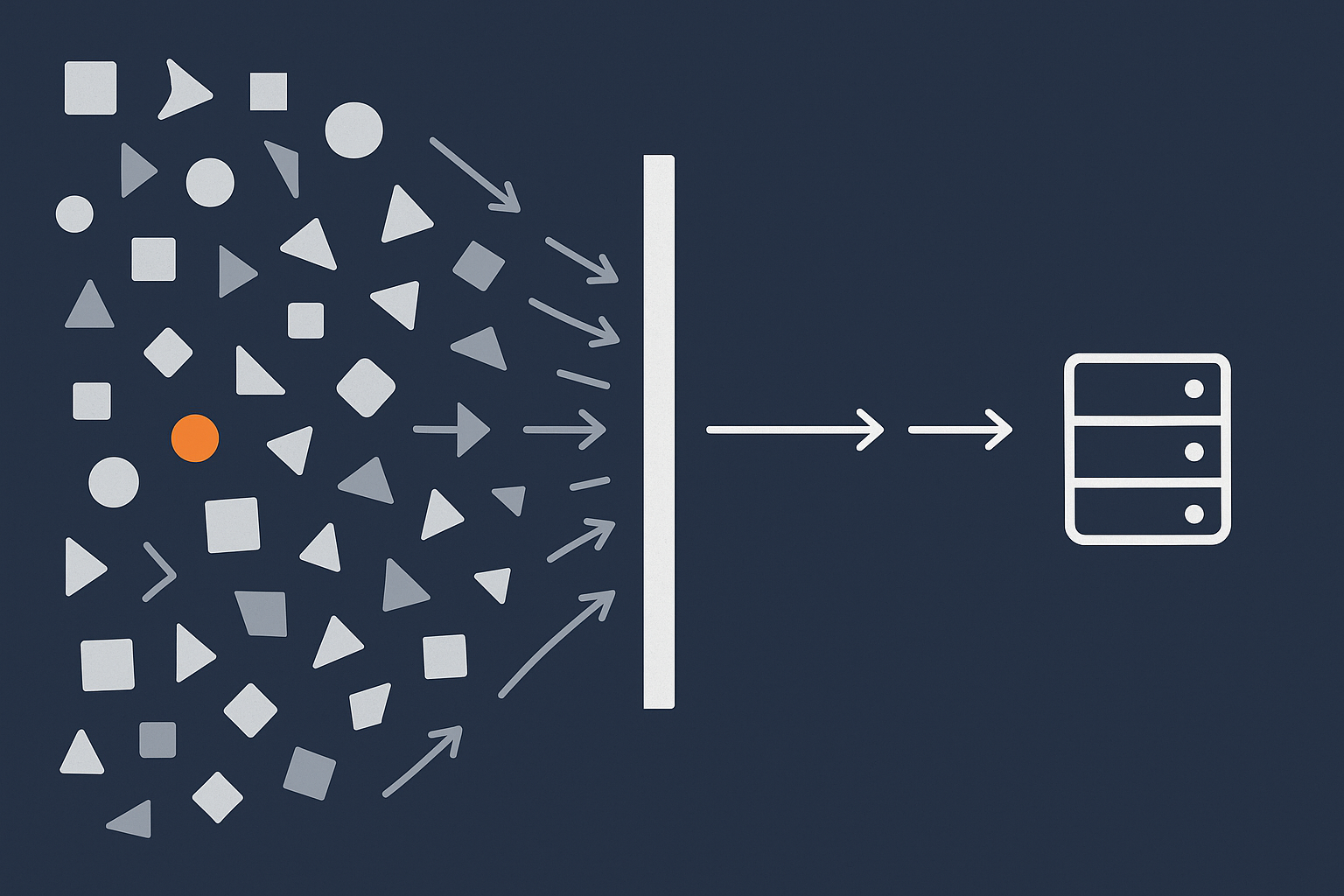
Bot traffic often looks like “free traffic” in analytics, but in hosting terms it is expensive. Each hit from a scraper or brute‑force script can:
- Trigger PHP execution and database queries.
- Bypass caches if it has unique query strings or targets non‑cached pages.
- Compete with real users for CPU, RAM and database connections.
On small brochure sites this may just mean occasional slow page loads. On WooCommerce, it can translate into slower product browsing, delayed add‑to‑cart actions and timeouts during checkout.
Why blocking bad bots before they reach PHP matters
Reducing load, stabilising TTFB and avoiding 502/504s
Blocking abusive traffic at the edge gives you three major benefits:
- Lower baseline load so normal variations in traffic do not tip the server over.
- More consistent TTFB because PHP and the database are less likely to be saturated.
- Fewer 502/504 gateway errors since upstream timeouts usually happen when back‑end resources are exhausted.
If you have ever battled intermittent gateway errors during campaign peaks, the guide Diagnosing and Fixing WordPress 502/504 Gateway Errors on Busy Sites shows how abusive traffic and poor caching often sit behind those symptoms.
How the G7 Acceleration Network’s bot protection helps UK sites stay stable
By running a filtering and WAF layer in front of your site, the G7 Acceleration Network blocks abusive and non‑human traffic before it hits PHP or MySQL. For UK businesses on busy WooCommerce or membership sites, this tends to make performance much more predictable during sale events, press coverage or seasonal peaks, because the server is mainly serving genuine customers rather than wasting capacity on bots.
Practical Setups: Example Security Stacks for Common UK Scenarios
Scenario 1: Small brochure site on managed WordPress hosting
For a small brochure site on managed WordPress hosting for UK businesses, a sensible stack could be:
- Hosting / network layer: Edge WAF and bot filtering (for example via the G7 Acceleration Network), automatic TLS, HSTS and basic rate limiting.
- Server layer: Hardened PHP, user isolation, OS‑level malware scanning and daily offsite backups.
- Plugin layer: One lean security plugin providing 2FA, login alerts and basic file change notifications; no duplicate WAF or heavy scanning.
This keeps performance strong while still giving the site owner visibility into changes.
Scenario 2: Growing WooCommerce shop that takes card payments
A growing UK WooCommerce shop concerned about PCI might use:
- Hosting / network layer: PCI‑conscious infrastructure, network‑level WAF, bot filtering and strict TLS configurations via PCI conscious hosting for card payments.
- Server layer: Malware scanning, real‑time resource monitoring, tuned PHP workers and transaction‑friendly database settings.
- Plugin layer: Carefully configured security plugin for 2FA on all staff accounts, order and export logging, selective file change alerts, plus a trusted payment gateway plugin that keeps card data off your server.
Balancing PCI‑conscious hosting and plugin choices
On such sites you want as few moving parts as possible in the payment flow. That usually means:
- Avoiding experimental or unmaintained security plugins that hook deeply into checkout.
- Preferring well known gateways that handle card data outside your environment.
- Ensuring any additional login or fraud checks are designed with WooCommerce compatibility in mind.
Scenario 3: Agency or group running multiple client sites on one server
Agencies or IT teams often inherit sites with ad‑hoc security stacks. To rationalise:
- Standardise hosting onto a platform with strong web hosting security features and an edge layer such as the G7 Acceleration Network.
- Define a baseline plugin set: one security plugin with agreed settings, one backup plugin if needed, and policies for 2FA and roles.
- Use staging environments to remove duplicate WAFs and scanners before migrating sites.
This approach makes it far easier to support multiple clients without each site becoming a one‑off puzzle during incidents.
How To Evaluate Your Current Host’s Security (Without Needing to Be an Engineer)
Questions to ask about firewalls, WAF and bot filtering
You do not need to know the underlying technology to ask clear questions. For example:
- “Do you provide a network‑level firewall and WAF in front of my site, or only basic port filtering?”
- “Do you have any bot protection or rate limiting at the network edge, and is it included?”
- “If I disable WAF features in my security plugin, what protection remains at your level?”
The answers should give you confidence about where to turn off overlapping plugin features.
Questions to ask about malware detection, backups and incident response
Similarly, ask:
- “Do you run malware scans at server level, and how often?”
- “How many days of backups do you keep, and where are they stored?”
- “If my site is compromised, what help do you provide as part of hosting, and what is my responsibility?”
If you want to go deeper on dividing responsibilities with your provider, the article Understanding Hosting Responsibility: What Your Provider Does and Does Not Cover can help frame the discussion.
When it is time to move to managed or PCI‑conscious hosting
You may outgrow your current host if:
- You rely heavily on multiple security plugins because the host offers little at infrastructure level.
- You struggle with recurring 502/504s or performance drops during modest traffic spikes.
- You are taking more payments and feel uncomfortable about PCI responsibilities.
In those cases, exploring managed WordPress hosting for UK businesses or PCI conscious hosting for card payments can actually simplify your security stack, not complicate it.
Next Steps: A Simple Checklist to Right‑Size Your WordPress Security
1. Map what you have today
- List your hosting environment and any CDN or WAF services.
- List every plugin that touches security, performance or logins.
- Note which features each provides (WAF, malware scan, 2FA, headers, etc).
2. Decide what should move to server‑level protection
- Identify generic protections such as WAF, rate limiting, bot blocking and headers.
- Confirm whether your host’s web hosting security features or an edge service like the G7 Acceleration Network already cover them.
- Plan to rely on the server or network for those, keeping plugin logic for application‑specific needs.
3. Simplify plugins and test carefully on staging first
- Create or use a staging copy of your site.
- Turn off overlapping plugin features or entire plugins one at a time.
- Test logins, checkout flows, integrations and admin tasks after each change.
- Remove plugins you no longer need, rather than leaving them inactive for months.
4. Agree ongoing responsibilities with your hosting provider
- Clarify what the host monitors automatically and what alerts you will receive.
- Agree who handles updates, backups, incident response and security reviews.
- Document your final security layout so everyone involved understands where protections live.
If your current platform makes this hard, it may be worth trialling managed WordPress hosting for UK businesses or the G7 Acceleration Network on a non‑critical site first. That way you can see how much plugin clutter you can safely remove when stronger server‑level protection is in place, before moving your main production sites.