Handling Traffic Spikes on WordPress Without Breaking the Bank
Why WordPress Sites Fall Over During Traffic Spikes
Typical UK SME scenarios: PR hits, campaigns and peak trading days
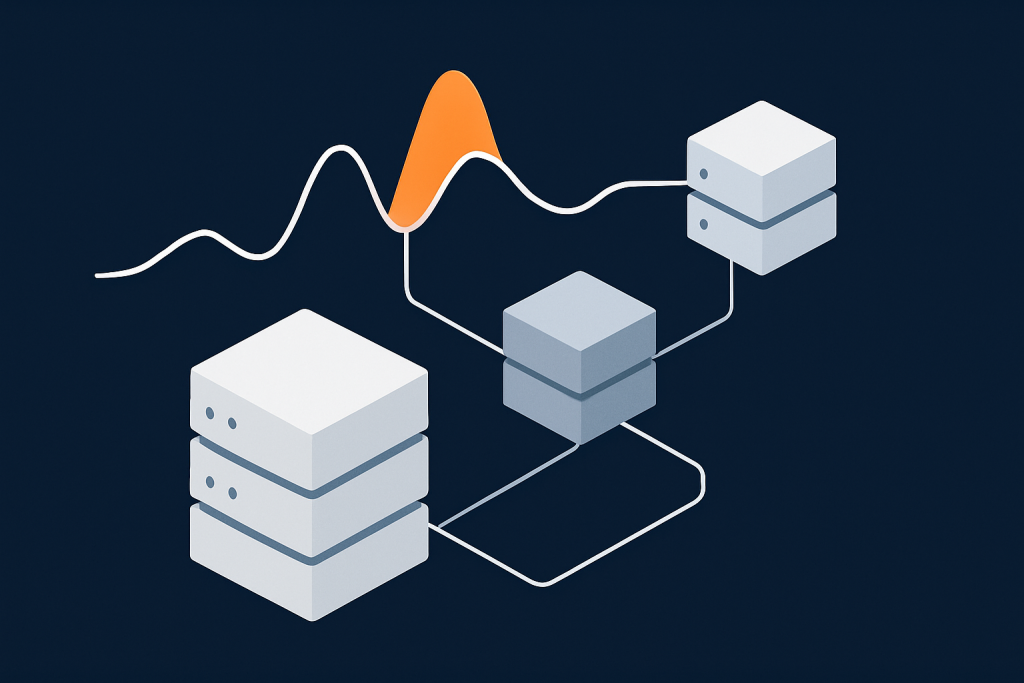
Most UK SMEs do not see constant heavy traffic. Instead, you get sudden bursts:
- A local or national press mention sends thousands of people to your site within minutes.
- A Black Friday or January sale email goes to a large mailing list at 8am.
- A TV or radio feature drops your URL on screen, and everyone types it in at once.
- Google Ads or paid social campaigns perform better than expected and concentrate visitors into a short window.
On quieter days your site feels fine, which can give a false sense of security. When the spike comes, the same WordPress site can suddenly start throwing errors, especially if it runs WooCommerce.
What actually happens inside WordPress when traffic surges
Every uncached page view triggers a lot of work:
- Nginx or Apache accepts the HTTP request.
- PHP boots WordPress and all active plugins.
- WordPress queries the database for posts, products, user data and options.
- Plugins call external APIs (payment gateways, CRMs, stock systems, email services).
- The page is rendered and sent back to the visitor.
When traffic surges, this work happens many times in parallel. If you have 200 visitors hitting your site at roughly the same moment, the server might try to run 50 or 100 PHP processes at once. Database queries stack up. External APIs respond slowly. Everything competes for CPU, RAM and connections.
If your hosting is on the small side or poorly configured, the result is:
- PHP processes running at 100 percent CPU.
- Database connections maxed out.
- Disk I/O slowing to a crawl due to logging, temporary files or swap.
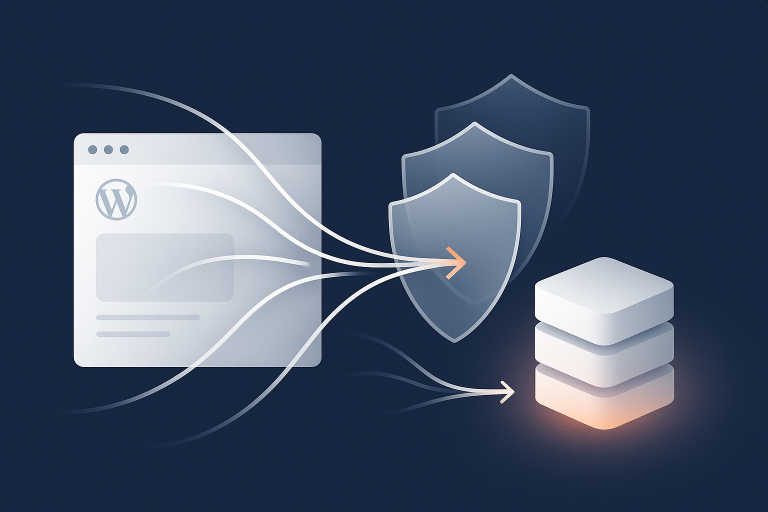
Good full page caching can absorb a large part of that work for anonymous visitors, especially on brochure sites and product listing pages. A platform with something like the G7 Acceleration Network edge caching and bot protection can serve cached pages from the edge so most requests never reach PHP or the database at all.
Symptoms you see on the front end: slow pages, 502/504 errors and checkout failures
From the user’s perspective, spikes usually look like:
- Pages taking 10 to 30 seconds to load, then either timing out or partially loading.
- 502 or 504 gateway errors when hitting high value pages such as /cart/ or /checkout/.
- AJAX-based features not working (add to basket, filters, search suggestions).
- WooCommerce checkout not progressing, or payment confirmations not returning correctly.
On the backend you may see:
- Hosting dashboards showing CPU pinned at or near 100 percent.
- Database errors like “too many connections”.
- Server logs filled with PHP-FPM or gateway timeout errors.
If this sounds familiar, you may find it useful to pair this guide with a deeper troubleshooting article such as Diagnosing and Fixing WordPress 502/504 Gateway Errors on Busy Sites.
Traffic Spikes in Plain English: Requests, Concurrency and Bottlenecks
Visitors per day vs simultaneous users: why concurrency is what hurts
Hosting plans are often sold with vague limits like “up to 100k visits per month”. This is not the number that matters when you are worried about spikes.
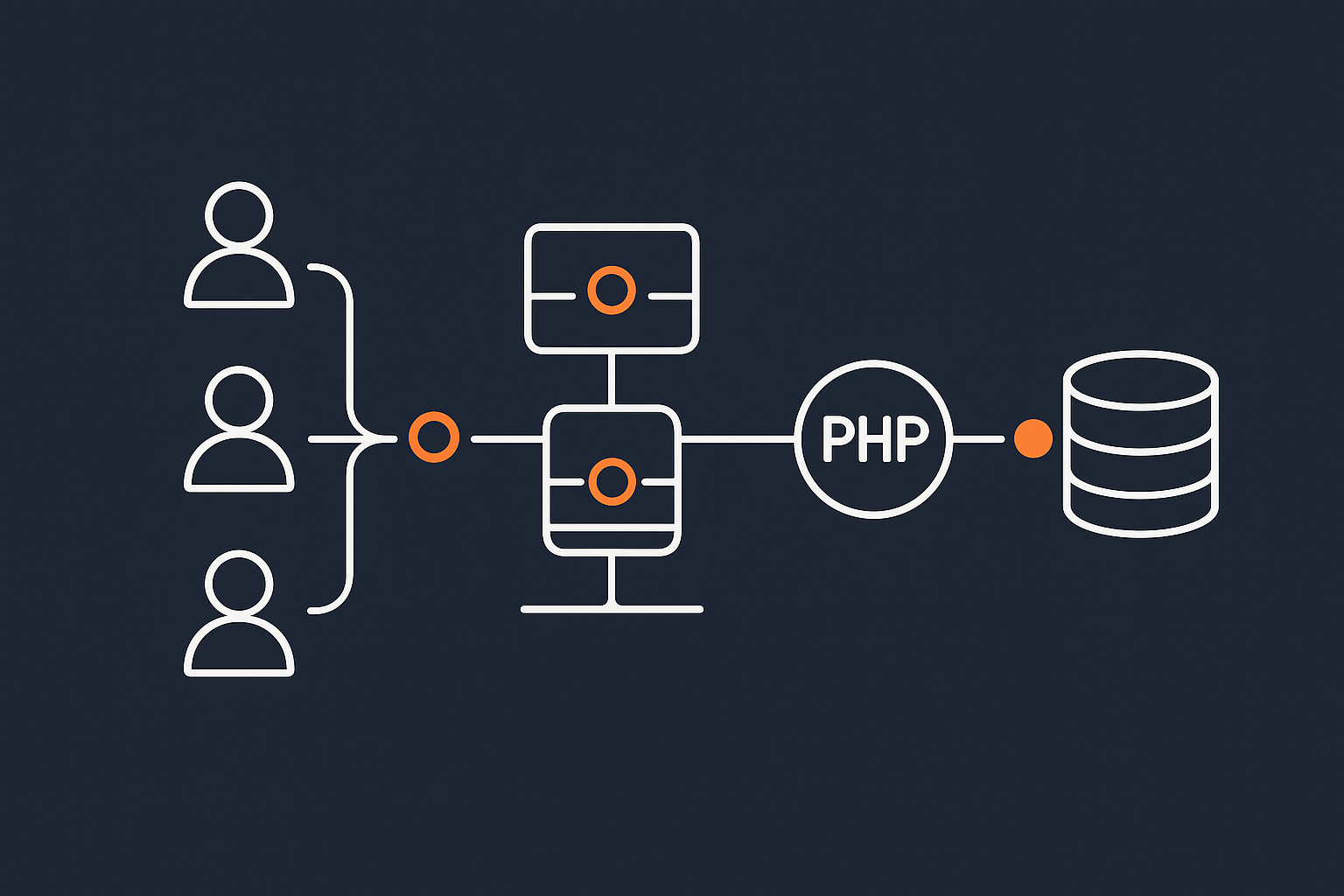
The painful number is concurrent users or simultaneous requests:
- 1,000 visitors over a whole day is easy.
- 1,000 people in 10 minutes is a different problem entirely.
If 300 people all click your email campaign at 9:00am, then most of them will load two or three pages within a few minutes. Even a modest site can be serving hundreds of requests at once.
This is why a site that “handles” 50k page views per day in a smooth pattern can still fall over when the same 50k page views are squeezed into a short peak hour.
Where WordPress usually bottlenecks: PHP, database, external APIs and bad bots
Under load, the main bottlenecks for WordPress and WooCommerce sites are:
- PHP execution: too many PHP processes running heavyweight code at once.
- Database: expensive queries, missing indexes, or simply too many concurrent connections.
- External APIs: payment gateways, shipping APIs, CRMs, email providers and stock systems slowing down every checkout.
- Bad bots and aggressive crawlers: search engine crawlers are expected, but scrapers, fake carts and “SEO tools” can quietly consume a large share of your capacity.
On a basic shared host, every request often reaches PHP. A platform fronted by something like the G7 Acceleration Network edge caching and bot protection can cache static responses at the edge and filter abusive bots so that only genuine, dynamic traffic uses PHP and the database.
How to tell if you hit CPU, RAM, disk I/O or connection limits
To capacity plan, you need to know what actually failed. Useful checks include:
- CPU: Watch percentage usage during busy times. If CPU stays near 100 percent and load average climbs, PHP is probably the bottleneck.
- RAM: If memory usage is high and the server starts swapping, disk I/O and everything else will slow down sharply.
- Disk I/O: Slow disk, heavy logging or large backups running can all create I/O waits and make even simple queries feel slow.
- Connections: “Too many connections” errors from MySQL or warnings about PHP-FPM pool limits indicate capacity issues at those layers.
A good managed host will expose basic metrics or help you interpret them. If your provider cannot show you CPU, RAM and database behaviour around a spike, it is much harder to fix the root cause.
Caching Fundamentals: Your First Line of Defence

How page caching reduces server work on spikes
Full page caching stores the final HTML output of a page so that future visitors get the saved version instead of triggering WordPress to build it again.
Without caching, every page view does the full WordPress boot process. With a well configured cache at the edge or the web server, anonymous visitors are served a static copy in a tiny fraction of the time, using far less CPU and database work.
In practice, this can mean your site handles 5 to 20 times more anonymous traffic before hitting the same resource limits. With the G7 Acceleration Network edge caching and bot protection, cached pages are served from the network edge, so visitors are answered directly from the nearest PoP and many requests never reach your origin server at all.
For spikes triggered by news, social media or email campaigns, full page caching is usually the single biggest win.
Different caching layers for WordPress and WooCommerce
Several caching layers can work together:
- Browser cache: Tells the visitor’s browser how long to store static assets (CSS, JS, images, fonts). This reduces repeat requests from the same user.
- CDN / edge cache: Stores copies of static files, and sometimes entire HTML pages, on servers closer to the visitor.
- Full page cache on the origin: Saves rendered HTML responses at your web server or application layer.
- Object cache: Stores results of database queries and expensive calculations inside memory tools like Redis or Memcached.
They tackle different problems:
- Browser and CDN caches help with repeat views and global performance.
- Full page cache helps most with anonymous spikes on key pages.
- Object cache helps with logged in users and dynamic sections that cannot be fully cached.
If you want a deeper dive into how these layers interact, the guide on WordPress caching layers covers them in more detail.
What you can safely cache on brochure sites vs WooCommerce checkouts
Good caching is about being bold in the right places and careful around dynamic behaviour.
For a typical brochure or lead generation site, you can usually cache:
- Home page and landing pages.
- Service pages and case studies.
- Blog posts and news articles.
- Contact forms (as long as nonces are handled correctly; many cache plugins integrate with common form plugins).
For a WooCommerce site, be more selective:
- Cache product listing pages and product detail pages for anonymous users.
- Do not full-page cache the basket or checkout, as they show user-specific data.
- Be careful with account pages, wishlists and dynamic discount calculations.
Most modern caching solutions support rules like “bypass cache for logged in users” or “do not cache these URL patterns”. Testing those rules with real user journeys is essential before a campaign.
How the G7 Acceleration Network handles caching and bad bots for you
A managed platform with an integrated network edge can simplify caching considerably. For example, the G7 Acceleration Network edge caching and bot protection places a cache at the edge, close to your visitors, and applies sensible defaults for WordPress and WooCommerce. Static pages, assets and many product views are cached, while login, basket and checkout are kept dynamic.
That same network layer filters abusive and non human traffic before it ever reaches PHP or the database. By blocking or rate limiting bad bots at the edge, it reduces wasted server load and keeps response times more consistent during sudden spikes.
Using Queues and Rate Limiting So Spikes Do Not Break Key Workflows
What a queue is in web terms and why SMEs should care
In web terms, a queue is a way of saying “do this heavy work in the background, not while the user is waiting for the page to load”. Instead of sending all emails, syncing CRMs and generating PDFs during the request, the site adds a “job” to a queue. A background worker processes those jobs gradually.
Queues are important for SMEs because many campaigns trigger large bursts of non pageview work: thousands of confirmation emails, CRM updates, stock synchronisations and webhooks. If those all run inside normal page loads during a spike, they can slow or break the parts of the site customers actually see.
Common WordPress tasks that should be queued, not run during page loads
Tasks that benefit from queuing include:
- Order confirmation and notification emails.
- Syncing orders and contacts to CRMs or marketing platforms.
- Stock level updates to external systems.
- Generating invoices, packing slips or PDFs.
- Bulk imports or exports of products and customers.
- Complex search index updates (for example with ElasticPress or similar tools).
If your WooCommerce site hangs or times out after “Place order” during busy periods, there is a good chance that too much work is being done synchronously instead of via queues.
Practical tools for WordPress: cron, Action Scheduler and background processing plugins
WordPress has several built in or common tools for background work:
- WP-Cron: Simulates cron jobs by running tasks when visitors land on the site. Fine for low to moderate usage, but under heavy load it can add overhead.
- Real system cron: Disabling WP-Cron and triggering
wp-cron.php(or specific job runners) via server cron gives more predictable behaviour and avoids cron being tied to page loads. - Action Scheduler: Used by WooCommerce and many extensions to queue tasks like emails, subscription renewals and webhooks. It supports multiple runners and is queue aware.
- Background processing libraries: Some plugins include their own queues using asynchronous requests or CLI workers, which can be tuned by your developer or host.
For busy WooCommerce sites, it is often worth asking your developer or host to:
- Move WP-Cron to a real system cron.
- Review Action Scheduler queues and ensure they are running with a sensible concurrency limit.
- Split heavy batch jobs into smaller chunks.
Gentle rate limiting: protecting search, login and APIs from overload
Rate limiting is about setting an upper bound on how often a given user or IP address can perform a certain action in a short time window. Simple, “gentle” rules can stop a small spike or a misbehaving script from overwhelming your database.
Good targets for rate limiting include:
- Search endpoints and product filters that trigger complex queries.
- Login attempts on
/wp-login.phpand/my-account/. - AJAX endpoints that run heavy operations.
- Public APIs provided by your site.
Rate limiting can be implemented at:
- Application level, via plugins that track per user or per IP behaviour.
- Web server level, using Nginx or Apache modules.
- Network or WAF level, through rules in an edge network.
Having basic rate limits in place, especially on login and search, reduces the chance that automated scripts or a sudden burst of requests exhausts your database connections during key trading hours.
Capacity Planning for UK SMEs: Right Sizing Without Guesswork

Step 1: Understand your traffic patterns and realistic worst case
Capacity planning starts with what you already know and can reasonably predict:
- Review analytics for the last 12 to 24 months. Note peak hours and days, not just daily totals.
- List known events: TV or radio mentions, national press coverage, big email campaigns, seasonal sales.
- Look at your email list size and typical click through rates. If you email 50k people and 10 percent click within an hour, you may see 5k extra visitors in that window.
- Factor in paid campaigns. Successful Google Ads or social ads can double or triple expected load quickly.
From this, draft a realistic “worst case” such as “2,000 concurrent visitors to the home page and main category pages”, then plan cache rules and capacity for that, rather than for your quiet Tuesday average.
Step 2: Measure current headroom on your hosting
Next, understand how close you currently are to your limits:
- During smaller spikes, monitor CPU, RAM, database connections and response times.
- Identify which pages and endpoints slow down first.
- Use tools like
top,htop, hosting dashboards or APM tools to see which processes are under strain. - Ask your host for slow query logs from MySQL or MariaDB around busy periods.
With managed WordPress hosting for UK businesses, you should expect your provider to help interpret basic metrics and highlight weak points before a big campaign, not after something has broken.
Step 3: Decide what must stay online at all costs
In a crunch, you may not be able to keep everything perfect. Deciding priorities in advance is much better than making rushed decisions during a failure.
For an e-commerce SME, the usual priorities are:
- Must stay fast and online: home, primary landing pages, category pages, product pages, basket and checkout.
- Can degrade if necessary: blog, media-heavy case studies, advanced search, account history, some integrations.
- Can be temporarily limited or disabled: resource intensive reporting pages in wp-admin, bulk export tools, low value add-ons.
This hierarchy guides choices such as:
- Turning off non essential plugins during peaks.
- Reducing external scripts and tracking pixels on high value pages.
- Accepting read only account pages temporarily if needed.
Step 4: Choose a hosting model that can grow in sensible steps
You do not need enterprise infrastructure for most SME spikes, but you do need a platform that can scale in clear, predictable steps.
Roughly:
- Cheap shared hosting: Low cost, but noisy neighbours, limited visibility, and limited control. Often the first to fail under spikes.
- Managed VPS / VDS: Dedicated CPU and RAM, more predictable performance and better control over PHP, database and caching. Something like virtual dedicated servers with dedicated resources is often a good middle ground for growing WordPress and WooCommerce sites.
- Clustered / multi-server setups: Separate web and database servers, possibly multiple web nodes behind load balancers. More complex and costly, but appropriate for consistently high or highly unpredictable loads.
The key is to have an upgrade path that matches your risk and budget. A provider offering specialised WooCommerce hosting built for peak days should help you plan a move from a modest plan to a larger VPS or small cluster in a way that is both technically smooth and cost aware.
Cost-Effective Ways to Increase Capacity Before a Big Campaign
Tune your cache rules and validate they actually work
Before spending more on hardware, make sure your cache is doing its job:
- Check response headers for cache hits and misses, using your browser dev tools or tools like
curl -I. - Ensure most anonymous traffic to home, category, product and content pages is served from cache.
- Confirm that basket, checkout and account pages are correctly excluded from full page cache.
- Test logged in journeys separately, including admin usage, to make sure caching does not leak private data.
If you are using a platform with the G7 Acceleration Network edge caching and bot protection, ask support to review your cache configuration and confirm hit rates on key URLs in advance of major campaigns.
Offload heavy front end work: images, scripts and third party tags
Every kilobyte you can remove from your pages means fewer resources needed per view, especially under spikes.
Practical steps:
- Optimise images: Resize images to sensible dimensions and compress them. Use modern formats like WebP and AVIF where supported.
- Reduce blocking JavaScript: Defer non critical scripts, bundle where appropriate, and remove unused libraries.
- Control third party tags: Audit tracking pixels, chat widgets and marketing scripts. Remove or load conditionally anything that is not delivering clear value.
On some managed platforms, the edge network handles image optimisation for you. For example, the G7 Acceleration Network edge caching and bot protection converts images to modern AVIF and WebP formats on the fly, typically cutting image file sizes by over 60 percent while keeping quality suitable for real sites, and it does this automatically without extra plugins or WordPress changes.
Use object caching to take pressure off the database
Object caching stores the results of expensive database queries and computations in fast memory. When the same data is needed again, it is fetched from the cache instead of recalculated.
This is particularly helpful for:
- WooCommerce product and category queries.
- Complex menus, widgets and personalised content.
- Transients used for external API data.
Tools like Redis and Memcached are commonly used. When integrated properly, they can significantly reduce database load for both anonymous and logged in users.
If you are new to this, the guide on using object caching to speed up WordPress walks through how it works and how to apply it safely on real sites.
Temporary vertical scaling and when to consider multi-server setups
Sometimes a short term increase in CPU and RAM is enough to handle a specific campaign:
- Increase plan size or resources for a known sales period, then scale back afterwards.
- Ensure the database gets an appropriate share of resources, especially RAM.
- Coordinate the timing with your host so the change is complete before campaigns go live.
This sort of vertical scaling is simple and effective up to a point. As your baseline traffic and peaks grow, you may eventually need multiple web servers, separate database servers or read replicas. When you reach the stage where even large single servers struggle, resources like the article on when vertical scaling stops working can help frame the next step.
Handling Bad Bots and Crawlers During Spikes
Why bots quietly consume capacity you thought belonged to customers
Not all traffic is human. During spikes, bots can quietly eat into the capacity you think you are reserving for real customers:
- Scrapers harvesting prices and product data.
- Competitors or tools probing your site with aggressive crawling.
- Fake carts and carding attempts on checkout pages.
- Vulnerability scanners and brute force login attacks.
Because these often look like “normal” HTTP traffic, they compete for PHP workers and database connections along with genuine visitors. If your host does not provide meaningful bot filtration, you can easily find half your resources tied up in unwanted traffic at the worst possible time.
Practical bot control: blocking, challenging and rate limiting
Effective bot control sits at several layers:
- robots.txt: Politely advises well behaved crawlers which paths to ignore. It does not stop bad bots, but it keeps good ones focused.
- WAF and edge rules: Block known bad user agents, suspicious patterns and obviously abusive IP ranges.
- Rate limiting: Limit how fast a single IP can request high impact URLs like search, basket and login.
- Challenges: Present captchas or JavaScript challenges when behaviour looks automated but not clearly malicious.
The aim is to block or slow down clearly abusive traffic, while letting search engines and genuine tools crawl at a moderate rate that your infrastructure can handle.
How G7Cloud filters abusive bots before they hit PHP
Network level filtration is particularly effective here. Services similar to the G7 Acceleration Network edge caching and bot protection sit in front of your origin server, inspecting requests and filtering abusive and non human traffic at the edge. By discarding obvious bot traffic before it reaches PHP or the database, they cut wasted load and help keep sites responsive during genuine customer spikes.
Planning and Rehearsing for Peak Days
Dry run load tests without enterprise budgets
You do not need an enterprise budget to run basic load tests. Practical approaches include:
- Use open source tools like k6, Locust or JMeter to simulate concurrent users hitting key pages.
- Start with modest loads and gradually increase while watching resource usage.
- Focus on realistic journeys: home → category → product → basket → checkout (test mode).
- Run tests at times when a short slowdown is acceptable, and coordinate with your host.
Watch for where things break first: CPU, database timeouts, external API delays or cache misconfigurations. Fix those, retest, and iterate.
Agreeing a runbook with your hosting provider
A simple runbook ensures everyone knows what to do before, during and after a spike:
- Contacts: Who to call or ticket at your host if performance degrades.
- Monitoring: Which dashboards or logs to keep open during peaks.
- Controls: Which plugins or features can be disabled quickly if resources get tight.
- Rollbacks: How to revert any last minute change that might be causing a problem (theme changes, plugin updates, new integrations).
Share campaign dates and expected peak windows with your provider. Providers offering managed WordPress hosting for UK businesses should be willing to align maintenance windows and upgrades with your critical periods.
Post-event review: what to log, measure and improve for next time
After each spike, even if everything went smoothly, schedule a brief review:
- Collect metrics for CPU, RAM, response times, cache hit ratios and database connections.
- Note any 5xx errors, slow transactions or plugin issues.
- Review campaign analytics: did visitors behave as expected?
- Document which changes helped, and which caused problems or confusion.
This turns every event into a rehearsal for the next, and gradually reduces the need for large infrastructure jumps.
When You Have Outgrown Cheap Hosting: Signs It Is Time to Move
Warning signs your current platform cannot handle the next spike
You may have simply outgrown your existing hosting if you see:
- Frequent 502/504 errors during moderate spikes, not just massive ones.
- Support responses that only suggest “upgrade to a bigger plan” without explaining root causes.
- No meaningful caching, or restrictions that prevent full page caching working well.
- Lack of support for queues, object caching or real cron.
- No visibility of basic metrics or logs when something goes wrong.
In these cases, small tuning changes may not be enough. It can be more effective, and safer, to plan a structured move to a platform that is designed for WordPress and WooCommerce peaks.
What to look for in managed WordPress or WooCommerce hosting for spikes
When evaluating new providers for spike handling, look for:
- Edge caching and a smart network layer to absorb anonymous traffic and filter bots.
- Built in object caching for logged in traffic and WooCommerce heavy queries.
- Support for queues and cron, ideally with guidance on configuration.
- Sensible upgrade paths from modest plans up to dedicated or clustered setups.
- UK based support that understands campaign timing, retail calendars and regulatory context.
Providers offering dedicated WooCommerce hosting built for peak days will often have pre tested patterns for common UK retail scenarios like Black Friday, Boxing Day and seasonal launches.
Planning a migration without risking your next big campaign
A poorly timed or rushed migration can be riskier than staying put. To minimise risk:
- Avoid moving in the 1 to 2 weeks immediately before a major sale or media event.
- Use a staging site to test your full theme, plugins and integrations on the new host.
- Run test orders, refunds and account journeys end to end.
- Plan DNS changes for a quiet period, with lower TTLs set in advance.
- Keep your old hosting live for a short overlap period in case of rollback.
A good managed provider will offer guidance on this process, including when to cut over, how to verify success and how to handle any cache or queue differences.
Summary: A Practical Checklist for Handling Traffic Spikes
Quick pre-campaign checklist for UK SMEs
Use this as a simple checklist before your next big push:
- Traffic & goals
- Estimate realistic concurrent visitors from email lists, ads and press.
- List the key user journeys that must stay fast (home → product → checkout).
- Caching
- Enable full page caching for anonymous users on home, category, product and content pages.
- Exclude basket, checkout and account pages from full page cache.
- Verify cache hit rates on key URLs using headers or tools.
- Queues & background work
- Ensure WP-Cron is moved to real cron on busy sites.
- Check WooCommerce Action Scheduler for stuck or overloaded queues.
- Move heavy tasks (emails, exports, CRM syncs) into background jobs.
- Database & object cache
- Enable Redis or Memcached object caching if supported.
- Review slow query logs and fix obvious bottlenecks.
- Front end weight
- Optimise images and ensure modern formats are used where possible.
- Trim unnecessary scripts, tags and heavy widgets on high value pages.
- Bots & rate limiting
- Apply sensible WAF rules and rate limits to login, search and APIs.
- Review robots.txt and crawling patterns ahead of peak periods.
- Hosting & runbook
- Confirm you have enough CPU/RAM or schedule a temporary upgrade.
- Share campaign dates with your host and agree a simple runbook.
- Plan how to disable non essential plugins or features in an emergency.
If you would rather spend your time planning campaigns than tuning servers, exploring options like managed WordPress hosting for UK businesses combined with the G7 Acceleration Network edge caching and bot protection can offload much of the caching, bot filtering and image optimisation work. That way, your next traffic spike is more likely to turn into sales and leads, not downtime and firefighting.